Buying a gaming laptop as a student is a little different from buying one for a permanent desk setup. You need enough graphics power to play the games you enjoy, but the laptop also has to survive lectures, assignments, group projects, late-night study sessions, and regular trips between class and home.
That is why the best budget gaming laptop for students is not automatically the model with the fastest GPU. Value comes from getting the right balance of gaming performance, RAM, storage, display quality, portability, and everyday usability without paying for features you probably will not use.
For this guide, I focused on gaming laptops that make sense as both a school computer and a gaming machine. Every model below had an Amazon.com listing when checked, although prices, sellers, configurations, and stock can change.
As an Amazon Associate, I earn from qualifying purchases.
| Product Name | Best For | Check Price |
|---|---|---|
| Acer Nitro V Gaming Laptop | Best Overall Value | Check Price |
| Lenovo LOQ 15 Gaming Laptop | Best for Multitasking | Check Price |
| ASUS TUF Gaming A15 | Best Balanced Student Pick | Check Price |
| HP Victus 15 Gaming Laptop | Best for Campus-Friendly Design | Check Price |
| MSI Thin 15 Gaming Laptop | Best for RAM and Storage | Check Price |
Acer Nitro V Gaming Laptop
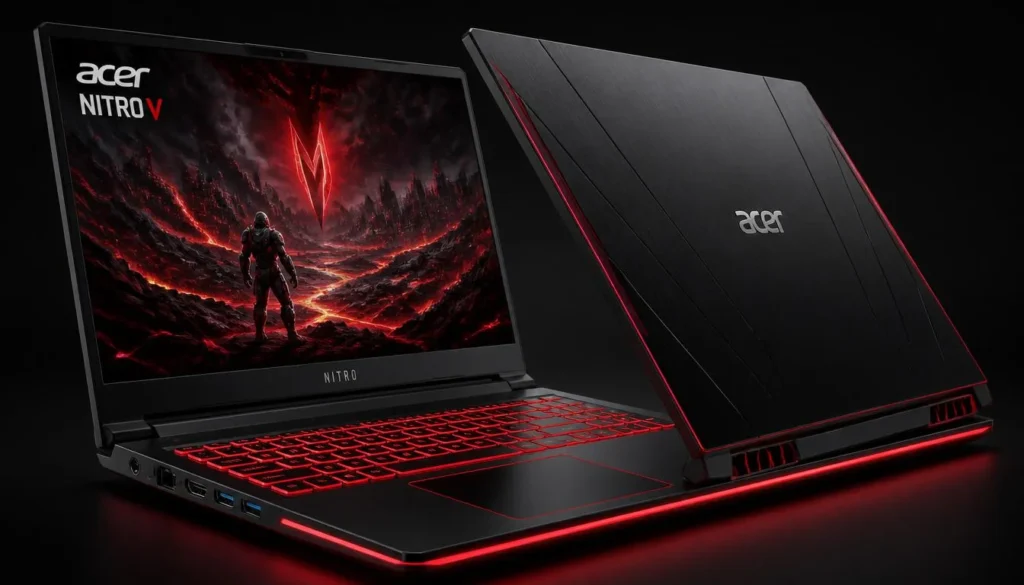
For students trying to stretch every dollar, the Acer Nitro V is one of the easiest laptops on this list to recommend. This configuration combines an Intel Core i5-13420H processor with an NVIDIA GeForce RTX 4050 Laptop GPU, a 15.6-inch Full HD 144Hz IPS display, 8GB of DDR5 memory, and a 512GB Gen 4 SSD.
The RTX 4050 is the main reason this laptop deserves attention. It gives you enough GPU power for modern 1080p gaming while also helping with workloads such as video editing, 3D applications, and other GPU-accelerated software that some students may need for coursework.
The 144Hz display is another practical upgrade over an ordinary student laptop. Games feel noticeably smoother, particularly competitive titles where fast movement matters.
The weak point is the included 8GB of RAM. It can handle normal school tasks, but gaming while keeping Chrome, Discord, Spotify, and other applications open can push 8GB fairly quickly. If you buy this configuration, I would include a RAM upgrade in your future budget after checking compatible memory.
Pros
- ✓ RTX 4050 delivers strong 1080p gaming performance
- ✓ 144Hz IPS display is ideal for competitive games
- ✓ Fast PCIe Gen 4 SSD
- ✓ Core i5 H-series processor is capable for gaming and coursework
- ✓ Good entry point into RTX gaming
Cons
- ✗ 8GB RAM is limited for modern multitasking
- ✗ Gaming laptops are less convenient away from a charger than regular student ultrabooks
- ✗ 512GB can fill quickly once several large games are installed
My Take
If your priority is getting an RTX 4050 laptop without spending unnecessarily on premium features, the Nitro V makes a lot of sense. Upgrade the memory when your budget allows, and you have a capable student gaming setup that should be useful for much more than gaming.
Lenovo LOQ 15 Gaming Laptop
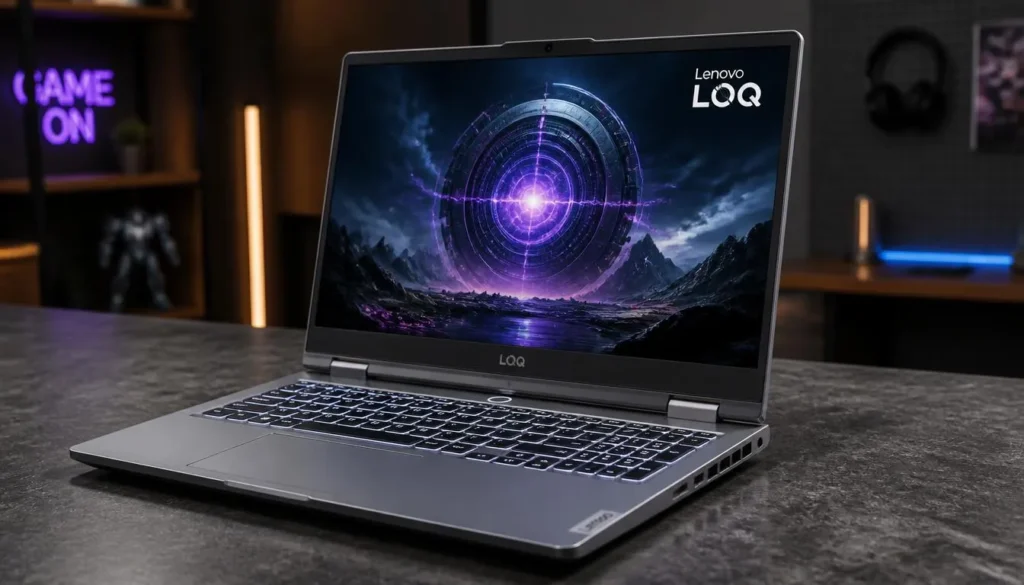
The Lenovo LOQ 15 is worth considering if your student workload involves more than writing essays and browsing the web.
The Amazon configuration checked for this guide combines an AMD Ryzen 5 7235HS processor, NVIDIA GeForce RTX 4050 graphics, a 15.6-inch Full HD 144Hz IPS display, 32GB of RAM, and a 1TB PCIe SSD. It also lists G-SYNC support.
That combination is particularly useful for students who keep many applications open at once. Thirty-two gigabytes of RAM gives you much more breathing room for large browser sessions, programming environments, creative applications, virtual machines, and gaming.
The 1TB SSD also solves one of the most annoying problems with cheap gaming laptops: running out of space. Modern games can consume a surprising amount of storage, and students still need room for projects, downloads, recordings, and course files.
Its 15.6-inch form factor is comfortable for gaming and productivity, although students who carry their laptop across campus every day may prefer something smaller and lighter.
One thing I would check carefully before ordering is who installed the upgraded RAM and SSD. Amazon frequently carries configurations upgraded by third-party sellers, so compare the listing specifications and seller information before checkout.
Pros
- ✓ RTX 4050 graphics for modern 1080p gaming
- ✓ 32GB RAM is excellent for heavy multitasking
- ✓ Spacious 1TB SSD
- ✓ 144Hz IPS screen
- ✓ Useful for gaming, programming, editing, and general coursework
Cons
- ✗ Larger than a typical thin student laptop
- ✗ Seller-upgraded configurations deserve extra checking before purchase
- ✗ High-performance hardware can reduce unplugged runtime during demanding tasks
My Take
The LOQ is the option I would look at when gaming is important but school workloads also involve serious multitasking. The generous memory and storage give it an advantage over entry-level configurations that may need upgrades almost immediately.
ASUS TUF Gaming A15
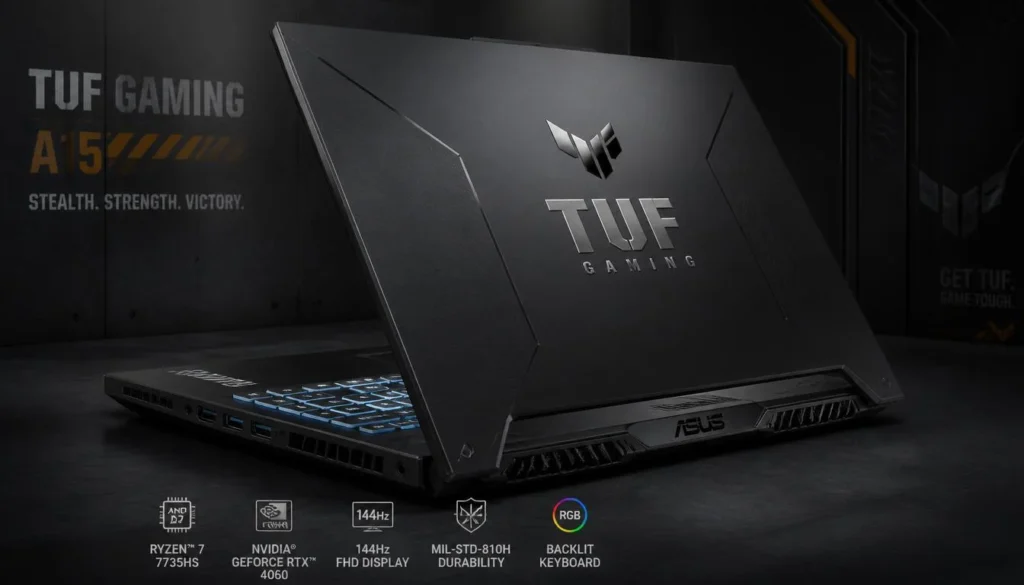
The ASUS TUF Gaming A15 is probably the most balanced choice here for a student who wants one laptop to cover gaming, classes, and creative work.
This Amazon configuration pairs an AMD Ryzen 7 7435HS processor with an NVIDIA GeForce RTX 4050, 16GB of DDR5 RAM, a 512GB PCIe SSD, and a 15.6-inch Full HD 144Hz display with 100% sRGB coverage. Wi-Fi 6 and Windows 11 are also included.
Sixteen gigabytes of RAM is exactly where I would want a student gaming laptop to start. You have enough memory for current games while keeping common background applications running, and you avoid the immediate upgrade pressure that comes with an 8GB configuration.
The 100% sRGB display is another useful feature. It matters less if you only write documents and play games, but students studying graphic design, content creation, photography, or video editing will appreciate better color coverage.
The trade-off is that you are still buying a performance-focused gaming machine. It will not feel as effortless to carry around campus as a lightweight productivity notebook, and demanding gaming is best done close to a power outlet.
Pros
- ✓ Ryzen 7 processor provides strong multitasking performance
- ✓ RTX 4050 handles modern 1080p gaming
- ✓ 16GB DDR5 is a sensible starting configuration
- ✓ 144Hz display improves gaming smoothness
- ✓ 100% sRGB coverage is useful for creative students
Cons
- ✗ 512GB storage may eventually need expansion
- ✗ Not as portable as a thin-and-light notebook
- ✗ High-performance gaming will drain the battery quickly
My Take
For a student who wants to buy one machine and avoid thinking about upgrades immediately, the TUF A15 is a strong all-around option. Its combination of 16GB RAM, RTX 4050 graphics, Ryzen 7 processing power, and a better-than-basic display makes it useful well beyond gaming.
HP Victus 15 Gaming Laptop
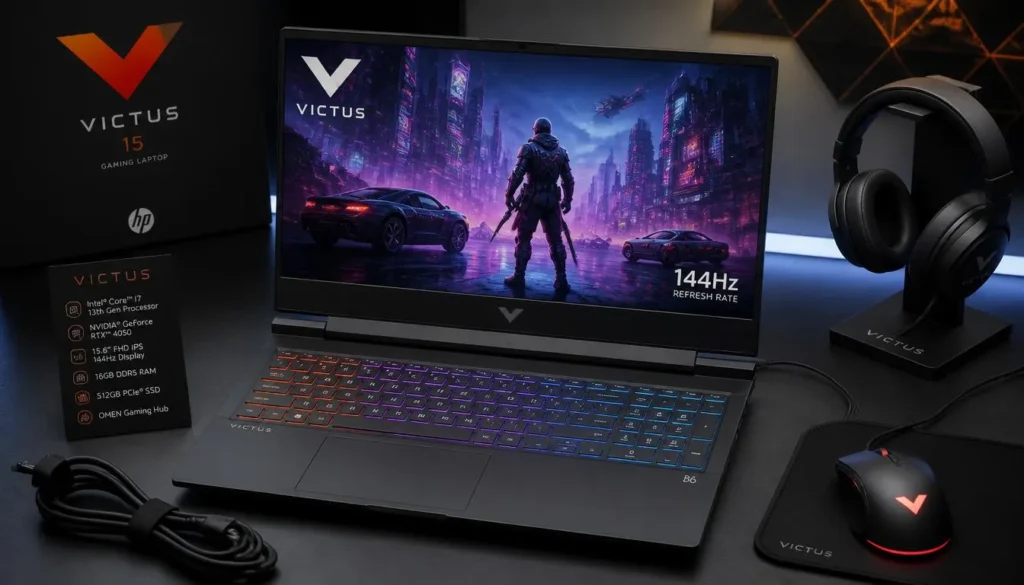
Not every student wants a laptop that looks like it belongs permanently on a gaming desk. That is where the HP Victus 15 becomes interesting.
The configuration checked on Amazon includes a 13th-generation Intel Core i5-13420H processor, NVIDIA GeForce RTX 4050 6GB graphics, 16GB DDR4 RAM, a 512GB PCIe Gen 4 NVMe SSD, and a 15.6-inch Full HD 144Hz IPS anti-glare display.
Those specifications hit the important points for a student gaming laptop. The RTX 4050 gives it legitimate gaming capability, while 16GB of memory is enough for the kind of mixed workload most students create during a normal day.
You might have a browser full of research tabs, Microsoft Word open, Spotify playing, Discord running, and a game waiting in the background. Sixteen gigabytes makes that experience much more comfortable than an entry-level 8GB system.
The Victus design is also relatively understated compared with many gaming laptops. That makes it easier to use in a lecture hall, library, internship, or workplace without looking excessively flashy.
The 512GB SSD is the biggest limitation. It is enough to get started, but large AAA games can quickly consume the available space.
Pros
- ✓ RTX 4050 6GB GPU
- ✓ 16GB RAM is practical for school and gaming
- ✓ 144Hz IPS anti-glare display
- ✓ Fast PCIe Gen 4 NVMe storage
- ✓ More understated appearance than many gaming models
Cons
- ✗ Uses DDR4 rather than DDR5 in this configuration
- ✗ 512GB storage can become restrictive
- ✗ Still heavier and more power-hungry than a standard student notebook
My Take
The HP Victus 15 is a particularly good match for students who want gaming performance without an aggressive gaming-laptop appearance. It can move from a dorm room to a classroom or internship more naturally than many RGB-heavy alternatives.
MSI Thin 15 Gaming Laptop
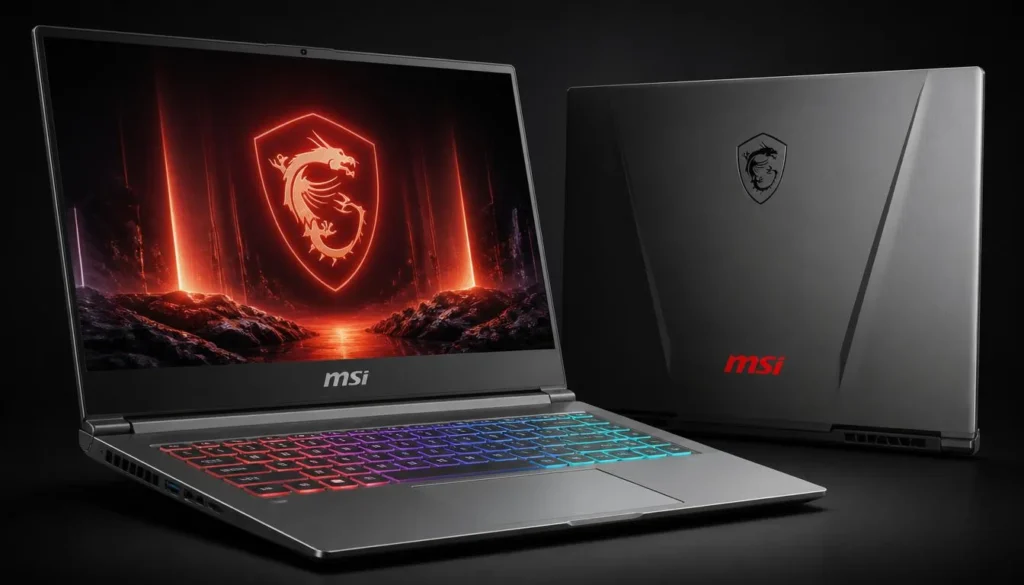
The MSI Thin 15 is another interesting option for students who would rather buy plenty of RAM and storage from day one.
The Amazon listing checked for this guide combines an AMD Ryzen 5 7535HS processor with NVIDIA GeForce RTX 4050 graphics, a 15.6-inch 144Hz display, 32GB of RAM, and a 1TB PCIe SSD.
For everyday student use, 32GB is more memory than most people strictly need. But it becomes valuable if your course involves software development, engineering applications, virtualization, video editing, large creative projects, or other demanding programs.
The 1TB SSD is equally welcome. You can keep a reasonable game library installed while still having room for school files without immediately reaching for an external drive.
Its RTX 4050 also means you are getting a real dedicated gaming GPU rather than relying on integrated graphics. That makes a major difference when playing demanding games or using GPU-accelerated creative software.
As with the Lenovo configuration, check the seller and exact memory/storage configuration before buying. Listings with unusually high RAM or storage are sometimes seller-upgraded rather than standard factory configurations.
Pros
- ✓ RTX 4050 dedicated graphics
- ✓ 32GB RAM gives plenty of multitasking headroom
- ✓ 1TB SSD is excellent for a student game library
- ✓ 144Hz display
- ✓ Strong combination for study, gaming, and creative workloads
Cons
- ✗ 32GB may be unnecessary for students with basic workloads
- ✗ Check who performed any RAM or SSD upgrades
- ✗ Performance-focused hardware still means battery compromises
My Take
Students who hate upgrading laptops later should give the MSI Thin 15 a serious look. The 32GB RAM and 1TB SSD configuration gives you much more breathing room than the minimum-spec options that often dominate the budget category.
Buyer’s Guide: 3 Key Factors Students Should Consider
A gaming laptop can look great on a specification sheet and still be frustrating to use at college. Before buying, think about how the laptop fits into your actual week rather than concentrating only on frame rates.
Factor 1: GPU and Real Gaming Performance
The graphics card is the most important component when buying a laptop primarily for gaming.
For the models in this guide, the RTX 4050 is the common denominator. That makes comparison easier because you can focus more closely on the processor, RAM, storage, display, and overall configuration rather than assuming that a higher laptop price automatically means much faster graphics.
Your gaming needs matter too.
If you mainly play games such as Valorant, League of Legends, Fortnite, Rocket League, or similar esports titles, you do not necessarily need the most expensive GPU available.
If you play demanding AAA games, use graphics-heavy engineering software, edit video, or work with 3D applications, dedicated graphics become much more important.
Do not buy more GPU than you actually need while sacrificing memory, storage, or everyday usability.
Factor 2: Portability, Display, and Battery Expectations
A 15.6-inch screen is a good compromise for most student gamers. It provides enough space for games, spreadsheets, coding, research, and split-screen work without becoming a full desktop-replacement-sized machine.
A 144Hz display is also worth having on a gaming laptop. The difference between 60Hz and 144Hz is easy to notice in fast-paced games.
For students studying design, photography, or video production, color quality also deserves attention. The ASUS TUF A15 configuration in this guide, for example, lists 100% sRGB coverage.
Battery expectations are equally important.
Gaming laptops contain high-performance processors and dedicated graphics, so they are not designed around the same priorities as ultra-thin productivity notebooks. You may get through lighter tasks more comfortably when properly configured, but serious gaming should generally be treated as a plugged-in activity.
If you spend all day moving between classrooms without easy access to outlets, portability and battery behavior should influence your decision just as much as GPU performance.
Factor 3: RAM and Storage
For a student buying a gaming laptop today, 16GB of RAM is the configuration I would target whenever the budget allows.
Eight gigabytes can still handle basic schoolwork and some games, but it leaves less room for multitasking. Students rarely run one program at a time. A normal session can involve dozens of browser tabs, Office applications, Discord, Spotify, cloud storage software, messaging apps, and a game.
That is why 16GB feels much more comfortable.
Thirty-two gigabytes makes sense if you are studying software engineering, architecture, 3D design, video production, data science, or another subject that regularly uses memory-intensive applications.
Storage deserves the same attention.
A 512GB SSD is workable, but you will need to manage your game library carefully. A 1TB SSD gives students much more flexibility because school projects and modern games are competing for the same drive space.
Frequently Asked Questions
What is the best budget gaming laptop for students?
For most students, the Acer Nitro V offers an attractive balance of price and RTX 4050 gaming performance, while the ASUS TUF Gaming A15 is the more complete out-of-the-box option thanks to its 16GB DDR5 memory and 100% sRGB 144Hz display.
Students who need significantly more RAM and storage should also consider the Lenovo LOQ 15 or MSI Thin 15 configurations featured above.
Is a gaming laptop good for college students?
Yes, provided you actually need the extra performance.
A gaming laptop can handle normal college tasks such as research, presentations, video calls, spreadsheets, programming, and document editing while also running demanding games and creative applications.
The disadvantages are usually portability, fan noise under heavy loads, and shorter unplugged runtime compared with thin productivity laptops.
If you only use Google Docs, Netflix, and basic web applications, buying a gaming laptop may be unnecessary. If you game regularly or study a subject that benefits from a powerful CPU and dedicated GPU, it can be a practical two-in-one purchase.
Is 8GB RAM enough for a student gaming laptop?
It can work, but I would prefer 16GB.
Eight gigabytes is manageable for basic coursework and lighter gaming, but modern students frequently multitask. Running a game alongside a browser, Discord, streaming applications, and background utilities can quickly consume available memory.
The Acer Nitro V configuration covered here ships with 8GB DDR5, while the ASUS TUF A15 and HP Victus configurations include 16GB.
If your budget forces you to choose 8GB initially, check upgrade options before purchasing.
Is an RTX 4050 laptop enough for gaming?
For a budget-conscious student targeting 1080p gaming, an RTX 4050 laptop is a sensible place to start.
Every laptop selected for this guide uses an RTX 4050-class configuration, giving students dedicated graphics without moving immediately into much more expensive enthusiast hardware.
Actual gaming performance will still vary because laptop cooling, processor performance, GPU power limits, memory configuration, and game settings all matter.
How much storage should a student gaming laptop have?
A 512GB SSD is the minimum I would consider comfortable, while 1TB is preferable if your budget allows.
Students have to store more than games. Course materials, project files, recordings, photos, videos, software packages, and downloads all compete for space.
If you regularly install large AAA games, 512GB can disappear surprisingly quickly.
Should students prioritize CPU or GPU?
For gaming, prioritize the GPU first, but do not ignore the CPU.
Students who also edit video, compile large coding projects, render 3D work, run virtual machines, or use engineering applications may benefit significantly from a stronger processor and additional RAM.
The ideal student laptop is balanced rather than extreme in one specification.
Are gaming laptops too heavy for college?
Not necessarily, but they are generally less convenient to carry than thin student notebooks.
Think about your daily routine before buying. If the laptop mostly moves between a dorm room and occasional classes, a 15.6-inch gaming laptop should be manageable for many students.
If you commute long distances and carry your computer around campus all day, weight, charger size, and battery behavior deserve much more attention.
Should I buy a gaming laptop or a regular laptop for school?
Choose a gaming laptop if you regularly play PC games or use software that benefits from a dedicated GPU.
Choose a standard laptop if your workload consists mainly of browsing, writing, presentations, streaming, and basic productivity tasks.
A gaming laptop costs more in portability and power consumption, so the additional performance should solve a real need.
Final Verdict: Which Budget Gaming Laptop Should a Student Buy?
There is no single laptop that fits every student, but a few choices stand out.
The Acer Nitro V is my value-focused choice. Its Core i5 and RTX 4050 combination gives students serious gaming capability, although the 8GB configuration makes a future memory upgrade worth considering.
The ASUS TUF Gaming A15 is the strongest all-around option for students who can spend a little more for a balanced configuration. Its Ryzen 7 processor, RTX 4050, 16GB DDR5 memory, and 100% sRGB 144Hz screen work well for both gaming and school.
If multitasking and storage matter more, look at the Lenovo LOQ 15 or MSI Thin 15 configurations with 32GB RAM and 1TB SSDs.
And if you want something that looks more comfortable in both a classroom and a gaming setup, the HP Victus 15 is an appealing middle ground with an RTX 4050, 16GB RAM, and a 144Hz display.
For most students, the goal should not be to buy the fastest laptop possible. Buy the machine that handles your classes comfortably, runs the games you actually play, offers enough RAM and storage for several years of use, and still leaves some money in your student budget.
Best overall value: Acer Nitro V
Best balanced choice: ASUS TUF Gaming A15
Best for heavy multitasking: Lenovo LOQ 15
Best campus-friendly option: HP Victus 15
Best RAM and storage configuration: MSI Thin 15