Valorant does not need an outrageously expensive gaming laptop. What matters more is choosing hardware that can deliver consistently high frame rates, a fast display, stable thermals, and enough memory to keep Windows, Discord, your browser, and the game running smoothly at the same time.
Riot’s current PC specifications list an Intel Core i5-9400F or AMD Ryzen 5 2600X paired with a GTX 1050 Ti, Radeon R7 370, or Intel Arc A310 as its high-end reference for 144+ FPS. Riot also lists only 4GB of RAM as a base requirement.
That means you do not need flagship RTX 5070 or RTX 5080 hardware just to play Valorant. For a new laptop, I would rather put the money into a good CPU, 144Hz display, 16GB of RAM, reliable cooling, and a sensible GPU.
After comparing current Amazon listings, these are five of the best budget gaming laptops for Valorant that make the most sense for competitive 1080p gaming.
Disclosure: As an Amazon Associate, Game Insider Hub may earn from qualifying purchases. Prices and availability can change at any time.
Best Budget Gaming Laptops for Valorant at a Glance
| Product | Key Specs | Display | Best For | Check Price |
|---|---|---|---|---|
| Lenovo LOQ 15 | Ryzen 7 7435HS, RTX 4050, 16GB RAM, 512GB SSD | 15.6″ FHD 144Hz | Best Overall | Amazon |
| Acer Nitro V 15 | Ryzen 5 7535HS, RTX 4050, 16GB RAM, 512GB SSD | 15.6″ FHD IPS 144Hz | Best Value | Amazon |
| ASUS TUF Gaming A15 | Ryzen 7 7435HS, RTX 4050, 16GB RAM, 512GB SSD | 15.6″ FHD 144Hz | Best for Durability | Amazon |
| HP Victus 15 | Core i5-13420H, RTX 4050, 16GB RAM, 512GB SSD | 15.6″ FHD 144Hz | Best Understated Design | Amazon |
| MSI Thin 15 | Core i7-13620H, RTX 4050, 16GB RAM, 1TB SSD | 15.6″ FHD 144Hz | Best Storage | Amazon |
All five Amazon listings were available when this guide was checked. Exact prices, sellers, configurations, and stock can change, so check the listing carefully before ordering.
1. Lenovo LOQ 15 Gaming Laptop — Best Overall for Valorant
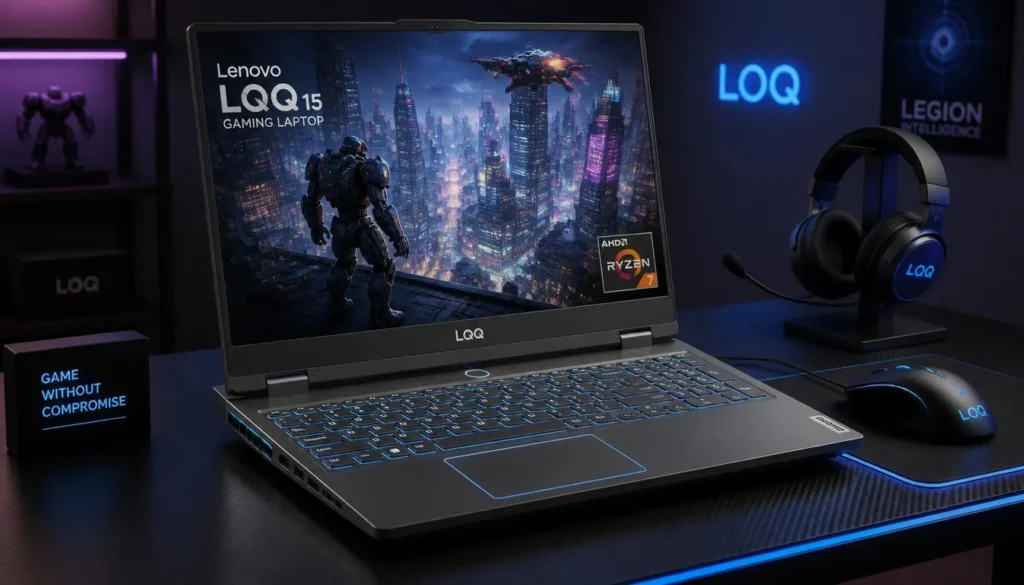
The Lenovo LOQ 15 is the model I would put at the top of the list for someone mainly interested in competitive games such as Valorant.
This configuration pairs an AMD Ryzen 7 7435HS processor with an NVIDIA GeForce RTX 4050, 16GB of RAM, and a 512GB SSD. More importantly for Valorant, the 15.6-inch Full HD panel runs at 144Hz. The Amazon listing confirms the Ryzen 7 7435HS, RTX 4050, 16GB RAM, 512GB SSD, and 144Hz display combination. Lenovo’s own specifications also list Ryzen 7 7435HS and RTX 4050 configurations in the LOQ 15ARP9 family.
Valorant tends to reward strong CPU performance because players commonly lower visual settings while chasing higher and more consistent frame rates. That makes the Ryzen 7 particularly attractive here.
Pros
- ✓ Strong Ryzen 7 CPU for high-refresh-rate esports
- ✓ RTX 4050 provides plenty of GPU headroom for Valorant
- ✓ 144Hz Full HD display suits competitive gaming
- ✓ 16GB RAM is ready for gaming and multitasking
- ✓ Ethernet support is useful for competitive online play
- ✓ Good balance between price and performance
Cons
- ✗ 512GB storage can fill quickly if you install several large games
- ✗ Heavier than an ordinary productivity laptop
- ✗ Gaming battery life will never match an ultrabook
My Take
If Valorant is the priority, I like the LOQ because the money is going into the components that actually matter.
You get a fast H-series Ryzen 7 processor, 144Hz screen, dedicated graphics, and 16GB of memory without paying for a premium 240Hz or QHD display that many budget shoppers simply do not need.
The RTX 4050 is more graphics power than Valorant itself requires, but that extra headroom becomes useful if your Steam library eventually expands to heavier games.
For a buyer who wants one affordable laptop for Valorant, college or work, Discord, streaming, and newer PC games, the LOQ is the most balanced choice here.
2. Acer Nitro V 15 Gaming Laptop — Best Value
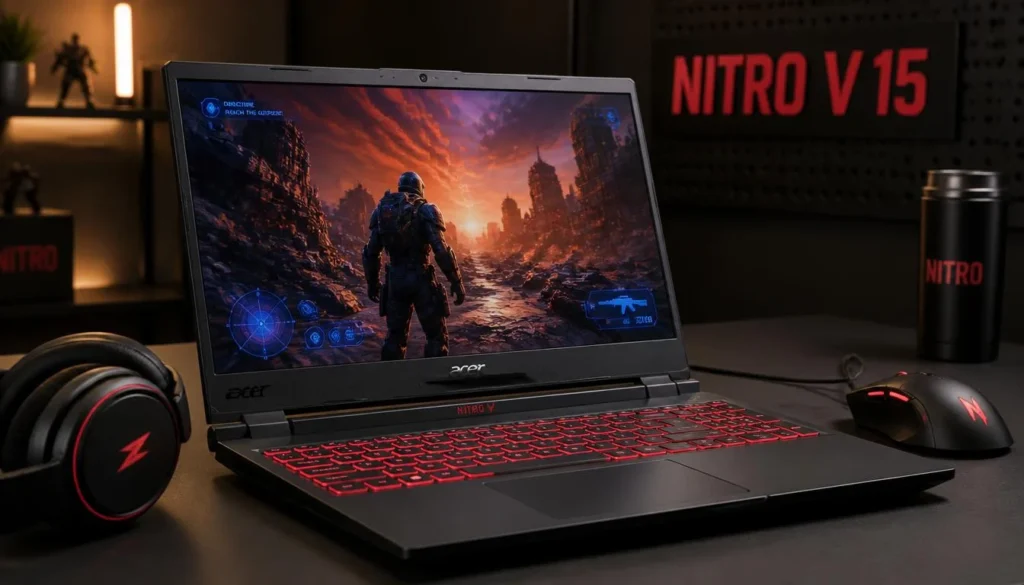
The Acer Nitro V 15 is another very sensible option if you are trying to maximize gaming performance without spending unnecessarily.
The Amazon configuration listed here includes a Ryzen 5 7535HS processor, NVIDIA GeForce RTX 4050 6GB graphics, 16GB of RAM, a 512GB SSD, and a 15.6-inch Full HD IPS 144Hz display.
Acer also sells Nitro V configurations built around RTX 4050 graphics and high-refresh Full HD panels, reinforcing the series’ position as an entry-to-mainstream gaming line.
Pros
- ✓ Excellent hardware for competitive 1080p gaming
- ✓ 144Hz IPS screen
- ✓ RTX 4050 with 6GB dedicated graphics memory
- ✓ 16GB RAM out of the box
- ✓ Ryzen 5 7535HS is more than capable for Valorant
- ✓ Ethernet, HDMI, USB-A, and USB-C connectivity
Cons
- ✗ Design is noticeably more “gaming laptop” than the HP Victus
- ✗ 512GB storage is adequate rather than generous
- ✗ Fans can become noticeable during demanding workloads
My Take
This is probably the sweet spot for a lot of buyers.
Valorant does not need a ridiculously powerful GPU, so the Nitro V’s RTX 4050 provides comfortable breathing room while still keeping the machine relevant for games that are far more graphically demanding.
The 144Hz IPS display is the feature that matters most in day-to-day Valorant matches. Moving from an ordinary 60Hz laptop to 144Hz makes fast camera movement and aiming feel noticeably smoother when the game is generating enough frames.
I would choose the Nitro V over a slightly cheaper office laptop with integrated graphics, especially if gaming will remain part of your routine for the next few years.
3. ASUS TUF Gaming A15 — Best for Durability
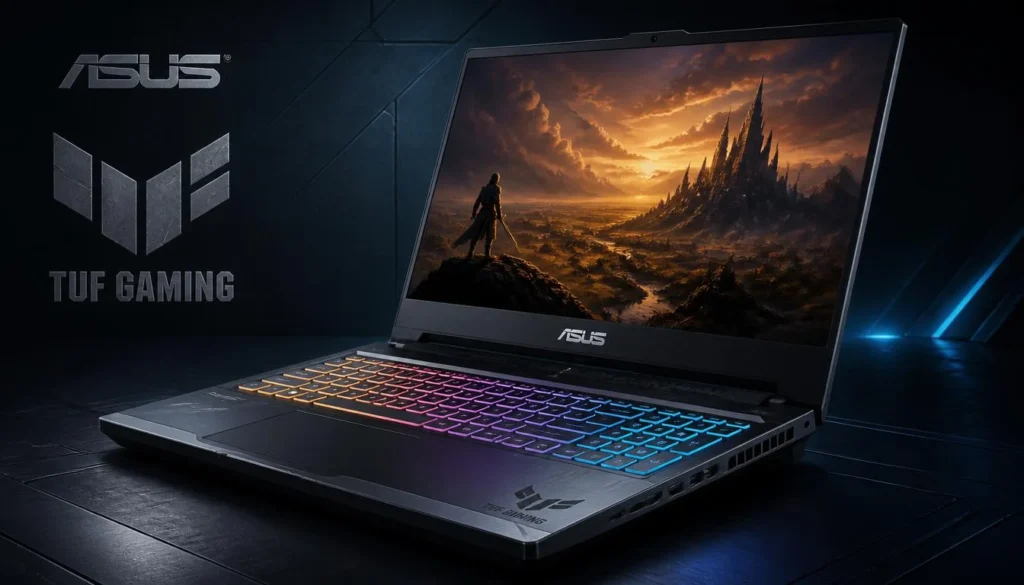
The ASUS TUF Gaming A15 makes sense for someone who wants a gaming laptop that will also spend plenty of time traveling between home, school, college, or work.
The Amazon model combines a Ryzen 7 7435HS, GeForce RTX 4050, 16GB DDR5 memory, 512GB PCIe SSD, and a 15.6-inch Full HD 144Hz display with 100% sRGB coverage.
ASUS lists the TUF A15 family with Ryzen processors, RTX graphics, high-refresh displays, MUX-switch support on relevant configurations, and a chassis designed around the company’s TUF durability standards.
Pros
- ✓ Fast Ryzen 7 processor
- ✓ NVIDIA RTX 4050 dedicated graphics
- ✓ 144Hz Full HD display
- ✓ 100% sRGB panel on this Amazon configuration
- ✓ 16GB DDR5 RAM
- ✓ Strong selection of connectivity
- ✓ TUF series emphasizes chassis durability
Cons
- ✗ Usually not the cheapest option in this group
- ✗ Gaming-oriented styling may not appeal to everyone
- ✗ 512GB SSD may eventually require an upgrade
My Take
The ASUS TUF A15 is easy to recommend if you are willing to spend a little more for a more rounded machine.
For Valorant alone, its RTX 4050 is unnecessary overkill. But that is not necessarily wasted money if the laptop will also handle newer AAA games, content creation, or several years of everyday use.
I also like the display specification. A fast 144Hz panel is what you want for Valorant, while the broader color coverage makes this configuration more appealing for photo editing, video work, or general media consumption.
It is a particularly good fit for someone who wants a laptop that does more than one job.
4. HP Victus 15 Gaming Laptop — Best Understated Gaming Laptop
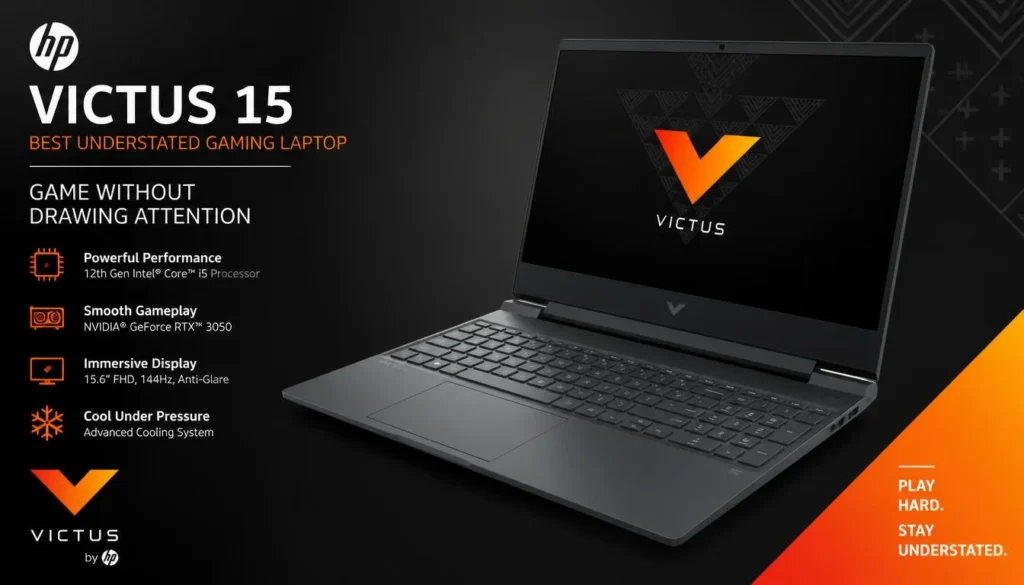
Not everyone wants a laptop that looks like gaming hardware.
The HP Victus 15 has a more restrained design while still providing the specifications needed for fast competitive gaming.
This Amazon configuration features Intel’s Core i5-13420H processor, an NVIDIA GeForce RTX 4050 6GB Laptop GPU, 16GB DDR4 RAM, 512GB PCIe Gen4 NVMe storage, and a 15.6-inch Full HD 144Hz IPS display.
Pros
- ✓ Powerful Core i5 H-series CPU
- ✓ RTX 4050 6GB graphics
- ✓ 144Hz Full HD IPS display
- ✓ 16GB RAM
- ✓ Clean design works well for school and office environments
- ✓ 512GB PCIe Gen4 NVMe SSD
Cons
- ✗ DDR4 rather than DDR5 in this configuration
- ✗ 512GB storage is only moderate
- ✗ Less aggressive gaming styling may be a negative if RGB is important to you
My Take
The Victus is the laptop I would consider if I wanted one computer for both gaming and normal everyday life.
Bring it into a classroom, meeting, or coffee shop and it does not immediately scream “gaming machine.” Once you are back home, however, you still have the dedicated RTX GPU and 144Hz screen required for a proper esports setup.
For Valorant specifically, I would not worry much about the DDR4 memory. The more important point is that this configuration already gives you 16GB, which leaves enough room for the game plus Discord, browser tabs, recording software, and other background applications.
5. MSI Thin 15 Gaming Laptop — Best with 1TB Storage
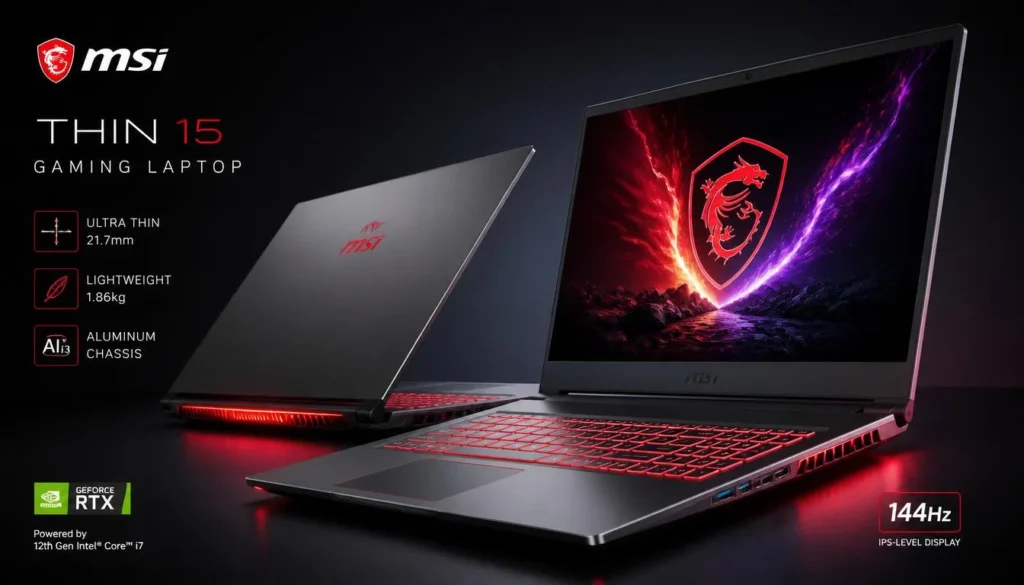
The MSI Thin 15 stands out because this configuration combines a fast Core i7 processor with 1TB of storage.
Amazon lists the B13VE-3047US with a Core i7-13620H, NVIDIA GeForce RTX 4050 6GB, 16GB RAM, 1TB SSD, and a 15.6-inch Full HD 144Hz display.
MSI’s official specifications for the Thin 15 family also include the Core i7-13620H, RTX 4050, 144Hz display, and PCIe storage. MSI specifies a relatively conservative GPU power limit on some RTX 4050 Thin 15 configurations, which is worth knowing if your main goal is maximum AAA-game GPU performance.
For Valorant, that tradeoff is less concerning because the game is considerably lighter than modern GPU-heavy titles.
Pros
- ✓ Core i7-13620H processor
- ✓ RTX 4050 6GB GPU
- ✓ 144Hz Full HD display
- ✓ 16GB RAM
- ✓ Spacious 1TB SSD
- ✓ Good choice for a larger game library
Cons
- ✗ RTX 4050 power limits can be lower than thicker gaming laptops
- ✗ Thin chassis means cooling has less physical room to work
- ✗ Not my first choice for someone chasing maximum GPU performance per dollar
My Take
There is one simple reason I would pick the MSI over some similarly priced alternatives: 1TB of storage.
Valorant itself is not the problem. The problem begins when Valorant is sharing your SSD with Windows, recordings, school files, Call of Duty, Fortnite, GTA, and a growing Steam library.
A 512GB drive can start feeling cramped surprisingly quickly.
The i7-13620H is also a good pairing for CPU-sensitive esports titles. If Valorant is your main game but definitely not your only game, the larger SSD makes the MSI Thin 15 an appealing all-round package.
Buyer’s Guide: 3 Key Factors to Consider
Buying a laptop specifically for Valorant is slightly different from buying one for visually demanding AAA games. Throwing more money at the GPU is not always the smartest move.
Factor 1: Prioritize the CPU for Competitive Frame Rates
Valorant is designed to run on modest hardware. Riot’s official high-end 144+ FPS reference uses an Intel Core i5-9400F or Ryzen 5 2600X alongside comparatively old graphics hardware.
That should tell you something important: you do not need an expensive flagship GPU to play Valorant well.
Once the GPU is powerful enough, CPU performance becomes increasingly important when you are trying to maintain high frame rates.
For a new budget gaming laptop, processors such as these are more than sensible:
- Intel Core i5 H-series
- Intel Core i7 H-series
- AMD Ryzen 5 HS-series
- AMD Ryzen 7 HS-series
I would rather buy a strong Core i5 or Ryzen 5 laptop with a 144Hz screen than spend more for a huge GPU upgrade while being stuck with a slow 60Hz panel.
Factor 2: Get at Least a 144Hz Display
This is the specification budget shoppers often underestimate.
A 60Hz screen can display up to 60 new frames each second. A 144Hz screen can refresh up to 144 times per second.
That difference is particularly noticeable in competitive shooters where you are constantly turning, tracking enemies, clearing corners, and making tiny aim corrections.
Riot specifically maintains a 144+ FPS high-end performance tier, making a 144Hz laptop display a logical target for competitive Valorant players.
You do not necessarily need 240Hz on a budget.
For most players, I would rank the priorities like this:
144Hz display > 16GB RAM > good CPU > sensible dedicated GPU > 512GB or larger SSD.
A 165Hz screen is also excellent, but I would not pay a large premium over an otherwise better 144Hz laptop.
Factor 3: Choose 16GB RAM and Enough SSD Storage
Valorant’s official memory requirement is low, but buying a modern Windows gaming laptop with only the bare minimum makes little sense.
16GB RAM is the practical target.
That gives you room for Valorant, Discord, Chrome, Riot Client, Windows services, and potentially OBS or another recording application without constantly worrying about memory.
Storage is different.
A 512GB SSD is enough if Valorant is one of only a handful of games you play. A 1TB SSD is much more comfortable if you expect to build a larger game library.
Also check whether RAM and SSD storage can be upgraded. A laptop that lets you add memory or another SSD later can remain useful much longer than a completely sealed design.
Frequently Asked Questions
What is the best budget gaming laptop for Valorant?
The Lenovo LOQ 15 with Ryzen 7 7435HS and RTX 4050 is my overall pick because it combines a strong CPU, 16GB RAM, dedicated RTX graphics, and a 144Hz Full HD display without moving into premium gaming-laptop territory.
The Acer Nitro V 15 is another excellent value if its current Amazon price is lower.
Can a budget gaming laptop run Valorant at 144 FPS?
Yes. Valorant is relatively light compared with modern AAA games. Riot’s official high-end specification for 144+ FPS lists hardware as modest as the Core i5-9400F/Ryzen 5 2600X and GTX 1050 Ti/Radeon R7 370/Intel Arc A310.
Actual laptop performance will still vary with graphics settings, cooling, power mode, drivers, game updates, and background applications.
Is an RTX 4050 overkill for Valorant?
For Valorant alone, yes — an RTX 4050 is considerably more GPU than Riot’s official high-end specification requires.
However, buying an RTX 4050 can still make sense because you are purchasing a laptop rather than a Valorant-only console. The additional GPU power gives you room for heavier games, streaming, video editing, and future software.
Do I need 16GB RAM for Valorant?
Valorant itself does not require 16GB. Riot currently lists 4GB of RAM in its PC specifications.
For a new gaming laptop, however, I recommend 16GB because Windows and other applications are competing for memory at the same time.
Is 144Hz enough for competitive Valorant?
For most budget-conscious players, yes.
A 144Hz display gives you a major improvement over 60Hz without forcing you into the more expensive 240Hz gaming-laptop category. Riot also uses 144+ FPS as its official high-end PC performance target.
Serious competitive players can benefit from 240Hz, but it should not be your first priority when shopping on a limited budget.
Should I choose a better CPU or a better GPU for Valorant?
Once you have a reasonably capable dedicated GPU, I would generally prioritize the stronger CPU for a Valorant-focused laptop.
Competitive players often use reduced graphical settings to maximize frame rates, which can shift more importance toward CPU performance.
If you also play demanding games such as Cyberpunk 2077, Hogwarts Legacy, or other GPU-heavy titles, then the graphics card becomes much more important.
Is 512GB SSD enough for a Valorant gaming laptop?
It is enough for Windows, Valorant, and a modest selection of additional applications and games.
If you regularly install large AAA titles or save gameplay recordings, 1TB is more comfortable. That is one reason the MSI Thin 15 configuration in this guide deserves consideration.
Final Verdict: Which Budget Gaming Laptop Should You Buy for Valorant?
If I were buying specifically for competitive Valorant while still wanting a laptop capable of handling other modern games, I would choose the Lenovo LOQ 15. The Ryzen 7 7435HS, RTX 4050, 16GB memory, and 144Hz Full HD display create the most balanced package of the five.
For value-focused buyers, the Acer Nitro V 15 is the model I would check next. Its Ryzen 5, RTX 4050, 16GB RAM, and 144Hz IPS display already give Valorant far more hardware than Riot’s official high-end reference requires.
The ASUS TUF Gaming A15 is worth considering if build quality and a better-rounded display matter to you, while the HP Victus 15 is ideal for anyone who prefers a less aggressive gaming design.
Finally, choose the MSI Thin 15 if its 1TB SSD is more valuable to you than squeezing every possible bit of GPU performance from the chassis.
The main thing is not to overspend just because a laptop has a bigger GPU number on the box. For Valorant, a strong CPU, 144Hz or faster display, 16GB RAM, SSD storage, reliable cooling, and stable internet connectivity will usually improve the actual experience more than buying the most expensive graphics card you can afford.