what can a budget gaming laptop run is one of the most common questions we hear from first-time buyers, and the honest answer is: it depends on the exact machine and the games you want to play. A laptop with a GeForce RTX 4050 plays a very different game library than one running only integrated graphics. That's why "budget gaming laptop" isn't a single category.
It's a wide range of hardware with very different limits.
Most budget gaming laptops as of 2026 ship with a 4GB or 6GB discrete GPU, 8GB to 16GB of RAM, and a 1080p display running at 60Hz or 120Hz. That's enough for smooth esports and lighter AAA titles at medium settings, but not for every new release at ultra quality. The sections below walk you through exactly how to figure out what your specific machine can handle.
Why "Budget Gaming Laptop" Doesn't Give One Answer
The phrase "budget gaming laptop" covers machines priced from roughly $500 to $1,000, and that price gap hides a massive performance gap. At the low end you might get a laptop with integrated graphics or an older entry-level GPU. At the high end of "budget" you might land a GeForce RTX 4060 with 8GB of VRAM and a 144Hz display.
Those two machines don't run the same games at the same settings.
Three variables make the biggest difference. First, the GPU tier determines which games are even possible. Second, the GPU's power limit (TGP) determines how fast it runs in that specific chassis.
Third, the CPU, RAM, and cooling determine whether the GPU can actually sustain its speed. A laptop with a good GPU but weak cooling will throttle and perform like a cheaper machine.
This is why you'll see conflicting answers online. One reviewer says a budget laptop "runs Cyberpunk 2077 fine" while another says it "struggles." They're probably testing different configurations of the same model name. Before you trust any performance claim, check which GPU variant, RAM amount, and power limit that specific unit shipped with.
If you're still deciding what to spend, our guide on finding the right price point breaks down what each budget tier actually buys you. The short version: spending $100 more on a better GPU often matters more than spending it on RGB lighting or a thinner chassis.
The Quick Answer: What You Can Realistically Expect
what can a budget gaming laptop run comes down to three tiers of performance. Entry-level machines handle esports and older titles at 1080p. Mid-budget models add smooth AAA gameplay at medium settings.
The best budget options approach high settings in many games with upscaling enabled.
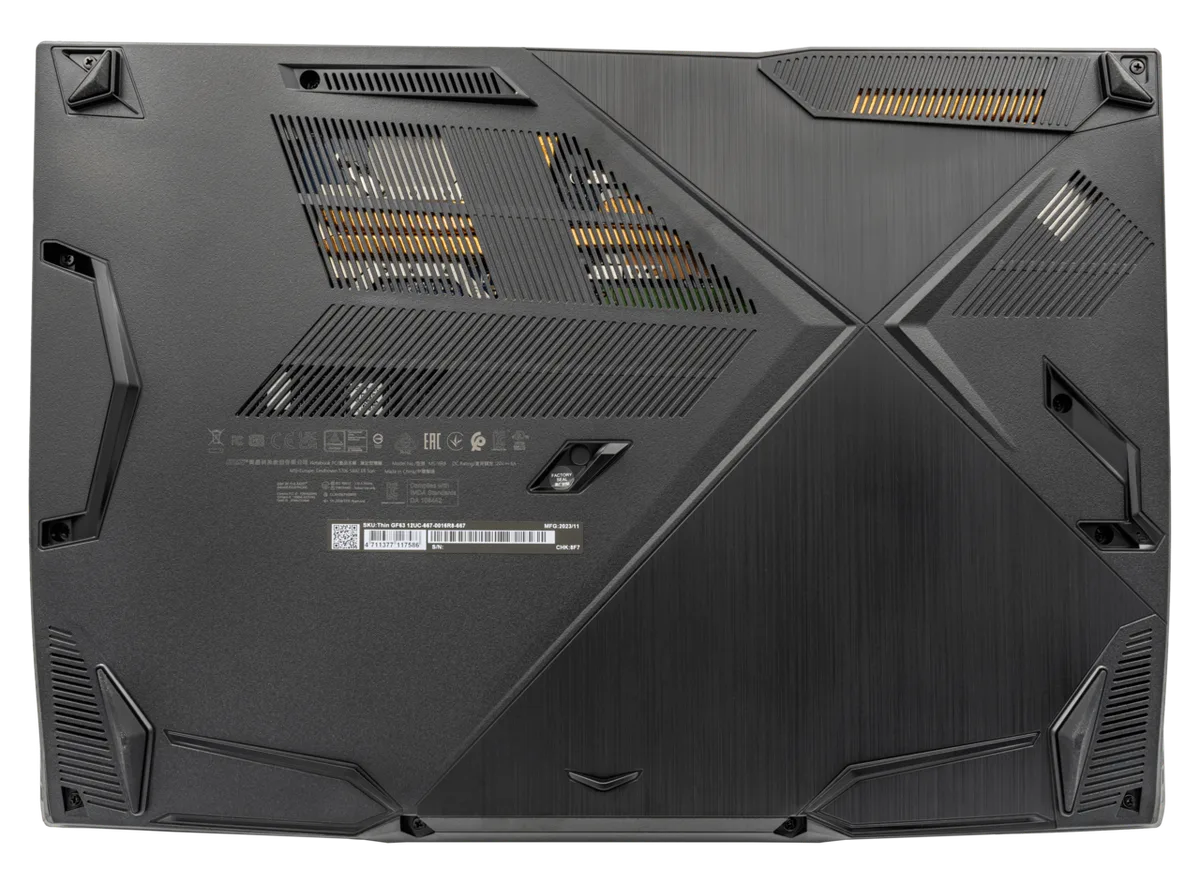
Image source: Wikimedia Commons / PantheraLeo1359531 (CC BY)
Here's a realistic breakdown as of 2026 for laptops in the $600 to $900 range with a discrete GPU:
- Esports titles like Valorant, CS2, Fortnite, and Apex Legends run at 100 to 200+ FPS at 1080p on low or medium settings.
- Popular AAA games like GTA V, Red Dead Redemption 2, and The Witcher 3 run at 40 to 60 FPS at 1080p medium settings.
- Newer demanding titles like Cyberpunk 2077, Alan Wake 2, and Starfield run at 30 to 45 FPS at 1080p low or medium settings, often with upscaling.
- Indie games and older titles from the last decade run smoothly at high or ultra settings with no issues.
- Emulators for PS2, GameCube, and Wii run well. PS3 and newer emulation is hit or miss depending on the title.
The key takeaway: a budget gaming laptop won't max out every new game at 4K, but it can deliver a genuinely good 1080p experience in most titles if you're willing to adjust settings. That's a big improvement over what budget laptops could do just three years ago, largely thanks to upscaling technologies like DLSS and FSR.
What Actually Decides Whether a Game Runs Well
GPU Tier, VRAM, and Power Limits
The GPU is the single biggest factor in what a budget gaming laptop can run. Most budget models ship with one of four chips: the NVIDIA GeForce RTX 3050, RTX 4050, RTX 4060, or the AMD Radeon RX 7600S. The RTX 4050 is the most common sweet spot right now, offering solid 1080p performance with DLSS support.
VRAM matters more than many buyers realize. A 4GB GPU struggles with modern textures and high-resolution assets. You'll see stuttering in games like Hogwarts Legacy or The Last of Us Part I even at low settings.
An 8GB GPU handles those same games far more smoothly. If you're choosing between two budget laptops, pick the one with more VRAM even if the GPU model is slightly older.
Power limits are the hidden variable. The same RTX 4050 can run at 35W in a thin chassis or 95W in a thicker one. That difference can mean a 30 to 50 percent performance gap.
Manufacturer specs often list the GPU model but not the TGP. You'll need to check reviews or the spec sheet carefully. Our breakdown of how power limits work explains why two laptops with the same GPU can perform very differently.
CPU, RAM, and Storage
The CPU handles game logic, physics, AI, and background tasks. In budget laptops you'll typically find an Intel Core i5 or i7 from the 13th or 14th generation, or an AMD Ryzen 5 or 7 from the 7000 or 8000 series. For gaming, a mid-range H-series chip is plenty.
You don't need the top-tier processor unless you also do heavy video editing or 3D rendering.
RAM is where many budget laptops cut corners. 8GB is the bare minimum for modern gaming, and it's not enough for multitasking. If you have a browser open with a few tabs while gaming, you'll notice stuttering and frame drops. 16GB is the real minimum for a smooth experience in 2026. If the laptop ships with 8GB, check whether it has a second slot for an upgrade.
Our guide on how much RAM you actually need covers this in detail.
Storage affects load times and game installation. A 512GB NVMe SSD is standard on budget models. That sounds like plenty until you install three or four modern AAA games, each taking 80 to 150GB.
If you play a large library, look for a model with a second M.2 slot or plan to add external storage. Our breakdown of SSD storage needs helps you plan around this.
Thermals and the Chassis Problem
A budget GPU running at full power generates serious heat. In a thin chassis with limited cooling, the laptop throttles the GPU to protect itself. You'll see frame rates drop after 10 to 15 minutes of gameplay as temperatures climb.
This is the most common reason a budget laptop underperforms its spec sheet.
Thicker chassis with more fans and heat pipes sustain performance longer. That's why some budget laptops with the same GPU score 20 percent higher in benchmarks than others. The tradeoff is weight and noise.
A laptop that performs well will also run its fans loud under load.
Practical tips: always game on a hard flat surface, never on a bed or couch. Use a cooling pad if the bottom vents are on the underside. Clean the fans every few months with compressed air.
These small habits can recover 5 to 10 percent of lost performance.
Realistic Game Categories: Esports, AAA, and Indie
Not all games are equal when it comes to hardware demands. Here's what to expect across categories on a typical budget gaming laptop with an RTX 4050 or equivalent:
| Game Category | Example Titles | Expected FPS at 1080p | Settings |
|---|---|---|---|
| Esports | Valorant, CS2, Fortnite, Apex | 120-200+ | Low to Medium |
| Popular AAA | GTA V, Witcher 3, RDR2 | 45-60 | Medium |
| Demanding AAA | Cyberpunk 2077, Alan Wake 2 | 30-45 | Low to Medium + Upscaling |
| Indie / 2D | Hades, Stardew Valley, Hollow Knight | 60+ | High to Ultra |
| Older titles (2015-2020) | Witcher 3, DOOM Eternal, Sekiro | 50-80 | Medium to High |
Esports games are the easiest to run. They're designed for competitive play on a wide range of hardware. Even a budget laptop with integrated graphics can hit 60 FPS in Valorant or CS2 at 1080p low settings.
AAA games are where the real test happens. Older AAA titles from 2015 to 2020 run well at medium to high settings. Newer AAA games push the limits.
You'll need to drop settings to low or medium and enable upscaling to hit 30 to 45 FPS in the most demanding titles.
Indie games are almost never a problem. Most run at 60 FPS or higher even at maximum settings on budget hardware. If indie games are your primary interest, you might not need a dedicated GPU at all.
Emulation is a mixed bag. PS2, GameCube, and Wii emulation runs smoothly. PS3 and Xbox 360 emulation is inconsistent.
Newer console emulation like PS4 or Switch is generally too demanding for budget laptops.
How to Check If a Specific Game Will Run
Before You Buy
Don't guess. Check the game's official system requirements. Every game on Steam, Epic, or GOG lists minimum and recommended specs.
Compare those to the laptop's GPU, CPU, and RAM. If the laptop's GPU is listed as "minimum," expect to play at low settings. If it matches "recommended," you'll get medium to high settings.
Use sites like Can You RUN It or Game-Debate to cross-reference your laptop's specs against specific games. These tools aren't perfect, but they give a useful ballpark. Always check the GPU model and VRAM, not just the laptop brand or price.
If you're comparing two laptops, our guide on matching a laptop to game requirements walks through the process step by step. The key is to match your most-played games to the laptop's specs, not to buy the most expensive machine you can afford.
After You Own It
Install the game and run the built-in benchmark if it has one. Many AAA games include a benchmark tool in their settings menu. This gives you a repeatable way to measure performance before and after changing settings.
If there's no benchmark, use a free tool like MSI Afterburner with RivaTuner Statistics Server to monitor FPS, GPU temperature, and VRAM usage while playing. Watch the 1% low FPS, not just the average. A game that averages 60 FPS but drops to 25 FPS during combat feels terrible.
Start at medium settings and adjust from there. Turn down shadows, reflections, and anti-aliasing first. These settings have the biggest performance impact.
Enable DLSS or FSR if the game supports it. These upscaling technologies can boost frame rates by 30 to 60 percent with minimal visual quality loss.
Mistakes to Avoid While Testing
Don't test on battery power. Gaming laptops throttle the GPU significantly when unplugged. You'll get misleading results.
Always plug in and set Windows power mode to "Best Performance" before benchmarking.
Don't leave background apps running. Chrome with 20 tabs, Discord, and Spotify all consume RAM and CPU resources. Close everything except the game before testing.
Don't judge performance in the first five minutes. Laptops need time to reach thermal equilibrium. Frame rates often drop after 10 to 15 minutes as heat builds up.
Test for at least 20 minutes before drawing conclusions.
Don't compare your results to YouTube benchmarks without checking the exact configuration. A reviewer testing an RTX 4050 at 95W will get very different results from one testing the same GPU at 45W. Match the TGP before comparing numbers.
Budget Laptop vs. Desktop, Console, and Cloud
A budget gaming laptop makes sense when you need one machine for school, work, and play. It does not make sense if you want the most performance per dollar.
A desktop gaming PC usually wins on raw power and upgrade options. You can swap the GPU, add storage, and run cooler. The catch is that you need a monitor, keyboard, and a place to put it.
A game console is the simplest route to 1080p or 4K gaming. It is cheaper upfront and quieter. You give up PC mods, mouse and keyboard precision, and the ability to use it for coursework.
Cloud gaming lowers the hardware bar. You can play demanding games on a cheap laptop with a strong internet connection. Latency and data caps are the main risks.
| Option | Best For | Main Tradeoff |
|---|---|---|
| Budget gaming laptop | Students and travelers | Lower sustained performance |
| Desktop gaming PC | Home setups | Not portable |
| Game console | Living room gaming | Less flexible for work |
| Cloud gaming | Low upfront cost | Needs fast, stable internet |
If portability matters most, the laptop is the right call. If you mostly play at a desk, a desktop is usually the smarter buy. A dedicated graphics card matters either way, but a desktop gives you more room to grow.
Costs, Specs, and Real-World Setups
As of 2026, budget gaming laptops fall into three rough price bands. Each band changes what you can realistically run.
| Price Band | Typical GPU | RAM | Realistic Target |
|---|---|---|---|
| Under $600 | Integrated or older entry GPU | 8GB | Esports and indie games |
| $600 to $800 | RTX 4050 or RX 7600S | 16GB | Esports plus medium AAA |
| $800 to $1,000 | RTX 4060 | 16GB | Medium to high AAA with upscaling |
The $600 to $800 band is the sweet spot for most buyers. It gives you a real discrete GPU without pushing into mid-range pricing. The $800 to $1,000 band is worth it if you play demanding AAA games and want smoother frame rates.
Three real setups show how this plays out.
- The student setup: a $700 laptop with an RTX 4050, 16GB RAM, and 512GB SSD. It runs Valorant at 144 FPS, GTA V at 60 FPS, and Cyberpunk 2077 at 35 FPS with FSR enabled.
- The casual AAA setup: an $850 laptop with an RTX 4060, 16GB RAM, and 1TB SSD. It runs most 2024 and 2025 releases at 45 to 60 FPS on medium settings.
- The cloud-first setup: a $500 laptop with integrated graphics and a 100 Mbps internet connection. It streams demanding games through a cloud service at 1080p.
Storage fills up fast. Three modern AAA games can take 300GB or more. If your laptop has a second M.2 slot, plan to add storage later.
If not, an external SSD works but adds bulk to your bag.
Specs matter, but not equally. The GPU and cooling matter most. RAM matters next.
The CPU matters last for pure gaming. Our guide on which specs carry the most weight breaks this down further. For display choice, a 1080p panel is the right target for budget hardware.
Higher resolutions just strain the GPU without a visible benefit on a 15-inch screen.
Manufacturer documentation is the best place to confirm GPU power limits and cooling design. NVIDIA's official GeForce page lists mobile GPU specifications and supported features like DLSS.
Frequently Asked Questions
Can a budget gaming laptop run Cyberpunk 2077?
Yes, but expect low to medium settings at 1080p. An RTX 4050 or RTX 4060 can hit 30 to 45 FPS with FSR or DLSS enabled. Turn off ray tracing to keep frame rates stable.
Older GPUs like the RTX 3050 may struggle even at low settings.
Is 8GB of RAM enough for gaming?
It is the bare minimum for modern games. You can play, but multitasking causes stuttering. 16GB is the better target for smooth gameplay in 2026. If the laptop ships with 8GB, check whether a second RAM slot is available for an upgrade.
Do budget gaming laptops need a cooling pad?
Not always, but they often benefit from one. A cooling pad helps if the bottom vents sit flush against a desk. It won't fix poor internal cooling, but it can reduce temperatures by a few degrees.
Always use a hard, flat surface first.
Are integrated graphics enough for gaming?
They are enough for esports, indie games, and older titles. Games like Valorant and Hades run fine on modern integrated graphics. Demanding AAA games are not playable at acceptable frame rates.
A discrete GPU is needed for that tier.
Can you upgrade a budget gaming laptop later?
Sometimes. RAM and storage are often upgradeable. The GPU and CPU are almost never upgradeable in laptops.
Check the spec sheet before buying if upgrades matter to you. Our guide on which specs can be changed later covers this in detail.
Final Verdict: What to Expect and What to Buy
A budget gaming laptop is a compromise, but it is a good one for the right buyer. It runs esports smoothly, handles older AAA games well, and plays newer titles at reduced settings with upscaling.
Buy in the $700 to $900 range if you want a balanced experience. Look for an RTX 4050 or RTX 4060 with at least 6GB of VRAM. Make sure it has 16GB of RAM or an upgrade path to 16GB.
Check the GPU power limit in reviews before buying.
Skip the cheapest models if you play demanding AAA games. A $500 laptop with integrated graphics will frustrate you in titles like Cyberpunk 2077 or Starfield. Save up for a discrete GPU or consider cloud gaming instead.
If you travel often or need one device for everything, the budget gaming laptop is a smart choice. If you sit at a desk and want maximum performance, a desktop is the better investment. Match the machine to your actual habits, not to marketing claims.