What should i check before buying a used gaming laptop? Start with the GPU, battery, screen, and seller history, not cosmetics. A cheap used machine can be a steal or a money pit.
The difference shows up under load, not on the desk.
As of 2026, many used gaming laptops still run RTX 3060 or 4060 chips with DDR5 memory. Check the serial number, warranty status, and return window before paying. Then test it like you plan to game on it.
what should i check before buying a used gaming laptop
Check the dedicated GPU under a real game or benchmark. Check battery health and charge cycles. Inspect the screen for dead pixels and backlight bleed.
Verify the serial number, warranty, and return policy. Test keyboard, ports, fans, and Wi-Fi before paying.
Why Buying a Used Gaming Laptop Is a Judgment Call, Not a Checklist
A used gaming laptop is not a simple yes or no purchase. The same model can be a great deal at one price and a bad buy at another. Condition, seller type, warranty, and upgrade limits all change the answer.
Start with your game list and budget. Then match those needs to the laptop's GPU, CPU, RAM, and storage. If the machine cannot run your main games well today, it is not a bargain.
Next, compare the listing against current market value. A used RTX 4060 laptop should not cost close to a new one. Leave room for a battery, charger, or repaste later.
Also check what cannot be changed. Many gaming laptops have soldered RAM or a single storage slot. Read what specs cannot be upgraded later before you assume an easy fix.
Finally, weigh risk against price. A private seller may be cheaper, but a certified refurbisher may include a warranty. If you cannot afford a repair, buy more protection.
The Gaming-Specific Checks That Actually Matter
Generic laptop checks miss the problems that ruin gaming. Gaming puts heat, power, and motion stress on parts that casual use never touches. Test under load, not just at idle.
Start with the GPU. Look for artifacting, driver crashes, or black screens during a 30 minute game or benchmark. A clean desktop means nothing.
If you see flickering blocks or sudden resets, walk away.
Then check thermals. CPU and GPU temperatures should stay within safe limits during a stress test. Manufacturer specs list maximum operating temperatures, and sustained throttling means the cooling system is failing.
Repasting may help, but warped heat pipes or dead fans cost real money.
Battery health matters more on gaming laptops than office laptops. High wattage parts drain batteries fast, and swollen packs can damage the chassis. Ask for the cycle count and verify it in software.
Under 300 cycles is a safer target for a newer used machine.
Do not ignore the display. High refresh panels can have dead pixels, backlight bleed, or uneven brightness. A 144Hz or 240Hz screen is only useful if it looks clean and stable.
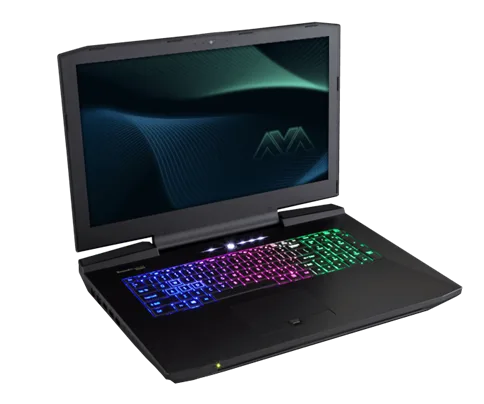
Image source: Wikimedia Commons / Nikitarama (CC BY-SA)
VRAM is another gaming trap. A laptop with 4GB of VRAM may struggle with newer AAA games even if the GPU name sounds strong. Match VRAM to your target resolution and settings.
For 1080p high settings, 6GB to 8GB is usually the safer zone.
Finally, check the chassis and hinges. Gaming laptops get carried, opened, and closed often. A bent lid or loose hinge can worsen over time and stress the display cable.
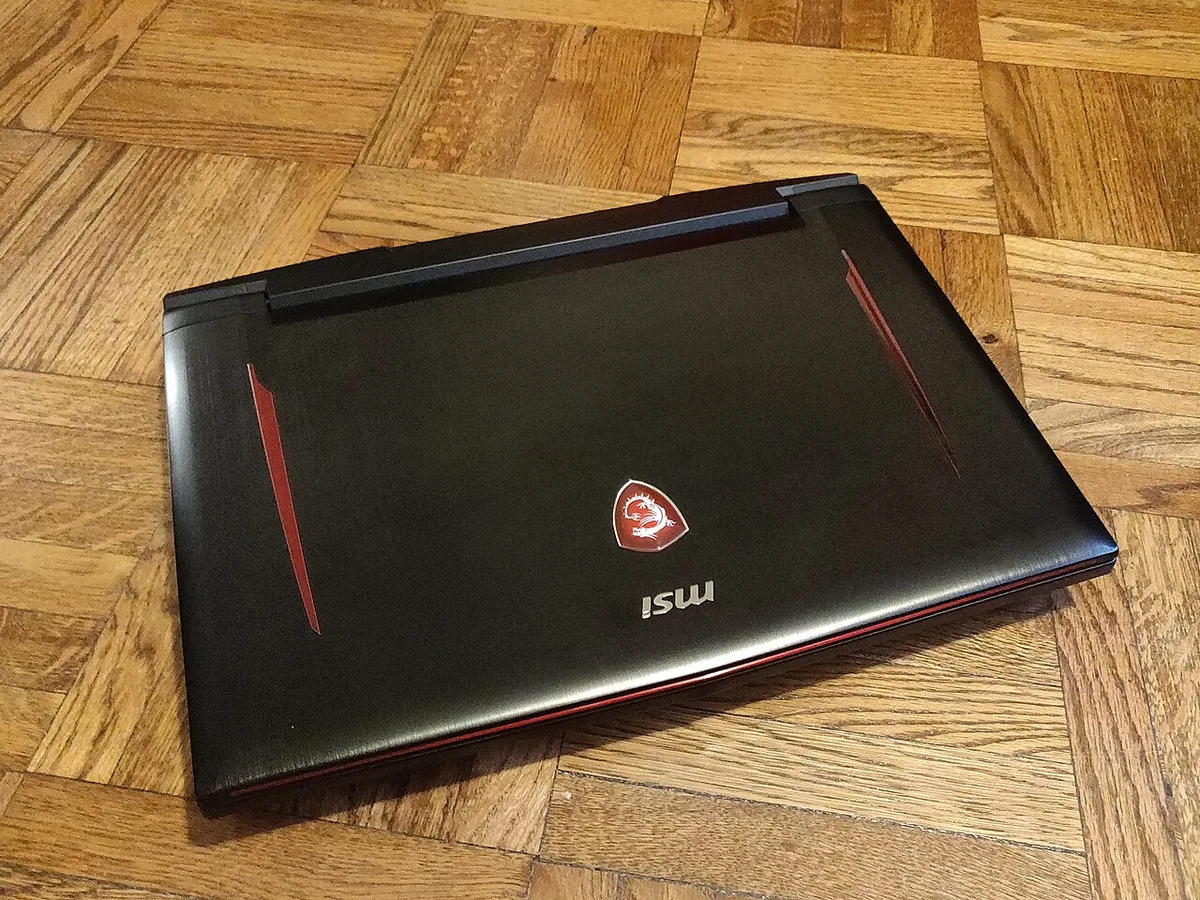
Image source: Wikimedia Commons / Kurt Kaiser
Where to Buy: Certified Refurbisher vs Private Seller vs Marketplace
Where you buy changes your risk more than the listing photos. A great price from the wrong source can become an expensive mistake. Compare seller type before you compare laptops.
Certified refurbishers usually offer testing, cleaning, and a short warranty. They cost more, but they reduce the chance of hidden damage. Look for a clear return window and warranty terms in writing.
Private sellers can offer the lowest prices. They may also include original boxes, receipts, or accessories. The downside is no warranty and a higher chance of undisclosed issues.
Marketplaces sit in the middle. eBay, Swappa, and similar platforms can protect buyers, but rules vary by seller and payment method. Read the listing carefully and avoid deals that pressure you to pay outside the platform.
Use this quick comparison:
| Seller Type | Typical Price | Warranty | Risk Level | Best For |
|---|---|---|---|---|
| Certified refurbisher | Higher | 90 days to 1 year | Lower | Buyers who need protection |
| Private seller | Lower | None | Higher | Experienced buyers |
| Marketplace seller | Middle | Varies | Medium | Buyers who can inspect listings |
Before buying, compare gaming laptop value across listings. A seller asking far above market value is not always scamming, but it removes your safety margin. Negotiate or walk away.
Used vs Refurbished vs New: Which Makes Sense
Used, refurbished, and new laptops solve different problems. The right choice depends on budget, risk tolerance, and how long you plan to keep the machine. Do not chase the lowest price if it breaks your workflow.
A used laptop is best when the price is low and the condition is proven. It suits buyers who can inspect, test, and repair. It also suits secondary machines and LAN travel.
A refurbished laptop is best when you want fewer surprises. The higher price buys testing and some protection. It is a strong middle ground for students and first time buyers.
A new laptop is best when you need warranty, modern features, and long support. It costs more, but you avoid battery wear and unknown history. If you plan to keep it for five years, new may be cheaper per year.
Use this side by side view:
| Option | Upfront Cost | Risk | Warranty | Best Fit |
|---|---|---|---|---|
| Used | Lowest | Highest | Rare | Experienced buyers |
| Refurbished | Middle | Medium | Short | Balanced buyers |
| New | Highest | Lowest | Full | Long term owners |
If your budget is tight, read whether a cheap gaming laptop is worth buying before you commit. Low price and low risk rarely appear together. Sometimes saving longer is the smarter move.
The best fit is not the cheapest listing. It is the laptop that runs your games, stays cool, and does not turn into a repair project.
Step-by-Step Inspection Before You Pay
Start with identity, not performance. Check the serial number and service tag in BIOS, on the chassis, and on the box if it exists. They should match.
If the seller refuses a serial check, walk away. A stolen or locked machine can become worthless fast.
Next, power it on and confirm the OS activates normally. Watch for account locks, BIOS passwords, or forced login screens. Those are not minor issues.
Then inspect the display in a dark room. Look for dead pixels, flicker, and backlight bleed. A flashlight test can reveal pressure marks on LCD panels.
Test the keyboard and trackpad next. Press every key, including function keys, and check for sticky or double inputs. A bad keyboard on a gaming laptop is costly to replace.
Check ports and wireless functions before you pay. Plug in USB devices, HDMI, headphones, and charging. Test Wi-Fi and Bluetooth with a real transfer or pairing.
Battery health comes next. Use the OS battery report or a tool like HWiNFO. Look at cycle count and full charge capacity.
A weak battery is normal, but a swollen one is dangerous.
Run a stress test for at least 20 minutes. Use a game, 3DMark, or a CPU and GPU stress tool. Watch temperatures, fan noise, and frame stability.
Check storage health too. SMART data should show no reallocated sectors or high error counts. A failing SSD can corrupt games and the OS.
Use this inspection order:
| Step | What to Check | Pass Signal |
|---|---|---|
| 1 | Serial and BIOS | All numbers match |
| 2 | OS and locks | Clean activation |
| 3 | Display | No dead pixels or flicker |
| 4 | Keyboard and trackpad | All inputs register |
| 5 | Ports and wireless | Every port works |
| 6 | Battery | No swell, reasonable cycles |
| 7 | Stress test | Stable temps and FPS |
| 8 | Storage | Healthy SMART data |
If you are unsure about spec sheet details, review how to read gaming laptop specifications before the meetup.
Red Flags That Should Kill the Deal
A red flag is not a negotiation point. It is a reason to leave. Used gaming laptops already carry risk, so do not add obvious ones.
GPU artifacting is the biggest deal killer. If you see colored blocks, lines, or random crashes during a game, the GPU may be failing. Repairs can cost more than the laptop is worth.
Thermal throttling is another stop sign. If the machine drops performance after a few minutes, the cooling system may be damaged. Repasting might help, but warped heat pipes or dead fans do not.
Battery swell should end the conversation. A bulging battery can crack the chassis and become a fire risk. Do not buy it, even cheap.
Account locks and BIOS passwords are also serious. A machine tied to someone else's Microsoft account or protected by a BIOS password may be unusable. Ask for a clean reset before payment.
Missing accessories matter more than sellers admit. A gaming laptop needs the correct high wattage charger. A random low watt adapter can cause throttling or charging issues.
Other red flags include liquid damage, bent chassis, loose hinges, and screen flicker. Liquid damage can hide for months before corrosion appears.
Price alone can be a red flag too. If the listing is far below market value, ask why. Scams often use urgency and vague answers.
Before you buy, remember that repair costs can erase savings. A cheap machine with a failing GPU is not a deal.
What You Should Actually Pay for a Used Gaming Laptop
Pay for the GPU first, then everything else. The graphics chip sets gaming performance more than brand or RGB lighting. A weak GPU with a nice case is still a weak machine.
As of 2026, used prices vary by chip tier, age, and condition. Older RTX 3060 machines often sit in the mid hundreds. Newer RTX 4060 or 4070 systems usually cost more.
Do not compare only to new prices. Compare to similar used listings with the same GPU, RAM, storage, and screen. A 16GB RAM model with a 1TB SSD should not be priced like an 8GB model with 512GB.
Use this rough market guide:
| GPU Tier | Typical Used Price | Good Buy If |
|---|---|---|
| GTX 1650 / 1660 Ti | $250 to $450 | Very tight budget |
| RTX 3060 | $400 to $700 | 1080p gaming |
| RTX 4060 | $650 to $950 | Better efficiency |
| RTX 4070 | $900 to $1,300 | High settings |
Leave room in your budget for a new battery, repaste, or a charger. A $500 laptop that needs $150 in fixes is really a $650 laptop.
Also check warranty value. A certified unit with 90 days of coverage may be worth $100 more than a private sale. That is especially true for first time buyers.
Before sending money, compare listings by value and read FTC consumer guidance on online purchases. If the seller will not use a safe payment method, the price is not worth it.
Best Fit for Each Buyer Type
The right used gaming laptop depends on who you are and how you play. Match the machine to the person, not the other way around.
If you are a student, choose a lighter chassis with a mid range GPU. You need battery life, portability, and a price you can recover. Do not overspend for esports titles that run on modest hardware.
If you play AAA games, prioritize VRAM and thermals. A hotter laptop with more VRAM may beat a cooler one with too little. Check whether your target games need 8GB or more.
If you compete in esports, refresh rate matters more than raw GPU power. A 144Hz or 240Hz panel with a solid mid tier GPU can feel better than a 60Hz machine with a stronger chip.
If you create content, look for upgradeable RAM and storage. Video editing and streaming need memory and fast drives. Review entry-level expectations before buying a low tier machine.
If you travel often, battery health and charger size matter. A thin gaming laptop with a swollen battery is a bad travel companion. Ask for the original power brick and cable.
If you are buying for a teen, favor protection over peak performance. A refurbisher warranty and a clear return policy reduce stress. Features worth paying for are usually durability, cooling, and storage, not RGB.
Frequently Asked Questions
How do I check battery health on a used gaming laptop?
Use the OS battery report or a hardware monitor. Check cycle count and full charge capacity. Under 300 cycles is safer for newer used machines.
Avoid any laptop with a swollen or soft battery.
Is a used gaming laptop safe to buy?
It can be safe if you verify the serial, test under load, and buy from a trusted seller. Certified refurbishers reduce risk. Private sales need more inspection and a written agreement.
What is the most important thing to test?
Test the dedicated GPU under real gaming load. Desktop idle checks miss artifacting, throttling, and driver crashes. A 20 minute stress test reveals problems fast.
How much should I pay for a used gaming laptop?
Pay based on GPU tier, condition, and warranty. Leave room for repairs or a battery. A low price is only good if the machine runs your games and stays cool.
Should I buy used or refurbished?
Buy used if you can inspect and repair it. Buy refurbished if you want testing and a short warranty. Your budget and risk tolerance should decide.
Can I upgrade a used gaming laptop later?
Sometimes. RAM and storage may be upgradeable, but many models have soldered memory. Check upgrade limits before you assume an easy fix.