What is an enthusiast gaming pc? It's a machine built around top-tier parts, with fewer compromises than a mainstream build. You're paying for high frame rates, strong ray tracing, and room to upgrade later.
In our research, the gap between enthusiast and mainstream is usually about headroom, not just raw speed. A flagship GPU and a strong CPU can push 4K gaming or 240Hz esports play, but only if the cooling and power supply keep up. That's where many expensive builds either shine or waste money.
Why the Enthusiast Label Actually Means Something
The word "enthusiast" gets used loosely in marketing. Sometimes it just means "expensive." Other times it means a build aimed at people who care about tuning, cooling, and long-term performance.
A true enthusiast gaming pc usually starts with a clear goal. That might be 4K ultra settings, high refresh rate competitive play, or heavy multitasking while gaming. The parts are chosen to work together, not just to look impressive on a spec sheet.
It also means accepting trade-offs. You spend more for gains that get smaller at the top end. If you want the basics first, our guide on a gaming pc and how it works is a good starting point.
Manufacturer specifications indicate that flagship GPUs and CPUs can draw a lot of power. That means the PSU, case airflow, and cooler matter as much as the headline parts. A fast GPU in a hot case is still a slow GPU.
What's Actually Inside an Enthusiast Gaming PC
Most enthusiast builds use a small group of high-end components. The exact mix changes by budget and goal, but the pattern is familiar. You'll usually see a flagship or near-flagship GPU, a strong CPU, fast memory, and a quality power supply.
Here is a common parts picture for this tier:
| Component | Typical Enthusiast Choice | Why It Matters |
|---|---|---|
| GPU | NVIDIA GeForce RTX 4090 or RTX 4080, AMD Radeon RX 7900 XTX | Drives 4K, ray tracing, and high refresh rates |
| CPU | Intel Core i9 or AMD Ryzen 9 | Helps with multitasking and high frame rates |
| Memory | 32GB or 64GB DDR5 | Better for streaming, editing, and heavy games |
| Storage | 2TB or larger Gen5 NVMe SSD | Fast load times and large game libraries |
| PSU | 850W to 1200W, 80 Plus Gold or better | Stable power for high-draw parts |
| Cooling | 360mm AIO or custom loop | Keeps temps and noise under control |
The main parts inside a pc matter more at this tier because weak links show faster. A great GPU paired with a poor PSU can cause instability. A strong CPU in a cramped case can run hot and loud.
You also want to think about how the parts work together. VRM quality, memory speed, and cooler clearance can change the real result. On paper, two builds may look equal.
In use, one may run quieter and last longer.
Enthusiast vs Mainstream vs Budget Tiers
This is where the label becomes useful. Enthusiast is not just "more expensive." It sits above mainstream and budget tiers, with different goals and different value curves.
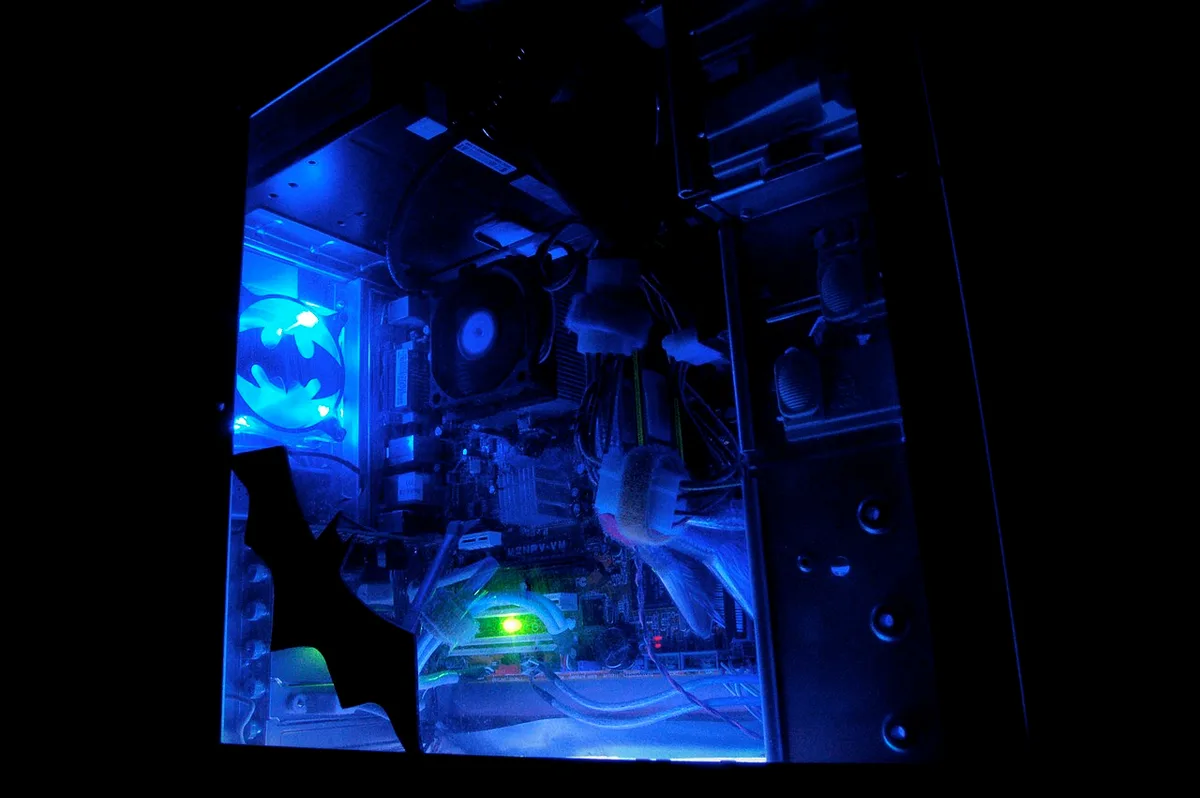
Image source: Wikimedia Commons / JD Hancock (CC BY)
Budget builds aim for playable settings at 1080p. Mainstream builds often target 1440p or solid 1080p high refresh play. Enthusiast builds chase 4K, max settings, ray tracing, or very high refresh rates.
| Tier | Typical Goal | Common Price Range | Best For |
|---|---|---|---|
| Budget | Playable 1080p | Lower cost | Casual players |
| Mainstream | Strong 1080p or 1440p | Mid-range | Most gamers |
| Enthusiast | 4K, max settings, high refresh | High cost | Power users |
The jump from budget to mainstream usually gives clear value. The jump from mainstream to enthusiast gives smaller gains for much more money. That is not bad, but you should know it before buying.
If you are deciding between tiers, look at the tier below enthusiast first. A mid-range gaming pc may already cover your favorite games well. For many people, that is the smarter buy.
Custom Build vs Prebuilt at the Top End
At the enthusiast level, both custom and prebuilt systems can make sense. The right choice depends on your time, skill, and warranty needs.
A custom build gives you full control. You pick the case, cooler, PSU, and every detail. You can also avoid weak parts hidden inside a flashy prebuilt.
The downside is time, research, and the risk of a mistake during assembly.
A prebuilt from a reputable builder can save time. It may also include warranty support for the whole system. The downside is less control, possible bloatware, and higher cost for the same parts.
Here is a quick comparison:
| Option | Main Strength | Main Weakness |
|---|---|---|
| Custom build | Full control and part choice | Time and build risk |
| Prebuilt | Convenience and support | Higher cost and less control |
If you need rendering, streaming, or heavy creative work, compare a gaming pc with a workstation instead. Some enthusiast buyers are really workstation buyers with gaming on the side.
NVIDIA vs AMD: Picking Your Flagship GPU
The GPU is the heart of most enthusiast builds. As of 2026, the main flagship fight is still NVIDIA versus AMD. NVIDIA often leads in ray tracing and DLSS 3 frame generation.
AMD often competes hard on raw value and VRAM.
For pure visual quality, NVIDIA's RTX 4090 is the top option. It is expensive, hot, and power hungry, but it delivers excellent ray tracing and strong AI upscaling. The RTX 4080 is a step down but still firmly enthusiast-class.
AMD's Radeon RX 7900 XTX is a strong rival. It offers large VRAM and good raster performance. It is often a better value if you care less about ray tracing.
For official details, check NVIDIA GeForce and AMD graphics products.
Your choice should match your monitor and games. If you play ray-traced titles at 4K, NVIDIA has the edge. If you want strong 4K performance without the highest price, AMD can be the smarter pick.
Aggregate reviews report that driver maturity and game support matter too, so check your favorite titles before buying.
Air Cooling vs Liquid Cooling for High-End Builds
Cooling decides whether a high-end build runs quiet or loud. Air cooling is simpler, cheaper, and reliable. A large dual-tower cooler can handle many flagship CPUs if the case has good airflow.
Liquid cooling, usually a 360mm AIO, often gives lower CPU temps and a cleaner look. Custom loops cost more and need maintenance, but they can manage extreme heat better. The trade-off is pump noise, cost, and more parts that can fail.
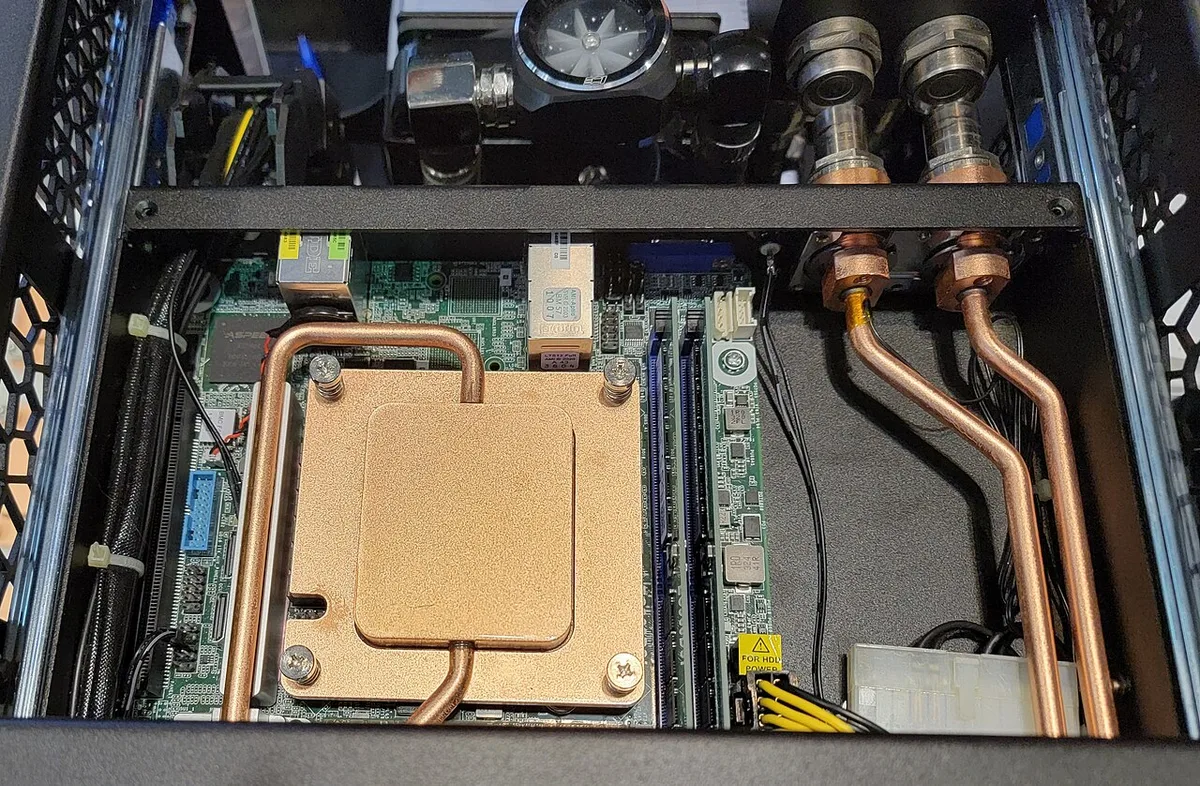
Image source: Wikimedia Commons / Votpuske (CC BY-SA)
| Cooling Type | Strengths | Weaknesses |
|---|---|---|
| Air cooling | Simple, reliable, lower cost | Larger, can be louder under load |
| 360mm AIO | Strong temps, clean look | Pump noise, higher cost |
| Custom loop | Best heat control | Complex, costly, maintenance |
Choose air if you want easy service and long life. Choose liquid if you want lower temps, quieter fans, or a showpiece build. Either way, match the cooler to your CPU's power draw and your case's clearance.
Who an Enthusiast Gaming PC Is Really For
An enthusiast gaming pc makes sense for a few clear groups. 4K gamers, high refresh rate esports players, streamers, and creators get the most from it. VR users, game developers, and PC modders also benefit from extra power and memory.
It is overkill for many people. If you mostly play at 1080p or 60 frames per second, a mainstream build may feel just as good. The extra money often goes to features you will not use.
Good fits for this tier include:
- 4K gaming at ultra settings
- 144Hz to 360Hz competitive play
- Streaming while gaming
- 3D rendering or video editing
- Heavy multitasking and modded games
If your work includes creative software, compare your needs with a gaming pc running professional creative software. Some buyers need workstation features more than gaming features. Others just want smoother everyday productivity on top of gaming.
The Real Cost and Common Mistakes to Avoid
Enthusiast builds are expensive, but the cost is not only the parts. Power use, cooling, and upgrades add to the total. As of 2026, many true enthusiast systems land well above the mainstream price range.
Common mistakes include:
- Pairing a flagship GPU with a weak PSU
- Ignoring case airflow
- Overspending on the CPU while skimping on cooling
- Buying a monitor the GPU cannot fully use
- Skipping stress testing after assembly
- Trusting "enthusiast" labels on mid-tier parts
A quality power supply matters because flagship parts can draw a lot of power. Look for 80 Plus Gold or better, and check protections like OVP and OCP. UL is one recognized safety body for electrical products.
Stress testing is also worth doing. Tools like 3DMark, Prime95, or FurMark can reveal heat or stability problems before you depend on the system. Aggregate reviews report that many high-end issues come from rushed setup, not bad parts.
Final Verdict: Is It Worth It for You
An enthusiast gaming pc is worth it when your goals match its strengths. If you want 4K, ray tracing, high refresh rates, or heavy multitasking, it can be a smart long-term buy. If you just want to play new games smoothly, it is usually too much.
Think about the whole chain, not just the GPU. Cooling, power, case, and monitor all affect the result. A balanced high-end build beats a flashy one with weak support parts.
For buyers comparing tiers, high-end gaming pc specs can help set expectations. If you plan to keep the system for years, also consider how long a gaming pc lasts. Longevity depends on airflow, power quality, and realistic overclocking.
The best enthusiast build is not the most expensive one. It is the one that fits your games, monitor, budget, and tolerance for noise and maintenance.
Frequently Asked Questions
How much does an enthusiast gaming pc cost?
Most enthusiast gaming pcs cost much more than mainstream builds. Many land in the high price brackets because flagship GPUs and CPUs dominate the budget. Cooling, PSU, and case quality also raise the total.
Is an enthusiast gaming pc overkill for 1080p gaming?
Yes, it often is. A mainstream build can handle 1080p high refresh gaming well. Enthusiast parts make more sense at 1440p, 4K, or very high refresh rates.
Should I build or buy an enthusiast gaming pc?
Build if you want control and enjoy tuning parts. Buy prebuilt if you want convenience and whole-system support. Both can be good if the parts list is honest.
Do I need liquid cooling for an enthusiast build?
No, you do not. A strong air cooler can work well in a case with good airflow. Liquid cooling helps with temps and looks, but it adds cost and maintenance.
How long will an enthusiast gaming pc stay relevant?
It can stay relevant for years if the parts are balanced and cooled well. Future games may need settings tweaks, but flagship GPUs usually age slower. Good airflow and PSU quality help protect that lifespan.