If you've ever wondered what is psu voltage regulation, you're not alone. It's one of those specs buried deep in a power supply's datasheet that most builders skip right past. But it directly affects whether your CPU and GPU stay stable when load changes in milliseconds.
Ignore it, and you might blame a crashing GPU on the wrong part.
Voltage regulation measures how tightly a PSU holds its output rails to their target voltages under changing load. Per Intel's ATX 3.0 specification, the 12V rail must stay within 5% of nominal, meaning 11.40V to 12.60V. That's a tight window, and some budget units struggle to hit it.
Let's walk through what it means, how it's tested, and what the waveforms actually show.
what is psu voltage regulation
Voltage regulation measures how tightly a PSU holds output voltage. The ATX spec allows 5% deviation from nominal on the 12V rail. Better PSUs stay within 1% to 2% under real load.
Poor regulation causes crashes, instability, and shorter component life. Ripple and transient response are separate but related specs.
Why Voltage Regulation Looks Different on a Scope Than on a Spec Sheet
A spec sheet gives you one number. Something like "±3% load regulation on the 12V rail." That sounds clean and precise. But it's an average, measured under steady-state conditions with a fixed load.
A scope tells a different story. When a GPU suddenly pulls 300W from the 12V rail, the voltage doesn't stay flat. It dips, recovers, and sometimes overshoots.
The spec sheet number hides all of that.
What a scope shows is the real behavior. You'll see a brief voltage sag when load increases. You'll see a spike when load drops.
The depth and duration of those swings matter more than the average.
A good PSU recovers in microseconds. A poor one takes milliseconds, and the voltage swing can exceed the ATX limits. That's the difference between a stable system and one that crashes under load.
Spec sheets also don't capture cross-load behavior. That's when the 12V rail is heavily loaded but the 5V and 3.3V rails are nearly idle. Some designs let the smaller rails drift out of spec in that scenario.
A scope captures all of this in real time. It's the difference between a headline number and the actual waveform. That's why reviewers who test PSUs with oscilloscopes often reach different conclusions than spec sheets suggest.
What PSU Voltage Regulation Actually Means
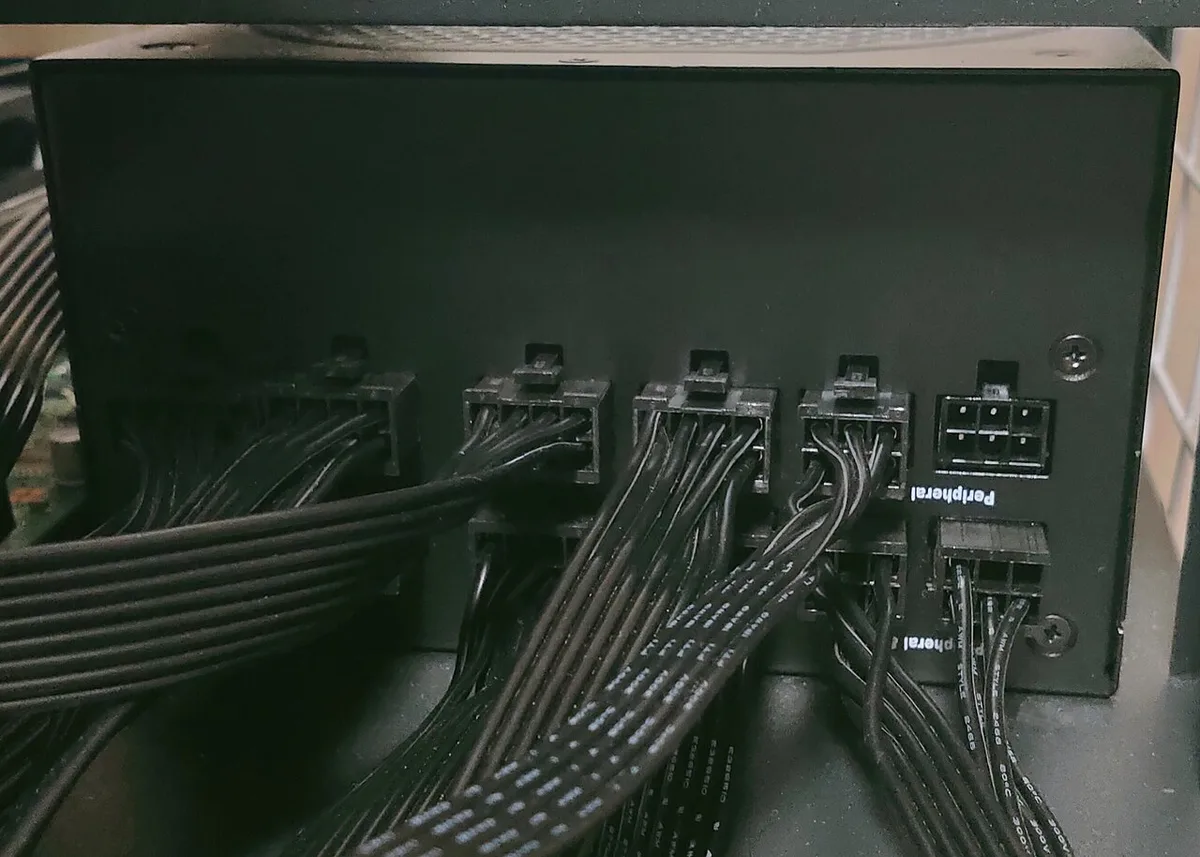
Image source: Wikimedia Commons / Project Kei (CC BY-SA)
Voltage regulation is the PSU's ability to maintain stable output voltages as load changes. It's measured as a percentage of deviation from the nominal rail voltage.
Think of it like a water pressure system. When you open multiple faucets, the pressure drops. A good system maintains steady pressure.
A bad one lets the water trickle. PSU regulation works the same way.
The nominal voltages are 12V, 5V, and 3.3V. The ATX spec allows ±5% deviation on each rail. So the 12V rail must stay between 11.40V and 12.60V.
There are two types of regulation. Load regulation measures voltage change as load increases from minimum to maximum. Line regulation measures voltage change when input AC voltage fluctuates.
Load regulation is the one that matters most for PC builders. Your CPU and GPU draw wildly different power at idle versus full load. The PSU must keep voltage steady through those swings.
Cross-load regulation is a third type. It measures voltage stability when different rails carry very different loads. This is where many budget PSUs fail.
A PSU with tight regulation holds voltage within 1% to 2% even under heavy transient loads. That's the difference between a budget unit and a quality one. Aggregate reviews report that units with DC-DC conversion consistently outperform group-regulated designs in this area.
If you're building a system with a fast storage drive in your gaming PC's storage slot, stable 12V power matters more than you'd think. Voltage dips can corrupt data transfers during heavy read and write operations.
The Rails, Tolerances, and ATX Spec Limits
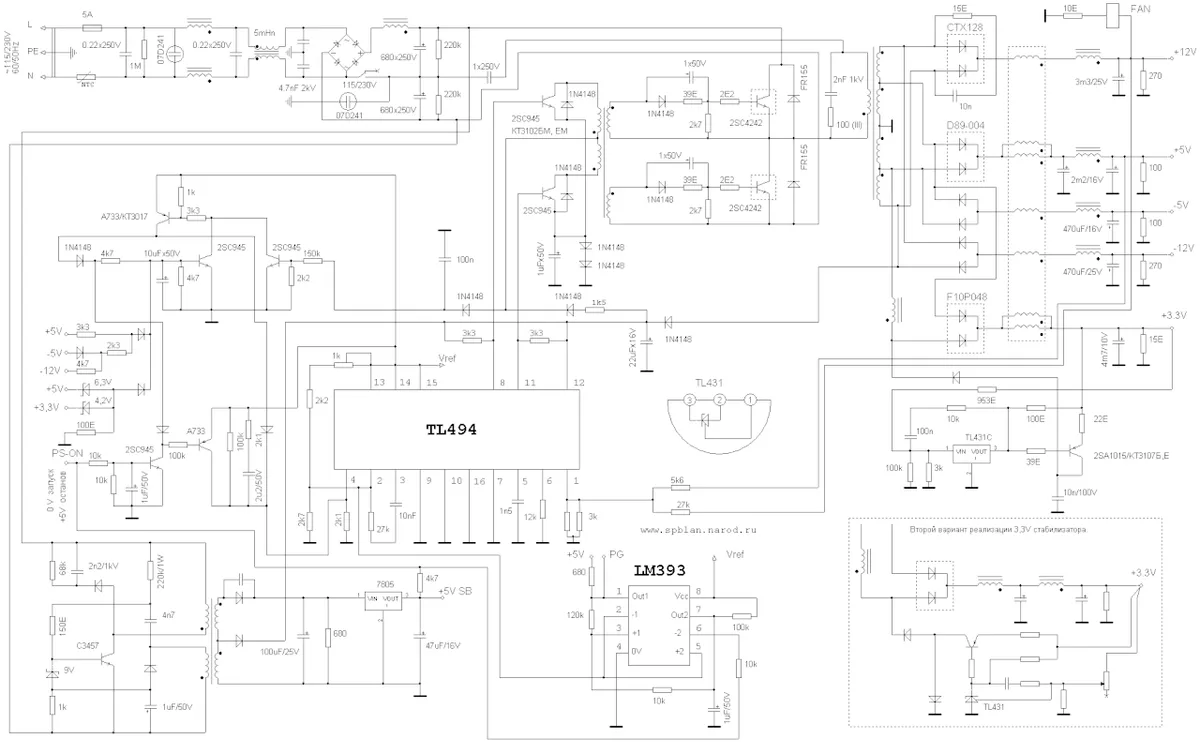
Image source: Wikimedia Commons / 万里毛叔
Every PSU outputs multiple DC rails. Each has its own nominal voltage and tolerance. The ATX spec defines these limits.
| Rail | Nominal Voltage | ATX Tolerance | Allowed Range |
|---|---|---|---|
| 12V | 12.00V | ±5% | 11.40V – 12.60V |
| 5V | 5.00V | ±5% | 4.75V – 5.25V |
| 3.3V | 3.30V | ±5% | 3.135V – 3.465V |
| 5VSB | 5.00V | ±5% | 4.75V – 5.25V |
| -12V | -12.00V | ±10% | -10.80V to -13.20V |
The 12V rail carries the most power. It feeds the CPU and GPU directly. That's why its regulation matters most.
The 5V and 3.3V rails power storage, USB, and motherboard logic. They draw less power but still need stable voltage.
As of 2026, ATX 3.0 has become the standard for new PSU designs. It adds stricter transient load requirements on top of the existing voltage tolerances. A PSU can pass the old ±5% spec but fail the new transient tests.
The -12V rail is legacy. Most modern systems barely use it. Its ±10% tolerance reflects that lower importance.
Ripple limits are separate from voltage tolerance. The ATX spec caps ripple at 120mV on 12V, 50mV on 5V, and 50mV on 3.3V. These are measured peak-to-peak on an oscilloscope.
When you're evaluating a PSU, check both the voltage tolerance and the ripple spec. A unit can hit the voltage target but still have excessive ripple. That ripple stresses capacitors and can cause instability over time.
Systems running gaming and streaming workloads put extra demand on the 12V rail. The CPU and GPU both spike simultaneously, which tests regulation harder than single-task use.
Reading Ripple, Droop, and Transient Waveforms
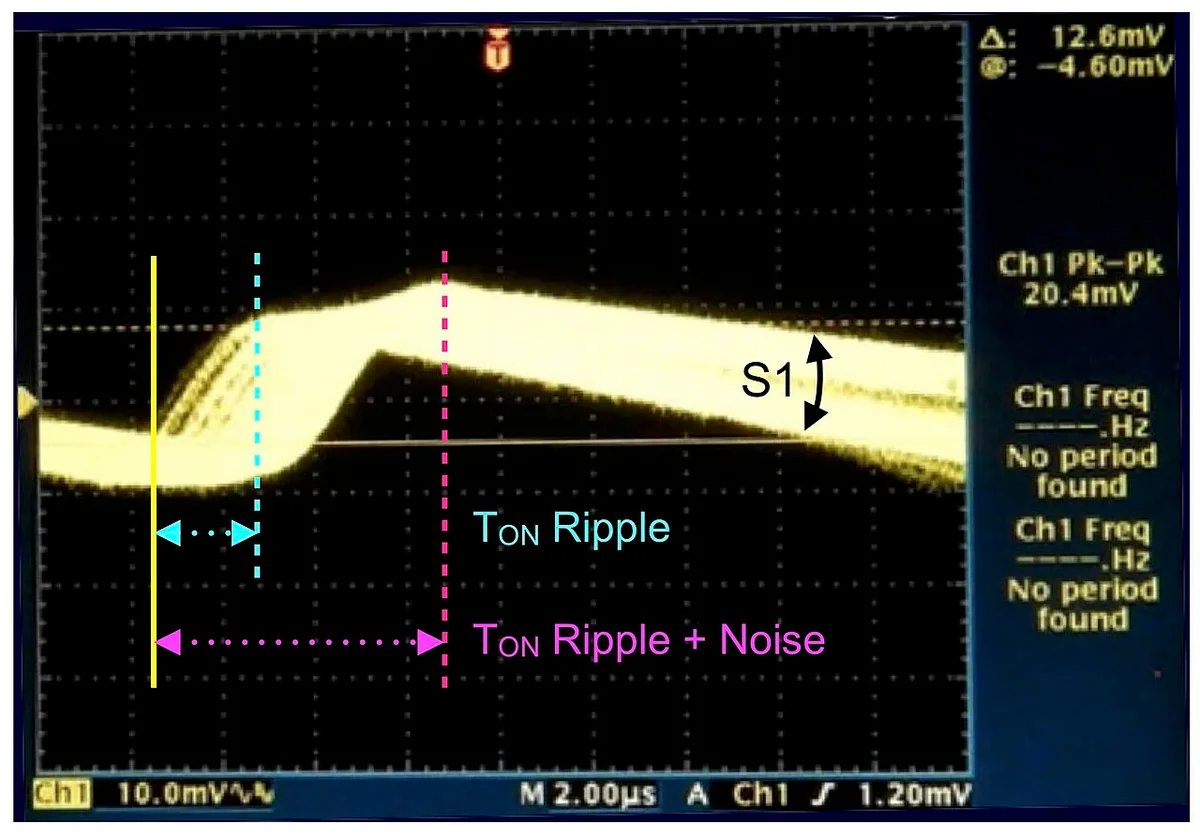
Image source: Wikimedia Commons / XTC100 (CC BY-SA)
Reading a scope waveform is the key to understanding real PSU behavior. Three things matter most: ripple, droop, and transient response.
Ripple shows up as a wavy line on the DC rail. It's the AC component riding on top of the DC voltage. A clean rail shows a flat line with small bumps.
A noisy rail shows large, jagged swings.
Droop is the voltage dip when load increases. Picture a flat line that suddenly drops when a GPU spikes. The depth of that dip tells you how well the PSU handles sudden demand.
Transient response is how fast the voltage recovers after a load change. A good PSU recovers within 100 microseconds. A poor one takes longer, and the voltage may oscillate before settling.
What the waveform shows is more useful than any spec sheet number. A scope captures the actual behavior under real load conditions. Manufacturer specifications indicate that units with LLC resonant converters and DC-DC conversion show tighter waveforms than older designs.
When testing, you'll use an electronic load to simulate real PC power draw. You'll step the load from 50% to 100% and back. The scope captures what happens during that transition.
Common things to look for include voltage overshoot, ringing, and slow recovery. Overshoot happens when voltage spikes above nominal after a load drop. Ringing is oscillation before the voltage settles.
Both indicate poor regulation.
A flat, stable waveform with minimal dip and fast recovery indicates good regulation. That's what you want to see on your scope. If the waveform looks like a roller coaster, the PSU's regulation needs work.
Tracking usage during play helps you understand your system's power demands. Knowing when your GPU spikes lets you correlate those moments with voltage dips on the scope.
Group-Regulated vs DC-DC: Two Designs, Two Behaviors
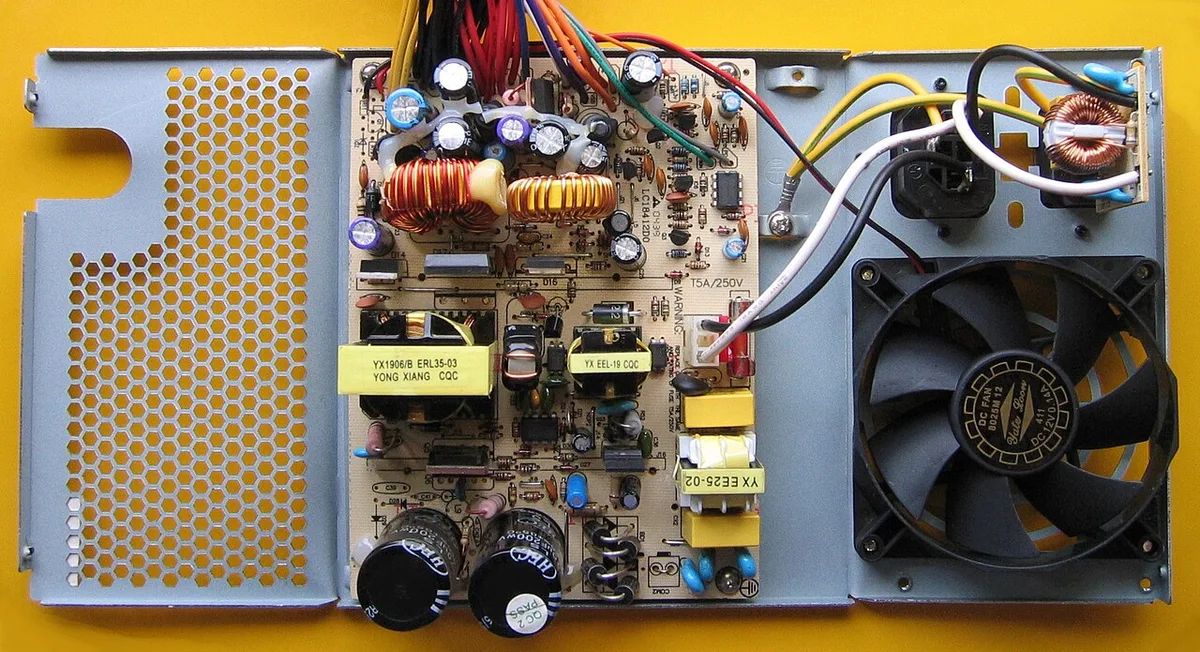
Image source: Wikimedia Commons / Hans Haase (CC BY-SA)
Two main PSU designs handle voltage regulation differently. Group-regulated and DC-DC. The difference is in how the secondary side converts power.
| Feature | Group-Regulated | DC-DC (Independent) |
|---|---|---|
| Conversion method | Single transformer secondary | LLC converter + DC-DC modules |
| Cross-load behavior | 5V/3.3V drift under heavy 12V load | Stable rails independently |
| Cost | Lower | Higher |
| ATX 3.0 compliance | Often fails transient tests | Typically passes |
| Best for | Budget builds, light loads | Gaming, workstations, overclocking |
Group-regulated designs use a single transformer secondary to produce all rails. The 12V, 5V, and 3.3V outputs share a common winding. When one rail is heavily loaded, the others drift.
This design is cheaper to manufacture. That's why budget PSUs use it. But the tradeoff is poor cross-load regulation.
A gaming PC with a heavy GPU load can push the 5V and 3.3V rails out of spec.
DC-DC designs use a different approach. An LLC resonant converter produces the 12V rail. Separate DC-DC modules convert 12V down to 5V and 3.3V.
Each rail is regulated independently.
This costs more but performs better. The 5V and 3.3V rails stay stable regardless of 12V load. That's why DC-DC designs pass ATX 3.0 transient tests more reliably.
If you're building a gaming PC with a modern GPU, DC-DC is the safer choice. The transient power spikes from current-generation graphics cards demand tight 12V regulation. A group-regulated PSU may not keep up.
For a basic office PC with integrated graphics, group-regulated can work fine. The load is lighter and more balanced across rails. But for anything demanding, DC-DC is worth the extra cost.
When shopping, look for "DC-DC" or "independent regulation" in the specs. Some manufacturers use different terms. "Full DC-DC" and "VRM-based regulation" mean the same thing.
Pushing clocks higher through memory overclocking adds extra load on the 12V rail. A DC-DC design handles those spikes better than group-regulated alternatives.
Frequently Asked Questions
What is PSU voltage regulation in simple terms?
PSU voltage regulation is how well a power supply keeps its output voltage steady. When your CPU or GPU draws more power, voltage naturally wants to drop. Good regulation prevents that drop from exceeding safe limits.
What is a good voltage regulation percentage for a PSU?
A good PSU stays within 1% to 2% of nominal voltage on the 12V rail. The ATX spec allows up to 5%, but quality units perform much better. Tighter is always better for stability.
Does voltage regulation affect gaming performance?
Poor regulation can cause crashes, stuttering, and instability during gaming. It doesn't directly lower frame rates. But voltage drops can trigger GPU throttling or system resets under heavy load.
Is voltage regulation the same as efficiency?
No. Efficiency measures how much AC power converts to DC. Regulation measures how stable that DC output stays under load.
A PSU can be efficient but have poor regulation, or vice versa.
How do I check my PSU's voltage regulation?
Use a multimeter to measure rail voltages at idle and under load. For ripple and transient data, you need an oscilloscope. Most builders rely on professional reviews with scope measurements.
Do I need ATX 3.0 for good voltage regulation?
ATX 3.0 adds stricter transient tests on top of existing voltage specs. It's not strictly required for good regulation. But it provides better assurance for modern GPUs with high transient power spikes.
ATX 3.0 Transient Tests and What the Waveforms Show
ATX 3.0 added a new transient load test that older specs never required. It simulates the sudden power spikes modern GPUs produce. The test steps the 12V rail from 10% to 100% load in 100 microseconds.
That's fast enough to catch regulation problems that steady-state tests miss.
The waveform from this test tells you more than any spec sheet number. You'll see a sharp voltage dip when the load hits. The depth of that dip and the recovery time separate good PSUs from bad ones.
Per the ATX 3.0 spec, the 12V rail must not drop below 11.40V during the transient event. It must recover to within tolerance quickly. Some older group-regulated designs dip well below that threshold.
The test also includes a 200% peak power excursion. That means the PSU must handle double its rated 12V output for 100 microseconds. This simulates the worst-case GPU transient spike.
Modern graphics cards can pull 2x their rated power for brief moments.
What the waveform shows is the real difference between designs. A DC-DC unit shows a shallow dip and fast recovery. The voltage stays above 11.60V and settles within 50 microseconds.
A group-regulated unit shows a deeper dip, sometimes below 11.00V, with ringing that takes hundreds of microseconds to settle.
Reviewers who test with oscilloscopes consistently find that ATX 3.0 compliance correlates with DC-DC designs. Group-regulated units often fail the transient test even when they pass steady-state regulation.
The 12V-2×6 connector standard is part of ATX 3.0. It replaces the older 12VHPWR connector. The new connector has improved pin design to handle these transient spikes more reliably.
If you're running a PCIe 5.0 graphics card, ATX 3.0 compliance matters. Those cards produce the sharpest transient spikes. A PSU that passes ATX 3.0 transient tests will handle them cleanly.
Common Mistakes When Judging Regulation from Numbers
The biggest mistake is trusting a single number. A spec sheet saying "±3% regulation" doesn't tell you how the PSU behaves under real load. It's an average, not a guarantee.
Another common error is confusing efficiency with regulation. An 80 Plus Gold PSU can have excellent efficiency and poor voltage regulation. They're separate specs measured differently.
Efficiency is about power conversion. Regulation is about voltage stability.
People also misread ripple measurements. Ripple is AC noise on the DC rail, measured in millivolts. It's not the same as voltage deviation.
A PSU can have tight voltage regulation but high ripple. Both matter, but they measure different things.
Checking voltage with a multimeter at idle only is another mistake. Idle voltages look great on almost every PSU. The problems show up under load.
You need to measure at both idle and full load to see real regulation.
Ignoring cross-load behavior is a frequent oversight. Many builders test with balanced loads. But real PCs often have heavy 12V draw with minimal 5V and 3.3V load.
That's the scenario where group-regulated designs fail.
Some people also mistake cable voltage drop for poor PSU regulation. Long or thin cables cause voltage drop between the PSU and the component. That's a cable problem, not a regulation problem.
Measuring at the PSU terminals gives the true regulation number.
Another error is comparing regulation across different test methodologies. One reviewer might test at 50% load. Another tests at 100%.
The numbers aren't directly comparable. Look for reviews that use consistent testing methods.
Finally, don't assume that price equals regulation quality. Some budget PSUs from reputable manufacturers have surprisingly tight regulation. Some expensive units perform poorly.
Read actual test data rather than relying on price alone.
Who Needs Tight Regulation and Who Doesn't
Not every build demands the tightest regulation. A basic office PC with integrated graphics draws steady, predictable power. Even a group-regulated budget PSU handles that fine.
The load is light and balanced across rails.
Gaming PCs are a different story. Modern GPUs produce sharp transient spikes that stress the 12V rail. A DC-DC design with tight regulation prevents crashes during those spikes.
If you're running a discrete GPU, tighter regulation is worth the investment.
Overclocked systems need the best regulation available. Higher clocks increase power draw and make transient spikes sharper. The voltage margin for error shrinks as you push components harder.
Poor regulation can cause crashes that look like unstable overclocks.
Workstations and rendering rigs benefit from tight regulation too. Sustained heavy loads generate more heat and stress. Stable voltage extends component lifespan.
For a system running 24/7, regulation quality matters for longevity.
Small form factor builds have tighter thermal envelopes. They often run hotter, which can affect PSU performance. Good regulation provides margin against temperature-related voltage drift.
Mining rigs with multiple GPUs draw heavy, sustained 12V power. Cross-load regulation matters less here since the load is mostly on 12V. But tight 12V regulation prevents instability across many GPUs.
If you're building a system that will run RAM stability testing or other memory-intensive workloads, stable power helps. Voltage fluctuations can cause memory errors that look like bad RAM.
Budget builds on a tight budget can get away with group-regulated designs. The key is matching the PSU to the actual load. A low-wattage group-regulated unit powering a low-wattage system works fine.
The problems start when you push a budget PSU beyond its design intent.
How to Test and Verify a PSU's Regulation Yourself
Testing regulation yourself requires basic equipment. You'll need a multimeter, an electronic load, and ideally an oscilloscope. Most builders only have a multimeter, which limits what you can measure.
Start with a multimeter check. Measure each rail voltage at the PSU terminals with no load. Then measure again under full system load.
Compare the two readings. The difference should be under 3% for a quality unit.
For cross-load testing, you need an electronic load. Set the 12V rail to 100% while keeping 5V and 3.3V at minimal load. Measure all three rails.
If 5V or 3.3V drifts beyond ±5%, the PSU has poor cross-load regulation.
Ripple and transient testing requires an oscilloscope. Connect the probe to the rail you want to measure. Use AC coupling and 20 MHz bandwidth.
Load the PSU and observe the waveform. You're looking for flat, stable traces with minimal noise.
Hold-up time is another test. Disconnect AC power while the PSU is under full load. Measure how long the rails stay within spec.
The ATX spec requires at least 17 milliseconds. Shorter hold-up time means the PSU can't maintain regulation during brief power interruptions.
Cable voltage drop is worth checking separately. Measure voltage at the PSU terminal and at the component connector. The difference is cable loss.
Thicker, shorter cables reduce this loss. Don't confuse cable drop with poor PSU regulation.
For most builders, professional reviews with proper test equipment are the best resource. Look for reviews that include scope measurements, cross-load tests, and transient response data. Those give you the real picture that spec sheets hide.
If you're building a system with an M.2 SSD in your gaming PC, stable 12V power matters during heavy file transfers. Voltage dips during those operations can corrupt data. Good regulation provides peace of mind.
Keep a log of your measurements. Compare them against the ATX spec limits. If any rail falls outside tolerance, the PSU needs replacement.
Don't risk running out-of-spec power to your components.
1 thought on “What Is PSU Voltage Regulation and Why It Matters?”
Comments are closed.