what is a small form factor pc case? It's a compact enclosure built around smaller motherboards and tighter component layouts, not one single standard size. The label matters less than the actual internal volume.
Mini-ITX boards measure 170 mm by 170 mm, and many SFF chassis stay under 20 liters. That volume figure matters more than the marketing label. As of 2026, the smartest way to shop is to treat every case like a clearance puzzle, not a category name.
what is a small form factor pc case
A small form factor PC case is a compact enclosure built for smaller motherboards and limited internal space. It usually supports Mini-ITX or Micro-ATX boards. The real size varies by case.
Volume in liters matters more than the label. Always check GPU, cooler, and PSU clearances.
What "Small Form Factor" Actually Means (and Why Size Isn't a Single Number)
SFF is a category, not a fixed ruler. One builder's compact case may be 10 liters. Another may be 20 liters and still feel small on a desk.
The useful question is simple. How much space is actually inside?
Manufacturer specifications usually list external dimensions and internal volume. That volume helps you compare cases quickly. A 12-liter case and an 18-liter case can both be SFF, but they behave very differently during a build.
The motherboard is the first clue. Mini-ITX boards are 170 mm square. Micro-ATX boards are larger, so an mATX case needs more room.
That one choice changes GPU clearance, cooler height, and cable routing.
PCIe cards also follow defined physical standards, so card length is not guesswork. You can check PCI-SIG for the broader PCIe specification context.
If you're planning future upgrades, how much PSU wattage you'll need is worth checking before you lock in a tiny enclosure.
Why a SFF Case Is Easier to Understand With Visuals
Photos do the heavy lifting here. A case can look tiny in a product shot and still be awkward inside. Scale shots tell the real story.
Look for side-by-side desk photos. A mid-tower next to an SFF case makes the footprint obvious. Internal photos show chamber layout, cable paths, and fan placement.
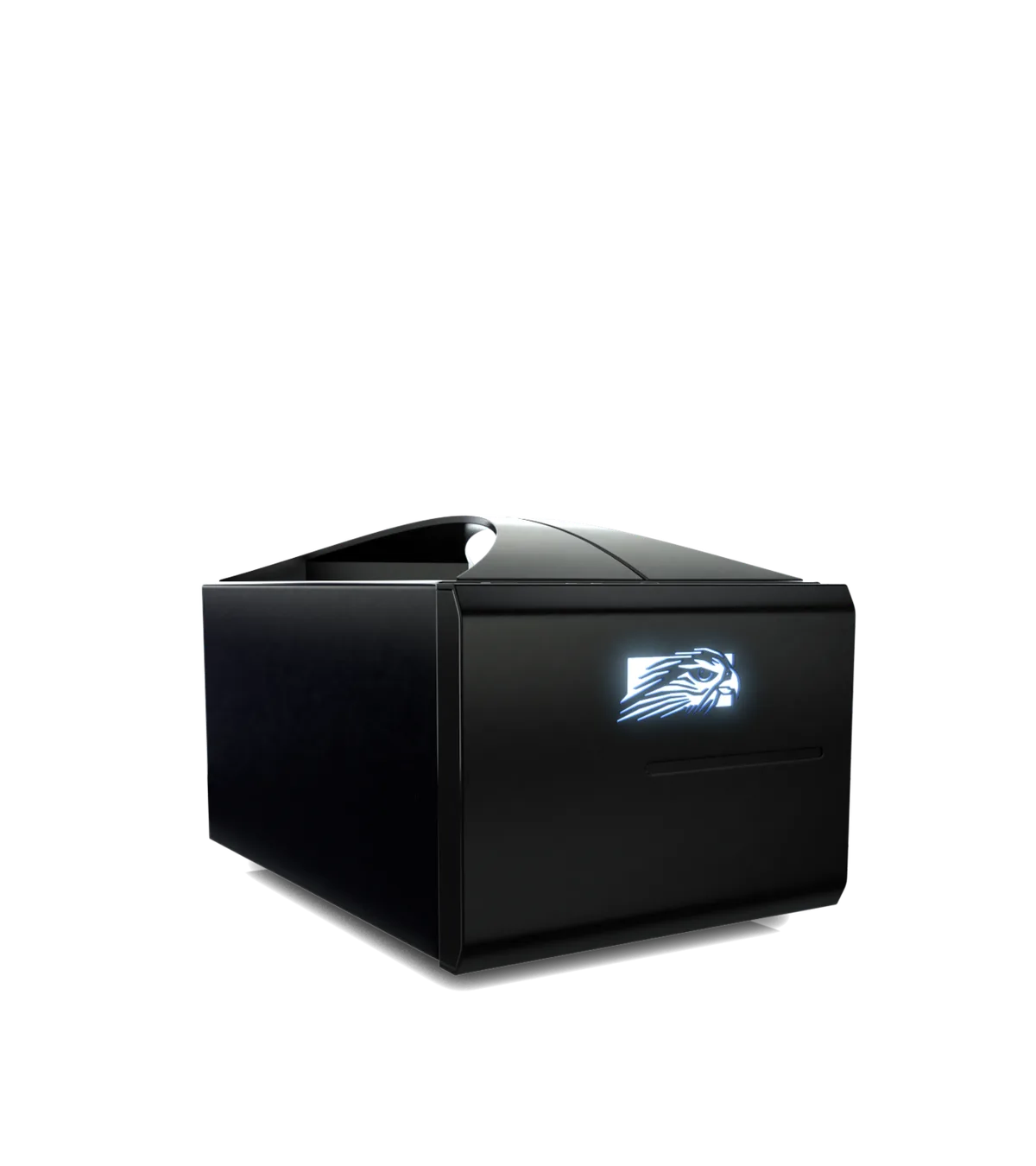
Image source: Wikimedia Commons / Falcon Northwest (CC BY-SA)
A good visual set usually includes four angles. Front, side, top, and interior. The interior shot matters most.
It shows whether the GPU sits flat, vertical, or in a separate chamber.
You can also judge airflow from visuals. Mesh panels, side vents, and fan mounts are easier to spot in photos than in spec sheets. Solid glass panels look clean, but they can hide heat.
The Visual Cues That Define a Small Form Factor Case
You can often spot an SFF case from a few visual traits. The case is shorter, shallower, or narrower than a normal tower. The front panel is usually simpler.
The interior looks packed, not open.
| Visual cue | What it usually means |
|---|---|
| Short depth | Less GPU and cooler clearance |
| Vertical GPU mount | PCIe riser cable required |
| Mesh side panel | Better airflow, less dust sealing |
| Single large chamber | Easier access, hotter parts |
| Split chambers | Better thermals, harder routing |
A vertical GPU mount is common in SFF builds. It saves horizontal space. It also depends on a PCIe riser cable, so cable quality matters.
Mesh is another big clue. Mesh helps cooling. Solid panels help looks and noise control.
In a tiny case, that tradeoff is sharper.
If the case has a handle, it is probably meant to travel. That sounds simple, but it changes the build goal. Portability becomes part of the design.
What's Inside: Layout, Clearance, and Component Fit
The inside of an SFF case is a clearance map. Every part has a hard limit. GPU length, cooler height, PSU length, and drive placement all interact.
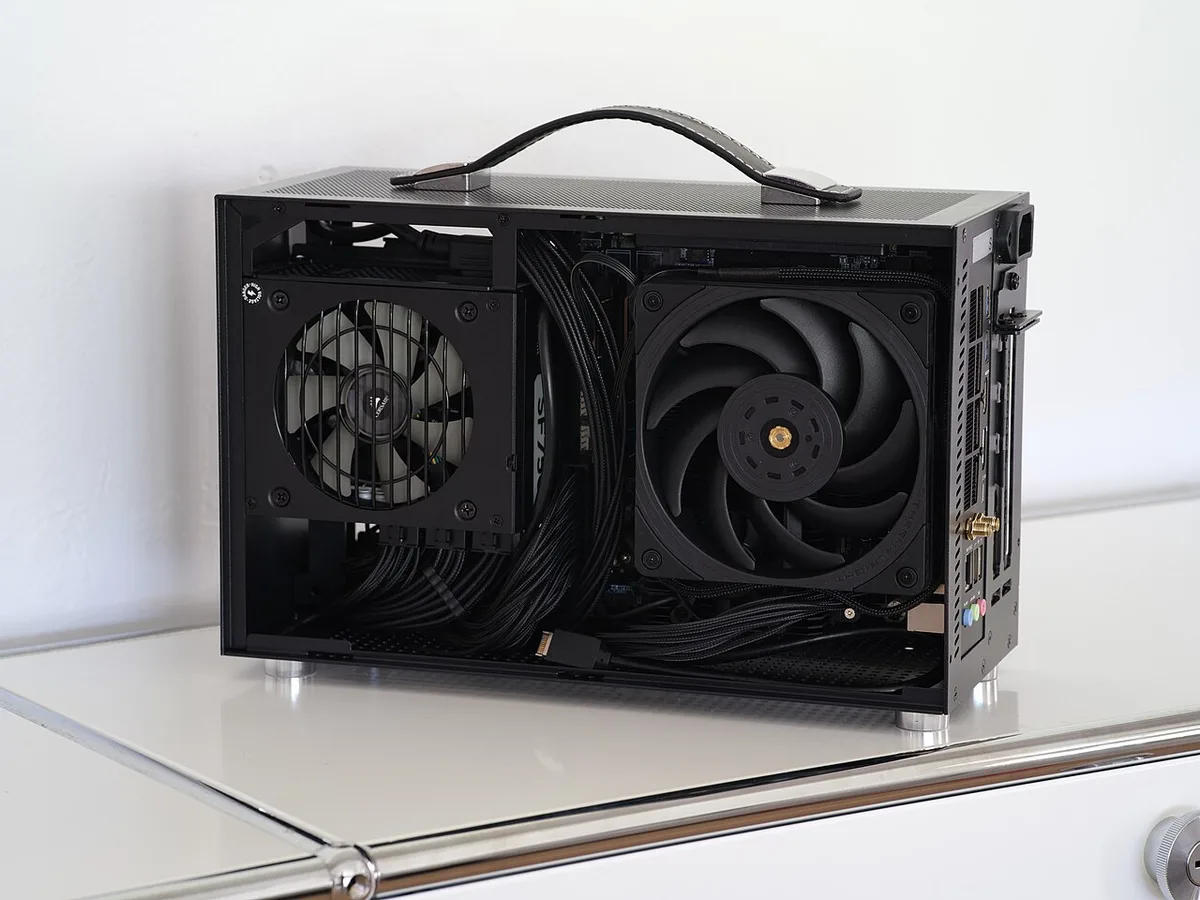
Image source: Wikimedia Commons / Dllu (CC BY-SA)
| Component | Common SFF limit |
|---|---|
| GPU length | 280 mm to 330 mm |
| CPU cooler height | 47 mm to 120 mm |
| PSU form factor | SFX or SFX-L |
| Motherboard size | Mini-ITX or Micro-ATX |
| Radiator support | 120 mm to 240 mm |
SFX power supplies are about 100 mm long. SFX-L units are closer to 130 mm. That extra length can block a fan or a drive cage.
Cable management is the hidden challenge. A modular PSU helps because you only install the cables you need. If you want the basics, what modular, semi-modular, and non-modular PSUs mean is a useful refresher.
A small case also leaves less room for error. A thick GPU power cable can press against a side panel. A tall cooler can touch a glass window.
These are small problems that become big ones fast.
Common Visual Mistakes That Make a SFF Build Fail
The first mistake is trusting the product photo too much. A case can look roomy because the builder removed panels or used short cables.
The second mistake is ignoring GPU thickness. Length gets attention. Thickness causes panel rub, fan blockage, and poor airflow.
The third mistake is buying a cooler without checking height. Low-profile coolers are common in SFF builds. A normal tower cooler may not fit at all.
The fourth mistake is using a non-modular PSU. Extra cables have nowhere to hide. In a tiny case, cable bulk becomes a thermal problem.
The fifth mistake is skipping thermal testing. A build can post fine and still run hot. Aggregate reviews often show this pattern in compact builds.
Watch for these warning signs before you buy:
- GPU length is listed without thickness
- Cooler clearance is vague
- PSU type is not clearly stated
- Interior photos show no cable routing
- Fan mounts are blocked by drive cages
If your PC shuts down under load, why a gaming PC shuts down under load can help you separate case airflow issues from PSU problems.
A weak PSU can also cause trouble in a compact build. If you suspect that, how to spot a failing gaming PC power supply before it dies is a good next read. For high-end graphics cards, how to choose the right PSU for a high-end graphics card matters even more.
How SFF Cases Compare to Mid-Towers and Mini PCs
A mid-tower is the easy baseline. It gives room for full ATX boards, tall air coolers, and long GPUs. Cable routing is simpler.
Cooling is easier to balance.
An SFF case flips those priorities. You trade space for desk footprint and portability. The build can still be powerful, but every part must fit.
Mini PCs are a different category. They are usually sealed systems with laptop-style parts and limited upgrades. An SFF build is more like a normal desktop that shrank.
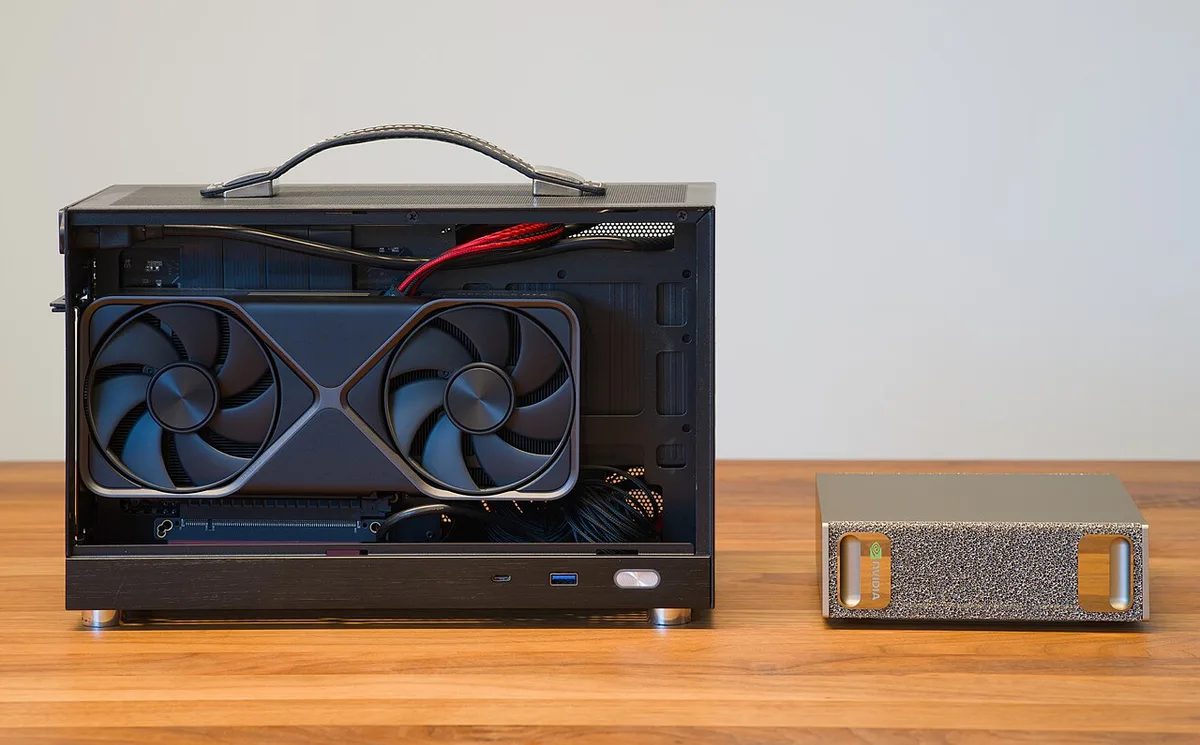
Image source: Wikimedia Commons / Daniel Lu (User:dllu) (CC BY-SA)
| Option | Typical volume | Upgrade path | Best for |
|---|---|---|---|
| SFF case | 10 to 20 liters | Moderate | Small desks and travel |
| Mid-tower | 40 to 60 liters | Strong | First builds and upgrades |
| Mini PC | Under 5 liters | Limited | Office and media tasks |
Pick an SFF case when space matters more than convenience. Pick a mid-tower when you want easier maintenance. Pick a mini PC when you want the smallest box and do not plan to upgrade.
That is the core tradeoff. SFF is not better. It is just smaller.
Best Use Cases for a Small Form Factor PC
SFF fits places where a tower feels wrong. A living-room media PC is one example. A compact desk setup is another.
LAN builds and travel rigs also make sense.
Common strong use cases include:
- Living-room HTPC or media center
- Small apartment or dorm desk
- Portable gaming rig for events
- Minimalist workspace with clean cable runs
- Compact home server or NAS
- Secondary PC for streaming or recording
SFF is less ideal for some builders. Heavy overclocking needs more cooling room. Multiple GPUs need more slots and airflow.
Large custom loops need more internal volume.
If your goal is maximum upgrade freedom, a mid-tower is safer. If your goal is a small, focused machine, SFF works well. Match the case to the job, not the other way around.
Costs, Specs, and Sizing Data to Check Before Buying
Price varies a lot. Budget SFF cases can start around $60. Premium compact chassis often land between $150 and $300.
Shipping and regional availability can change that quickly.
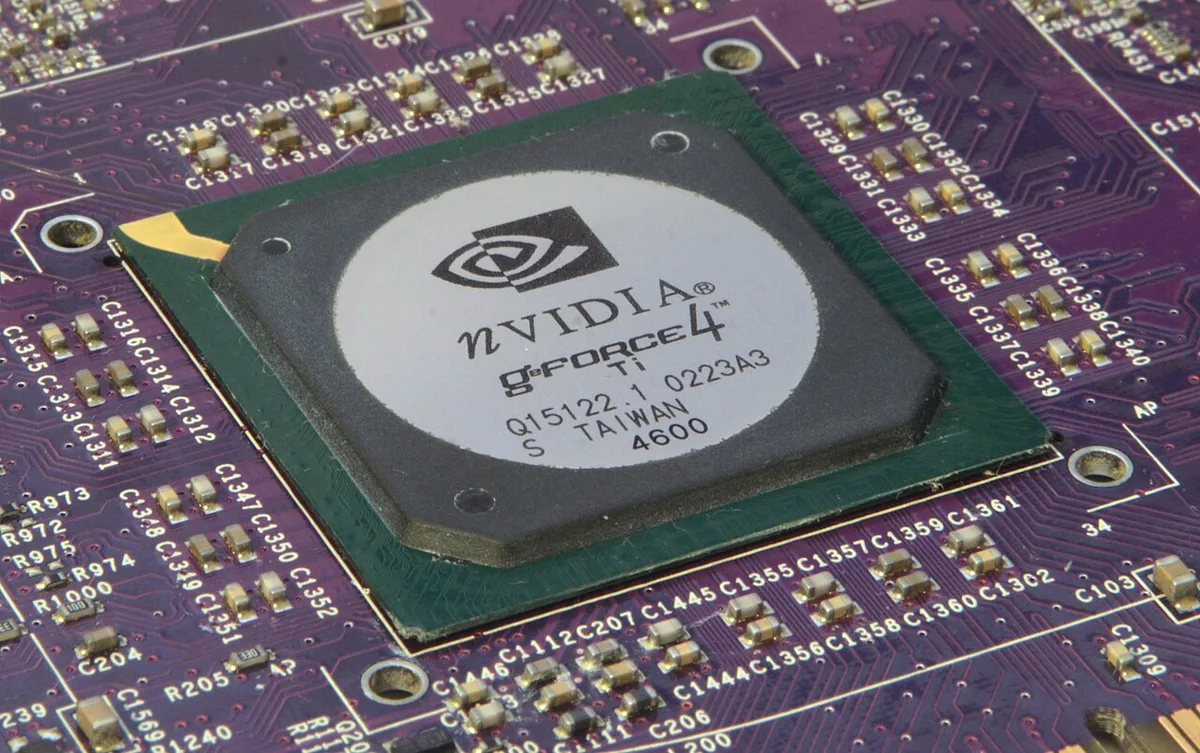
Image source: Wikimedia Commons / Henry Mühlpfordt (CC BY-SA)
| Spec | Common SFF range |
|---|---|
| Case volume | 10 to 20 liters |
| GPU length | 280 mm to 330 mm |
| CPU cooler height | 47 mm to 120 mm |
| PSU length | SFX about 100 mm, SFX-L about 130 mm |
| Radiator support | 120 mm to 240 mm |
| Fan sizes | 92 mm, 120 mm, 140 mm |
Check GPU thickness, not just length. A three-slot card can block airflow in a tight case. Check cooler height against the exact case spec.
Check PSU type before buying cables.
Manufacturer spec sheets are the right source for these numbers. If a spec is missing, treat that as a warning. For efficiency and PSU quality references, standards like 80 Plus are commonly used.
Expert Tips for Choosing Your First SFF Case
Start with the GPU. It is usually the largest part. Measure its length, height, and thickness before anything else.
Then check the cooler. Low-profile air coolers are common in SFF builds. AIO support varies by case, so verify radiator size and mounting position.
Choose an SFX PSU if possible. It gives more room for cables and airflow. A modular unit makes routing easier in tight spaces.
Plan the build order before installing parts. Test fit the motherboard, PSU, and GPU first. Route cables early, not after everything is mounted.
Run thermal tests after assembly. Idle temps can look fine while load temps climb. Adjust fan curves if needed.
Clean dust filters on a regular schedule.
If storage is part of your plan, how to choose an NVMe SSD for a gaming PC can help you avoid clearance and heat surprises.
Frequently Asked Questions
Is a small form factor PC case hard to build in?
Yes, it is usually harder than a mid-tower build. Space is tight and cable routing takes planning. A modular PSU and careful measurements reduce most of the difficulty.
First-time builders should expect slower assembly.
What size is considered small form factor?
There is no single official cutoff. Many SFF cases fall between 10 and 20 liters. The motherboard size and component clearances matter more than the label.
Always check the spec sheet.
Can a small form factor PC run a full-size GPU?
Yes, many can. The case must list enough GPU length and thickness clearance. Some models need a vertical mount and PCIe riser cable.
Check the exact card dimensions before buying.
Do SFF cases run hotter than mid-towers?
Often yes, but not always. Tight layouts restrict airflow and raise temperatures under load. Mesh panels and good fan placement help a lot.
Thermal testing after the build is important.
Are SFF cases more expensive?
They can be. Budget options exist, but premium compact cases often cost more than basic mid-towers. You may also need an SFX PSU and smaller cooler.
Those parts can raise total cost.
Is an SFF build good for gaming?
Yes, if the parts fit and cool well. A compact gaming PC can match mid-tower performance with the right GPU and airflow. The main limits are thermals, noise, and future upgrades.