What is the difference between micro atx and mini itx cases? It comes down to size, expansion, and how much hardware you plan to fit. A Micro-ATX case is built around a slightly larger motherboard, while a Mini-ITX case shrinks the footprint for tighter spaces.
For most builders, the right choice depends on GPU length, storage needs, and future upgrades. Manufacturer specifications indicate that Micro-ATX boards measure about 244 x 244 mm, while Mini-ITX boards measure about 170 x 170 mm. That small gap changes case volume, slot count, and cooling options more than you'd expect.
what is the difference between micro atx and mini itx cases
A Micro-ATX case fits a larger motherboard with more expansion slots. A Mini-ITX case fits a smaller board for tighter builds. Micro-ATX usually allows more RAM and storage.
Mini-ITX saves desk space. Choose based on upgrades and cooling room.
Why Micro-ATX and Mini-ITX Cases Are Often Confused
Both case types sit below standard ATX in size, so shoppers often treat them as interchangeable. They are not. A Micro-ATX case is usually built for a Micro-ATX motherboard, while a Mini-ITX case is built for a Mini-ITX motherboard.
Some Micro-ATX cases can also accept Mini-ITX boards, but most Mini-ITX cases cannot accept Micro-ATX boards.
The confusion gets worse because product photos can look similar at a glance. A compact Micro-ATX tower may only be a few liters larger than a Mini-ITX tower. That makes the size difference feel smaller than it is in daily use.
Real-world fit comes down to standoffs, expansion slots, and internal layout, not the outer shell alone.
If you are comparing builds, think about the upgrade path first. A builder who wants two GPUs, four RAM sticks, or extra drive bays will usually lean Micro-ATX. A builder who wants a tiny desk footprint will usually lean Mini-ITX.
This is also where the right wattage for upgrades matters, because smaller cases often limit PSU size and cable routing.
What a Micro-ATX Case Actually Is
A Micro-ATX case is a chassis designed for a Micro-ATX motherboard, which is about 244 x 244 mm. These boards usually support up to four RAM slots and up to four expansion slots, depending on the model. That gives builders more room for storage, capture cards, or future upgrades than a Mini-ITX setup.
Most Micro-ATX cases still look like small towers. They often fit standard ATX power supplies, full-size GPUs, and air coolers with generous height limits. That makes them a practical middle ground between tiny builds and full ATX systems.
Many also include two to four drive bays and support for 120 mm or 140 mm fans.
Manufacturer documentation from board makers such as ASUS, MSI, Gigabyte, and ASRock is the best place to confirm exact mounting points and clearance. Form factor references from Intel also help explain why Micro-ATX keeps more expansion options than Mini-ITX. As of 2026, many Micro-ATX cases still target the same sweet spot: compact enough for a small desk, open enough for a normal upgrade path.
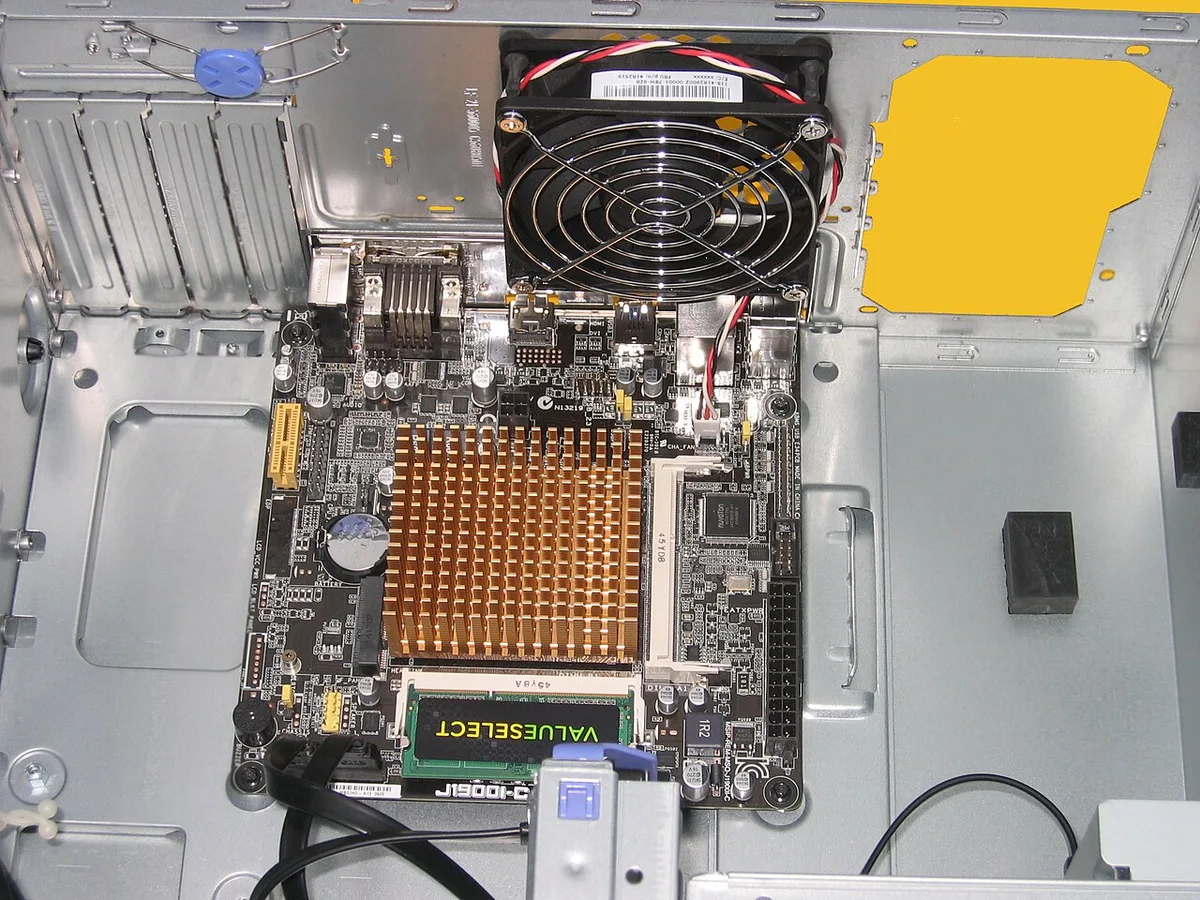
Image source: Wikimedia Commons / Hans Haase (CC BY-SA)
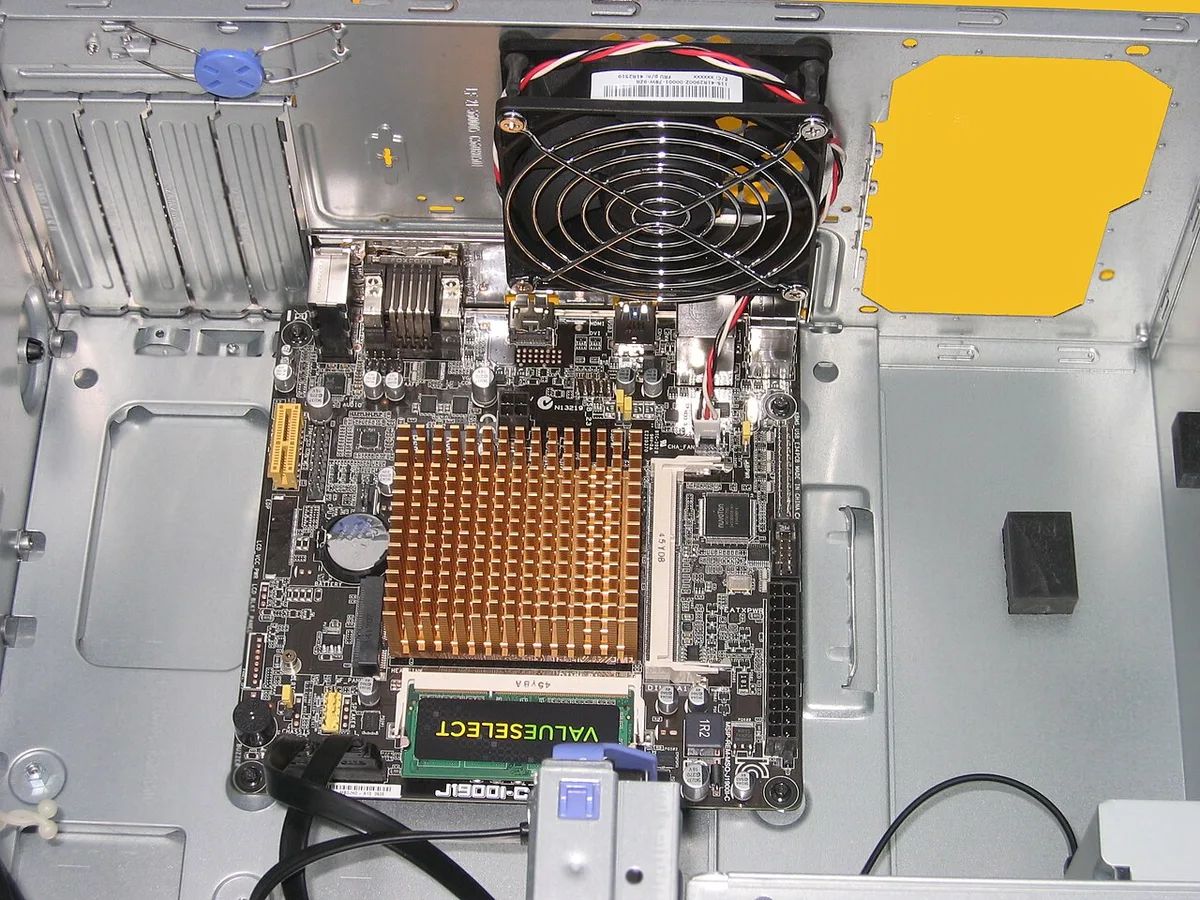
Image source: Wikimedia Commons / Hans Haase (CC BY-SA)
What a Mini-ITX Case Actually Is
A Mini-ITX case is a chassis built for a Mini-ITX motherboard, which is about 170 x 170 mm. These boards usually have two RAM slots and one expansion slot. That single slot is fine for one graphics card, but it limits add-on cards and future expansion.
The main appeal is size. Mini-ITX cases can be cube-shaped, tower-shaped, or extremely compact SFF designs. That makes them popular for living room PCs, travel rigs, and clean desk setups.
The tradeoff is tighter clearance for GPUs, CPU coolers, and power supplies.
Many Mini-ITX builds use SFX or SFX-L power supplies instead of full ATX units. Cable length and stiffness matter more in these cases. If you are planning a small build, it helps to understand modular cables before you buy, because excess cable can block airflow in a tight chassis.
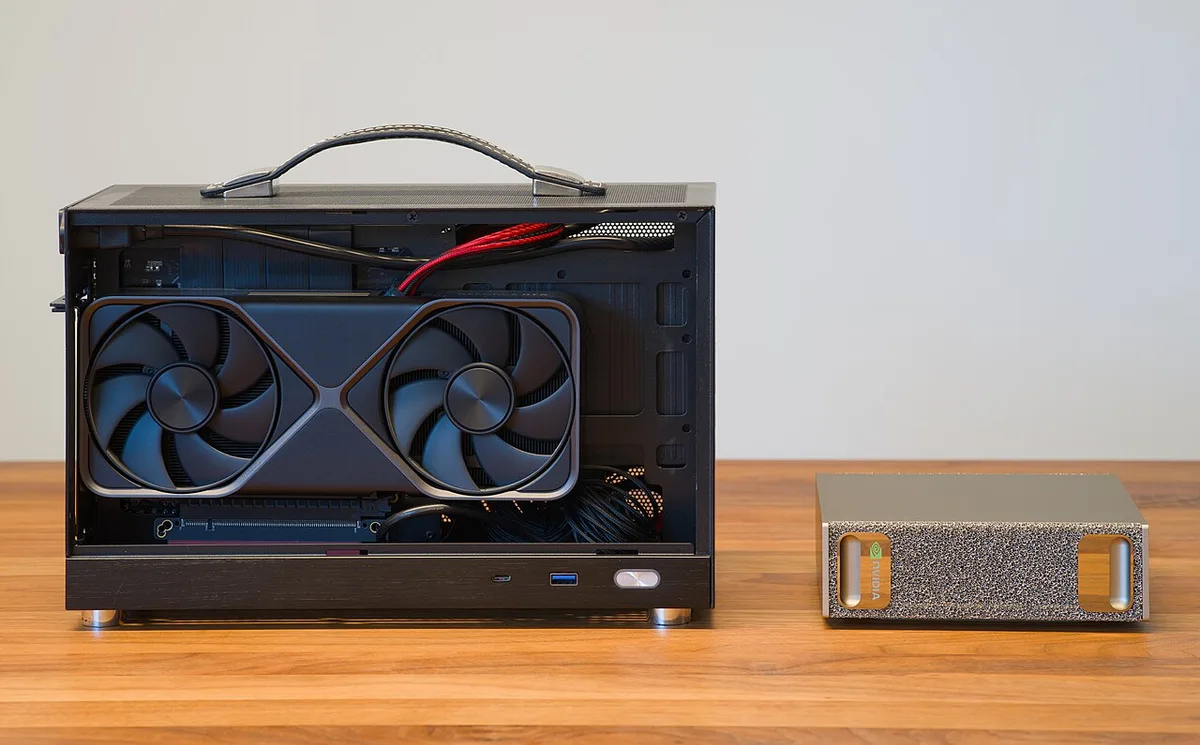
Image source: Wikimedia Commons / Daniel Lu (User:dllu) (CC BY-SA)
Micro-ATX vs Mini-ITX: Side-by-Side Comparison
| Feature | Micro-ATX Case | Mini-ITX Case |
|---|---|---|
| Motherboard size | About 244 x 244 mm | About 170 x 170 mm |
| RAM slots | Usually up to 4 | Usually 2 |
| Expansion slots | Up to 4, model dependent | Usually 1 |
| Typical case volume | About 25 to 45 liters | About 8 to 25 liters |
| PSU support | Often standard ATX | Often SFX or SFX-L |
| GPU fit | Usually easier | Needs careful checking |
| Upgrade flexibility | Stronger | More limited |
The table shows the real split. Micro-ATX gives you more room to grow. Mini-ITX gives you less space used on the desk.
Neither is automatically better. A compact Micro-ATX case can still fit under a monitor, while a larger Mini-ITX case may offer better cooling than a very small one.
For graphics-heavy builds, check GPU length before anything else. Some Mini-ITX cases support long GPUs, but clearance can be tight around front fans and power cables. Micro-ATX cases usually make this easier.
If you are pairing a high-end card, stable voltage output becomes more important because smaller cases can run warmer.
GPU, CPU Cooler, and PSU Fit in Smaller Cases
This is where many builds go wrong. The motherboard size is only the starting point. Your GPU length, CPU cooler height, and PSU form factor decide whether the build is comfortable or frustrating.
Manufacturer specs for each part should be checked against the case manual, not estimated from photos.
GPU clearance is the first check. A long triple-fan card may fit in one Mini-ITX case and not another. Micro-ATX cases usually allow more breathing room, but compact models can still be tight.
Leave space for power connectors and airflow, not just the card itself.
CPU cooler height is the second check. Tall air coolers can hit side panels or RAM in small cases. Low-profile coolers are common in Mini-ITX builds, while Micro-ATX cases often allow standard tower coolers.
If you plan to overclock or run a hot CPU, heat-related slowdowns are a warning sign that cooling room is too limited.
PSU choice is the third check. Many Micro-ATX cases accept standard ATX power supplies, which gives you more wattage and cable options. Mini-ITX cases often push you toward SFX units.
That can be fine, but cable stiffness and connector reach become real issues. An underpowered supply can cause shutdowns under load, especially when a small case already runs warm.
PCI Express standards from organizations such as PCI-SIG define the slot and connector ecosystem that these cases support. For PSU efficiency, the 80 Plus certification program is a useful reference point when comparing units. In practice, choose a power supply with enough headroom for your GPU and CPU, then make sure the cables fit cleanly without bending sharply against panels.
Best Use Cases for Micro-ATX Builds
Micro-ATX cases shine when you want a compact PC without giving up upgrade room. They suit budget gaming builds, home office workstations, and media servers. You get more slots and bays than Mini-ITX, but less bulk than full ATX.
A first build is a strong fit. Parts are easier to install, airflow is less cramped, and standard ATX power supplies are common. If you later add storage or a capture card, the case usually has room.
They also work well for creators who need one graphics card plus extra storage. A Micro-ATX board can support more RAM and drive bays. That helps with video editing, streaming, and light server tasks.
Cooling is usually easier too. Many Micro-ATX cases accept 120 mm or 140 mm fans and taller air coolers. That gives more thermal headroom than very small Mini-ITX designs.
It also makes fan tuning less aggressive.
For demanding GPUs, check power planning early. Power planning for demanding GPUs helps you avoid a mismatch before the build starts. PCI-SIG publishes the PCIe standards behind expansion slots, so slot counts and lane support are worth checking on the board spec sheet.
Best Use Cases for Mini-ITX Builds
Mini-ITX cases fit spaces where every inch matters. They work well for living room PCs, dorm rooms, and travel rigs. The smaller footprint also suits clean desk setups with minimal cables.
HTPC builds are a natural match. A small case can sit beside a TV without dominating the room. Many builders choose SFX power supplies and low-profile coolers to keep noise and size down.
LAN party rigs benefit too. A lighter, smaller case is easier to carry. Just be careful with glass panels and loose cables during transport.
Mini-ITX is also appealing for aesthetic builds. The compact shape looks tidy and modern. The cost is less expansion room and tighter cooling.
If you are using a newer power connector, connector fit in tight cases is worth checking before purchase.
Common Mistakes When Choosing Between Them
Buying the case before the motherboard is the biggest mistake. A Mini-ITX board will not fit in most Micro-ATX mounting layouts, and the reverse is also a problem. Always match the case to the board first.
Ignoring GPU length is next. A card may fit on paper but still hit front fans or cables. Check the case manual for real clearance, not just marketing photos.
Many buyers also underestimate cable stiffness. Short SFX cables can be tight, while long ATX cables can bunch up. Either issue can block airflow or make panel closure hard.
Another mistake is assuming smaller means cooler. A tiny case can run warmer if intake and exhaust are restricted. Watch for random shutdowns during gaming, which can signal heat or power strain.
Storage planning gets skipped too. If you need multiple drives, verify bay count and mounting options. Some Mini-ITX cases support only one or two drives without adapters.
Final Verdict: Which Case Should You Buy?
Choose Micro-ATX if you want easier upgrades, more RAM, and better cooling room. It is the safer pick for first builds and gaming PCs that may grow over time. The extra space usually reduces frustration.
Choose Mini-ITX if desk space, portability, or a clean look matters most. It can still be powerful, but you must plan parts more carefully. GPU length, cooler height, and PSU size need close checks.
A simple rule works well. Need expansion and airflow? Go Micro-ATX.
Need the smallest practical footprint? Go Mini-ITX.
For high-end graphics builds, power planning for demanding GPUs should happen before you choose either case. A good power supply cannot fix a case that is too small for airflow.
FAQs About Micro-ATX and Mini-ITX Cases
Can a Mini-ITX motherboard fit in a Micro-ATX case?
Yes, many Micro-ATX cases support Mini-ITX boards because the smaller board uses a subset of mounting points. You still need to check standoff placement and I/O shield fit. The reverse is not true, since Mini-ITX cases lack space and mounting for larger boards.
Is Micro-ATX better for gaming than Mini-ITX?
Micro-ATX is usually easier for gaming because it offers more airflow, cooler options, and upgrade room. Mini-ITX can still run high-end parts, but heat and cable management are harder. For most gamers, Micro-ATX is the less stressful choice.
Do Mini-ITX cases run hotter?
They can run hotter because less internal volume means less airflow and tighter part spacing. Good fan placement, mesh panels, and careful cable routing help. A well-designed Mini-ITX case can still stay cool, but it needs more planning.
Which case is easier for a first build?
Micro-ATX is usually easier. There is more room for hands, cables, and standard parts. Mini-ITX builds can be rewarding, but tight spaces make installation and troubleshooting harder for beginners.
Expect more careful measuring.
Can a Micro-ATX case fit a full-size ATX power supply?
Many do, but not all. Check the case specifications for PSU length and mounting orientation. Some compact Micro-ATX cases prefer shorter units or SFX power supplies.
Cable clearance matters too. Measure before buying.
Are Mini-ITX builds more expensive?
They can cost more because SFX power supplies, compact coolers, and premium small cases often carry higher prices. Micro-ATX parts are usually more common and affordable. Budget matters, but the bigger difference is planning time.