How much psu wattage is needed for future upgrades is less about buying the biggest unit and more about matching your upgrade path. A 750W PSU can be perfect for one PC and a bad fit for another. The right answer depends on your current parts, your likely next GPU, and how much load you want to leave in reserve.
Manufacturer specifications indicate that many modern GPUs can pull far more than their TDP rating during brief spikes. That gap is why a rough estimate often leads to shutdowns or wasted money. If you plan upgrades in stages, this guide walks through the conditions that change your wattage decision.
Why Guessing PSU Wattage for Future Upgrades Backfires
A PSU is not just a wattage number on a box. It is the power budget for every part in your PC. If you guess, you usually guess from one number, like a GPU TDP, and ignore the rest of the system.
That mistake cuts both ways. You can buy too little and crash during a new GPU’s power spike. You can also buy too much and pay for capacity you will never use.
Old advice makes this worse. Many people still use a simple “add 100W” rule. Modern builds are more complex.
A CPU can pull hard during rendering. Storage, fans, RGB, and peripherals add up. A future GPU may need a newer connector, not just more watts.
Aggregate user reviews show that many upgrade problems start with the PSU, not the new part. The system may boot fine, then fail under load. That is a frustrating way to learn your power plan was too loose.
If you are already planning memory changes, your memory upgrade timing matters too. Power and memory upgrades often happen together, so plan both at once.
The Condition Variables That Change Your Wattage Answer
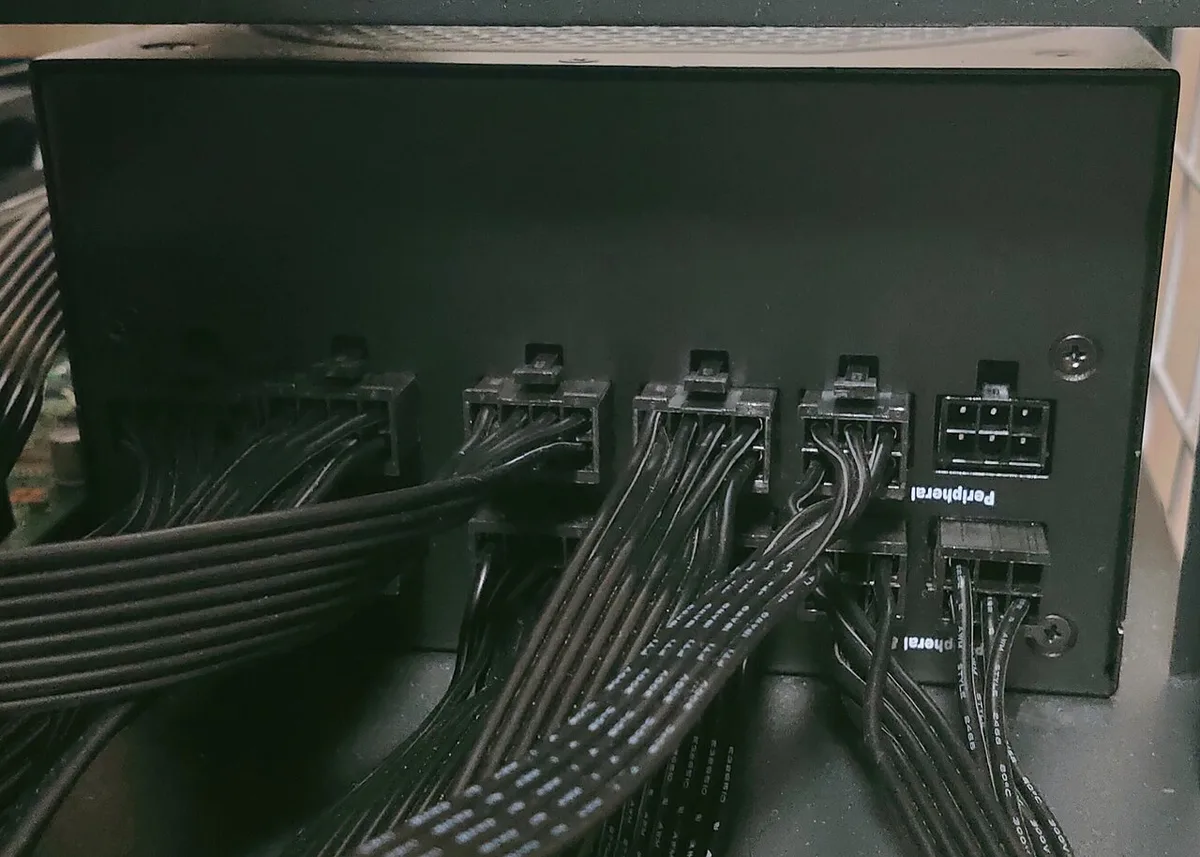
Image source: Wikimedia Commons / Project Kei (CC BY-SA)
Your wattage answer changes when three things change: your current GPU and CPU, your planned upgrade tier, and your case size. If any one changes, your PSU target changes with it.
Start with your current GPU and CPU. These set your baseline. A mid-range pair may sit near 350W to 450W in real use.
A high-end pair can sit much higher. Do not use TDP alone. TDP is a cooling target, not a full power reading.
Next, look at your planned upgrade tier. A same-class GPU swap needs modest headroom. A jump from mid-range to high-end can change the whole PSU class.
A full platform rebuild can make your old PSU a poor match even if the wattage looks close.
Finally, check case and form factor. A small case may need an SFX or SFX-L PSU. Cable length, connector placement, and cooling room all matter.
A unit that fits electrically may still be a bad physical fit.
| Condition | What It Changes | Practical Result |
|---|---|---|
| Current GPU and CPU | Baseline power draw | Sets your starting wattage |
| Planned upgrade tier | Future peak load | Changes required headroom |
| Case and form factor | Fit and airflow | Limits PSU choices |
If you are also changing your board, your motherboard compatibility can affect both power connectors and memory support.
How to Measure Your Current System's Real Power Draw
Guessing starts with skipped measurement. You need a real baseline before you can size for upgrades. The goal is simple: know what your system uses now, then add your future parts.
First, list every major part. Include CPU, GPU, motherboard, RAM, storage, fans, pump, RGB, and external devices. Then estimate each one’s load.
Use manufacturer specs where possible, but treat them as starting points.
Second, separate average load from peak load. Gaming may sit at one level. Rendering may sit higher.
Some GPUs spike well above their rated draw for short bursts. Those spikes are the reason a PSU needs headroom.
Third, measure if you can. A wall meter gives the most direct view. Software estimates can help, but they are not perfect.
Compare both when possible. Per Intel ATX power supply design documentation, a PSU should deliver stable power across its rated load, not just at one test point.
Fourth, add future parts to the baseline. Do not guess the future GPU from a headline. Look at its recommended PSU, but treat that as a floor, not a final answer.
Add storage upgrades too. If your storage roadmap includes more drives, add their power draw now.
| Power Source | Best Use | Watch Out For |
|---|---|---|
| Component specs | Starting estimate | May not show spikes |
| Software monitoring | Quick check | Can miss transient peaks |
| Wall power meter | Real measurement | Includes PSU inefficiency |
A good measurement habit prevents two common errors: buying too small and blaming the new GPU.
How Much Headroom You Actually Need for Upgrades
Headroom is the extra capacity left after your normal load. It is not a marketing trick. It gives your PSU room for spikes, aging, and upgrades.
It also helps the unit run in a more efficient range.
A practical rule is 20% to 30% headroom above your expected peak system draw. If your peak is 450W, a 650W PSU leaves useful room. If your peak is 650W, an 850W unit is more sensible.
This rule is simple, but it works for most gaming and creator builds.
There are times to go higher. If you plan a top-tier GPU, heavy rendering, or a CPU with high transient spikes, lean toward the top of the range. If your case has poor airflow, a higher-rated unit may also run quieter at the same load.
There are also times to stop. If your headroom plan pushes you far beyond your realistic upgrade path, that is wasted money. A 1200W PSU for a mid-range build is not future-proofing.
It is overspending. Future-proofing means matching the next two likely upgrades, not every possible upgrade.
| Expected Peak Draw | Common PSU Target | Typical Headroom |
|---|---|---|
| 350W | 550W | About 36% |
| 450W | 650W | About 31% |
| 600W | 850W | About 29% |
| 750W | 1000W | About 25% |
Your NVMe drive choices can affect this table slightly. Faster drives and extra storage add load, especially during heavy transfers.
Decision Branches: Match Wattage to Your Upgrade Plan
This is where the answer becomes a decision tree. Match the PSU to the upgrade you are likely to make next, not the one you might make someday.
Branch 1: Same-tier GPU upgrade. If you are moving from one mid-range card to another, your power needs may barely change. Add 10% to 15% headroom and check connectors.
A quality 650W or 750W unit often covers this well.
Branch 2: Mid-range to high-end jump. This is the big one. The new GPU may have much higher peak draw and a different power connector.
Add 25% to 35% headroom. An 850W or 1000W PSU is often the safer class here.
Branch 3: Full platform rebuild. If you are changing CPU, board, RAM, GPU, and storage together, do not reuse an old PSU by default. Recheck every connector and every power limit.
A new PSU with the right form factor and cables is usually the cleaner choice.
| Upgrade Path | Headroom Target | Common PSU Class |
|---|---|---|
| Same-tier GPU swap | 10% to 15% | 650W to 750W |
| Mid-range to high-end | 25% to 35% | 850W to 1000W |
| Full platform rebuild | 20% to 30% | Match the highest planned part |
If you are choosing memory at the same time, your memory plan should be checked against both board support and power needs. A good PSU decision is really a whole-system decision.
PSU Features That Matter More Than Raw Wattage
A high wattage number does not guarantee a good upgrade PSU. Connector support, transient handling, and efficiency curve often matter more.
ATX 3.0 and PCIe 5.0 Connector Support
If your next GPU uses a 12VHPWR or 12V-2×6 connector, check PSU support first. ATX 3.0 designs are built for modern transient spikes. Older units may work with adapters, but that adds risk and clutter.
80 PLUS Efficiency and the Sweet Spot
Efficiency is not just about power bills. It shows how hard the PSU works at a given load. Most units hit their best efficiency around 40% to 60% of rated wattage.
If your planned load sits there, noise and heat stay lower.
As of 2026, many mid-range GPUs still use 8-pin connectors. High-end cards may use 12VHPWR. Buy for the connector your upgrade needs, not the one your current card uses.
The 80 PLUS certification program publishes efficiency targets at 20%, 50%, and 100% load.
Rail Design, Protections, and Build Quality
Single-rail and multi-rail designs both work well when built right. Focus on protections like OCP, OVP, OPP, SCP, and UVP. These shut down the system before damage spreads.
Good capacitors and a solid warranty matter too.
Modular units do not change wattage. They make future cable changes easier. That matters when you swap GPUs and need different cable lengths.
| Feature | Why It Matters | Upgrade Benefit |
|---|---|---|
| ATX 3.0 support | Handles spikes | Safer high-end GPU use |
| 80 PLUS Gold or better | Better mid-load efficiency | Less heat and noise |
| Modern PCIe power connector | Direct cable fit | Fewer adapters |
Per PCI-SIG specifications, connector and power delivery standards help ensure compatibility across modern components.
Common Mistakes When Sizing a PSU for Future Upgrades
Most mistakes come from planning around one part. The PSU powers the whole system. If you ignore the rest, the upgrade can fail on day one.
- Using TDP as total system draw. TDP is a thermal target. Add CPU, GPU, storage, fans, and peripherals.
- Ignoring transient spikes. A card may spike well above its rated draw. Headroom covers those bursts.
- Reusing an old PSU for a new high-end GPU. The wattage may look fine. The connectors and spike tolerance may not.
- Buying far more wattage than needed. Extra capacity costs more and may not improve anything.
- Forgetting case fit. A large unit may block cables or reduce airflow.
- Trusting peak wattage labels. Look for continuous wattage ratings and real test data.
| Mistake | Better Approach |
|---|---|
| Guessing from GPU TDP | Measure or estimate full system load |
| No headroom | Add 20% to 30% |
| Old PSU reuse | Check connectors and age first |
If you are also tracking thermal behavior, remember that heat and power often rise together under heavy load.
Real Scenarios: Sizing for Three Upgrade Paths
Numbers make the decision clearer. These examples use rounded, realistic load estimates. Your actual parts may vary.
Scenario 1: Same-Tier GPU Swap
Current load: 420W peak. Planned GPU needs about 430W. Add 10% to 15% headroom.
A 650W PSU is a clean fit. Do not jump to 1000W unless other upgrades follow.
Scenario 2: Mid-Range to High-End Jump
Current load: 500W peak. Planned GPU may push the system near 650W. Add 25% to 35% headroom.
An 850W or 1000W PSU gives safer spike room.
Scenario 3: Small Form Factor Rebuild
Current load: 450W peak. The new build needs an SFX unit with tight cable routing. Wattage matters, but length, fan size, and connector layout matter just as much.
A 750W SFX unit may be the better choice than a larger ATX unit that will not fit.
| Scenario | Peak Load | Suggested PSU |
|---|---|---|
| Same-tier swap | 420W | 650W |
| High-end jump | 650W | 850W to 1000W |
| SFF rebuild | 450W | 750W SFX |
If your upgrade includes faster storage, check NVMe speed impact before finalizing the build.
Expert Tips for Buying Once and Buying Right
Buy for the next two upgrades, not every possible upgrade. That keeps the budget sane and the PSU useful longer.
- Check the PSU’s full load efficiency, not just the badge.
- Read the warranty. A longer warranty often signals stronger build quality.
- Match cable types to your case and motherboard.
- Leave physical room for airflow and cable bends.
- Prefer a unit with strong protection circuits.
- Recheck your estimate after choosing the actual GPU.
- Keep your old PSU only if it passes connector and age checks.
A good PSU should disappear into the build. You should not think about it during gaming, rendering, or upgrades. If you do, it is probably undersized or poorly matched.
Frequently Asked Questions
How much headroom should a PSU have for upgrades?
Aim for 20% to 30% above your expected peak system draw. That covers spikes, upgrades, and normal aging. Go higher for high-end GPUs or heavy rendering workloads.
Is a 1000W PSU overkill for most gaming PCs?
Yes, for many mid-range builds it is. If your peak load is around 500W, an 850W unit often gives enough headroom. Buy 1000W when your upgrade path clearly needs it.
Can I reuse an old PSU with a new GPU?
Sometimes, but check age, connectors, and spike tolerance first. A PSU with enough wattage may still lack the right cable or modern protection. If any of those fail, replace it.
Does 80 PLUS rating affect gaming performance?
No, it does not directly raise FPS. It affects efficiency, heat, and noise. A better rating can help the PSU stay cooler and quieter under load.
Should I buy modular or non-modular for upgrades?
Modular is usually better for upgrades. It makes cable swaps easier and reduces clutter. Non-modular units can still work well if the cables fit cleanly.
What matters more, wattage or connectors?
Connectors often matter more for a specific upgrade. A PSU with the right wattage but wrong connector can still fail. Match both before buying.
1 thought on “How Much PSU Wattage Do You Need for Future Upgrades?”
Comments are closed.