What is the difference between ATX and micro-ATX PC cases? It mostly comes down to motherboard size, expansion slots, and build space. ATX cases fit larger boards and more hardware.
Micro-ATX cases fit smaller boards and tighter builds. The right choice depends on your parts and future plans.
As of 2026, most builders still use ATX for full-size systems and micro-ATX for compact budgets. A standard ATX motherboard measures 305 by 244 millimeters. That size affects cooler height, GPU length, and cable routing.
Let's break down what each case type means.
what is the difference between atx and micro atx pc cases
ATX cases support larger ATX motherboards and more expansion slots. Micro-ATX cases support smaller boards with fewer slots. Both can use one graphics card and standard storage.
ATX fits more drives, coolers, and add-in cards. Micro-ATX saves space and often costs less.
Why ATX vs Micro-ATX Actually Matters for Your Build
The case does not just hold parts. It decides what parts fit and how easily you can upgrade later. Many people buy a board first, then discover the case limits cooler height or GPU length.
That mistake costs time and sometimes money.
ATX and micro-ATX are both motherboard form factors. A form factor is the board's size, mounting holes, and slot layout. ATX is the larger standard.
Micro-ATX is the smaller square version. Both use the same general mounting style in many cases, but the smaller board leaves less expansion room.
Your build goal should guide the choice. A single graphics card, one SSD, and a stock cooler fit fine in many micro-ATX cases. A heavy graphics card, tall air cooler, multiple drives, and capture cards often need ATX.
If you plan to add storage or a second card later, ATX gives more room.
Power planning matters too. A larger case can house a longer power supply and better cable space. Before choosing parts, check your power budget against the GPU and CPU you want.
A cramped build can also trap heat, which may raise fan noise. If your PC ever shuts down under load, poor airflow and cable clutter are common suspects.
What an ATX Case Really Is
An ATX case is built around the ATX motherboard standard. That board measures 305 by 244 millimeters. Most ATX cases have seven rear expansion slots.
Those slots support multiple PCIe cards, capture cards, network cards, and sound cards.
ATX cases usually have more internal room. You often get wider CPU cooler clearance, longer GPU clearance, and more drive bays. Mid-tower ATX cases are the most common size.
They usually fit one or two 360 millimeter radiators, several 120 or 140 millimeter fans, and multiple storage drives.
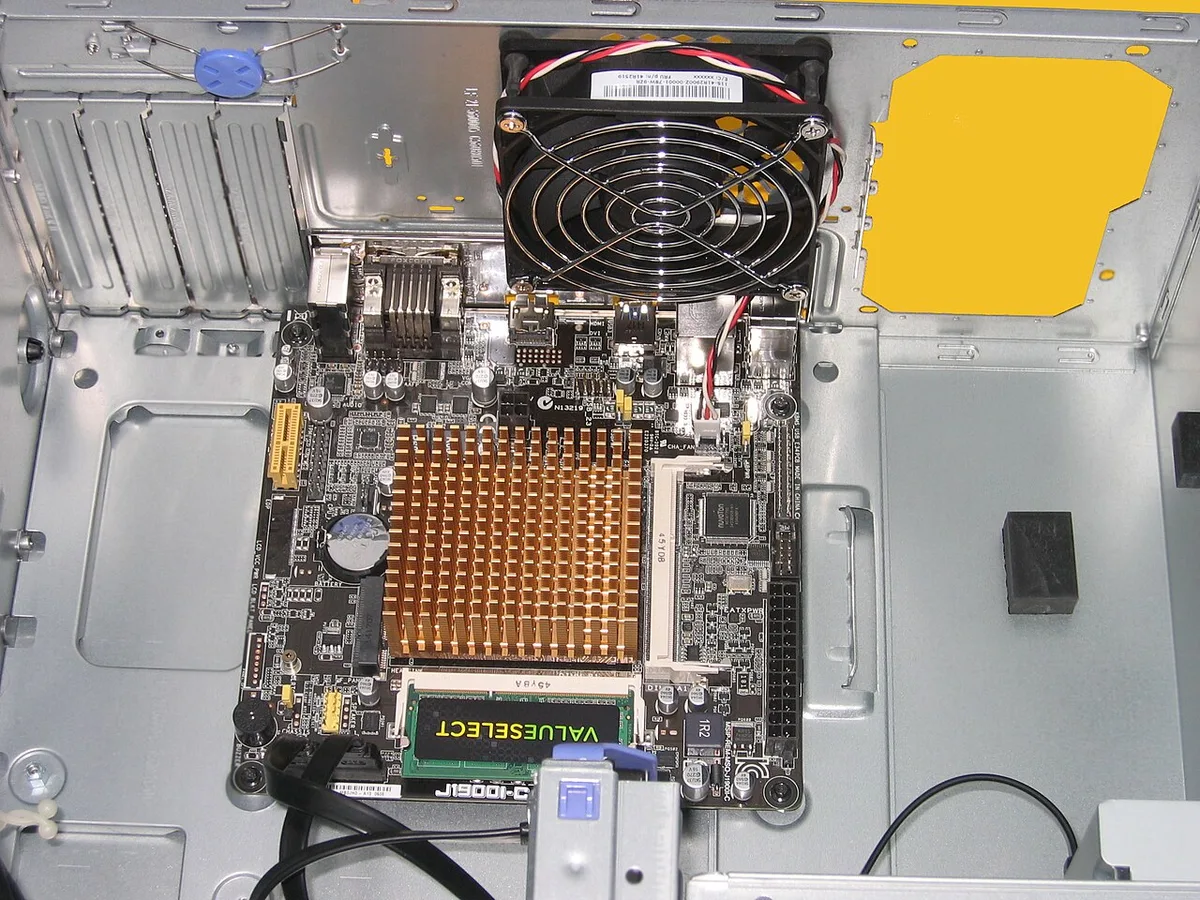
Image source: Wikimedia Commons / Hans Haase (CC BY-SA)
Motherboard support is the key detail. A true ATX case supports ATX boards, and often micro-ATX and Mini-ITX boards too. The standoffs may need moving for smaller boards.
Always check the case manual before installing the board.
ATX is also easier for cable routing. Larger cases usually have a wider space behind the motherboard tray. That helps hide thick power cables.
If you use a modular power supply, a modular, semi-modular, or non-modular PSU choice affects how much cable you must manage.
What a Micro-ATX Case Really Is
A micro-ATX case is built around the micro-ATX motherboard standard. That board measures 244 by 244 millimeters. It is square and shorter than ATX.
Most micro-ATX boards have four rear expansion slots instead of seven.
Micro-ATX cases are smaller and lighter. They fit well on small desks, in dorm rooms, and in compact living spaces. They can also cost less than larger ATX cases.
For a simple gaming PC with one graphics card, micro-ATX is often enough.
The smaller size creates tradeoffs. CPU cooler height may be limited. Long graphics cards may need a compact case with the front drive cage removed.
Cable routing can be tighter, especially with non-modular power supplies. Airflow can still be good, but fan placement needs more planning.
Micro-ATX motherboards vary. Some have two RAM slots. Others have four.
Some have one PCIe x16 slot. Others have extra slots for expansion. Check the board before buying.
Do not assume every micro-ATX board has the same features.
If you use fast storage, check the board's M.2 support. An M.2 slot in a gaming PC can save space and reduce cable clutter. That is helpful in compact builds.
Also check how much storage a gaming PC needs before choosing drive bays.
Side-by-Side Specs, Slots, and Clearances
This is where the decision becomes practical. Specs tell you what physically fits. Do not rely on case photos alone.
Read the compatibility list and measure your parts.
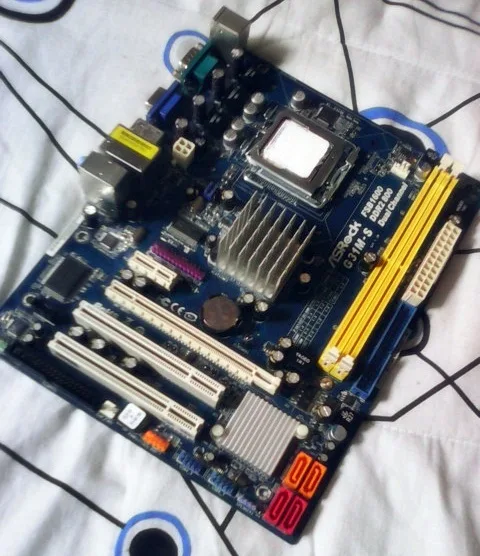
Image source: Wikimedia Commons / Julianprescott2604juuly (CC BY-SA)
| Feature | ATX Case / Board | Micro-ATX Case / Board |
|---|---|---|
| Motherboard size | 305 x 244 mm | 244 x 244 mm |
| Rear expansion slots | Usually 7 | Usually 4 |
| RAM slots | Often 4 | 2 or 4 |
| Typical cooler clearance | About 155 to 165 mm | About 120 to 140 mm |
| Typical GPU clearance | About 330 to 400 mm | About 280 to 320 mm |
| Best use | Full builds, upgrades | Compact, budget builds |
These numbers are general. Every case is different. A compact ATX case may have less room than a large micro-ATX case.
Always verify the exact model.
Slots matter for expansion. ATX gives more room for capture cards, Wi-Fi cards, and sound cards. Micro-ATX still works for one graphics card and basic upgrades.
Most gamers only need one PCIe x16 slot.
Clearances matter for cooling. A tall air cooler may not fit in a compact case. A long graphics card may hit the front fan or drive cage.
Measure from the PCIe slot to the front panel. Then compare it to your GPU length.
Storage support also differs. ATX cases often have more 3.5-inch and 2.5-inch bays. Micro-ATX cases may have fewer bays.
If you use NVMe storage, you may not need many bays. A fast NVMe drive can reduce the need for extra 2.5-inch SSDs.
How Form Factor Changes Airflow, Cable Routing, and Upgrades
Airflow depends on case design, not just size. A mesh-front ATX case can breathe well. A solid-front micro-ATX case may run warmer.
The layout of intake and exhaust fans matters more than the motherboard size.
ATX cases usually give more fan options. You may fit three front intake fans and one rear exhaust fan. That creates strong airflow over the graphics card.
Micro-ATX cases may fit two front fans and one rear fan. That can still work well with good fan curves.
Cable routing is easier in ATX. There is more space behind the motherboard tray. Large power cables can route around the board without blocking fans.
In micro-ATX, thick cables may sit closer to the side panel. Take time to route cables before installing the graphics card.
Upgrades are the biggest long-term difference. ATX gives more room for a larger cooler, longer GPU, extra drives, and more PCIe cards. Micro-ATX limits some of those options.
If you upgrade often, ATX is safer. If you build once and keep it simple, micro-ATX can be smart.
A good PSU voltage regulation setup helps stability in either case. Stable power matters more than case size. Also watch for a failing gaming PC power supply before blaming the case for random shutdowns.
Heat, dust, and poor cable routing can hide the real problem.
Best Builds for ATX Cases
ATX shines when you want room to grow. A mid-tower ATX case gives space for a long graphics card, tall air cooler, and extra storage. It also leaves room for cable routing, which makes assembly less stressful.
Best fits for ATX:
- High-end single-GPU gaming with a long graphics card
- Builds with a 360 mm AIO or tall air cooler
- Content creation with capture cards or extra drives
- Workstations with multiple PCIe devices
- PCs you plan to upgrade every few years
ATX also helps if you want strong front intake airflow. Larger cases often support three front 120 mm fans. That can improve cooling over a hot GPU.
It also helps if you use a long power supply and need space behind the motherboard tray.
The main downside is size. ATX cases take more desk space and may weigh more. If you never add cards or drives, some of that space goes unused.
For many gamers, that is still a fair trade for easier building.
Best Builds for Micro-ATX Cases
Micro-ATX fits simple, compact, and budget-focused builds. It works well for one GPU, one or two storage drives, and a standard cooler. It also suits small desks and shared spaces.
Best fits for micro-ATX:
- Budget gaming with a mid-range GPU
- Home office PCs with integrated or entry-level graphics
- LAN or portable builds
- Compact setups without extreme size limits
- First builds where simplicity matters
A compact micro-ATX case can still run cool. Use a mesh front panel if possible. Add at least one intake fan and one exhaust fan.
Keep cables tidy so they do not block airflow.
The main risk is buying too small. Check GPU length, cooler height, and power supply length before ordering. If your parts are close to the limits, choose a larger micro-ATX case or move to ATX.
Common Mistakes When Matching Cases and Motherboards
The biggest mistake is mixing up case size and board support. A case may say ATX, but that does not mean every ATX board fits the same way. Standoff positions can vary.
Always check the manual.
Other common mistakes:
- Installing standoffs in the wrong holes
- Forcing a board that does not match the standoff layout
- Ignoring CPU cooler height
- Ignoring GPU length
- Blocking front fans with long cards
- Leaving cables in front of intake fans
- Assuming micro-ATX always needs fewer standoffs
Standoff alignment matters because the board must sit flat. A misaligned standoff can short the board. Before tightening screws, make sure every standoff lines up with a mounting hole.
GPU length is another trap. Many compact cases list a maximum GPU length with the front drive cage installed. Removing the cage may add room, but it also removes storage bays.
Plan that tradeoff before buying.
Cooler height is just as important. A large air cooler may hit the side panel. An AIO may need specific radiator mounts.
Check both the case spec and the cooler spec.
Cost, Upgrade Room, and Long-Term Value
Micro-ATX often costs less at the case and board level. That makes it attractive for budget builds. You can put saved money into the GPU or SSD.
For a simple build, that is a smart move.
ATX usually costs more. You pay for more metal, more space, and more compatibility. The benefit is flexibility.
You can change coolers, add drives, or install expansion cards later without replacing the case.
Long-term value depends on your habits. If you upgrade often, ATX saves frustration. If you keep a PC for years without changes, micro-ATX can be the better value.
Think about your next upgrade before choosing.
A good power supply also affects value. Stable power helps protect parts. If you are unsure about wattage, review how much PSU wattage is needed for future upgrades before buying.
A weak PSU can limit upgrades even in a large case.
PCIe slot standards are maintained by PCI-SIG, the official standards body. That is useful when comparing expansion options.
Final Verdict and FAQs
Choose ATX if you want maximum expansion, easier cable routing, and room for big coolers or long GPUs. Choose micro-ATX if you want a smaller, cheaper, simpler build. Both can make excellent gaming PCs.
The better choice is the one that fits your parts and plans.
Is micro-ATX good for gaming?
Yes. A micro-ATX build can run modern games well with one good GPU. The board size does not reduce gaming performance.
Cooling and power matter more than form factor.
Can a micro-ATX board fit in an ATX case?
Usually yes. Many ATX cases support micro-ATX boards. You may need to move or remove standoffs.
Check the case manual before installation.
Does ATX have better airflow than micro-ATX?
Not always. Airflow depends on case design and fan layout. A well-ventilated micro-ATX case can beat a poorly ventilated ATX case.
Mesh panels and fan placement matter most.
Which is better for a first-time builder?
Micro-ATX can be simpler because there are fewer parts and less space. ATX can be easier to work in because there is more room. Either is fine if you check compatibility first.
Do I need ATX for multiple storage drives?
Not always. Some micro-ATX cases support several drives. ATX usually offers more bays and easier routing.
Check the exact case specs before buying.