You own a strong graphics card, yet your favorite game still stutters in crowded scenes. The answer to what is 3D V-Cache and how can it improve gaming starts with your processor's hidden memory bottleneck. AMD's 3D V-Cache stacks extra L3 cache directly on top of the CPU die.
This extra capacity cuts down trips to slower system memory, which keeps frame times steadier. Manufacturer specifications indicate that the Ryzen 7 5800X3D carries 96MB of L3 cache, roughly triple the amount found on the standard Ryzen 7 5800X. Aggregate reviews report average FPS gains between 10 and 23 percent in CPU-bound titles such as Cyberpunk 2077 and Warzone.
Here is how the technology works under the hood.
What Is 3D V-Cache and How Can It Improve Gaming
AMD 3D V-Cache stacks extra L3 cache on top of the CPU die.
More cache lets the processor store game data closer to the cores.
Gaming sees smoother frame rates and fewer stutters in CPU-bound scenes.
The benefit is largest at 1080p and 1440p resolutions.
That makes it a focused upgrade for gamers, not a general productivity tool.
How 3D V-Cache Works and Why It Matters
AMD 3D V-Cache stacks a second L3 cache die directly on top of the processor die. That extra silicon sits above the cores rather than beside them. It connects through vertical bonds that act like a fast elevator for data.
The result is a much larger pool of high-speed memory sitting right where the CPU needs it.
Games constantly pull textures, AI logic, and draw commands from memory. When the CPU finds that data in cache, it keeps working without waiting. When it misses, it reaches out to system RAM, which costs time.
A bigger cache means fewer of those costly trips. That is why frame times stay steadier during crowded battles or dense city streets.
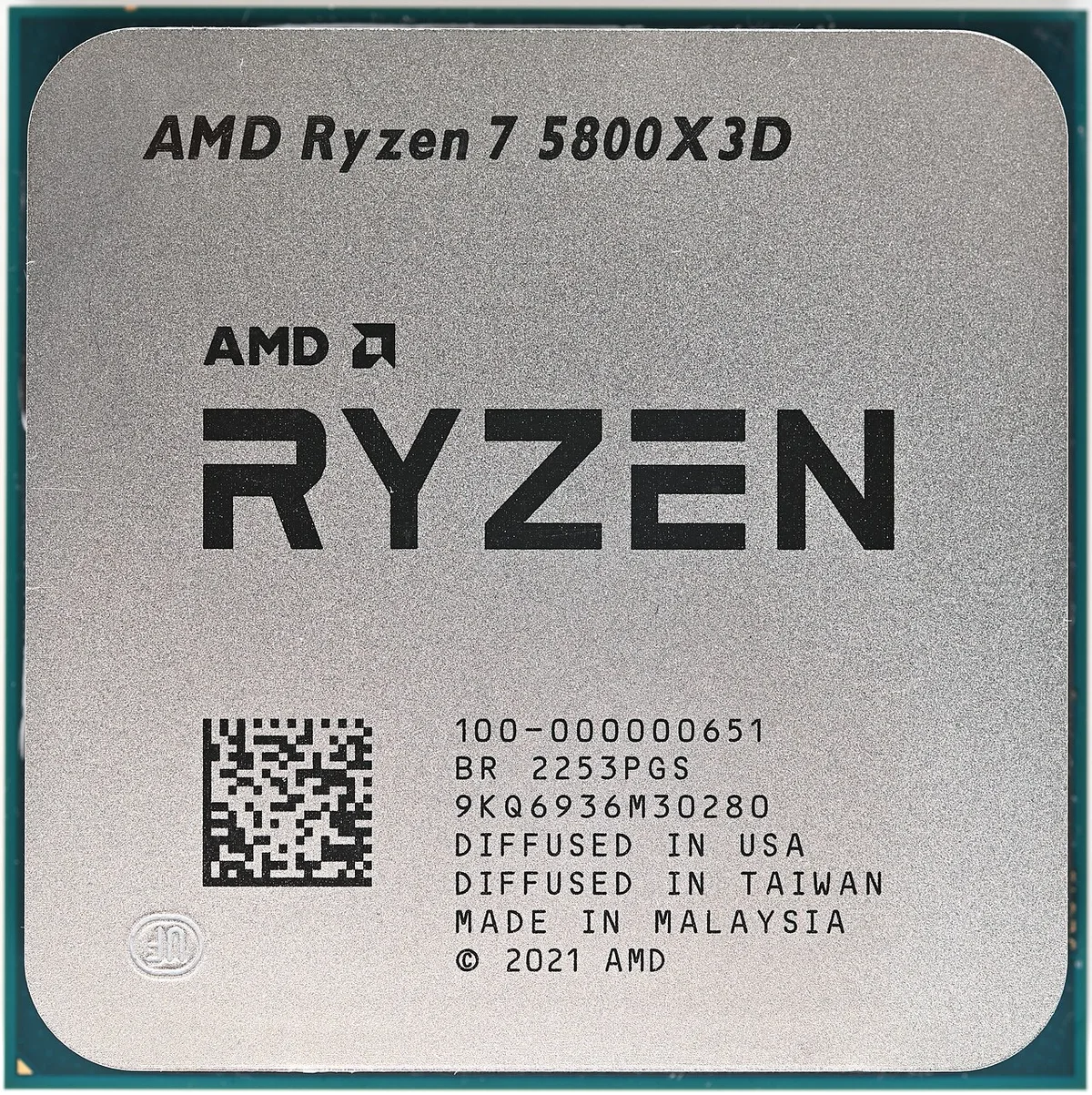
Manufacturer specifications indicate that the Ryzen 7 5800X3D holds 96MB of L3 cache. The standard Ryzen 7 5800X holds only 32MB. That threefold increase explains most of the gaming uplift.
AMD's official 3D V-Cache technology page describes this as a gaming-first design choice.
You feel it most in titles that lean heavily on the processor. Think of open-world RPGs or competitive shooters with many entities on screen. The graphics card still renders the frames, but the CPU feeds it the instructions.
More cache means that feeding line stays full. Gamers notice the difference most in fast, fluid motion.
There is a trade-off. Stacking cache adds a small amount of latency compared to a traditional layout. For gaming, the capacity win usually outweighs that latency penalty.
Productivity tasks like video rendering see smaller gains because they stream data in different patterns.
Key Features and Technical Components of 3D V-Cache
The defining feature of 3D V-Cache is vertical die stacking. AMD bonds an additional cache die onto the CPU complex die using a process sometimes called 3D Fabric. That stack adds physical capacity without widening the chip horizontally.
It keeps the overall footprint compatible with existing socket designs.
Capacity is the headline number. Current X3D processors reach 96MB of total L3 cache. Standard Zen 4 chips usually top out at 32MB or 64MB depending on the model.
That extra headroom stores more game instructions and assets directly on the package.
Latency behaves differently than a simple cache enlargement. The stacked die sits slightly farther from the cores in the vertical dimension. AMD tunes the memory controller to keep access times acceptable for real-time frame delivery.
The trade-off favors capacity in scenes where data reuse matters most.
Thermal density deserves attention. Stacking dies concentrates heat in a smaller area. Effective cooling matters more than on a conventional chip of the same wattage.
This is about managing heat just like any high-performance desktop processor, but the stacked layout leaves less margin for error. managing heat
Key specifications include:
- Up to 96MB of L3 cache
- 3D-stacked hybrid bonding
- AM5 socket support
- Lower stock voltage headroom
- Gaming-optimized memory controller tuning
Benefits and Drawbacks of 3D V-Cache in Gaming
The main benefit shows up in average frames per second. Aggregate reviews report gains between 10 and 23 percent in CPU-bound titles. Cyberpunk 2077, Call of Duty: Warzone, and Horizon Zero Dawn all respond well to the extra cache.
The improvement is not just a higher peak number. Frame times tighten, which reduces the stutter that breaks immersion.
A second advantage is efficiency. X3D processors often deliver strong gaming performance at lower stock wattage than competing high-end chips. That means less heat and quieter cooling under load for a pure gaming build.
You also avoid the cost of a new graphics card just to smooth out CPU-limited scenes.
There are drawbacks. X3D models typically carry a $50 to $80 premium over their non-X3D siblings. You need an AM5 motherboard with a BIOS update that recognizes the stacked cache.
The chip also runs warm under sustained loads, so a quality cooler matters. If you mostly edit video or render 3D scenes, the gaming-focused design gives less return.
A quick look at the trade-offs:
| Factor | Standard Ryzen 7000 | Ryzen 7000 X3D |
|---|---|---|
| Average gaming FPS gain | Baseline | 10-23 percent in CPU-bound titles |
| L3 cache capacity | 32-64MB | Up to 96MB |
| Typical price premium | None | $50-$80 over non-X3D |
| Best suited for | Mixed productivity and gaming | Pure gaming builds |
For everyday desktop tasks, the difference is barely noticeable. A faster CPU helps with overall system responsiveness, though it will not fix network lag on its own. overall system responsiveness
How to Choose and Set Up a 3D V-Cache CPU
Picking the right X3D chip starts with your platform. As of 2026, the Ryzen 7000 X3D series sits on the AM5 socket. That means you need a 600-series motherboard and DDR5 memory.
The Ryzen 7 7800X3D is often the sweet spot for gamers because it pairs eight cores with 96MB of cache at a reasonable price. The 7950X3D and 7900X3D add more cores for mixed workloads, but the gaming uplift is similar.
Before you buy, check your motherboard's BIOS version. Older boards need an update to recognize the stacked cache properly. AMD publishes compatibility lists for each chipset generation.
Installing the CPU follows the standard AM5 lift-and-place procedure. Apply thermal paste evenly because the stacked die conducts heat in a concentrated spot.
Memory matters less than on older platforms, but DDR5 at 6000MHz is the common sweet spot. Enable XMP or DOCP in the BIOS after the first boot. Some boards include a Game Mode toggle that parks background threads to favor cache-heavy game threads.
That toggle is worth testing if you play titles that struggle with consistency.
Setup steps:
- Verify AM5 motherboard compatibility
- Update BIOS if needed
- Install CPU with proper thermal paste
- Enable DDR5 XMP or DOCP
- Test Game Mode in BIOS
Do not forget basic power protection for a new build. surge protection keeps a motherboard and processor safe during grid flickers. Once seated, cooled, and powered, the processor needs no special maintenance beyond standard dust management.
Best Use Cases and Target Gamers for 3D V-Cache
Competitive players benefit first. Titles like Valorant, Counter-Strike 2, and Warzone lean on fast CPU logic for player positions, hit registration, and network packets. At 1080p and 1440p, the processor often limits frame rates more than the graphics card.
Extra cache keeps those numbers high and consistent.
Open-world fans see value too. Games such as Cyberpunk 2077 and Horizon Zero Dawn stream huge amounts of city and terrain data. The extra L3 cache holds more of that data ready for the cores.
The result is fewer hitches when turning quickly or entering new areas.
Anyone holding onto a graphics card for another cycle should consider this upgrade. A strong X3D processor can extend the useful life of an RTX 3070 or RX 6800 by removing a CPU bottleneck. That delays the expense of a new GPU while raising smoothness now.
This is not for everyone. If your rig handles office work, web browsing, and light indie games, the premium is wasted. Productivity workloads like video encoding see modest gains at best.
At 4K with maximum settings, most titles become GPU-bound anyway, so the cache advantage shrinks.
Competitive players care about mouse response as much as raw frame rates. mouse response depends on the whole chain, and a steady CPU feeds that chain without hesitation.
Pairing guidance: match the CPU with a mid-range or better graphics card. A low-end GPU will hide the benefit entirely. As of 2026, the sweet spot remains a 7800X3D paired with something like an RTX 4070 or RX 7800 XT.
Common Mistakes and How to Avoid Them
Skipping the BIOS update is the most common one. Many 600-series boards ship with firmware older than the chip itself. AMD delivers X3D support through AGESA microcode revisions, so the board may boot with reduced cache or refuse to post.
Check the vendor's support page and confirm the required version before you seat anything. AMD's support documentation lists which AGESA revision added X3D support for each board.
Reusing a cooler chosen for raw wattage is the second trap. Stacked dies push heat through a smaller area, so temperature density rises even at the same power draw. A cooler that handled a 105W Zen 4 chip comfortably can still let an X3D part drift toward its 89°C limit under a long session.
Airflow comes next. A new processor won't rescue a case that already runs hot. Clearing buildup inside the chassis restores headroom, and tired blades matter too, since a fan that spins but moves little air is worse than one that has stopped entirely.
Two buying errors stand out. Paying the X3D premium for a 4K max-settings build wastes money, because the GPU is the limit there. Pairing the chip with an entry-level card hides the gains just as effectively.
Then there's the expectation problem. Extra cache smooths CPU-bound frame delivery. It does nothing for stutter caused by dropped packets on your connection.
Frequently Asked Questions
Does 3D V-Cache help at 4K resolution?
Rarely, and only by a small margin. At 4K with high settings the graphics card becomes the bottleneck, which leaves the cache little room to work. The clear gains land at 1080p and 1440p, where the processor sets the frame rate ceiling.
If 4K is your only target, put the money into the GPU.
Do all Ryzen 7000 processors include 3D V-Cache?
No, only the X3D models carry the stacked cache die. Plain parts such as the Ryzen 7 7700 use a standard single die. As of 2026 the X3D lineup covers the 7800X3D, 9800X3D, 7900X3D, and 7950X3D, and every one of them adds cache rather than raw clock speed.
Can 3D V-Cache reduce input lag?
It trims frame time spikes, so input tends to feel more consistent frame to frame. It won't touch lag coming from your display or network. A panel left at 60Hz or a congested connection causes problems the cache can't reach, so check those settings separately before blaming the processor.
Is the Ryzen 7 5800X3D still worth buying?
For a budget-focused gaming machine, yes. It delivers 96MB of L3 cache on the older AM4 platform, which keeps motherboard and DDR4 costs low. Aggregate reviews still place it close to far newer chips in CPU-bound titles.
Heavy productivity work is where it falls behind.
Does 3D V-Cache work with every motherboard?
No. First-generation X3D chips need a compatible AM4 board, while current X3D parts require AM5 with DDR5 memory. A firmware update is usually mandatory either way.
Confirm your exact board revision against the manufacturer's compatibility list before you order the chip.