
Finding the best budget gaming laptop for Apex Legends is less about buying the most expensive GPU and more about getting the right balance of graphics power, CPU performance, RAM, cooling, and display speed.
Apex Legends is a fast competitive shooter. A laptop that technically runs the game is not necessarily a laptop you will enjoy playing ranked matches on.
EA currently lists a Ryzen 5 or Intel Core i5-3570K-class processor, 8GB of RAM, and a GTX 970 or Radeon R9 290 as its recommended PC hardware. The game also requires around 75GB of storage.
For a new gaming laptop, though, I would aim higher. A 144Hz or faster display, a dedicated RTX 4050-class GPU, and ideally 16GB of RAM give you far more useful headroom for smooth 1080p gameplay, Discord, browser tabs, recording, and future game updates.
After comparing currently listed Amazon options, these are the five budget gaming laptops I would put at the top of the shortlist.
Affiliate Disclosure: As an Amazon Associate, Game Insider Hub may earn from qualifying purchases. This does not affect the price you pay.
| Product | Key Hardware | Best For | Check Price |
|---|---|---|---|
| Acer Nitro V Gaming Laptop | Core i5-13420H, RTX 4050, 165Hz | Best Overall Value | Check Price |
| ASUS TUF Gaming A15 | Ryzen 7 7435HS, RTX 4050, 144Hz | Best for Competitive Gaming | Check Price |
| Lenovo LOQ-E Gaming Laptop | Ryzen 7 7735HS, RTX 4050, 16GB DDR5 | Best Balanced Pick | Check Price |
| MSI Thin 15 Gaming Laptop | Core i7-13620H, RTX 4050, 16GB RAM | Best CPU & Storage | Check Price |
| HP Victus 15 Gaming Laptop | Core i5-13420H, RTX 4050, 16GB RAM | Best Simple All-Rounder | Check Price |
Acer Nitro V Gaming Laptop
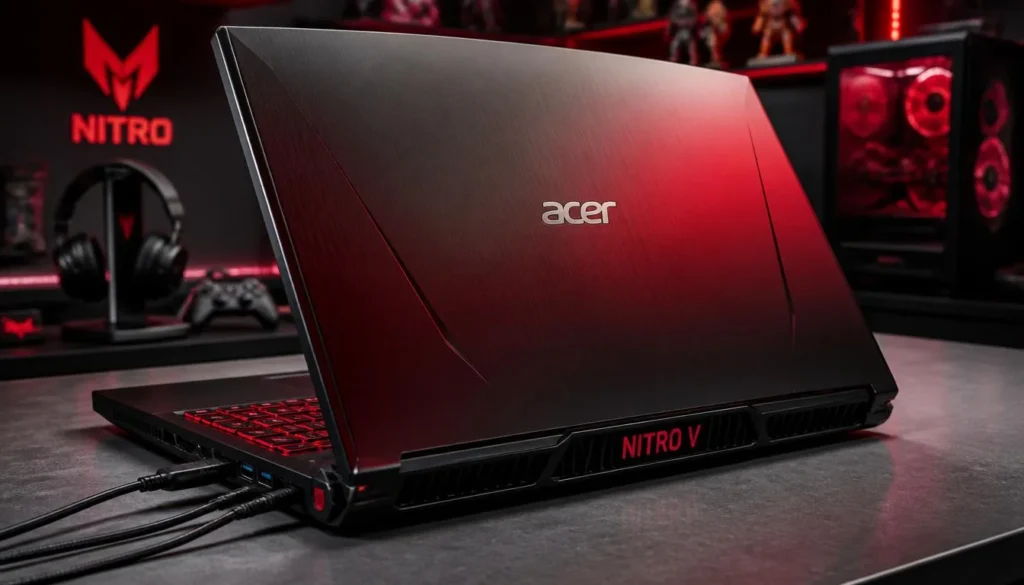
If I were shopping specifically for Apex Legends without spending more than necessary, the Acer Nitro V would be one of the first laptops I checked.
This configuration combines an Intel Core i5-13420H with an NVIDIA GeForce RTX 4050 Laptop GPU. More importantly for Apex, the 15.6-inch Full HD IPS panel runs at 165Hz.
That high refresh rate matters in a fast shooter. Movement looks smoother, tracking enemies feels more natural, and the screen is much better suited to competitive gaming than a basic 60Hz laptop.
Amazon lists 8GB DDR5 memory and a 512GB PCIe Gen 4 SSD in this configuration. The RAM is the biggest compromise, although Acer lists two DDR5 slots and support for up to 32GB.
Pros
- ✓ RTX 4050 is a strong match for 1080p Apex Legends
- ✓ Fast 165Hz Full HD IPS display
- ✓ Upgradeable DDR5 memory
- ✓ 512GB Gen 4 SSD
- ✓ Wi-Fi 6 and Gigabit Ethernet
- ✓ Strong price-to-performance potential
Cons
- ✗ Only 8GB RAM in this particular configuration
- ✗ 512GB can fill quickly if you install several large games
- ✗ Gaming performance will be much better while plugged in
My Opinion
This is probably the best budget gaming laptop for Apex Legends for buyers who care mainly about performance per dollar.
The RTX 4050 and 165Hz display are exactly the combination I want to see in an affordable esports laptop.
The one thing I would change is the RAM. Apex itself can run with 8GB according to EA’s recommended requirements, but 16GB makes much more sense for a modern gaming system, especially if Discord, Chrome, streaming software, or other apps are running in the background.
If the Acer is significantly cheaper than the 16GB models below, I would buy it and budget for a memory upgrade.
ASUS TUF Gaming A15
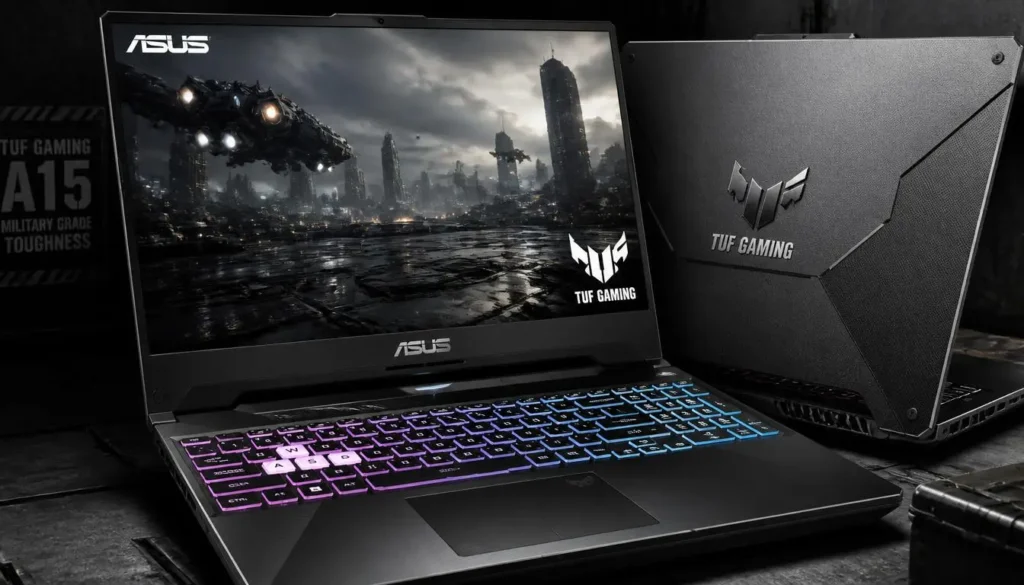
The ASUS TUF Gaming A15 is the model I would lean toward if competitive Apex is the priority and the price difference from the Acer Nitro V is reasonable.
Amazon lists an AMD Ryzen 7 7435HS processor, NVIDIA GeForce RTX 4050 Laptop GPU, 16GB of DDR5-4800 memory, and a 512GB PCIe 4.0 SSD.
The 15.6-inch Full HD panel runs at 144Hz and offers 100% sRGB coverage. ASUS also includes a MUX Switch with Advanced Optimus on this configuration.
That is an unusually complete hardware package for this category.
Pros
- ✓ Ryzen 7 processor
- ✓ NVIDIA GeForce RTX 4050
- ✓ 16GB DDR5 RAM out of the box
- ✓ 144Hz Full HD display
- ✓ MUX Switch and Advanced Optimus
- ✓ Strong cooling-focused design
Cons
- ✗ 512GB SSD may eventually need an upgrade
- ✗ Heavier than a typical everyday laptop
- ✗ Fans can become noticeable during demanding gaming sessions
My Opinion
For someone who plays Apex several nights a week, this is arguably the most complete laptop on the list.
There is no immediate 8GB RAM issue to fix, the display is fast enough for competitive play, and the Ryzen 7 plus RTX 4050 combination gives you plenty of room beyond Apex.
I particularly like the MUX Switch. Gaming laptops sometimes lose performance because rendered frames pass through the integrated graphics before reaching the display. ASUS specifically includes hardware that can route the dedicated GPU more directly to the screen.
If the Acer and ASUS are close in price, I would probably spend the extra money on the TUF A15.
Lenovo LOQ-E Gaming Laptop
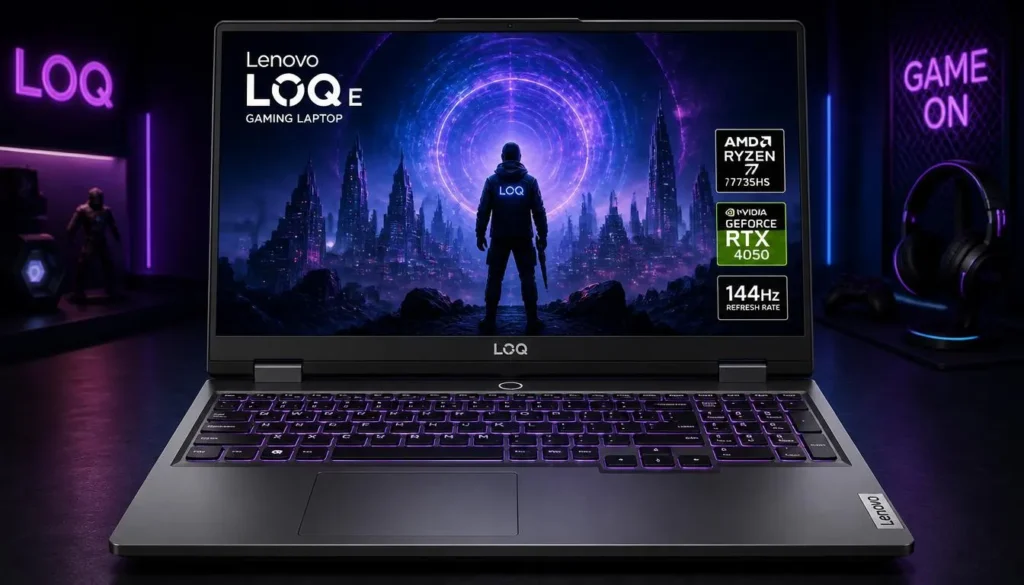
The Lenovo LOQ-E is another excellent choice if you want a budget Apex laptop without immediately planning upgrades.
This Amazon configuration pairs an AMD Ryzen 7 7735HS with an NVIDIA GeForce RTX 4050, 16GB DDR5 RAM, and a 512GB SSD.
You also get a 15.6-inch Full HD display, and the listing identifies NVIDIA G-SYNC support.
That makes the LOQ a nicely balanced choice for competitive shooters.
Pros
- ✓ Ryzen 7 7735HS processor
- ✓ RTX 4050 dedicated graphics
- ✓ 16GB DDR5 memory
- ✓ 144Hz-class gaming-focused configuration
- ✓ G-SYNC support listed by Amazon
- ✓ Good balance of CPU and GPU performance
Cons
- ✗ 512GB storage is only adequate
- ✗ LOQ laptops are not designed to be ultra-light
- ✗ Pricing can overlap with higher-tier configurations during sales
My Opinion
The Lenovo LOQ-E is the laptop I would choose for someone who simply wants to buy a machine, install Apex, adjust the graphics settings, and start playing.
There is no obvious weak point in the core configuration.
The Ryzen 7 is more than capable for Apex, 16GB RAM is where I want a modern gaming laptop to start, and the RTX 4050 gives you considerably more graphics headroom than the hardware EA lists as the game’s recommended baseline.
It is not the flashiest laptop here, and that is actually part of its appeal. It focuses on the hardware that matters.
MSI Thin 15 Gaming Laptop
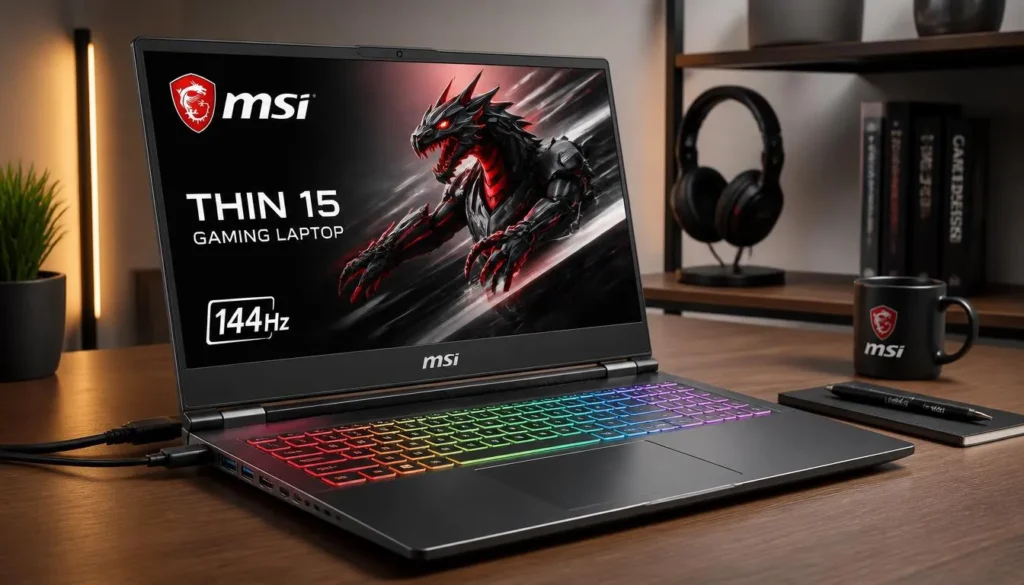
If Apex Legends is not the only thing you plan to do with your laptop, the MSI Thin 15 becomes more interesting.
This version includes an Intel Core i7-13620H, RTX 4050 6GB graphics, 16GB RAM, and a much roomier 1TB NVMe SSD.
The display is a 15.6-inch Full HD IPS-level panel with a 144Hz refresh rate.
That combination gives you plenty of performance for Apex while also making the machine useful for heavier multitasking, editing, college work, streaming, and a larger game library.
Pros
- ✓ Powerful Core i7-13620H processor
- ✓ RTX 4050 6GB graphics
- ✓ 16GB RAM
- ✓ 1TB SSD
- ✓ 144Hz Full HD display
- ✓ Better storage capacity than most budget configurations
Cons
- ✗ May cost more than Core i5 alternatives
- ✗ Thin gaming laptops still need strong airflow during long sessions
- ✗ Buying it solely for Apex may be unnecessary if a cheaper RTX 4050 model is available
My Opinion
The MSI Thin 15 makes sense when you want an Apex machine that will also serve as your main computer.
Apex does not need a Core i7-13620H just to launch and play well. The advantage is having additional CPU performance available for background applications, recording, productivity, or more CPU-heavy games.
The 1TB SSD is another practical advantage. With Apex itself requiring roughly 75GB of available space according to EA, 512GB starts feeling small once Windows and several other games are installed.
For a one-laptop setup, this is one of my favorite configurations here.
HP Victus 15 Gaming Laptop
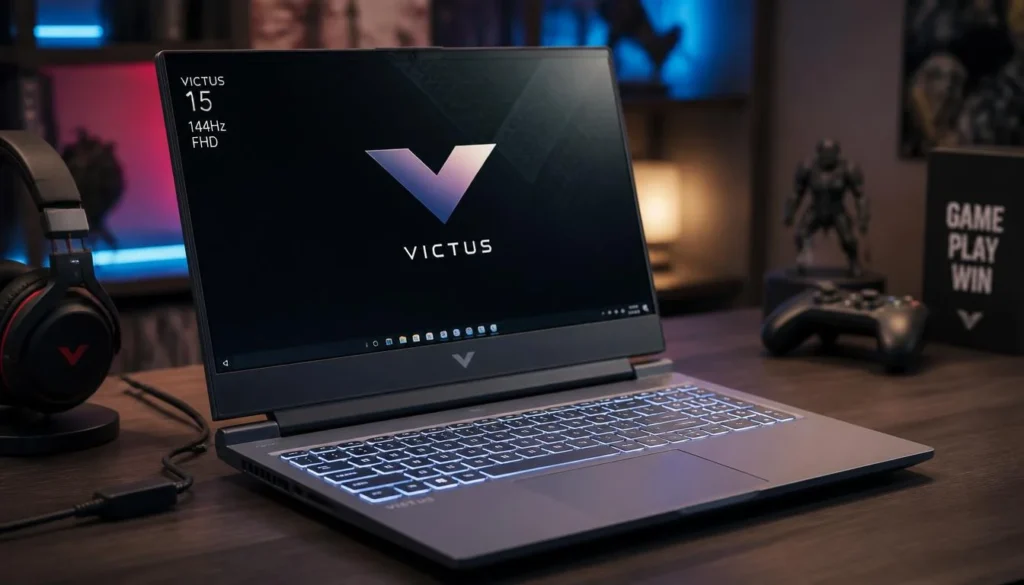
The HP Victus 15 is a straightforward alternative to the Nitro, TUF, and LOQ.
Amazon lists this configuration with an Intel Core i5-13420H, NVIDIA GeForce RTX 4050 6GB GPU, 16GB DDR4 RAM, 512GB PCIe Gen 4 NVMe SSD, and a 15.6-inch Full HD 144Hz IPS anti-glare display.
Nothing about that specification sounds exotic—and that is fine. It covers the ingredients that matter for Apex.
Pros
- ✓ RTX 4050 6GB GPU
- ✓ 16GB RAM included
- ✓ 144Hz Full HD IPS display
- ✓ Fast PCIe Gen 4 SSD
- ✓ Intel Core i5-13420H offers solid gaming performance
- ✓ Clean design that does not look overly aggressive
Cons
- ✗ Uses DDR4 rather than DDR5 in this configuration
- ✗ Only 512GB of storage
- ✗ Final value depends heavily on its current sale price
My Opinion
The Victus is a good example of why you should compare specifications instead of buying based on branding.
For Apex, the important pieces are all here: dedicated RTX graphics, a modern H-series processor, 16GB RAM, SSD storage, and a 144Hz panel.
I would not pay a big premium for it over the Acer Nitro V or ASUS TUF, but when the Victus is discounted, it can become one of the easiest recommendations on this list.
Buyer’s Guide: 3 Key Factors to Consider
Factor 1: GPU Matters Most for High-FPS Apex
Apex Legends is not one of the most demanding games on PC, but competitive gaming is different from simply meeting minimum requirements.
You want enough GPU headroom to run 1080p smoothly without having the laptop constantly sitting at its limit.
EA’s recommended NVIDIA GPU remains the GTX 970. For a new budget gaming laptop in 2026, I would prefer an RTX 4050 when the budget allows.
It gives you a much more useful platform for Apex as well as newer games you may install later.
Factor 2: Choose a 144Hz or Faster Display
Do not spend money on a capable gaming GPU and then pair it with a slow screen.
A 144Hz display can refresh up to 144 times per second, while a 165Hz panel can refresh up to 165 times per second. That makes fast movement feel considerably smoother when your GPU is producing enough frames.
For Apex Legends, I consider 144Hz the practical minimum for a new gaming-focused laptop.
The Acer Nitro V’s 165Hz panel is especially attractive for this reason, while the ASUS TUF, Lenovo LOQ, MSI Thin, and HP Victus configurations all target high-refresh gaming as well.
Factor 3: Get 16GB RAM If Possible
Apex officially recommends 8GB RAM.
That does not mean I would intentionally buy an 8GB gaming laptop in 2026 if a reasonably priced 16GB alternative is available.
Windows, Discord, browsers, launchers, recording apps, and background utilities all consume memory.
For that reason, 16GB is the configuration I recommend for most buyers.
The Acer Nitro V is still worth considering because its RAM can be upgraded, but the ASUS TUF, Lenovo LOQ, MSI Thin 15, and HP Victus configurations reviewed above already include 16GB.
Frequently Asked Questions
What is the best budget gaming laptop for Apex Legends?
The Acer Nitro V with RTX 4050 and 165Hz display is my overall value pick. It gives Apex players the GPU and high-refresh display that matter most without moving into premium gaming-laptop territory.
The only significant weakness is its stock 8GB RAM, so I would plan to upgrade to 16GB.
Is RTX 4050 good for Apex Legends?
Yes. An RTX 4050 laptop is well above Apex Legends’ official GTX 970 recommended GPU baseline. It is a sensible choice if your goal is smooth 1080p competitive gaming while retaining enough GPU power for newer games.
Is 8GB RAM enough for Apex Legends?
Technically, yes. EA lists 8GB as the recommended amount of memory.
For a new gaming laptop, however, I recommend 16GB because modern Windows systems frequently run several background applications while gaming.
Do I need a 144Hz laptop for Apex Legends?
You do not need one simply to play the game.
But if you are buying a laptop primarily for Apex, Valorant, Fortnite, Counter-Strike, or other competitive games, a 144Hz or faster display is absolutely worth prioritizing.
A 60Hz screen can only show up to 60 refreshes per second, even when the GPU is rendering substantially more frames.
Is the Acer Nitro V good for Apex Legends?
Yes. The configuration reviewed here has a Core i5-13420H, RTX 4050, 165Hz Full HD display, and upgradeable DDR5 memory.
Its 8GB stock RAM is the main compromise.
Is ASUS TUF A15 better than Acer Nitro V for Apex?
The ASUS TUF A15 reviewed here is the stronger ready-to-use configuration because it includes 16GB DDR5 RAM, a Ryzen 7 processor, RTX 4050 graphics, a 144Hz display, and a MUX Switch.
The Acer can still offer better value if it costs considerably less.
How much storage does Apex Legends need?
EA currently lists 75GB of hard-drive space in both its minimum and recommended PC requirements.
I recommend at least a 512GB SSD for a gaming laptop. A 1TB drive is preferable if you keep several large games installed.
Should I play Apex Legends while my gaming laptop is plugged in?
Yes. For serious gaming, keep the laptop connected to its charger and use the manufacturer’s performance mode where appropriate.
Gaming laptops normally reduce CPU and GPU power while running on battery to control energy consumption and battery drain.
Final Verdict: Which Budget Apex Legends Laptop Should You Buy?
For most people searching for the best budget gaming laptop for Apex Legends, my first choice is the Acer Nitro V Gaming Laptop.
The combination of an RTX 4050 and 165Hz Full HD display makes it particularly well suited to competitive Apex. Just remember that I would upgrade its 8GB RAM to 16GB.
If you want a more complete setup without upgrading anything immediately, buy the ASUS TUF Gaming A15. Its Ryzen 7 processor, RTX 4050, 16GB DDR5 memory, 144Hz display, and MUX Switch make it my favorite choice for a serious Apex player.
The Lenovo LOQ-E is the safest balanced alternative, while the MSI Thin 15 is especially attractive if you want a Core i7 and 1TB of storage.
Finally, the HP Victus 15 is worth checking whenever it is competitively priced.
Whichever one you choose, prioritize RTX 4050 graphics, a 144Hz-or-faster display, 16GB RAM, and SSD storage. That combination gives you what matters most for enjoying Apex Legends without wasting money on hardware you do not actually need.