Gaming on a laptop is demanding enough. Add OBS, a browser full of tabs, Discord, alerts, a webcam, and a live stream, and a laptop that looked great on a spec sheet can suddenly feel underpowered.
That is why choosing the best budget gaming laptop for streaming is not simply about finding the cheapest machine with a dedicated GPU. You need enough CPU headroom for multitasking, at least 16GB of memory, a capable NVIDIA GPU, sensible cooling, and the right connections for your streaming setup.
For this guide, I focused on laptops that give streamers a practical balance of gaming performance and content-creation capability without jumping straight into premium gaming-laptop territory. All four models had active Amazon purchase options when researched.
One reason RTX-equipped laptops make sense for this job is NVIDIA’s dedicated NVENC hardware encoder. It handles video encoding on dedicated GPU hardware rather than leaving the full workload to the CPU. RTX 40-series GPUs also support hardware AV1 encoding, which can be useful for supported streaming platforms and workflows.
Disclosure: As an Amazon Associate, Game Insider Hub earns from qualifying purchases. Product prices and availability can change at any time.
Best Budget Gaming Laptops for Streaming at a Glance
| Laptop | Key Hardware | Best For |
|---|---|---|
| ASUS TUF Gaming A15 | Ryzen 7 7435HS, RTX 4050, 16GB DDR5, 512GB SSD | Best Overall |
| Acer Nitro V 15 | Core i7-13620H, RTX 4050, 16GB DDR5, 512GB SSD | Best Value |
| HP Victus 15 | Ryzen 7 7445HS, RTX 4050, 16GB RAM, 1TB SSD | Best for Storage |
| ASUS V16 Gaming Laptop | Core 7 240H, RTX 5060 8GB, 16GB RAM, 512GB SSD | Best Performance Headroom |
Best Budget Gaming Laptops for Streaming Reviewed
1. ASUS TUF Gaming A15 – Best Overall
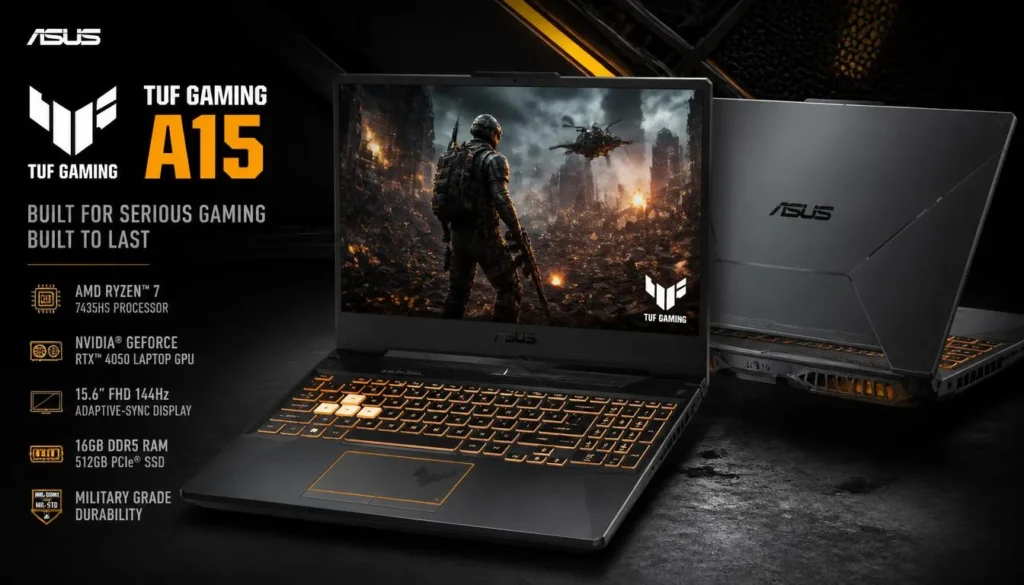
If I were building a budget single-PC gaming and streaming setup, the ASUS TUF Gaming A15 would be one of the first laptops I would shortlist.
This configuration combines an AMD Ryzen 7 7435HS processor with an NVIDIA GeForce RTX 4050, 16GB of DDR5 memory, a 512GB PCIe SSD, and a 15.6-inch FHD 144Hz display with 100% sRGB coverage.
That combination makes sense for a streamer because the workload is balanced. The Ryzen 7 handles the game, OBS, Discord, browser tabs, and background applications, while the RTX 4050 gives you access to NVIDIA’s hardware encoding instead of forcing the CPU to do all the streaming work.
The 144Hz display is another advantage. Even though your audience may be watching a 60 FPS broadcast, having a faster panel makes competitive games feel much smoother on your side of the screen.
Pros
- Ryzen 7 processor gives you useful multitasking headroom
- RTX 4050 is a strong starting point for a budget gaming-and-streaming machine
- 16GB DDR5 memory is sensible for OBS plus modern games
- 144Hz FHD display
- 100% sRGB panel is useful if you also edit thumbnails or videos
- Wi-Fi 6 connectivity
- Good balance between hardware and price category
Cons
- 512GB can fill quickly once you install several large games and save recordings
- A 15.6-inch gaming chassis is less portable than a thin everyday laptop
- Serious content creators may eventually want 32GB of RAM
My Take
The TUF A15 gets the fundamentals right without making you pay for features that do not meaningfully improve a beginner or intermediate stream.
The combination of Ryzen 7, RTX 4050, 16GB DDR5, and a high-refresh display is what makes it my best overall budget gaming laptop for streaming from this group.
If you want one laptop for Twitch or YouTube streams, gaming, basic video editing, thumbnails, and everyday work, this is the most balanced place to start.
2. Acer Nitro V 15 – Best Value
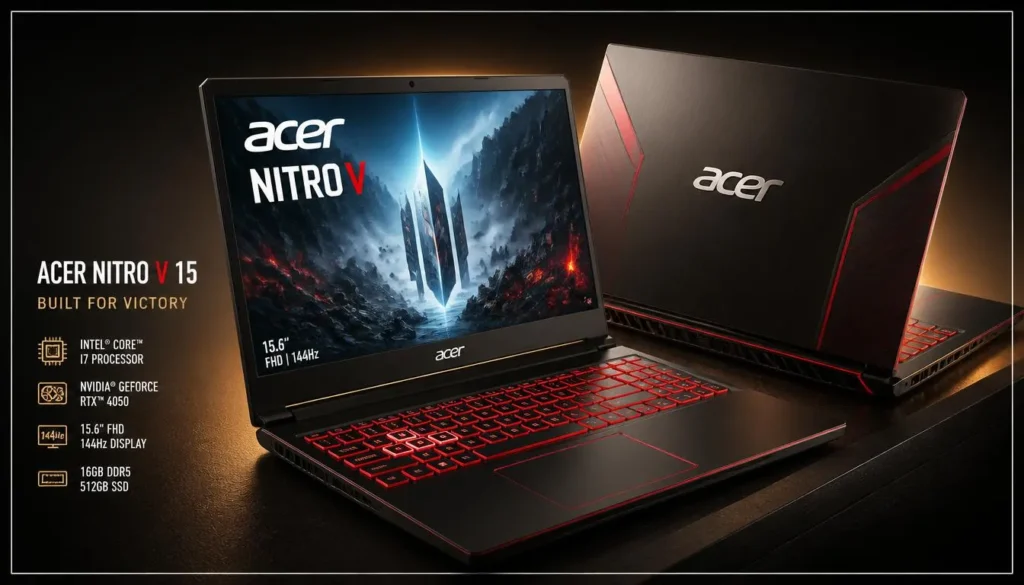
The Acer Nitro V 15 is the laptop I would look at when value matters more than flashy design.
This model pairs Intel’s Core i7-13620H with an RTX 4050, 16GB of DDR5 RAM, a 512GB PCIe Gen 4 SSD, and a 15.6-inch Full HD IPS display running at 144Hz. Amazon’s listing also specifies Wi-Fi 6, Ethernet, and Thunderbolt 4 connectivity.
For streaming, that Core i7 is particularly useful because you are rarely running only one application. Your game may be front and center, but OBS, Discord, a browser, music, chat tools, capture utilities, and monitoring software can all be active at the same time.
The RTX 4050 then handles the graphics side while giving OBS access to NVIDIA’s dedicated encoder.
I also like the inclusion of Ethernet. Wi-Fi has become fast, but if your router and room setup allow it, a wired connection is still a practical choice for a streaming desk where consistency matters.
Pros
- Core i7-13620H offers strong multitasking capability
- RTX 4050 dedicated graphics
- 16GB DDR5 memory
- 144Hz Full HD IPS screen
- RJ-45 Ethernet for wired streaming
- Thunderbolt 4 adds useful connectivity
- Strong hardware mix for the money
Cons
- 512GB storage is only adequate if you regularly delete or move recordings
- The design prioritizes gaming performance over ultraportability
- Heavy video-editing workflows may eventually justify a RAM upgrade
My Take
The Nitro V is easy to recommend to someone who wants to stretch a limited budget as far as possible.
You are getting the hardware that actually matters for streaming—an H-series Core i7, RTX graphics, 16GB of memory, a high-refresh screen, and wired networking—without moving into expensive enthusiast territory.
For a first serious streaming laptop, it offers a lot of usable hardware for the money.
3. HP Victus 15 – Best for Storage
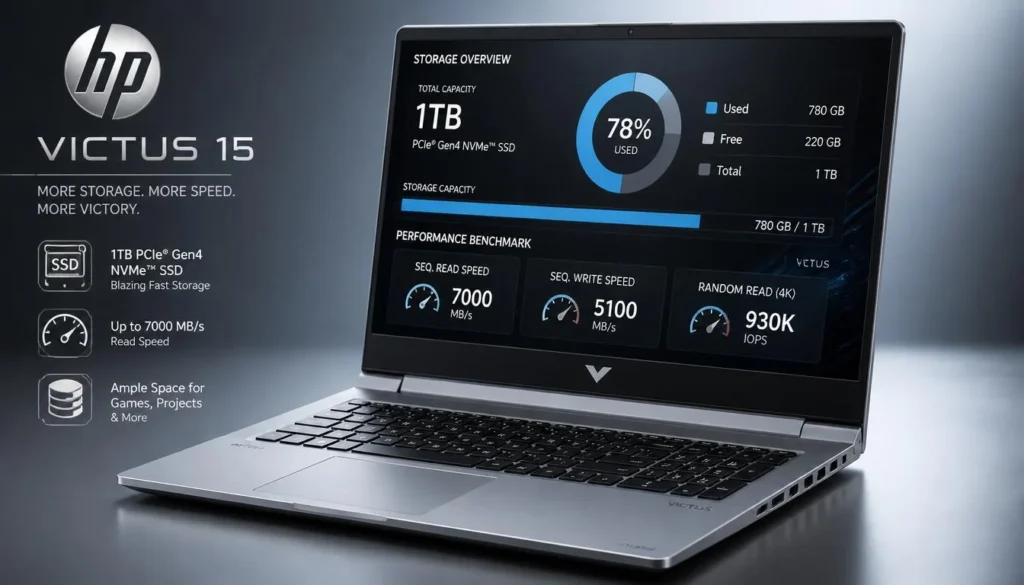
Storage is something new streamers often underestimate.
A couple of big games, OBS recordings, edited clips, thumbnails, and exported videos can burn through a 512GB drive surprisingly quickly. That is where this HP Victus 15 configuration stands out.
The Amazon configuration I selected comes with a Ryzen 7 7445HS, GeForce RTX 4050 6GB graphics, 16GB RAM, and a much more comfortable 1TB SSD. It also includes a 15.6-inch FHD IPS 144Hz display, HDMI 2.1, USB-C, multiple USB-A connections, and RJ-45 Ethernet.
That 1TB drive will not make your stream run faster by itself, but it makes the laptop easier to live with. You have more room for your game library and more breathing space for local recordings before you need an external SSD.
The RTX 4050 puts the Victus in the same basic streaming class as the TUF A15 and Nitro V, while the Ryzen 7 gives it enough multitasking muscle for a typical one-PC setup.
Pros
- 1TB SSD gives streamers noticeably more storage flexibility
- Ryzen 7 processor
- RTX 4050 6GB dedicated GPU
- 16GB memory
- 144Hz Full HD IPS display
- Built-in Ethernet
- HDMI 2.1 and USB-C connectivity
- More understated appearance than some gaming laptops
Cons
- Built-in 720p webcam is basic for anyone planning to use it as their main face camera
- 16GB is fine to start with, but heavier editing and multitasking can benefit from more
- Still a full-size gaming laptop rather than an ultraportable machine
My Take
I would choose the HP Victus if you plan to record while streaming and do not want to think about upgrading storage immediately.
The 1TB SSD is a small specification on paper that can make a big difference in everyday use. Recordings become large fast, especially if you keep full-quality local copies for YouTube videos, Shorts, or highlight reels.
For a creator who games, streams, records, and edits on the same machine, that extra storage is genuinely useful.
4. ASUS V16 Gaming Laptop – Best Performance Headroom
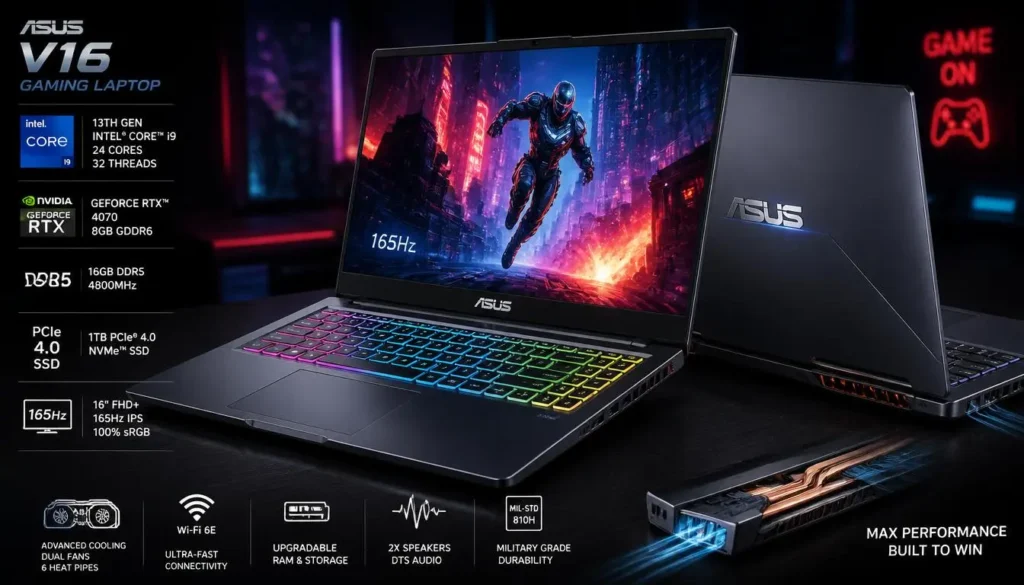
The ASUS V16 is the step-up option on this list.
Instead of an RTX 4050, this configuration gives you an NVIDIA GeForce RTX 5060 with 8GB of GDDR7 memory. It is paired with an Intel Core 7 240H, 16GB of memory, a 512GB SSD, and a 16-inch 1920 × 1200 display with a 144Hz refresh rate. Amazon also lists Wi-Fi 6 and Bluetooth 5.3.
For someone trying to buy a laptop and keep it for several years, the stronger GPU is the main attraction. It gives you more graphics headroom for demanding games, higher visual settings, creator applications, and future streaming workloads.
The 16:10 display is also pleasant for creator work. The extra vertical room does not transform performance, but it gives OBS panels, browser windows, timelines, and productivity apps a little more space.
There is a catch: depending on Amazon’s current price, the V16 can move beyond what some buyers consider “budget.” I would treat it as the option for someone who can spend a little more now rather than wanting to upgrade sooner.
Pros
- RTX 5060 with 8GB graphics memory
- More GPU headroom than the RTX 4050 options
- Core 7 240H processor
- 16-inch 1920 × 1200 display
- 144Hz refresh rate
- 16GB memory
- Strong choice for gaming, streaming, and content creation from one system
Cons
- Usually the least “budget” focused option in this shortlist
- 512GB SSD feels modest beside the stronger GPU
- Buyers with a strict spending ceiling may get better overall value from an RTX 4050 laptop
My Take
The V16 is for the buyer who wants to spend at the upper end of a budget and get more performance headroom in return.
If you expect to play increasingly demanding games, use OBS regularly, edit your own videos, and keep the same laptop for a while, paying more for the RTX 5060 configuration may make more sense than buying an entry-level model and replacing it early.
How I Chose These Budget Gaming Laptops for Streaming
A cheap gaming laptop and a good budget streaming laptop are not necessarily the same thing.
For gaming alone, you can sometimes get away with compromises in memory, processor performance, or connectivity. Streaming adds several simultaneous workloads, so I prioritized configurations with 16GB RAM, a dedicated NVIDIA RTX GPU, high-performance mobile processors, and at least 144Hz displays.
I also looked for practical features such as Ethernet, USB-C connectivity, useful SSD capacity, and processors capable of handling multiple applications without turning every stream into a constant exercise in closing background programs.
Most importantly, I avoided recommending ultra-low-end machines simply to make the list look cheaper. Saving money is useful only if the laptop can actually handle the job you bought it for.
Buyer’s Guide: What Matters in a Budget Gaming Laptop for Streaming?
Factor 1: Prioritize the GPU and Hardware Encoder
If gaming and streaming are equally important, the GPU should be one of your first considerations.
A dedicated GeForce RTX GPU does more than render the game. NVIDIA’s NVENC is dedicated video-encoding hardware that can handle the stream encoding workload without relying entirely on CPU-based software encoding.
That is a major reason I favor RTX 4050-class hardware as a practical starting point for a new gaming-and-streaming laptop rather than relying on integrated graphics.
RTX 40-series hardware also supports AV1 encoding. NVIDIA says AV1 can deliver better encoding efficiency than H.264, although which codec you actually use will depend on your streaming platform and setup.
Factor 2: Get at Least 16GB of RAM
I would not intentionally buy an 8GB laptop for a new gaming-and-streaming setup unless I already planned to upgrade it.
OBS is only part of the workload. A typical stream may also involve your game, Discord, browser tabs, music, alerts, chat dashboards, launcher software, RGB utilities, and perhaps a webcam application.
Sixteen gigabytes gives you much more realistic breathing room.
For many beginner and intermediate streamers, 16GB is a sensible starting point. If you eventually move into heavier video editing, multiple creative applications, virtual machines, or especially demanding games, 32GB becomes a worthwhile upgrade.
Factor 3: Do Not Ignore Storage and Connectivity
A 512GB SSD is usable, but it is easier to fill than most new streamers expect.
Modern games can consume a huge portion of that capacity, and locally recorded gameplay adds another storage demand. If you plan to turn streams into YouTube videos, highlights, or Shorts, a 1TB internal SSD—or an external SSD later—is much more comfortable.
Connectivity matters too.
For a home streaming setup, I especially like seeing RJ-45 Ethernet, USB-A ports for peripherals, USB-C for newer accessories, and HDMI for an external monitor or capture-device setup.
You can stream over Wi-Fi, but if your desk is close enough to your router for Ethernet, a wired network removes one unnecessary variable from the setup.
Which Laptop Should You Actually Buy?
If you want the most balanced option from this shortlist, go with the ASUS TUF Gaming A15. Its Ryzen 7, RTX 4050, 16GB DDR5 memory, and 144Hz display make it a strong all-rounder.
If value is your first priority, the Acer Nitro V 15 is particularly compelling. The Core i7 and RTX 4050 combination gives you plenty to work with, while Ethernet and Thunderbolt 4 are useful extras.
If you expect to keep lots of recordings on the laptop, the HP Victus 15 is easier to recommend because this configuration starts with a 1TB SSD.
And if you can stretch the budget for more GPU performance, the ASUS V16 with RTX 5060 gives you the most performance headroom of these four.
Frequently Asked Questions About Best Budget Gaming Laptop for Streaming
Is an RTX 4050 laptop good enough for gaming and streaming?
Yes. An RTX 4050 laptop is a sensible starting point for a budget single-PC gaming-and-streaming setup. The GPU handles the game while NVIDIA’s dedicated encoder can take care of video encoding, reducing the need to rely entirely on the processor for your stream.
Your actual game settings, stream resolution, bitrate, thermals, and the GPU’s laptop power configuration will still affect the final experience.
Is 16GB RAM enough for gaming and OBS streaming?
For most beginner and intermediate setups, 16GB is a reasonable starting point. It gives you room for the game, OBS, Discord, browsers, and other common background applications.
If you regularly edit large video projects or run many demanding applications alongside your stream, 32GB is a better long-term target.
Can a budget gaming laptop stream at 1080p?
A properly configured RTX-equipped gaming laptop can be well suited to 1080p streaming. NVIDIA’s dedicated hardware encoder is specifically designed for capture and livestreaming workloads, and modern RTX GPUs integrate directly with popular broadcasting workflows.
Your internet upload speed and encoder settings matter just as much as the laptop, so hardware alone cannot guarantee stream quality.
Is RTX 5060 worth it over RTX 4050 for streaming?
For streaming alone, you do not necessarily need to jump from an RTX 4050 to an RTX 5060.
The stronger GPU becomes more attractive when you also want higher gaming performance, additional graphics memory, more demanding visual settings, or extra headroom for future games and creator workloads.
If your budget is strict, an RTX 4050 laptop can offer better overall value. If you plan to keep the machine for several years, the RTX 5060 option is easier to justify.
Should I use Wi-Fi or Ethernet for streaming?
Wi-Fi can work perfectly well when you have a strong, stable connection. However, if Ethernet is practical in your room, I would generally use it for a fixed streaming setup.
A gaming stream already has enough variables—game performance, OBS settings, audio, cameras, alerts, and platform stability. A wired network connection removes one potential source of wireless inconsistency.
Do I need a separate PC to stream games?
No. A second streaming PC is not necessary for most people getting started.
Modern gaming laptops with capable CPUs and RTX GPUs can run the game and handle hardware video encoding in the same system. NVIDIA specifically designs NVENC to move encoding work onto dedicated GPU hardware.
A dual-PC setup can still make sense for advanced creators, but it adds cost, cables, capture hardware, and complexity that most budget-focused streamers do not need.
Is 512GB storage enough for a streaming laptop?
It is enough to get started, but it may not stay comfortable for long.
If you install several large games and record full streaming sessions locally, free space can disappear quickly. A 1TB drive is more convenient for creators, which is one reason the HP Victus configuration in this guide stands out.
An external SSD is another easy way to expand storage later.
Final Verdict
Finding the best budget gaming laptop for streaming is really about spending money in the right places.
You do not need the most expensive processor, a 4K screen, or flagship graphics. You do need enough CPU power for multitasking, at least 16GB of memory, a dedicated GPU with a capable hardware encoder, sensible cooling, and enough storage and connectivity to support your streaming setup.
For most people, my first choice from this group is the ASUS TUF Gaming A15. It offers the most balanced mix of Ryzen 7 processing, RTX 4050 graphics, DDR5 memory, and a 144Hz display.
The Acer Nitro V 15 is the value-focused alternative, while the HP Victus 15 makes more sense if you want 1TB of storage from day one.
For buyers who can push the budget higher, the ASUS V16 with RTX 5060 is the one I would choose for additional performance headroom.
Whichever one you pick, prioritize a balanced system over a single impressive specification. A good streaming laptop is not just the machine that launches your game—it is the one that can keep the game, broadcast, chat, audio, and everything happening behind the scenes running together without getting in your way.