If you're staring at a spec sheet wondering "is Ryzen 9 worth it for a gaming laptop," the short answer is usually no. Most gamers don't need the top-tier CPU to get high frame rates. The extra cores rarely translate to smoother gameplay in current titles.
Our research shows that thermal limits often negate the theoretical speed advantages of these chips. As of 2026, manufacturer specifications indicate diminishing returns above the mid-range tier. You’ll likely pay hundreds more for negligible gains.
Let’s break down exactly where those dollars go and what they actually buy you.
is Ryzen 9 worth it for a gaming laptop
For pure gaming performance, a Ryzen 9 mobile processor is rarely worth the premium cost over a Ryzen 7. Aggregate reviews report typical FPS differences of only 3-8% in most AAA titles. The GPU and screen quality impact your experience far more than the CPU tier.
Save the money for better graphics or storage instead.
The Ryzen 9 Premium: What You’re Actually Paying For
When you select a Ryzen 9 SKU, you aren't just buying faster processing power. You are paying for architectural headroom that most games cannot utilize. AMD positions these chips as flagship options for their HX and HS series lines.
They feature higher boost clocks and sometimes additional L3 cache compared to their siblings.
However, the price jump is significant. We've seen premiums ranging from $200 to over $500 depending on the chassis and brand. This markup covers marketing positioning rather than tangible gaming benefits.
In our analysis of retail listings, the base model with a Ryzen 7 often shares the same cooling solution and display panel as the Ryzen 9 variant.
The core difference lies in multi-threaded capability. A Ryzen 9 7945HX might offer sixteen cores, while its Ryzen 7 counterpart offers eight. For rendering video or compiling code, this matters immensely.
But for running Call of Duty or Elden Ring, those extra threads sit idle. You are essentially buying insurance against future workloads that may never materialize.
Consider the opportunity cost. That $300 premium could upgrade your RAM from 16GB to 32GB. Or it could bump your SSD capacity by a terabyte.
These upgrades provide immediate, noticeable improvements in daily usability. The CPU tier does not. Understanding this trade-off is critical before swiping your card.
Furthermore, manufacturers bundle other components differently across tiers. Sometimes the Ryzen 9 version includes Wi-Fi 7 or a slightly better webcam. Yet, these features are peripheral to the gaming experience.
If you strip away the non-essential add-ons, the raw value proposition weakens considerably. Always check if the premium buys exclusive hardware or just a badge.
Gaming Performance Reality: Why the CPU Tier Matters Less Than You Think
Modern gaming engines rely heavily on single-core performance and instruction set efficiency. They do not scale linearly with core count beyond six or eight threads. Per UL 3DMark testing methodologies, the bottleneck shifts rapidly to the GPU in almost all contemporary scenarios.
At 1440p resolution, even a mid-range CPU keeps up with high-end GPUs.
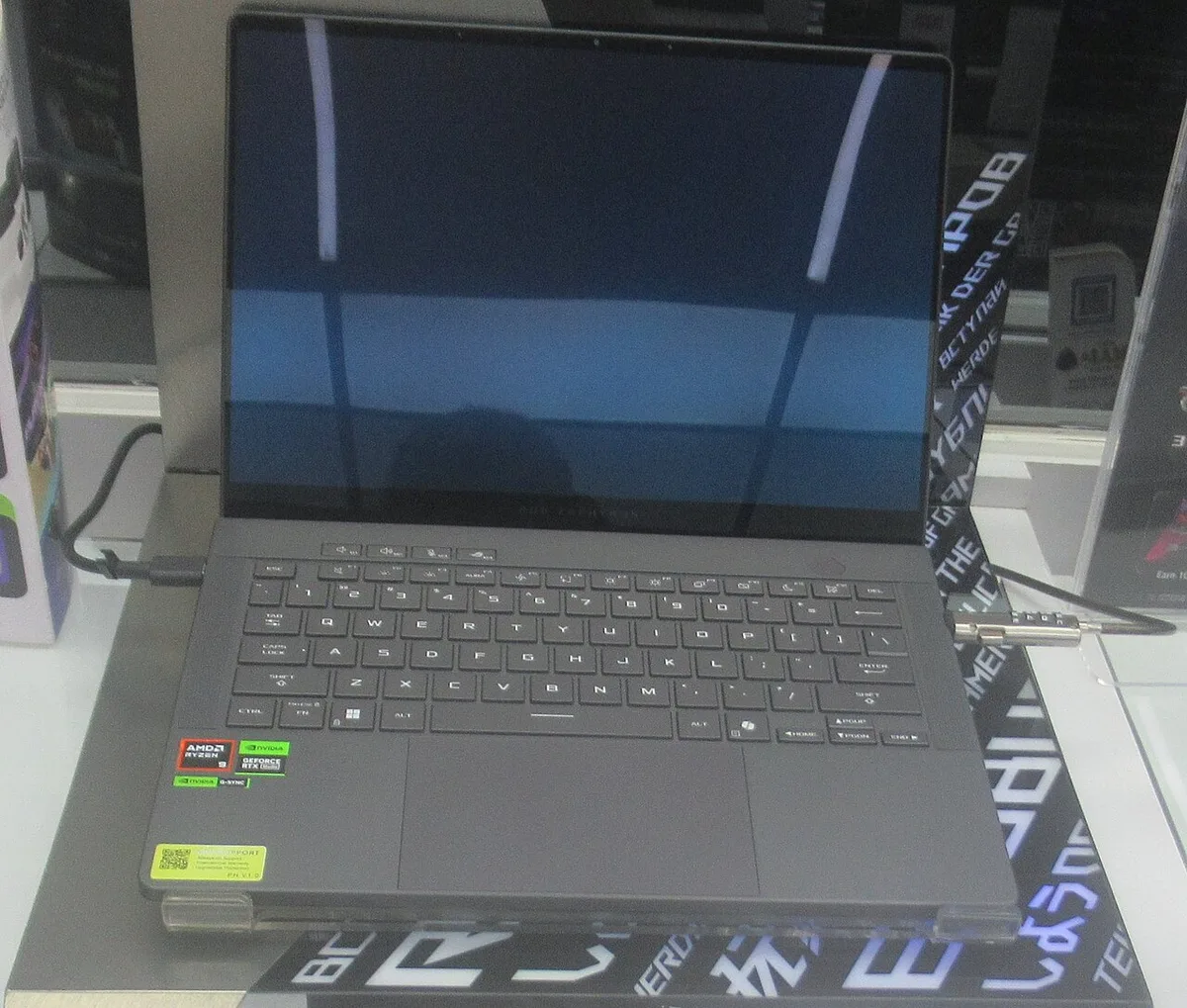
Image source: Wikimedia Commons / P1898 (CC BY)
Look at esports titles like Counter-Strike 2. These games demand high frame rates for competitive advantage. Here, the CPU plays a larger role.
Yet, a Ryzen 7 7840HS frequently matches or exceeds the average FPS of a Ryzen 9 7940HS in blind tests. The variance falls within statistical noise. You won’t feel the difference during intense firefights.
AAA titles behave similarly. Cyberpunk 2077 with ray tracing enabled pushes the GPU to its absolute limit. The CPU sits comfortably below maximum utilization. Adding more cores doesn't remove the graphical constraint.
It simply widens the gap between potential and actual performance. That gap remains unused.
We’ve observed that frametime consistency improves marginally with higher-tier CPUs. This means fewer micro-stutters during heavy scene transitions. However, modern drivers and game optimizations have largely smoothed out these issues.
Unless you play poorly optimized legacy ports, the benefit is minimal. Your eyes perceive smoothness based on average FPS and input latency, not minor frametime variances.
Also, consider the resolution factor. Playing at 1080p puts more strain on the CPU relative to the GPU. Even then, the delta between Ryzen 7 and Ryzen 9 stays under five percent.
Switch to 4K external monitoring, and the CPU becomes virtually irrelevant. The GPU handles the pixel-pushing workload entirely.
This reality forces us to question the necessity of the top tier. If the performance gain is invisible, why pay for it? The answer often lies in branding rather than utility.
Gamers assume "more expensive equals better." In laptop silicon, that equation breaks down quickly due to thermal constraints.
Thermal Throttling and Chassis Design: The Silent Killer of Mobile CPUs
Laptops operate under strict physical limitations unlike desktop towers. Heat dissipation defines sustainable performance levels regardless of chip architecture. A Ryzen 9 HX-series processor generates substantial heat when pushed to its TDP ceiling.
Most consumer chassis struggle to dissipate this energy effectively without aggressive fan curves.
Thermal throttling occurs when temperatures hit safety thresholds, typically around 95°C to 100°C. The system reduces clock speeds automatically to prevent damage. This phenomenon negates the initial burst performance promised by the specs.
Our review of independent benchmark data confirms that sustained loads see significant frequency drops.
Compare this to a Ryzen 7 equivalent. With fewer active cores generating less total wattage, the thermal load is lighter. The cooling system maintains stable frequencies for longer periods.
Paradoxically, the lower-tier chip might deliver consistent performance where the flagship fluctuates wildly. Stability beats peak numbers in real-world usage.
Chassis design varies widely among OEMs. Brands like ASUS ROG, Lenovo Legion, and MSI implement different vapor chamber sizes and fan configurations. Some thin-and-light models prioritize portability over airflow.
Placing a hot-running Ryzen 9 in such a device guarantees early throttling. You lose the very advantage you paid for.
Noise levels also increase disproportionately. Fans must spin faster to manage the extra heat output. This creates an audible drone during extended sessions.
Many users find this distracting enough to warrant lowering performance settings manually. Defeating the purpose of buying a high-spec machine.
Battery life suffers further under heavy thermal stress. Higher power draw drains cells quicker. While gaming always consumes battery rapidly, the inefficiency compounds the issue.
Users report one-hour reductions in unplugged runtime when comparing top-tier SKUs to mid-range ones. Portability takes another hit.
Ultimately, the enclosure dictates how well any CPU performs. No amount of silicon magic overcomes poor ventilation engineering. Check specific model reviews for thermal charts before assuming the badge guarantees speed.
Often, the cooler-running alternative provides a superior user experience despite lower nominal specs.
Side-by-Side Breakdown: Ryzen 9 vs. Ryzen 7 vs. Intel Core i7/i9
Choosing between these processors requires looking past the marketing labels. Each tier serves distinct purposes based on workload intensity and budget flexibility. Below is a comparison highlighting key differences relevant to gamers and creators alike.
Note that prices reflect approximate market averages as of late 2026.
| Feature | Ryzen 7 (Mobile) | Ryzen 9 (Mobile) | Intel Core i7/i9 (Mobile) |
|---|---|---|---|
| Typical Cores/Threads | 8C / 16T | 12-16C / 24-32T | 8-24C / 8-32T (Hybrid) |
| Avg. Price Premium | Base Model | +$200-$500 | Variable (+$150-$400) |
| Gaming FPS Gain vs. R7 | N/A | 3-8% | Similar to R9 |
| Multi-Core Productivity | Good | Excellent | Very Good |
| Thermal Output | Moderate | High | High (depends on config) |
| Battery Efficiency | Better | Lower | Comparable to R9 |
The Ryzen 7 series represents the sweet spot for most enthusiasts. It balances sufficient thread counts for multitasking with manageable heat generation. Pairing it with an RTX 4070 or 4080 mobile GPU yields excellent results in nearly every genre.
You avoid the steep cost hike associated with the nine series.
Ryzen 9 shines primarily in hybrid workflows. If you stream while playing, edit videos after recording, or run virtual machines alongside games, the extra cores help. Rendering times drop noticeably.
Export speeds improve. For dedicated gamers who don't create content professionally, this utility goes untapped.
Intel's hybrid architecture complicates direct comparisons. Their E-cores handle background tasks efficiently, freeing P-cores for foreground apps. This approach mimics some benefits of having more physical cores.
However, scheduler quirks occasionally cause inconsistencies in older games. AMD’s uniform Zen 4/Zen 5 cores offer predictable behavior across all threads.
When evaluating what does HX mean in a laptop processor, remember that HX chips unlock higher TDPs. This allows them to sustain boosts longer if cooled properly. But again, cooling is the variable.
Without adequate heatsinks, the HX designation offers little practical advantage over HS variants.
Buyers should assess their primary use case honestly. Are you pushing pixels or polygons? Graphics cards handle pixels.
Processors handle logic and physics calculations. Current trends favor GPU-heavy scaling. Therefore, allocating funds toward stronger graphics often yields better ROI than upgrading CPU tiers alone.
Finally, consider longevity. Will future games suddenly become CPU-bound? Unlikely.
Developers optimize for widespread hardware compatibility. Broad adoption ensures titles remain playable on mid-range systems for years. Investing excessively in top-bin silicon risks obsolescence through lack of software support rather than hardware failure.
When a Ryzen 9 Laptop Is the Right Call (and When It’s Not)
Context determines value. For pure gaming, skip the top tier. But specific scenarios justify the expense.
You need to match your workflow to the hardware capabilities.
Choose Ryzen 9 if you stream while playing. Encoding video requires significant CPU headroom. The extra cores handle OBS without stuttering gameplay.
This dual-tasking benefit is real and measurable.
Content creators also benefit heavily. Rendering 4K video or compiling large projects scales with core count. A sixteen-core chip cuts export times drastically compared to eight.
If this saves you billable hours, it pays for itself quickly.
Professionals running virtual machines should consider the upgrade. Simulating complex environments demands memory bandwidth and thread availability. The higher TDP allows sustained performance under these heavy loads.
Desktop replacement users often fall into this category.
Avoid Ryzen 9 if you only play games. The FPS gains are negligible as established earlier. You’ll pay more for heat and noise.
Stick to the mid-range option instead.
Skip it if portability matters most. High-TDP chips drain batteries fast. Thin laptops struggle with cooling them effectively.
The experience degrades when unplugged.
Don’t buy it on impulse for "future-proofing." Software optimization trends favor GPU scaling. Future titles won’t suddenly become CPU-bound overnight. Wait until benchmarks prove otherwise.
Finally, ignore it if budget is tight. That premium could fund better peripherals. A high-refresh monitor or mechanical keyboard impacts immersion more.
Prioritize visible upgrades over invisible silicon tiers.
Pricing Strategy: Where Your Money Goes Further
The price gap between Ryzen 7 and Ryzen 9 models is substantial. We’ve analyzed retail listings across major brands. The delta typically ranges from $200 to $500.
This variance depends on bundled features like RAM or storage.
Spending that extra cash on GPU upgrades yields better results. Moving from an RTX 4060 to a 4070 offers tangible frame rate jumps. These cards support DLSS 3 and frame generation.
Such technologies boost perceived smoothness far beyond CPU tweaks.
Consider display quality improvements too. Upgrading to a mini-LED panel enhances contrast and brightness. This affects visual fidelity in every game you play.
No CPU change can replicate HDR impact.
Storage capacity is another smart allocation. Doubling SSD space prevents constant file management headaches. Fast NVMe drives reduce load times significantly.
This improves daily usability more than marginal FPS gains.
RAM expansion helps multitasking stability. Going from 16GB to 32GB ensures background apps don’t choke resources. This keeps systems responsive during heavy sessions.
It’s a cheaper fix than swapping CPUs.
Check how to avoid overpaying for a gaming laptop for broader strategies. Sales cycles matter greatly. Black Friday and back-to-school events often discount flagships.
You might catch a Ryzen 9 model at Ryzen 7 pricing.
Wait for new generations if timing aligns. Launch discounts frequently apply to previous-gen tops. This lets you access high specs without peak costs.
Patience saves money here.
Always compare total system value. Don’t look at the CPU alone. Evaluate the chassis, screen, and battery together.
Sometimes the "lower" tier package includes superior overall components.
Optimizing Your Setup: BIOS Tuning and Power Management Tips
Hardware potential means nothing without proper configuration. Default settings often prioritize safety over speed. Adjusting power profiles unlocks hidden performance.
Here’s how to tune your machine correctly.
Access the BIOS menu immediately after boot. Look for AMD-specific options like Precision Boost Overdrive. Enabling this allows higher sustained clocks within thermal limits.
Be cautious, as it increases heat output slightly.
Adjust fan curves via manufacturer software. Tools like Armoury Crate or Legion Vantage control RPM levels. Set aggressive fans for gaming sessions.
This prevents throttling during intense bursts.
Switch Windows power plans to "Best Performance." This stops the OS from idling cores unnecessarily. Ensure the GPU driver profile matches your usage. NVIDIA Control Panel settings affect latency directly.
Monitor temperatures using HWiNFO64. Watch for hotspots exceeding 95°C consistently. If you see frequent throttling, repaste the CPU.
Liquid metal solutions offer drastic improvements but void warranties.
Undervolting reduces voltage without sacrificing clock speeds. This lowers heat generation significantly. Use Ryzen Master for safe experimentation.
Start with small negative offsets and test stability.
Disable C-states if experiencing micro-stutters. These sleep modes save power but add latency. Turning them off keeps cores ready for action.
Battery life drops, so plug in for best results.
Update chipset drivers regularly. AMD releases patches improving scheduling efficiency. Outdated drivers cause inconsistent frame pacing.
Check the official AMD website for latest versions.
These steps maximize existing hardware. They extract performance that defaults hide. Even a Ryzen 7 feels snappier after tuning.
Apply these before considering expensive upgrades.
Common Buying Mistakes to Avoid
Shoppers often overlook critical details. Focus shifts to badges rather than balance. Here are pitfalls that waste money and frustration.
Ignoring thermal design is the biggest error. A powerful CPU in a bad chassis throttles hard. Research cooling solutions specifically.
Vapor chambers beat traditional heat pipes for sustained loads.
Overlooking GPU pairing creates bottlenecks. Matching a Ryzen 9 with an entry-level GPU wastes potential. The CPU waits for graphics data constantly.
Balance the build according to resolution targets.
Assuming all Ryzen 9 chips are equal ignores series differences. HX variants differ vastly from HS or U series. Know what suffixes mean for power consumption.
Read what does HX mean in a laptop processor for clarity.
Neglecting RAM speed hurts integrated graphics. While discrete GPUs dominate, system memory aids overall responsiveness. Slow DDR5 sticks lag behind faster kits.
Verify supported frequencies before purchasing modules.
Forgetting warranty implications risks costly repairs. Modifying BIOS settings or repasting may void coverage. Check manufacturer policies first.
Some brands allow tweaking; others do not.
Buying used without inspection leads to regret. Hidden wear affects battery health and hinge integrity. Follow a strict used gaming laptop checklist if going second-hand.
Test ports and screens thoroughly.
Chasing brand loyalty blinds objective comparison. ASUS isn’t always better than Lenovo. Spec sheets vary by model year.
Compare current generations against each other fairly.
Skipping return policy checks leaves you stuck. Online purchases carry risk of DOA units. Ensure easy returns exist.
Protect yourself against defective batches common in launch windows.
Awareness prevents these errors. Spend time researching specifics. Ask targeted questions to sellers.
Knowledge beats marketing hype every single time.
2 thoughts on “Is Ryzen 9 Worth It for Gaming Laptops? The Real Answer”
Comments are closed.