If you're shopping for a gaming laptop right now, the memory question keeps popping up: what is DDR4 vs DDR5 RAM for gaming laptops, and does the newer standard actually change your frame rates? It's a fair question. Laptop makers love to slap big speed numbers on spec sheets, but the real story is more nuanced than a single megahertz figure.
Manufacturer specifications show that DDR5 runs at higher data rates than DDR4, yet real-world gaming gains depend on the CPU, channel configuration, and whether the memory is even upgradeable. As of 2026, most new gaming laptops ship with DDR5 or LPDDR5X, but plenty of budget and mid-range models still use DDR4. We'll walk through what actually matters so you can buy with confidence.
Why DDR4 vs DDR5 Matters for Your Next Gaming Laptop
Memory is the middleman between your CPU and everything else. When it is slow, the processor waits. When it is fast, data flows freely.
That gap shows up most in CPU-bound games, streaming setups, and multitasking.
The catch is that "faster" on paper rarely means faster in your hands. A DDR5 laptop with single-channel memory can lose to a DDR4 laptop running dual-channel. Channel configuration often matters more than the standard itself.
Platform support is the other big factor. Intel Core and AMD Ryzen mobile chips have different memory controllers. Some support DDR4 only.
Others support DDR5 or LPDDR5X. You cannot mix and match later.
So the real question is not which standard is better in theory. It is which one fits your laptop, your games, and your budget. That is what the rest of this guide unpacks.
The Core Difference: Speed, Latency, and Architecture Explained
DDR4 and DDR5 are both SDRAM standards defined by JEDEC. DDR5 is the newer generation. It doubles the prefetch buffer, raises bandwidth, and lowers voltage.
But it also changes how modules are built.
Here is the practical breakdown.
| Spec | DDR4 | DDR5 |
|---|---|---|
| Common speeds | 2666 to 3200 MT/s | 4800 to 5600 MT/s |
| Voltage | 1.2V | 1.1V |
| Typical latency | CL16 to CL22 | CL36 to CL46 |
| On-die ECC | No | Yes |
| Power management | On motherboard | On module (PMIC) |
The latency numbers look scary for DDR5. A CL40 DDR5 stick is slower to first data than a CL16 DDR4 stick. But DDR5's higher clock rate offsets this.
The net result is higher bandwidth, not lower responsiveness.
The power management IC, or PMIC, is a real change. DDR5 moves voltage regulation onto the memory module itself. That helps stability at high speeds but adds heat and cost.
On-die ECC corrects small errors inside the chip. It is not the same as full ECC memory. Think of it as a safety net, not a server-grade feature.
Real-World Gaming Performance: Where the Gains Actually Hide
Aggregate reviews and benchmark data show a modest story. DDR5 typically delivers 3 to 8 percent higher average frame rates in CPU-bound titles at 1080p. In GPU-bound games at 1440p or higher, the difference often disappears.
That is not nothing, but it is not a generational leap either. The bigger gains come from capacity and channel setup.
- 8GB in single-channel is a bottleneck on almost any modern game.
- 16GB in dual-channel is the sweet spot for most gamers.
- 32GB helps with streaming, heavy multitasking, and large open-world titles.
A DDR4 laptop with 16GB dual-channel can match or beat a DDR5 laptop with 8GB single-channel. The standard matters less than the configuration.
CPU-bound games are where DDR5 shines. Strategy titles, simulators, and esports games at high frame rates benefit most. Story-driven AAA games at 60 FPS rarely notice the difference.
If you are buying for longevity, DDR5 has more headroom. Newer platforms will push speeds higher over the next few years. DDR4 has likely peaked.
Upgradeability Trap: Soldered RAM vs SO-DIMM Slots
This is where many buyers get burned. Not all gaming laptops let you upgrade memory. Some solder the RAM directly to the motherboard.
Others use standard SO-DIMM slots. A few do both: soldered base plus one slot.
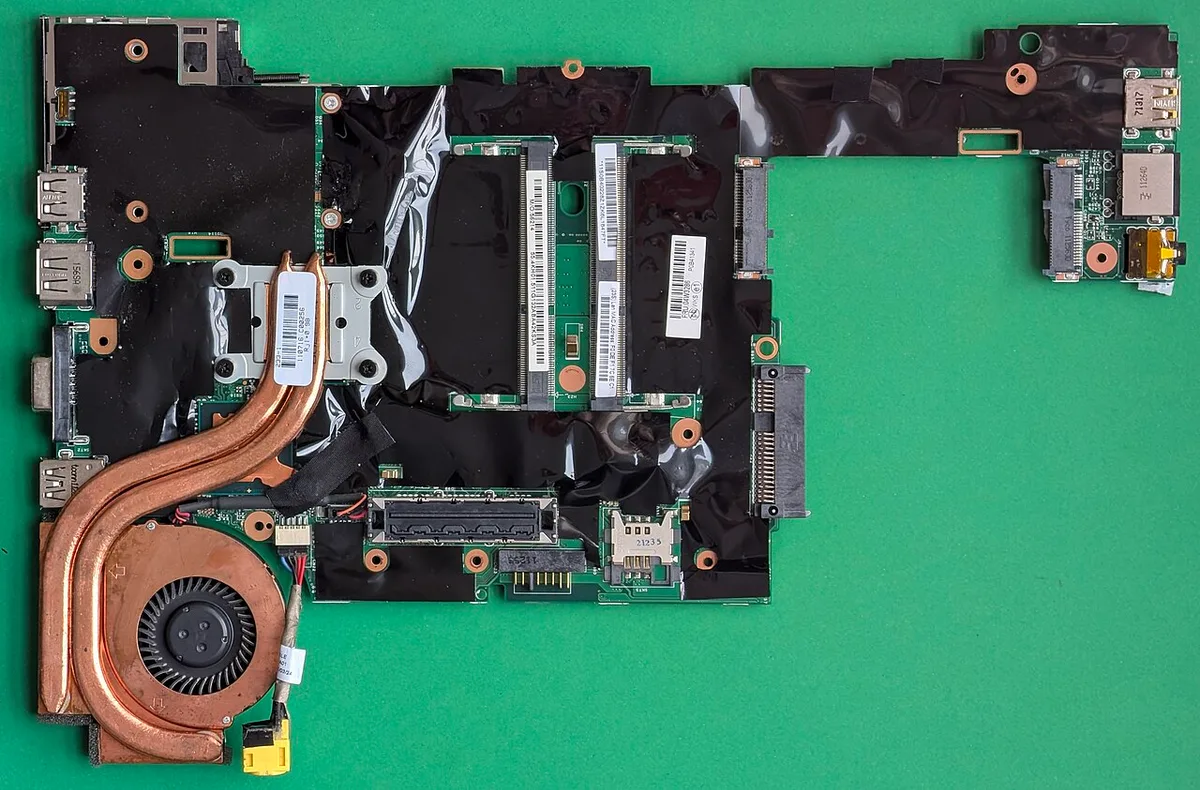
Image source: Wikimedia Commons / Siarhei Besarab (CC BY-SA)
Soldered memory, often called onboard RAM, is common in thin and light gaming laptops. It saves space and power. The trade-off is permanent.
If you need more later, you buy a new laptop.
LPDDR5 and LPDDR5X are almost always soldered. They are low-power variants designed for efficiency. You will not find them in upgradeable slots.
Standard SO-DIMM modules are upgradeable. Most mid-range and full-size gaming laptops use them. You can swap sticks, add capacity, or change speed within platform limits.
Before buying, check three things:
- Does the laptop have accessible RAM slots?
- How many slots are occupied from the factory?
- What is the maximum supported capacity and speed?
OEM service manuals list this clearly. Manufacturer specs are the final word here, not marketing pages. A laptop advertised as "DDR5 ready" may still ship with one soldered stick and one empty slot.
Cost, Power, and Thermals: The Hidden Trade-offs
DDR5 costs more per gigabyte. The gap has narrowed, but it is still real. Budget gaming laptops often use DDR4 to hit price targets.
That is not a flaw. It is a trade-off.
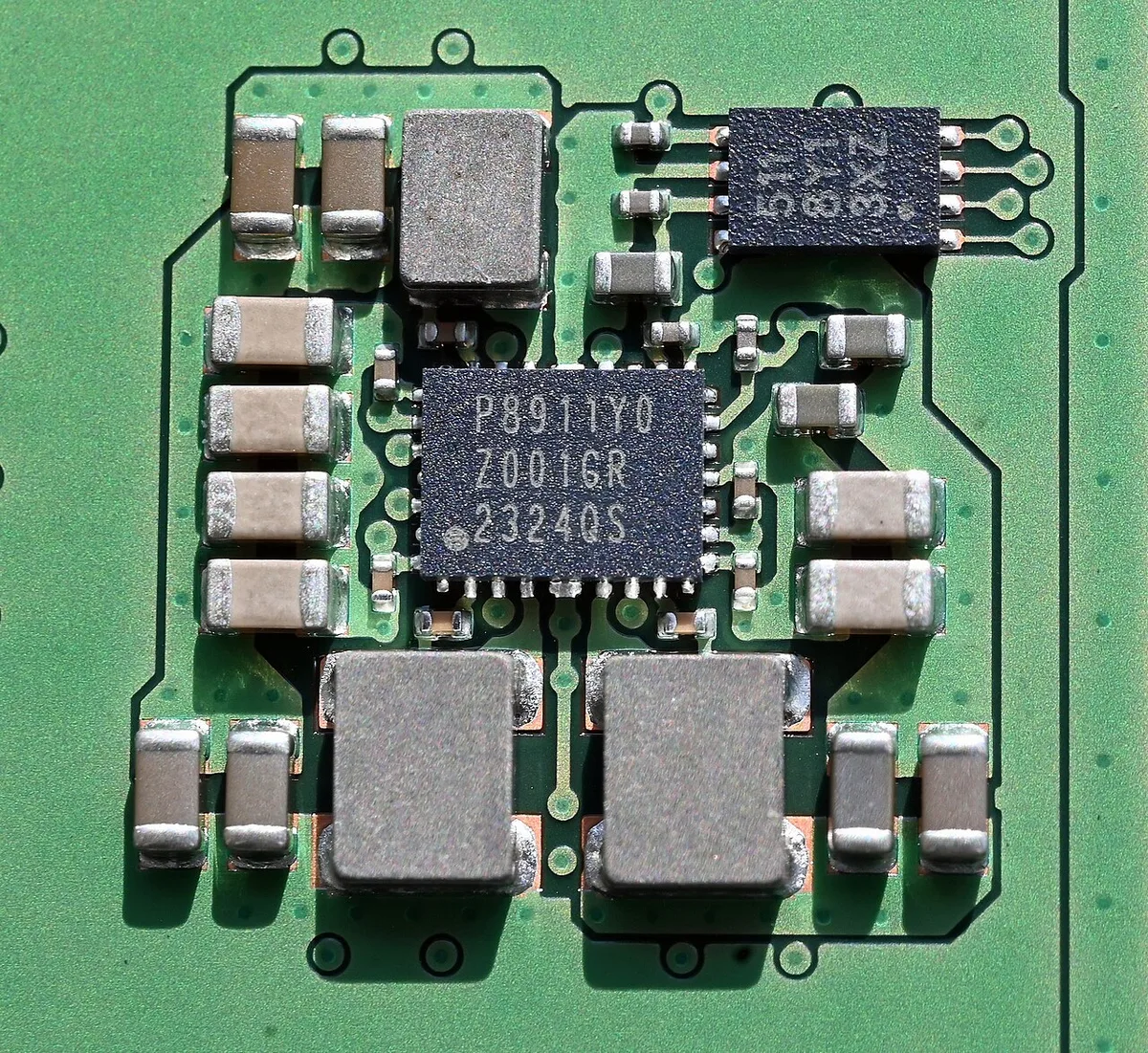
Image source: Wikimedia Commons / Bubba73 (CC BY-SA)
Power draw favors DDR5 slightly. At 1.1V versus 1.2V, it uses less energy per transfer. In practice, the battery difference is small.
Maybe a few percent during light tasks. Under gaming load, the GPU and CPU dominate power use anyway.
Thermals are where things get interesting. DDR5 modules run warmer due to the PMIC and higher clock speeds. In thin chassis, that heat has to go somewhere.
Some laptops throttle memory under sustained load. That can erase the speed advantage.
Price per gigabyte matters most for budget buyers. A DDR4 system with 16GB often costs less than a DDR5 system with the same capacity. For most 1080p gamers, that saved money buys a better GPU or SSD instead.
Here is a simple decision frame:
- Budget under $900: DDR4 with 16GB dual-channel is usually the smarter buy.
- Mid-range $900 to $1500: DDR5 with 16GB is the standard. Check upgradeability.
- High-end above $1500: DDR5 or LPDDR5X with 32GB. Prioritize thermals and channel config.
As of 2026, DDR5 prices have dropped enough that the budget argument is weakening. But DDR4 still delivers excellent value in entry-level machines.
The next sections cover which standard wins for specific gamer profiles, the mistakes to avoid when choosing memory, and a compatibility checklist you can run before buying. We'll also tackle the most common questions buyers ask about laptop RAM.
Which Standard Wins for Specific Gamer Profiles
There is no universal winner. The right choice depends on how you play, what you play, and how long you plan to keep the laptop.
Budget gamers at 1080p should not chase DDR5. A DDR4 laptop with 16GB dual-channel and a stronger GPU delivers more frames per dollar. Put the savings toward graphics, not memory.
Competitive esports players benefit from DDR5. High refresh rates at 1080p are CPU-bound. The extra bandwidth helps maintain stable frame times.
Look for 16GB DDR5 at 4800 MT/s or higher in dual-channel.
AAA gamers at 1440p or 4K are GPU-bound. Memory standard matters less here. Capacity matters more. 16GB is fine. 32GB helps with texture streaming in large open-world titles.
Streamers and content creators need headroom. 32GB in dual-channel is the floor. DDR5 helps with encoding and multitasking. LPDDR5X in thin machines is acceptable if you do not need upgrades.
Students and travelers should prioritize battery and thermals. LPDDR5X in a thin chassis runs cooler and sips power. The trade-off is no upgrade path.
Buy enough capacity on day one.
Critical Mistakes to Avoid When Choosing Memory
Most memory mistakes happen before you ever open the box. Here are the ones we see most often.
Buying speed the laptop cannot use. A DDR5-5600 kit in a laptop capped at 4800 MT/s runs at 4800. You paid for speed you never get.
Check the OEM spec sheet first.
Ignoring channel configuration. Single-channel memory cuts bandwidth roughly in half. A DDR5 laptop running one stick loses to a DDR4 laptop running two.
Always confirm dual-channel.
Assuming upgradeability. Many buyers see "DDR5" and assume they can add more later. Soldered LPDDR5X cannot be upgraded.
Verify slot access before counting on future expansion.
Mixing memory types or speeds. Pairing a 3200 MT/s stick with a 2666 MT/s stick forces both to the slower speed. Match capacity, speed, and ideally the same kit.
Overlooking thermal limits. High-speed DDR5 in a thin chassis can throttle under sustained load. Aggregate reviews show some laptops drop memory speed after ten minutes of gaming.
That erases the advantage.
Chasing latency numbers alone. DDR5 has higher CAS latency than DDR4. That is normal and expected.
Bandwidth and platform support matter more than the CL figure.
Expert Checklist: How to Verify Compatibility Before Buying
Run through this list before you spend money. It takes five minutes and prevents costly mistakes.
- Find your exact laptop model number. Not the marketing name. The full model string on the sticker or spec page.
- Open the manufacturer's service manual or spec sheet. Search for "memory" or "RAM."
- Confirm the memory type. DDR4, DDR5, LPDDR4X, LPDDR5, or LPDDR5X. These are not interchangeable.
- Check the slot layout. How many slots exist. How many are occupied from the factory.
- Note the maximum supported speed. This is the ceiling, not the marketing claim.
- Note the maximum supported capacity. Per slot and total.
- Check whether the memory is soldered or socketed. Soldered means no upgrades.
- Confirm dual-channel support. Some laptops run single-channel even with two slots populated depending on configuration.
- Verify BIOS update requirements. Some platforms need a firmware update to recognize faster memory.
- Cross-reference with the memory manufacturer's compatibility tool. Crucial, Kingston, and Corsair all offer laptop-specific selectors.
If any step is unclear, contact the OEM support team directly. Do not rely on forum posts or retailer listings. They are often wrong about laptop memory specs.
Frequently Asked Questions
Is DDR5 worth it for gaming laptops in 2026?
Yes, for most new buyers. DDR5 is now standard on mid-range and high-end platforms. The price gap has narrowed.
Real-world gains are modest but real, especially in CPU-bound games. Budget buyers still get excellent value from DDR4.
Can I upgrade a DDR4 laptop to DDR5?
No. The memory controller is built into the CPU. DDR4 and DDR5 use different physical slots and signaling.
You cannot swap standards. You would need a new laptop with a DDR5-compatible platform.
Does more RAM speed matter more than capacity?
Capacity matters more for most gamers. 16GB dual-channel at 3200 MT/s beats 8GB at 5600 MT/s in almost every scenario. Speed helps in CPU-bound titles and high refresh gaming. Buy capacity first, then speed.
Why does my DDR5 laptop feel slower than my old DDR4 one?
Check channel configuration. A single DDR5 stick runs in single-channel mode. That halves bandwidth.
Also check for thermal throttling. Some thin laptops reduce memory speed under sustained load. Finally, confirm the game is CPU-bound, not GPU-bound.
Is LPDDR5X the same as DDR5?
No. LPDDR5X is a low-power variant designed for mobile devices. It is almost always soldered.
It uses less power and runs cooler. Standard DDR5 SO-DIMM is upgradeable. They serve different laptop designs.
How much RAM do I need for gaming in 2026?
16GB is the minimum for modern gaming. 32GB is better for streaming, content creation, and future-proofing. 8GB is no longer sufficient for most new titles. Match capacity to your workload, not just the game requirements.
1 thought on “What Is DDR4 vs DDR5 RAM for Gaming Laptops?”
Comments are closed.