Some gaming laptop RAM is soldered, and some is upgradeable. The answer depends on the exact model, not the brand alone. Many laptops now use a hybrid layout with one soldered bank and one open slot.
Manufacturer specifications indicate that memory type, slot count, and maximum capacity vary by SKU. As of 2026, common gaming laptops may use LPDDR5X, DDR5 SO-DIMM, or a mix of both. Check the service manual before you buy or upgrade.
is gaming laptop RAM soldered
Some gaming laptop RAM is soldered. Some models have removable SO-DIMM slots. Many use a hybrid layout.
Check the exact model before buying. Manufacturer specs decide it.
What “Soldered RAM” Actually Means in Gaming Laptops
Soldered RAM is memory chips fixed directly to the motherboard. You cannot remove them with normal tools. This layout is common with LPDDR memory and thin chassis designs.
Upgradeable RAM usually comes as SO-DIMM modules. These slide into slots and can be replaced. A laptop may have zero, one, or two slots.
That is why two similar laptops can have different upgrade paths.
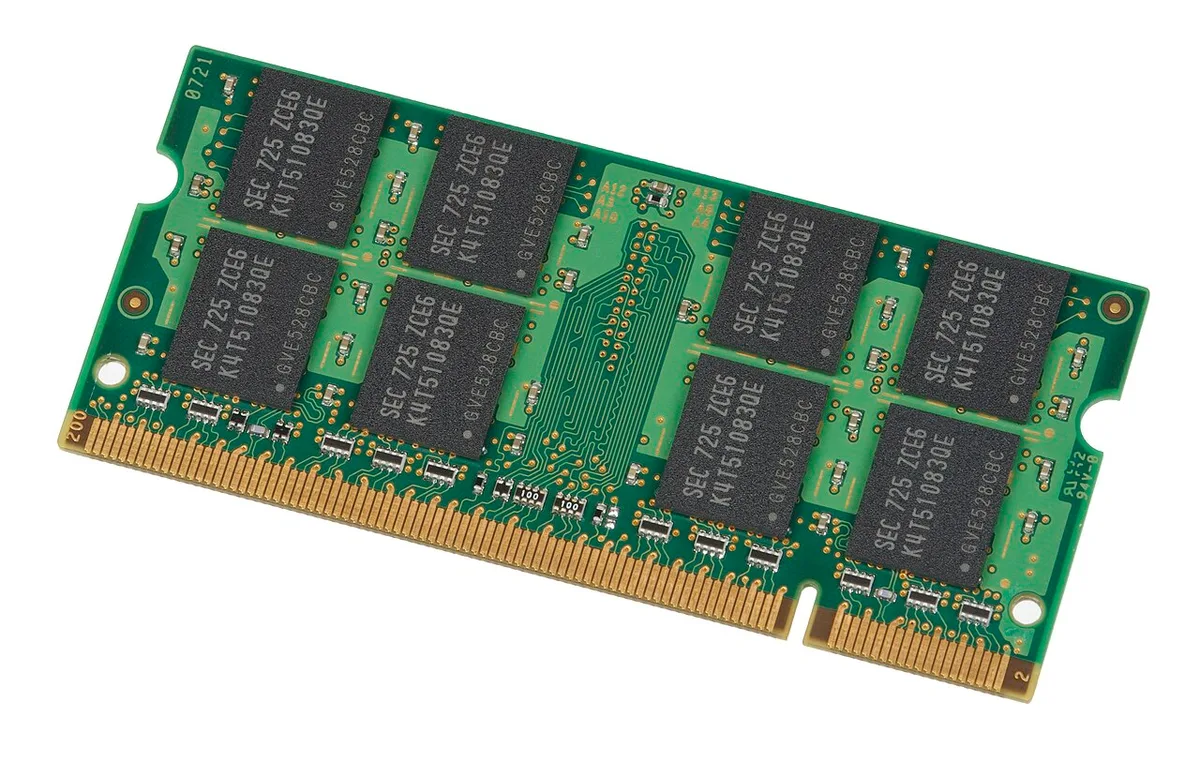
Image source: Wikimedia Commons / Evan-Amos
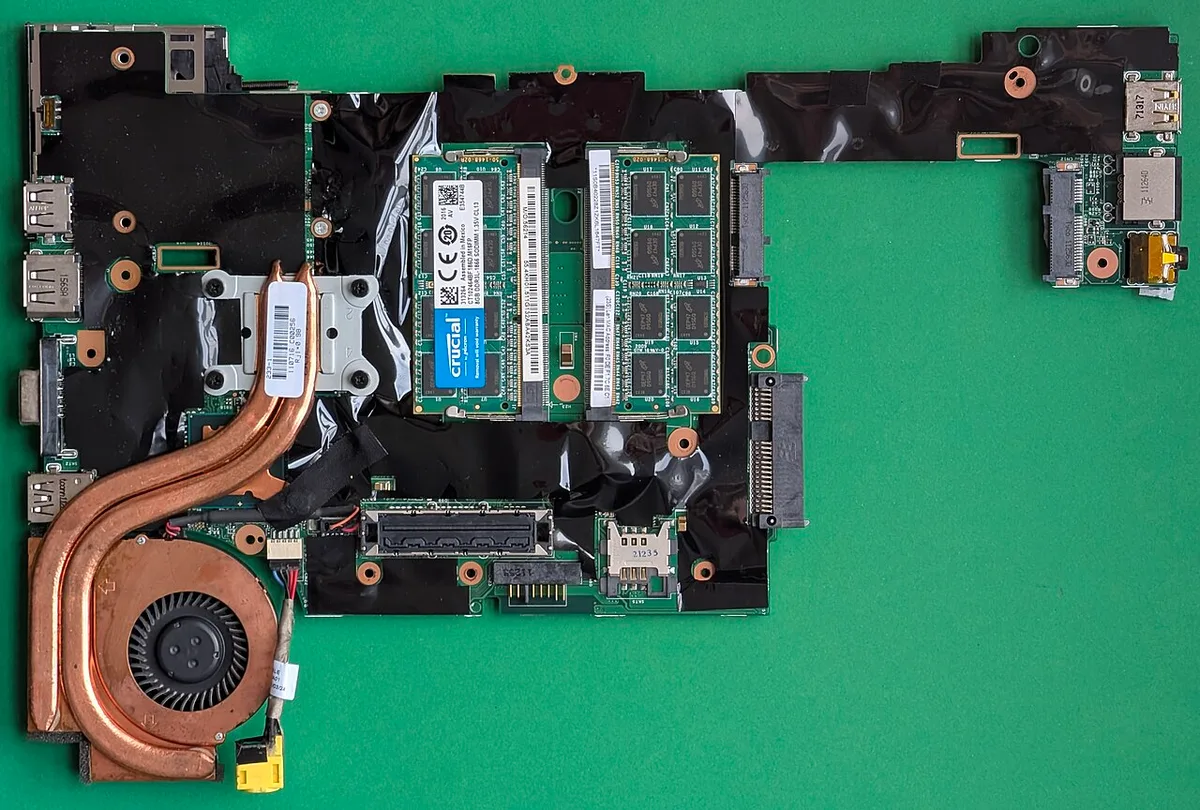
Image source: Wikimedia Commons / Siarhei Besarab (CC BY-SA)
| Memory layout | Can you upgrade it? | Common use case |
|---|---|---|
| Fully soldered | No | Thin and light systems |
| One slot plus soldered | Partly | Midrange gaming laptops |
| Two SO-DIMM slots | Yes | Upgrade-focused designs |
If you are comparing memory generations, read our guide on DDR4 versus DDR5 gaming laptop RAM. It helps explain speed, voltage, and compatibility differences.
The Variables That Decide RAM Upgradability
The CPU memory controller sets many limits. It controls supported speed, channel layout, and maximum capacity. The motherboard design then decides how many slots exist.
Brand marketing can hide these details. A listing may say “up to 32GB” without saying whether that means one slot or two. Always match the exact SKU, because regional variants can differ.
Key variables include:
- Memory type, such as LPDDR5X or DDR5 SO-DIMM
- Slot count, usually zero, one, or two
- Maximum supported capacity per slot
- Single-channel or dual-channel layout
- BIOS and firmware memory limits
- Physical clearance inside the chassis
LPDDR often favors soldered layouts because of power and space goals. Socketed DDR5 usually gives clearer upgrade options. Neither is automatically better for every gamer.
If you want to understand memory channels, see our explanation of dual-channel RAM in gaming laptops. It shows why two matched modules can matter more than a single large stick.
How to Check Your Exact Laptop Before You Buy or Upgrade
Start with the model number, not the product name. Look on the bottom sticker or in system settings. Then open the official specification page for that exact SKU.
Next, check the service manual. It shows whether the bottom panel opens easily and whether memory is soldered. Teardown photos can also reveal slot locations.
Aggregate reviews report that some laptops look upgradeable from the outside but hide soldered memory.
Use this quick workflow:
- Find the exact model and serial number.
- Read the manufacturer specification sheet.
- Open the service manual or repair guide.
- Compare teardown photos from trusted sources.
- Check BIOS memory information after boot.
- Confirm warranty and return terms.
Image source: Wikimedia Commons / Höijerts, Åke (CC BY-SA)
Software tools can show installed capacity and speed. They do not always show slot count. For that, manufacturer documentation is more reliable.
Intel and AMD specification pages can also confirm CPU memory limits.
If you already own the laptop, you can check how to check RAM speed on a gaming laptop before opening it. That helps you compare installed memory with advertised specs.
Decision Branches: What to Do Based on What You Find
If the RAM is fully soldered, do not plan a memory upgrade. Buy the capacity you need on day one. This matters if you keep laptops for several years.
If you find one open slot, check the soldered bank size. You may be able to add one module. Match speed, voltage, and capacity where possible.
Also check whether the CPU supports the new total.
If you find two open slots, you have the most flexibility. You can often install a matched pair later. Still, verify maximum supported RAM and channel behavior first.
Use these if-then rules:
- If RAM is soldered and capacity is low, choose a higher factory configuration.
- If one slot is open, add a matched module only after checking limits.
- If two slots are open, plan a matched pair for best channel behavior.
- If specs are unclear, contact the manufacturer before purchase.
- If warranty seals are present, review repair policy first.
For capacity planning, compare how much RAM a gaming laptop really needs with your actual games and apps. A soldered 16GB system may be fine for many players, while 32GB can help heavy multitasking. If you are deciding between sizes, our guides on whether 16GB RAM is enough for gaming and whether 32GB RAM is worth it can help.
Common mistakes include trusting generic product titles, assuming all DDR5 laptops are upgradeable, and buying RAM before checking slot count. Another mistake is mixing speeds and expecting the faster module to run at full speed. In most systems, memory runs at the slowest compatible setting.
For broader upgrade questions, you may also want to read whether a gaming laptop GPU can be upgraded. It reinforces the same rule: laptop upgradeability is model-specific, not brand-specific.
Soldered vs Upgradeable RAM: Real Tradeoffs
Soldered memory can be a smart design choice, not just a limitation. It often supports thinner chassis, lower power draw, and tightly tuned memory layouts. For many gaming laptops, that means better portability and stable day-to-day performance.
Upgradeable memory gives you control. You can add capacity later, replace a failed module, or tune a matched pair. That flexibility matters if you keep a laptop for years or run memory-heavy apps.
The tradeoff is simple. Soldered RAM favors design efficiency. Socketed RAM favors repair and upgrade paths.
Best fits:
- Soldered RAM suits buyers who want thin, efficient, factory-tuned systems.
- One open slot suits buyers who want moderate future upgrades.
- Two open slots suit buyers who want maximum flexibility.
- Fully soldered low-capacity systems suit short-term or light gaming use.
There is also a repair angle. A failed soldered module can be harder to service. A failed SO-DIMM is usually easier to replace.
That difference can affect long-term ownership cost.
Common Mistakes People Make With Laptop RAM
The biggest mistake is trusting a generic product title. "Up to 32GB" does not always mean two open slots. It may mean one slot plus a soldered bank.
Another mistake is buying RAM before checking the exact SKU. Memory type, speed, voltage, and slot count must match the laptop. A fast module will not help if the system cannot use it.
Common errors include:
- Assuming all gaming laptops are upgradeable
- Confusing LPDDR with socketed DDR memory
- Ignoring CPU maximum memory limits
- Mixing mismatched capacities or speeds
- Forcing a module into the wrong slot
- Skipping ESD precautions during installation
- Not testing memory after an upgrade
Also, do not assume soldered RAM is automatically worse. Some soldered layouts run in efficient dual-channel configurations. Performance depends on the whole system, not only the memory mounting method.
If you are unsure, pause before buying parts. Check the service manual, spec sheet, and warranty terms first. That small delay can prevent an expensive mistake.
Costs, Limits, and Specs That Matter
Upgrade cost depends on the laptop layout and current market prices. Socketed upgrades can be cheaper than replacing the whole machine. Soldered systems may force a higher upfront configuration.
The key specs are capacity, speed, channel layout, slot count, and maximum supported memory. These numbers decide whether an upgrade is possible and worthwhile.
| Spec | Why it matters |
|---|---|
| Capacity | Decides multitasking and game loading headroom |
| Speed | Affects bandwidth and latency |
| Slot count | Decides physical upgrade options |
| Max supported RAM | Sets the hard ceiling |
| Channel layout | Affects memory bandwidth |
| Memory type | Determines compatibility |
JEDEC memory standards help define common DDR and LPDDR behavior, but laptop makers still set final limits. Always trust the manufacturer spec over a generic compatibility chart.
Battery life can also change with memory type. Low-power DDR options may help efficiency in thin systems. Socketed DDR may offer more upgrade paths but can draw more power depending on the configuration.
Before spending money, compare the upgrade cost with the cost of a better factory configuration. Sometimes buying the right laptop once is cheaper than upgrading later.
Frequently Asked Questions
Can soldered RAM be upgraded by a technician?
Sometimes, but it is not a normal upgrade. Soldered chips require advanced board-level work. That can be risky and costly.
For most buyers, the practical answer is no. Choose the right capacity at purchase instead.
Does soldered RAM mean worse gaming performance?
No. Soldered RAM does not automatically reduce gaming performance. Speed, capacity, channel layout, and CPU or GPU pairing matter more.
Some soldered layouts are efficient and stable. The mounting method alone is not a performance score.
How do I know if my laptop has free RAM slots?
Check the service manual and teardown photos first. Software can show installed capacity and speed, but it may not reveal empty slots. Manufacturer documentation is the most reliable source.
Compare it with your exact SKU.
Is LPDDR always soldered?
LPDDR is very often soldered, especially in thin gaming laptops. That is because it targets power efficiency and compact designs. Some systems still combine LPDDR with other layouts.
Always verify the exact model before assuming.
Should I buy more RAM than I need now?
If the RAM is soldered, yes, that is often the safer plan. Buying extra capacity upfront avoids a future upgrade problem. If the laptop has open slots, you can start lower and upgrade later.
Match the decision to your budget and usage.
Final Decision Guide: Buy, Upgrade, or Walk Away
If the RAM is fully soldered, buy the capacity you will need for the laptop's lifespan. Do not plan on upgrading later. This is the cleanest path for long-term ownership.
If one slot is open, you can upgrade, but check the soldered bank size first. Add a compatible module only after confirming speed, voltage, and maximum capacity. Test stability after installation.
If two slots are open, you have the most flexibility. A matched pair can improve channel behavior. Still verify CPU and BIOS limits before buying.
If specs are unclear, walk away from the purchase or contact the manufacturer. Unclear memory details often lead to buyer regret. A clear spec sheet is a good sign of a trustworthy listing.
Final rule: soldered versus upgradeable RAM is not about good or bad. It is about matching the laptop to your upgrade plans, repair expectations, and budget.