Choosing between a gaming laptop and a gaming PC sounds simple until you start comparing real hardware. A laptop gives you portability and an all-in-one setup. A desktop gives you more room for performance, cooling, repairs, and future upgrades.
For most gamers who play at the same desk every day, a gaming PC is the better long-term buy. You usually get stronger sustained performance, easier upgrades, better cooling, and more flexibility.
A gaming laptop makes more sense when portability actually matters. If you need one machine for gaming, college, work, travel, or moving between locations, giving up some desktop advantages can be a very reasonable trade.
The important part is not asking which one is universally better. The useful question is:
Which one is better for the way you actually game?
This gaming laptop vs gaming PC comparison breaks down performance, price, upgradeability, cooling, portability, lifespan, power use, display options, and total ownership cost so you can make that decision without guessing.
Affiliate disclosure: As an Amazon Associate I earn from qualifying purchases. Product links in this guide are affiliate links.
Gaming Laptop vs Gaming PC: Quick Comparison
If you want the short version, this table covers the biggest differences.
| Feature | Gaming Laptop | Gaming PC |
|---|---|---|
| Gaming Performance | Very good to excellent | Excellent |
| Performance per Dollar | Usually lower | Usually better |
| Portability | Excellent | Very limited |
| Upgradeability | Limited | Excellent |
| Cooling | More constrained | Better |
| Display | Built in | Separate monitor required |
| Keyboard | Built in | Separate |
| Battery Backup | Yes | No |
| Desk Space | Minimal | More space required |
| Repairability | More difficult | Usually easier |
| Storage Expansion | Limited by model | Highly flexible |
| Long-Term Upgrade Path | Limited | Excellent |
| Multi-Monitor Setup | Possible | Usually easier |
| Best For | Mobile gamers | Home-based gamers |
Quick verdict: Buy a gaming PC if your priorities are maximum performance, upgradeability, cooling, and long-term value. Buy a gaming laptop if portability, limited space, and having everything in one device matter more.
Intel makes essentially the same distinction in its desktop-versus-laptop guidance: laptops prioritize mobility, while desktops provide substantially more room for customization and upgrades.
Real Amazon Examples: Gaming Laptop vs Gaming PC
Before going deeper, it helps to look at two real products rather than comparing imaginary machines.
Gaming Laptop Example: Lenovo Legion 5i
The Lenovo Legion 5i Gaming Laptop is a useful example of what a modern performance-focused gaming laptop offers.
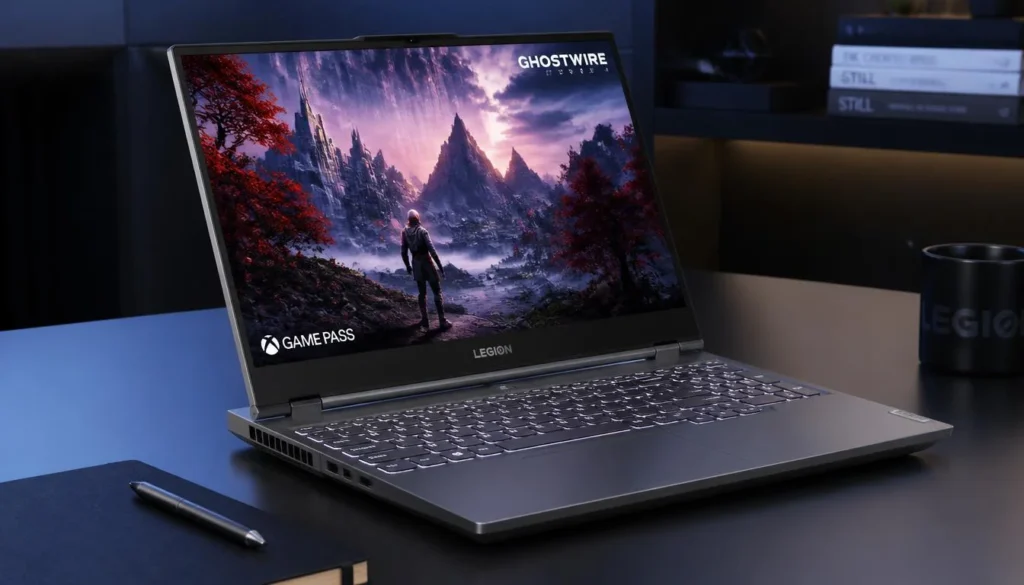
This configuration includes an Intel Core i7-14700HX processor, NVIDIA GeForce RTX 5070 Laptop GPU, 16GB of memory, a 1TB SSD, and a 15.1-inch 2560 × 1600 OLED display with a 165Hz refresh rate. Amazon listed this configuration in stock and sold by Amazon.com when checked.
What matters here is that the display, keyboard, speakers, Wi-Fi hardware, battery, and gaming components are all contained in one machine.
Gaming PC Example: CyberPowerPC Gamer Xtreme
For the desktop side, the CyberPowerPC Gamer Xtreme Gaming PC shows what a powerful prebuilt desktop can offer.
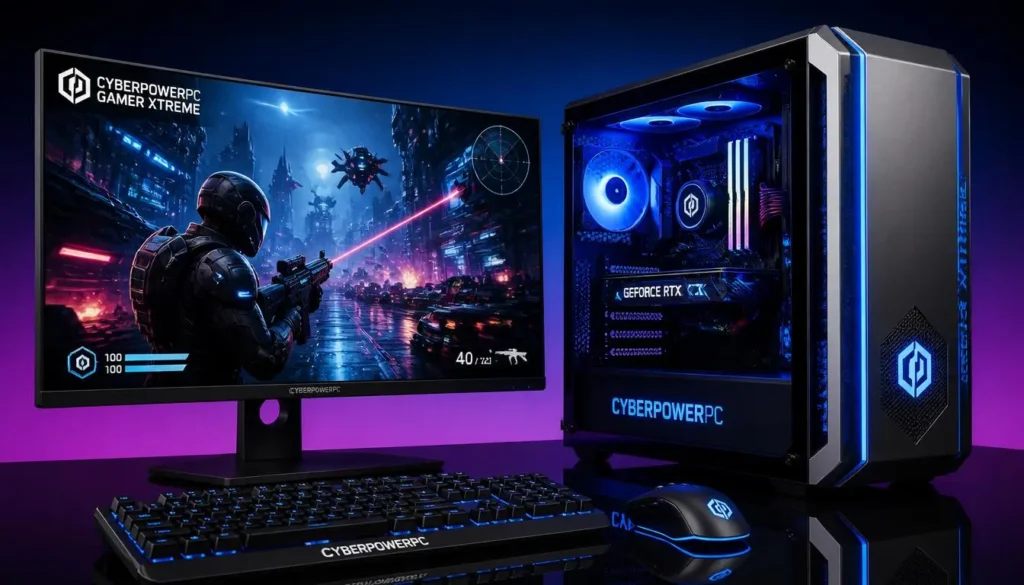
This configuration combines an AMD Ryzen 9 9900X processor with a desktop GeForce RTX 5070 12GB, 32GB DDR5 memory, and a 1TB PCIe 4.0 SSD. Amazon showed the system in stock and sold by Amazon.com when checked.
These two systems are not meant as a strict price-matched benchmark comparison. They are useful because they show how differently laptop and desktop hardware can be packaged even when familiar GPU names appear on both spec sheets.
What Is a Gaming Laptop?
A gaming laptop puts nearly everything you need into one portable device: CPU, dedicated GPU, memory, storage, display, keyboard, speakers, wireless networking, battery, and cooling.
That convenience is its biggest advantage.
You can game at home, take the same machine to university, carry it to work, plug it into a hotel TV, or connect it to a monitor and keyboard when you return to your desk.
Modern gaming laptops can deliver serious performance, but they have to operate within much tighter limits than desktop PCs. Cooling hardware has less space, power consumption must be controlled, and many major components cannot be replaced later.
Advantages of a Gaming Laptop
- Portable enough to move between locations
- Display and keyboard are already included
- Takes up less desk space
- Easy to set up
- Can run on battery for normal tasks
- Useful for gaming, study, and work
- Can connect to an external monitor at home
- Fewer separate components to purchase
Disadvantages of a Gaming Laptop
- Lower performance ceiling than large desktops
- CPU and GPU are usually not upgradeable
- Smaller cooling system
- Fans can become loud under heavy loads
- Battery capacity declines with age
- Repairs can be complicated
- High-performance models can be expensive
- Display size is permanently limited unless you add an external monitor
What Is a Gaming PC?
A gaming PC normally refers to a desktop computer built around separate components installed inside a case.
Instead of squeezing everything into one chassis, a desktop can use a larger graphics card, larger CPU cooler, more case fans, a bigger power supply, additional drives, and multiple expansion cards.
That modular design is why desktops remain attractive to performance-focused gamers.
You can buy one already assembled or build it yourself.
Advantages of a Gaming PC
- Higher potential gaming performance
- Better cooling capacity
- Easier CPU and GPU upgrades
- More RAM and storage expansion options
- Easier component replacement
- Wider monitor choice
- More ports and expansion possibilities
- Better suited to long gaming sessions
- Longer practical upgrade path
Disadvantages of a Gaming PC
- Not realistically portable
- Monitor normally costs extra
- Keyboard and mouse may cost extra
- Requires more desk space
- More cables
- No built-in battery backup
- A complete setup can cost more than the tower price suggests
Gaming Laptop vs Gaming PC With the Same Specs: Are They Really Equal?
This is one of the most important things to understand before buying.
A laptop GPU and desktop GPU with similar names are not automatically the same piece of hardware.
Take the RTX 5070 as an example.
NVIDIA lists the desktop GeForce RTX 5070 with 6,144 CUDA cores and 12GB of GDDR7 memory. The GeForce RTX 5070 Laptop GPU is listed with 4,608 CUDA cores and 8GB of GDDR7 memory. NVIDIA also gives the laptop GPU a variable boost-clock range because laptop manufacturers can implement GPUs differently depending on cooling and power design.
| Specification | Desktop RTX 5070 | RTX 5070 Laptop GPU |
|---|---|---|
| CUDA Cores | 6,144 | 4,608 |
| Memory | 12GB GDDR7 | 8GB GDDR7 |
| Form Factor | Desktop graphics card | Integrated into laptop |
| Cooling Space | Much larger | Limited by laptop chassis |
| Upgradeable | Yes | Usually no |
That is why you should never look at a laptop listing that says “RTX 5070” and assume it will perform exactly like a desktop RTX 5070.
Laptop GPU Wattage Matters
Two gaming laptops using the same GPU can also perform differently.
Laptop makers have to balance:
- GPU power
- CPU power
- cooling capacity
- chassis thickness
- fan noise
- surface temperatures
- battery size
A thick performance laptop can therefore behave differently from a thin portable laptop using the same GPU family.
When comparing gaming laptops, check the exact GPU implementation rather than relying only on the GPU name.
Gaming Laptop vs Gaming PC Performance
A gaming PC generally has the advantage when performance is the main priority.
The reason is not simply that desktops are “bigger.” More physical space gives manufacturers more freedom to use higher-power components and remove heat efficiently.
CPU Performance
Gaming laptops can use extremely capable H- and HX-class processors, and many provide more than enough CPU performance for modern games.
Desktop CPUs, however, do not have to operate within the same battery and chassis constraints.
That becomes more noticeable during sustained workloads such as:
- long gaming sessions
- video rendering
- streaming while gaming
- compiling large projects
- 3D rendering
- CPU-heavy simulation games
A gaming laptop can be very fast in short bursts. A well-cooled desktop has an easier job maintaining high performance for hours.
GPU Performance
The graphics card is where the difference can become even clearer.
Desktop GPUs have room for:
- higher power budgets
- larger heatsinks
- multiple full-size fans
- larger memory configurations
- higher sustained clocks
Laptop GPUs are optimized for a different balance between performance, efficiency, temperature, noise, and size.
Winner for raw performance: Gaming PC
Gaming Laptop vs Gaming PC: Which Offers Better Performance per Dollar?
If you compare only gaming performance from the CPU and GPU, a desktop usually gives you more room to maximize performance for your budget.
But there is an important catch.
A gaming laptop price already includes:
- screen
- keyboard
- speakers
- webcam on many models
- Wi-Fi
- battery
- chassis
A gaming desktop tower may require you to add:
- monitor
- keyboard
- mouse
- headset or speakers
- webcam
- Wi-Fi adapter on some systems
So there are two useful ways to compare value.
For component performance: Gaming PC usually wins.
For a complete all-in-one package: The gap can become smaller, especially if you do not already own a monitor and peripherals.
Gaming Laptop vs Gaming PC: Complete Setup Cost
Do not compare a $1,500 laptop with a $1,500 desktop tower and immediately conclude that the desktop is the better bargain.
Compare the complete setup.
| Item | Gaming Laptop | Gaming PC |
|---|---|---|
| Computer | Included | Included |
| Display | Included | Usually extra |
| Keyboard | Included | Usually extra |
| Trackpad | Included | Not needed |
| Mouse | Recommended | Required for most users |
| Speakers | Usually included | Depends on monitor/setup |
| Webcam | Often included | Often extra |
| Wi-Fi | Usually included | Depends on system |
| Battery Backup | Built in | UPS is optional |
| Desk Space | Small | Larger |
If you already own a good monitor, keyboard, mouse, and headset, the desktop value proposition becomes much stronger.
If you are starting from nothing, a laptop may be more competitive than the tower price alone suggests.
Gaming Laptop vs Gaming PC Total Cost of Ownership
Initial price is only part of the decision.
Think about what happens during the next three to five years.
With a Gaming Laptop
You may eventually need:
- another SSD
- more RAM, if the model allows it
- replacement fans
- battery replacement
- charger replacement
- professional repair for motherboard-related problems
When the GPU becomes too slow for your needs, replacing the laptop may be your only practical upgrade.
With a Gaming PC
You may be able to replace only the part holding you back.
For example:
- upgrade GPU
- add RAM
- install another SSD
- replace CPU
- upgrade CPU cooler
- replace power supply
That can make a well-designed desktop less expensive to keep competitive over a long period, even if the first complete setup costs more.
Gaming Laptop vs Gaming PC Upgradeability
This category is not close.
What Can You Upgrade in a Gaming Laptop?
Depending on the model, you may be able to upgrade:
- RAM
- SSD
- Wi-Fi card
But some laptops use soldered memory, and available SSD slots vary.
The CPU and GPU are normally integrated in ways that make practical consumer upgrades impossible.
What Can You Upgrade in a Gaming PC?
A desktop can potentially let you replace:
- graphics card
- processor
- RAM
- SSD
- hard drive
- motherboard
- power supply
- CPU cooler
- case fans
- network card
- case
This modularity is one of the biggest reasons to buy a desktop.
Winner for upgradeability: Gaming PC
Which Is More Future-Proof: Gaming Laptop or Gaming PC?
“Future-proof” is never absolute. New games and hardware requirements keep changing.
Still, desktops are much easier to keep relevant.
Suppose your desktop still has enough CPU performance three years from now but the GPU is struggling. You can replace the graphics card and continue using the rest of the computer.
With a laptop, a slow GPU usually stays slow.
That does not mean gaming laptops become useless quickly. A good laptop can remain enjoyable for years if you buy enough performance for your target resolution.
The difference is that the desktop gives you more ways to extend its useful life.
Winner for future-proofing: Gaming PC
Gaming Laptop vs Gaming PC Cooling and Temperature
High-performance gaming hardware generates heat.
A desktop case can use large tower coolers, liquid coolers, several case fans, and graphics cards with substantial heatsinks.
A laptop may have only a few millimeters of vertical space in parts of its chassis.
Modern laptop cooling systems are impressive considering those limitations, but physics still matters.
Does a Gaming Laptop Lose Performance When It Gets Hot?
It can.
Processors and graphics chips manage temperatures by changing clocks and power behavior. If a cooling system reaches its limits, sustained performance may drop.
Not every hot laptop is throttling, though. Gaming hardware is designed to operate at temperatures that would feel surprisingly warm to your hands.
The better question is whether the laptop maintains its intended performance without excessive throttling or fan noise.
Which Is Better for Long Gaming Sessions?
For multi-hour gaming sessions, a desktop normally has the advantage.
A larger cooling system can make it easier to maintain performance while also keeping fan speeds reasonable.
A laptop can still handle long sessions, but you should:
- keep vents unobstructed
- use it on a hard surface
- avoid gaming on a bed or blanket
- keep the cooling system clean
- consider raising the rear slightly if the design benefits from extra airflow
Winner for sustained gaming: Gaming PC
Gaming Laptop vs Gaming PC Noise
Gaming laptops often need small, fast-spinning fans to remove a lot of heat from a compact chassis.
That can make them noticeably loud during demanding games.
Desktop PCs can use larger fans that move more air at lower RPMs. A carefully designed desktop can therefore be extremely quiet.
However, desktops are not automatically silent. Poor airflow, aggressive fan curves, cheap fans, or powerful GPUs can still create plenty of noise.
Potential winner for low-noise performance: Gaming PC
Gaming Laptop vs Gaming PC Display Experience
A gaming laptop gives you a display immediately.
That is convenient, and modern laptops can offer excellent panels with:
- OLED technology
- high refresh rates
- fast pixel response
- high resolution
- HDR support
- variable refresh technology
The Lenovo Legion 5i example above, for instance, combines a 2560 × 1600 OLED panel with a 165Hz refresh rate.
A desktop gives you something different: freedom.
You can choose:
- 24-inch 1080p monitor
- 27-inch 1440p monitor
- 32-inch 4K monitor
- ultrawide
- OLED
- Mini-LED
- 240Hz, 360Hz, or higher-refresh competitive displays
You can also replace the monitor without replacing the computer.
Winner for display flexibility: Gaming PC
Winner for built-in convenience: Gaming Laptop
Gaming Experience and Ergonomics
Raw FPS is only part of gaming.
Your physical setup matters too.
A desktop lets you position the monitor at eye level, move the keyboard independently, use any mouse you want, and create a comfortable chair-and-desk setup.
A laptop forces the keyboard and screen to stay physically attached.
If you raise the laptop screen to a more comfortable height, the keyboard also moves. That is why many people who use gaming laptops at a desk eventually add:
- external monitor
- keyboard
- mouse
- laptop stand
At that point, the laptop begins behaving much more like a desktop while still keeping its portability.
Gaming Laptop vs Gaming PC Portability
This is the category where the laptop wins easily.
A gaming desktop technically can be moved, but moving a tower, monitor, keyboard, cables, and other accessories is not something most people want to do regularly.
A laptop can go into a backpack.
Choose a gaming laptop if you regularly:
- travel
- move between homes
- attend university
- work from different places
- attend LAN events
- game in different rooms
- need one computer for work and entertainment
If the computer will sit on the same desk for the next five years, portability has little practical value.
Gaming Laptop vs Gaming PC Battery and Power Consumption
Gaming laptops include batteries, but that does not mean demanding games should normally be played on battery power.
High-performance CPUs and GPUs need significant power. When unplugged, laptops often use power-management settings designed to protect battery life.
Does a Gaming Laptop Lose Performance on Battery?
Often, yes.
For maximum gaming performance, gaming laptops are generally designed to be used with their power adapters connected.
Battery mode is more useful for:
- web browsing
- writing
- watching videos
- light productivity
- classes
- meetings
Do Gaming Laptops Need to Stay Plugged In While Gaming?
For demanding gaming, plugging in is usually the correct choice.
You do not need to keep the laptop plugged in every second of its life, but expecting full GPU performance from battery mode is unrealistic.
Which Uses More Electricity?
A high-performance desktop normally has a higher maximum power ceiling.
For example, NVIDIA lists the reference desktop RTX 5070 alone with a 250W Total Graphics Power. Laptop GPUs are specifically designed around much tighter system power and thermal limits.
Actual electricity use depends heavily on the hardware and workload.
Winner for energy efficiency: Gaming Laptop
Gaming Laptop vs Gaming PC Ports and Connectivity
A desktop usually gives you more physical connectivity.
You may have:
- multiple USB-A ports
- USB-C
- Ethernet
- several audio connections
- HDMI
- multiple DisplayPort outputs
- expansion slots
- additional motherboard headers
Laptop port selection depends heavily on the model.
Before buying one, check whether it provides the connections you actually need.
Can You Connect a Gaming Laptop to a Monitor?
Yes.
Many gaming laptops support external displays through HDMI, USB-C, DisplayPort-over-USB-C, Thunderbolt, or USB4 depending on the model.
You can also add a keyboard and mouse and use the laptop almost like a desktop.
Intel specifically describes external monitors, gaming peripherals, and docking setups as ways to build a desktop-like gaming environment around a laptop.
Can You Use a Dock With a Gaming Laptop?
Often, yes, but check the laptop’s ports and bandwidth first.
A dock can make desk use much easier by connecting peripherals through fewer cables.
Your laptop’s original high-wattage power adapter may still be needed for maximum gaming performance.
Storage and RAM Upgrades: Gaming Laptop vs PC
Modern games can consume a huge amount of storage, so expansion matters.
Gaming Laptop Storage
A laptop might offer:
- one replaceable NVMe SSD
- two NVMe slots
- soldered storage in unusual designs
- a combination depending on the model
Check before buying.
Having an empty second M.2 slot can save you from replacing the original SSD later.
Gaming Desktop Storage
Desktops usually offer far more flexibility.
Depending on the motherboard and case, you may be able to install:
- several NVMe SSDs
- SATA SSDs
- large hard drives
- add-in storage cards
RAM
Desktop RAM is generally straightforward to replace.
Laptop memory needs more attention. Some laptops use replaceable SO-DIMMs, while others solder part or all of the memory to the motherboard.
Winner for storage and memory flexibility: Gaming PC
Gaming Laptop vs Gaming PC Lifespan
There is no fixed lifespan for either type of computer.
A well-maintained laptop or desktop can function for many years. The real issue is how long it continues meeting your gaming expectations.
How Long Does a Gaming Laptop Last?
The useful gaming life depends on:
- GPU performance
- target resolution
- game requirements
- cooling condition
- battery health
- RAM
- storage
- your willingness to reduce graphics settings later
The main limitation is that the GPU normally cannot be replaced.
How Long Does a Gaming PC Last?
Desktop hardware ages too, but individual parts can be upgraded.
That means a five-year-old desktop does not necessarily need to be completely replaced.
Which Ages Better?
Gaming PC, primarily because of modular upgrades.
Gaming Laptop vs Gaming PC Repairability
A desktop is usually easier to diagnose.
If a desktop power supply fails, you can replace the power supply. If a RAM module fails, you can swap the RAM. The same principle applies to many components.
Laptop hardware is more integrated.
A failure involving:
- motherboard
- GPU
- charging circuit
- display
- keyboard
can require more specialized repair.
That does not make every laptop expensive to repair, but the desktop gives owners more options.
Winner for repairability: Gaming PC
Gaming Laptop vs Gaming PC for 1080p Gaming
Both are excellent choices for 1080p.
A well-selected midrange gaming laptop can run competitive games at high frame rates while giving you portability.
A desktop still gives you more room to chase extremely high FPS or use more demanding graphics settings.
For mainstream 1080p gaming, your portability needs may matter more than the performance difference.
Best choice: Laptop if mobility matters; desktop if FPS per dollar matters more.
Gaming Laptop vs Gaming PC for 1440p Gaming
1440p is where stronger GPUs become increasingly valuable.
It provides a noticeable increase in sharpness over 1080p without carrying the full GPU cost of 4K.
A gaming laptop can provide an excellent 1440p-class experience, especially with technologies such as DLSS.
A desktop gives you access to a much wider range of GPUs and monitor combinations.
Overall winner for 1440p flexibility: Gaming PC
Gaming Laptop vs Gaming PC for 4K Gaming
4K puts significantly more pressure on the graphics card.
Gaming laptops can run games on 4K external displays, especially when upscaling and frame-generation technologies are available, but high-end desktop graphics cards have a much higher performance ceiling.
If your main goal is demanding AAA gaming at 4K with high settings, a desktop is normally the better platform.
Winner for 4K gaming: Gaming PC
Which Is Better for Competitive Gaming?
Competitive players usually care about:
- high FPS
- low latency
- stable frame times
- fast monitors
- consistent performance
Games such as Valorant, Counter-Strike 2, Fortnite, Overwatch, and similar esports titles can run very well on both platforms.
A laptop is perfectly viable for competitive gaming, particularly when paired with an external mouse and a fast display.
A desktop gives you more freedom to chase very high frame rates and upgrade the GPU, CPU, or monitor independently.
Winner for serious fixed-location competitive gaming: Gaming PC
Which Is Better for AAA Games?
AAA games tend to push GPU performance, VRAM, cooling, and storage harder than lightweight esports titles.
That makes desktop advantages more important.
A powerful laptop can still deliver an excellent experience, but pay close attention to:
- GPU model
- GPU memory
- power implementation
- native display resolution
- cooling
- DLSS or other upscaling support
Do not buy based only on the GPU family name.
Does VRAM Matter?
Yes, especially as resolution and texture quality increase.
VRAM requirements vary by game, settings, ray tracing, and resolution.
This is another reason the “same GPU name” issue matters.
For example, NVIDIA currently specifies 12GB GDDR7 for the desktop RTX 5070, while the RTX 5070 Laptop GPU has 8GB GDDR7.
That difference should be part of your buying decision if you plan to keep the machine for several years.
Gaming Laptop vs Gaming PC for Streaming
Both can stream games.
Modern GPUs include dedicated media hardware that reduces the burden of video encoding, and NVIDIA’s current RTX lineup includes its latest NVENC generation.
A desktop still has practical advantages for serious streaming:
- more monitor connections
- easier capture-card installation
- more USB ports
- easier storage expansion
- stronger sustained cooling
- simpler hardware upgrades
Winner for a dedicated streaming setup: Gaming PC
Gaming Laptop vs Gaming PC for College Students
This decision can flip completely for students.
A giant desktop may be better at gaming, but that does not help much if you need a computer in class every day.
Choose a Gaming Laptop If You:
- need one computer for classes and gaming
- move between home and campus
- have limited dorm space
- need your projects with you
- cannot justify owning two computers
Choose a Gaming PC If You:
- already own a lightweight laptop
- mostly game in your room
- want better long-term upgradeability
- prioritize performance over convenience
A lightweight productivity laptop plus a gaming desktop can be an excellent combination if your budget allows two machines.
Gaming Laptop vs Gaming PC for Work and Gaming
Your work matters as much as your games.
A gaming laptop is attractive if you need GPU acceleration away from home for:
- video editing
- 3D work
- engineering applications
- programming
- design
- AI workloads
NVIDIA also positions modern RTX laptops for creator and student applications alongside gaming.
A desktop is stronger when your work involves long, sustained workloads and you do not need mobility.
For a home office, desktop.
For a mobile workstation, laptop.
Which Is Better for a Small Room or Dorm?
A gaming laptop is easier to live with in a cramped environment.
You need enough room for the laptop and a mouse. When you finish, the machine can disappear into a bag.
A desktop requires permanent space for:
- tower
- monitor
- keyboard
- mouse
- cables
Small-form-factor gaming PCs can reduce that difference, but they still do not offer laptop-level portability.
Winner for limited space: Gaming Laptop
Gaming Laptop vs Gaming PC by Budget
Your budget changes what compromises make sense.
Under $1,000
At this level, prioritize the hardware that affects gameplay most.
For a laptop:
- avoid overspending on cosmetic extras
- prioritize GPU
- aim for enough RAM
- check whether storage can be expanded
For a desktop:
- consider whether the budget includes a monitor
- leave room for a decent PSU
- do not sacrifice too much GPU performance for an unnecessarily expensive CPU
A desktop can offer excellent value if you already own peripherals.
$1,000 to $1,500
This is a strong mainstream range.
Gaming laptops become much more capable, while desktops can combine powerful midrange GPUs with solid CPUs.
The right choice becomes less about whether either can game and more about portability versus upgradeability.
$1,500 to $2,000
Here, both categories can deliver an excellent experience.
Laptop buyers can start expecting better screens, faster GPUs, improved build quality, and stronger cooling.
Desktop buyers can target high-refresh 1440p gaming and create a system with a strong upgrade path.
$2,000 and Above
At the premium end, the desktop performance ceiling becomes increasingly attractive.
Premium gaming laptops can be extremely fast, but part of the price pays for engineering that fits high-end hardware into a portable chassis.
If portability is not important, a high-budget desktop is generally easier to justify.
For readers in the UK, Canada, and Australia, use the same decision process with your local market rather than treating US dollar tiers as exact currency conversions. Hardware pricing and availability vary significantly by region.
Should You Build a Gaming PC or Buy a Gaming Laptop?
Building your own PC changes the comparison.
Advantages of Building a Gaming PC
You choose:
- CPU
- graphics card
- motherboard
- RAM
- SSD
- PSU
- cooling
- case
That lets you spend more money on the parts that directly affect your games.
You can also select a better-quality power supply, quieter fans, or a case designed around your preferred airflow.
Why a Gaming Laptop Is Easier
A laptop does not require component research or assembly.
You open the box, install your games, and start using it.
For buyers who do not want to build or troubleshoot a PC, that convenience is valuable.
What About a Prebuilt Gaming PC?
A prebuilt such as the CyberPowerPC Gamer Xtreme (paid link) sits between the two choices.
You get desktop components and upgradeability without assembling everything yourself.
That makes the real comparison:
Gaming Laptop vs Prebuilt Gaming PC vs Custom-Built Gaming PC
Choose the laptop for portability.
Choose the prebuilt if you want desktop benefits without building.
Choose custom-built if you want maximum control over parts and upgrade planning.
Can a Gaming Laptop Replace a Desktop Gaming PC?
Yes, for many people.
A gaming laptop becomes surprisingly desktop-like when you connect:
- external monitor
- keyboard
- gaming mouse
- headset
- Ethernet
- USB hub or dock
Intel describes this kind of setup as a way to combine many desktop-style advantages with laptop portability.
A laptop can replace your desktop if you value having one computer more than having the fastest or most upgradeable computer.
It becomes a weaker desktop replacement if you want:
- top-tier GPU performance
- frequent upgrades
- multiple internal drives
- expansion cards
- quiet high-power cooling
- long-term component replacement
Should You Buy a Gaming Laptop If You Never Travel?
Usually, a gaming PC makes more sense.
If your computer never leaves your desk, you are paying for portability without using it.
A desktop gives you more flexibility in the areas that matter at a fixed gaming station:
- performance
- cooling
- upgrades
- monitor choice
- repairs
- expansion
There are still exceptions.
A gaming laptop can be the better home-only device if you:
- have extremely limited space
- frequently move between rooms
- want a built-in display
- prefer an all-in-one setup
- do not want a permanent gaming desk
Should You Buy a Gaming PC If You Already Own a Laptop?
This can be one of the smartest setups.
Use the regular laptop for:
- classes
- meetings
- travel
- web browsing
- light work
Use the desktop for:
- gaming
- streaming
- rendering
- demanding creative work
That avoids buying an expensive gaming laptop just to get portability you already have.
What If You Already Own a Monitor, Keyboard, and Mouse?
The desktop becomes much more appealing.
The “hidden cost” of desktop gaming drops significantly when your peripherals are already paid for.
If you own:
- a good gaming monitor
- keyboard
- mouse
- headset
you can direct most of your new budget toward the actual PC.
What If You Are Starting From Scratch?
The laptop deserves a closer look.
One purchase gives you a screen, keyboard, speakers, battery, wireless connectivity, and the computer itself.
A desktop can still be the better long-term investment, but compare complete setups rather than tower prices.
What Specs Should You Look for in a Gaming Laptop or Gaming PC?
Regardless of form factor, avoid choosing a computer based on one impressive specification.
GPU
Start with the graphics card because it usually has the biggest effect on gaming performance.
Match it to:
- games you play
- resolution
- refresh rate
- graphics settings
- ray tracing expectations
CPU
You do not need the fastest CPU on the market for every gaming PC.
Competitive games and simulation-heavy titles can benefit from strong CPU performance, but do not overspend on a processor while buying an underpowered GPU.
RAM
For a new gaming system, 16GB should be treated as a practical starting point, while 32GB provides more breathing room for heavier multitasking, creation, modded games, and future workloads.
Check whether laptop memory is upgradeable before purchasing.
Storage
A 1TB SSD is a comfortable starting point for many gamers, but large game libraries can fill it quickly.
Check for additional M.2 slots.
Display or Monitor
Match refresh rate and resolution to the GPU.
Do not pay for a 4K high-refresh display if the hardware cannot realistically deliver the gaming experience you expect.
Cooling
For laptops, read reviews that test sustained performance rather than relying only on component specifications.
For desktops, check case airflow and CPU/GPU cooling.
Power Supply
Desktop buyers should not treat the PSU as an afterthought.
A quality power supply with enough capacity for the CPU, GPU, and future upgrades is important for a reliable build.
Gaming Laptop vs Gaming PC: Who Should Buy Which?
Here is the easiest way to make the final decision.
Buy a Gaming Laptop If You:
- need to carry your gaming computer
- study at college or university
- travel regularly
- work from different locations
- live in a small room
- want one machine for gaming and productivity
- do not expect to upgrade the GPU
- value convenience more than maximum performance
- want a built-in display
Buy a Gaming PC If You:
- game mainly from one desk
- want the most performance for your hardware budget
- plan to upgrade later
- want better cooling
- want a larger monitor
- want easier repairs
- want multiple storage drives
- play demanding AAA games
- plan on high-refresh 1440p or serious 4K gaming
- stream or create content regularly
Gaming Laptop vs Gaming PC Pros and Cons
Gaming Laptop Pros
- Portable
- Compact
- Built-in screen
- Built-in keyboard
- Built-in battery
- Easy setup
- Good for students
- Useful for work and gaming
Gaming Laptop Cons
- Limited upgrades
- Less cooling space
- GPU usually cannot be replaced
- Can be noisy under load
- Battery wears over time
- More difficult repairs
- Performance varies significantly between chassis designs
Gaming PC Pros
- Higher performance ceiling
- Excellent upgradeability
- Better cooling options
- Easier repairs
- Flexible monitor choice
- More storage expansion
- More ports
- Strong long-term upgrade potential
Gaming PC Cons
- Not portable
- Requires more space
- Monitor may cost extra
- Peripherals may cost extra
- More cables
- No built-in battery backup
Gaming Laptop vs Gaming PC: Final Verdict
For most gamers who do not need portability, the gaming PC is the better overall choice.
You gain better upgradeability, more cooling capacity, easier repairs, broader monitor options, and a much clearer path for keeping the system relevant in the future.
But that does not make a gaming laptop a bad purchase.
If you genuinely need to carry your computer between home, college, work, or other locations, the ability to put serious gaming hardware into a backpack changes the equation completely. A desktop cannot compete with that convenience.
So the decision comes down to one question:
Will you actually use the portability?
If the answer is yes, buy the gaming laptop.
If the answer is no, buy the gaming PC.
For a current laptop example, the Lenovo Legion 5i (paid link) combines an RTX 5070 Laptop GPU with an OLED high-refresh display in a portable system.
For gamers who prefer a desktop setup, the CyberPowerPC Gamer Xtreme (paid link) is an example of a prebuilt system using a desktop RTX 5070 and upgradeable desktop hardware.
Check the latest configuration, seller, availability, warranty, and price before ordering because Amazon listings can change.
Frequently Asked Questions
Is a Gaming PC Better Than a Gaming Laptop?
A gaming PC is generally better if you prioritize performance, cooling, upgradeability, repairability, and long-term flexibility. A gaming laptop is better when portability and an all-in-one design matter more.
Is a Gaming Laptop as Powerful as a Gaming PC?
Some high-end gaming laptops are extremely powerful, but desktops have a higher performance ceiling. Laptop CPUs and GPUs must work within tighter cooling and power limits.
Is a Desktop RTX GPU Better Than the Laptop Version?
Do not assume similarly named desktop and laptop GPUs have identical specifications. For example, NVIDIA lists the desktop RTX 5070 with 6,144 CUDA cores and 12GB GDDR7, while the RTX 5070 Laptop GPU has 4,608 CUDA cores and 8GB GDDR7.
Is a $1,000 Gaming PC Better Than a $1,000 Gaming Laptop?
For pure gaming performance, the PC may provide better component value. However, remember that a laptop already includes a display, keyboard, speakers, wireless hardware, and battery. Compare the cost of complete setups.
Which Lasts Longer, a Gaming Laptop or Gaming PC?
Either can physically last for years, but a gaming PC usually has a longer useful upgrade life because major components such as the GPU can be replaced.
Can a Gaming Laptop Replace a Gaming PC?
Yes. Connecting a monitor, keyboard, mouse, Ethernet, and other peripherals can turn a gaming laptop into an effective desk setup. A desktop is still better for extensive upgrades and maximum performance.
Can I Use a Gaming Laptop as a Desktop?
Yes. It is common to use a gaming laptop with an external monitor, keyboard, mouse, and dock while keeping the laptop plugged into its power adapter.
Should I Buy a Gaming Laptop or Build a PC?
Build a gaming PC if you want maximum control over parts, cooling, upgrades, and budget allocation. Buy a gaming laptop if portability and convenience are more important.
Are Gaming PCs Cheaper in the Long Run?
They can be. Instead of replacing the entire machine when one component becomes outdated, you can often upgrade individual desktop parts.
Can You Upgrade a Gaming Laptop Like a PC?
Usually not. Many gaming laptops allow RAM and SSD upgrades, but CPU and GPU upgrades are generally not practical. Desktops provide much more component-level flexibility.
Is a Gaming Laptop Worth It If You Do Not Travel?
Usually a desktop provides better value if the computer will never leave your desk. A laptop may still make sense if you have very limited space or want an all-in-one setup.
Which Is Better for Students: Gaming Laptop or Desktop?
A gaming laptop is usually more practical for students who need the same computer in class and at home. Students who already have a portable laptop may get better gaming value by adding a desktop.
Which Is Better for Streaming?
A gaming PC is usually better for a dedicated streaming setup because it offers easier cooling, more ports, more display options, and better hardware expansion.
Does a Gaming Laptop Use Less Electricity Than a Gaming PC?
Gaming laptops generally operate within lower system power limits than high-performance desktops. Actual electricity consumption depends on the specific CPU, GPU, display, and workload.
Can I Connect a Gaming Laptop to a Gaming Monitor?
Yes. Most gaming laptops provide one or more external-display options such as HDMI, USB-C, DisplayPort-over-USB-C, Thunderbolt, or USB4 depending on the model.
Is a Gaming Laptop Good for 4K Gaming?
A powerful gaming laptop can drive a 4K display and can benefit significantly from technologies such as DLSS, but desktop GPUs provide a higher performance ceiling for demanding native or high-setting 4K gaming.
Which Is Better for a Small Room: Gaming Laptop or Desktop?
A gaming laptop is usually better for limited space because the computer, screen, keyboard, and speakers fit into one compact device.
What Is the Biggest Disadvantage of a Gaming Laptop?
Limited upgradeability is arguably the biggest long-term disadvantage. The GPU that you buy today will normally remain the GPU for the entire life of the laptop.
What Is the Biggest Disadvantage of a Gaming PC?
Lack of portability. A desktop setup takes up more space and normally requires a separate monitor and peripherals.
Gaming Laptop or Gaming PC: Which Should I Buy?
Choose a gaming laptop if portability is genuinely important. Choose a gaming PC if you primarily game at one location and want stronger long-term performance, cooling, upgradeability, and value.