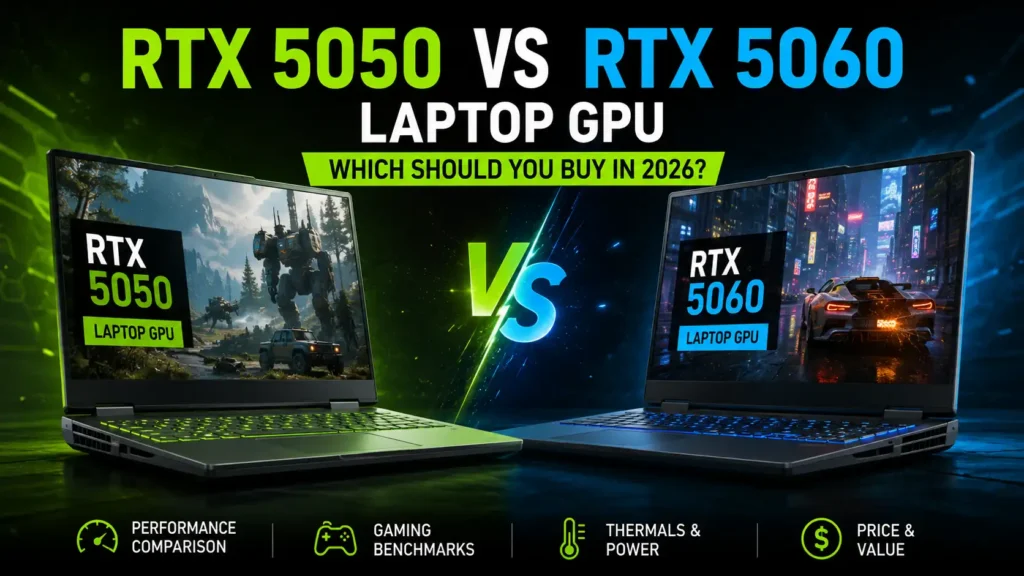
Choosing between the RTX 5050 and RTX 5060 Laptop GPU is harder than the model numbers make it look. Both use NVIDIA’s Blackwell architecture, both come with 8GB of GDDR7 VRAM, both support modern ray tracing features, and both can use DLSS 4.5.
The difference is raw performance and how much you have to pay to get it.
For most gamers, the RTX 5060 Laptop GPU is the better overall choice. It has significantly more CUDA cores, more AI processing power, and roughly 13–15% more gaming performance in a controlled 100W comparison. The RTX 5050, however, can make much more sense when the laptop itself is considerably cheaper.
The most important lesson is this: do not buy a gaming laptop based on the GPU name alone. TGP, CPU, cooling, display, RAM configuration, and price can completely change which laptop offers better value.
Quick recommendation: Choose the RTX 5050 for affordable 1080p gaming. Choose the RTX 5060 if you want higher settings, better QHD performance, stronger ray tracing, or more performance headroom for future games.
Disclosure: This article contains Amazon affiliate links. We may earn a commission from qualifying purchases at no additional cost to you.
RTX 5050 vs RTX 5060 Laptop GPU: Quick Verdict
| Priority | Better Choice |
|---|---|
| Lowest laptop price | RTX 5050 |
| 1080p gaming | RTX 5050 / RTX 5060 |
| Maximum 1080p FPS | RTX 5060 |
| 1440p or 1600p gaming | RTX 5060 |
| AAA gaming | RTX 5060 |
| Competitive esports | RTX 5060 |
| Ray tracing | RTX 5060 |
| DLSS gaming | RTX 5060 |
| Gaming and streaming | RTX 5060 |
| Content creation | RTX 5060 |
| Best budget value | RTX 5050 |
| Better long-term choice | RTX 5060 |
| Best overall | RTX 5060 |
The RTX 5050 is not a bad GPU. In fact, it is capable of delivering a very good 1080p gaming experience. The problem is that the RTX 5060 gives you noticeably more performance without changing the basic 8GB memory configuration.
That makes price the deciding factor.
If two otherwise similar laptops are priced within roughly 10–15% of each other, I would normally choose the RTX 5060. If the RTX 5050 machine is around 20% or more cheaper, the value argument becomes much stronger for the 5050.
RTX 5050 vs RTX 5060 Laptop GPU Specifications
Both GPUs belong to NVIDIA’s Blackwell generation, but the RTX 5060 has considerably more processing hardware.
| Specification | RTX 5050 Laptop GPU | RTX 5060 Laptop GPU |
|---|---|---|
| Architecture | Blackwell | Blackwell |
| CUDA Cores | 2,560 | 3,328 |
| AI TOPS | 440 | 572 |
| VRAM | 8GB GDDR7 | 8GB GDDR7 |
| Memory Interface | 128-bit | 128-bit |
| Memory Bandwidth | 384 GB/s | 384 GB/s |
| Boost Clock Range | 1500–2662 MHz | 1455–2497 MHz |
| GPU Power Range | 35–100W | 45–100W |
| Ray Tracing Cores | 4th Gen | 4th Gen |
| Tensor Cores | 5th Gen | 5th Gen |
| DLSS | DLSS 4.5 | DLSS 4.5 |
| Dynamic Multi Frame Generation | Yes | Yes |
| NVIDIA Encoder | 9th Gen | 9th Gen |
| NVIDIA Decoder | 6th Gen | 6th Gen |
NVIDIA currently lists 3,328 CUDA cores and 572 AI TOPS for the RTX 5060 Laptop GPU, compared with 2,560 CUDA cores and 440 AI TOPS for the RTX 5050. Both have 8GB of GDDR7 memory on a 128-bit interface with 384 GB/s of bandwidth.
What Do Those Specifications Mean in Real Life?
The biggest specification advantage of the RTX 5060 is its extra CUDA cores. That gives it more resources for traditional game rendering, shaders, compute workloads, and other GPU-heavy tasks.
Interestingly, the RTX 5050 can have a higher listed maximum boost clock. Do not interpret that as meaning the 5050 is faster. Clock speed is only one part of GPU performance. The RTX 5060 has substantially more processing cores working at the same time.
Both GPUs also have exactly the same VRAM capacity and memory bandwidth. That means the RTX 5060 does not solve every memory-related limitation simply because it is the faster card.
Why Is the RTX 5060 Faster If Both Have 8GB VRAM?
VRAM capacity is not the same thing as GPU processing performance.
Think of VRAM as workspace. Both GPUs have an 8GB workspace. The RTX 5060 simply has more workers processing the data inside that workspace.
Its 3,328 CUDA cores represent roughly 30% more CUDA cores than the 2,560 found in the RTX 5050. The RTX 5060 also has more AI processing capability.
That is why two GPUs with the same 8GB memory capacity can deliver noticeably different frame rates.
The shared 8GB VRAM specification does mean that both can eventually face similar limitations when a game requires extremely large texture pools, heavy ray tracing data, or unusually high memory usage.
RTX 5050 vs RTX 5060 Laptop Gaming Performance
Gaming performance is where the difference becomes much easier to understand.
In a controlled comparison using two Lenovo LOQ laptops with the same Intel Core i7-13650HX processor and both GPUs operating at 100W, Jarrod’sTech tested 25 games at 1080p and 1440p.
The reported averages were:
| Resolution | RTX 5050 | RTX 5060 | RTX 5060 Lead |
|---|---|---|---|
| 1080p | 72.47 FPS | 82.01 FPS | 13.15% |
| 1440p | 52.26 FPS | 60.09 FPS | 14.61% |
That is a useful comparison because the laptops were closely matched instead of comparing two completely different machines.
A 13–15% difference is meaningful, but it is not large enough to justify any price premium.
That is why you should compare complete laptop prices rather than thinking, “5060 is always worth it.”
1080p Gaming: RTX 5050 vs RTX 5060
For 1080p gaming, both GPUs are capable.
The RTX 5050 makes the most sense if you primarily play at 1920×1080 or 1920×1200 and are comfortable adjusting graphics settings in demanding games.
It should be particularly attractive for games such as:
- Fortnite
- Valorant
- Counter-Strike 2
- Apex Legends
- Overwatch 2
- Rainbow Six Siege
- Minecraft
- GTA V
- Forza Horizon 5
The RTX 5060 becomes more appealing when you want to push higher presets, use ray tracing, maintain higher minimum frame rates, or feed a fast 144Hz or 165Hz display.
At the same 100W power level, the RTX 5060 averaged roughly 82 FPS across Jarrod’sTech’s 25-game 1080p test compared with roughly 72 FPS for the RTX 5050.
Is RTX 5050 Good Enough for 1080p Gaming?
Yes.
1080p is where the RTX 5050 makes the most sense. It has enough performance for modern games, especially when you are willing to use optimized High settings instead of automatically selecting Ultra.
DLSS can also extend its usefulness considerably in supported games.
The RTX 5050 becomes less attractive when the price of the laptop approaches comparable RTX 5060 models.
1440p Gaming: RTX 5050 vs RTX 5060
The RTX 5060 is the safer option for 1440p or 1600p gaming.
In the same 25-game comparison, it averaged approximately 60 FPS at 1440p, while the RTX 5050 averaged about 52 FPS.
Neither number means every game will perform that way. Some titles will be much faster, while heavy AAA games can fall well below the average.
The important point is headroom.
At 1080p, dropping from 82 FPS to 72 FPS may not dramatically change your experience. When performance falls from around 60 FPS to the low-50s at 1440p, however, the difference becomes easier to notice.
That makes the RTX 5060 a better match for laptops with 2560×1440 or 2560×1600 displays.
Notebookcheck similarly recommends the RTX 5060 Laptop GPU for QHD gaming, while noting that actual performance depends heavily on cooling and the laptop’s configured TGP.
RTX 5050 vs RTX 5060 at the Same TGP
This is one of the most important comparisons to understand before buying.
Laptop GPUs do not have one universal power configuration.
According to NVIDIA, manufacturers can configure the RTX 5050 Laptop GPU from 35W to 100W and the RTX 5060 from 45W to 100W.
That means these are possible:
- High-power RTX 5050 laptop
- Low-power RTX 5050 laptop
- High-power RTX 5060 laptop
- Low-power RTX 5060 laptop
They will not perform identically.
When both GPUs were tested at 100W in otherwise comparable Lenovo LOQ laptops, the RTX 5060 was about 13% faster at 1080p and about 15% faster at 1440p.
That is a much more useful indication of the GPU difference than comparing an unrestricted RTX 5060 laptop against a thin RTX 5050 model—or the other way around.
Can a High-TGP RTX 5050 Beat a Low-TGP RTX 5060?
Yes, under the right conditions.
Laptop GPU performance is heavily influenced by available power and cooling. PC Gamer has highlighted that a high-power RTX 5050 implementation can outperform a heavily power-limited RTX 5060 in gaming.
This is why TGP should be one of the first specifications you check.
If a seller does not list GPU power, look at the manufacturer’s technical documentation or an independent review of the exact laptop model.
RTX 5050 vs RTX 5060 Average FPS and 1% Lows
Average FPS tells only part of the story.
A game can average 80 FPS and still feel unpleasant if frame delivery constantly drops into the 40s or 50s.
That is where 1% low performance matters.
The more powerful RTX 5060 generally has greater performance headroom, which can help maintain smoother performance when games suddenly become more demanding.
However, 1% lows can also depend heavily on:
- CPU performance
- RAM configuration
- thermal throttling
- game engine behavior
- background processes
- VRAM usage
- driver version
When comparing actual laptops, look for benchmarks that include both average FPS and 1% lows, especially for CPU-heavy games.
Native FPS vs DLSS and Frame Generation
One of the easiest ways to misunderstand RTX 50-series benchmarks is to mix native rendering with frame-generated performance.
Suppose a game runs at:
- 55 FPS natively
- 75 FPS using DLSS Super Resolution
- 120+ displayed FPS using Multi Frame Generation
Those numbers do not represent the same thing.
DLSS Super Resolution renders the game internally at a lower resolution and reconstructs a higher-resolution output.
Frame Generation creates additional frames between traditionally rendered frames.
This can make animation look significantly smoother, but a frame-generated 120 FPS experience should not be treated as identical to a game natively rendering at 120 FPS.
For competitive gaming in particular, strong base performance remains important.
DLSS 4.5: Does It Change the RTX 5050 vs RTX 5060 Comparison?
Both GPUs support NVIDIA’s current DLSS 4.5 feature set.
NVIDIA lists support for Super Resolution, DLAA, Ray Reconstruction, Frame Generation, Multi Frame Generation, and Dynamic Multi Frame Generation on both laptop GPUs.
That means DLSS itself is not a feature exclusive to the RTX 5060.
The RTX 5060 still benefits because it starts from a faster native performance level.
That higher base frame rate is useful before Frame Generation is enabled, and it can make the complete experience feel more responsive.
DLSS is especially valuable on the RTX 5050 because it gives the lower-tier GPU another way to maintain playable performance in demanding AAA games.
Ray Tracing Performance
Both GPUs use fourth-generation RT cores, but the RTX 5060 is still the better choice for ray-traced gaming.
Ray tracing can place a heavy load on the graphics processor. The RTX 5050’s lower raw performance leaves less room once demanding RT effects are enabled.
At 1080p, the RTX 5050 can still provide a good experience when you combine sensible ray-tracing settings with DLSS.
If your goal is heavier ray tracing, higher resolutions, or path-traced games, the RTX 5060’s extra GPU resources make it the more sensible option.
Neither card should be purchased with the expectation that every demanding game can be maxed out with path tracing at native resolution.
Is 8GB VRAM Enough?
For mainstream 1080p gaming, 8GB remains workable.
The situation becomes more complicated when you combine:
- 1440p or 1600p
- Ultra texture packs
- heavy ray tracing
- large open-world games
- high-resolution mods
- future AAA releases
Both the RTX 5050 and RTX 5060 have the same 8GB GDDR7 capacity and 384 GB/s memory bandwidth.
The RTX 5060 therefore gives you more processing performance, but not additional VRAM capacity.
If a game genuinely exceeds the available video memory, the RTX 5060’s faster GPU cannot magically turn 8GB into 12GB.
This is one reason I would describe the RTX 5060 as more future-resistant rather than completely future-proof.
RTX 5050 vs RTX 5060 for Competitive Gaming
Both GPUs can work well for esports.
In games such as Valorant and Counter-Strike 2, CPU performance can become just as important as GPU performance—especially when playing at low competitive settings.
For a 144Hz display, an RTX 5050 paired with a strong CPU may be all you need.
For 165Hz, 180Hz, or 240Hz displays, the RTX 5060 offers more GPU headroom, particularly in games that remain graphically demanding even at competitive settings.
What About NVIDIA Reflex 2?
NVIDIA currently lists Reflex 2 with Frame Warp as part of the RTX platform, with Frame Warp marked as coming soon on its comparison page.
The goal is lower system latency rather than prettier graphics.
For competitive gaming, remember that a high displayed frame rate from Multi Frame Generation is not a substitute for strong native performance and low input latency.
Can the RTX 5050 or RTX 5060 Reach 120 or 144 FPS?
Yes, but the answer depends entirely on the game and settings.
For lighter competitive games, both can comfortably reach high frame rates when paired with an appropriate CPU.
For modern AAA games at Ultra settings, expecting a native 144 FPS from either GPU is unrealistic in many titles.
A sensible way to think about them is:
RTX 5050: strong for high-refresh esports and mainstream 1080p gaming.
RTX 5060: better when you want high refresh rates in more demanding games or do not want to reduce settings as aggressively.
RTX 5050 vs RTX 5060 for AAA Games
AAA games are where I would pay extra for the RTX 5060.
The RTX 5050 can absolutely play demanding titles, but it has less performance in reserve.
Over several years, that difference can mean the RTX 5050 user moves from Ultra to High, then High to Medium, sooner than the RTX 5060 owner.
That does not mean the RTX 5050 suddenly becomes unusable. It simply requires compromise earlier.
If games such as Cyberpunk 2077, Black Myth: Wukong, Alan Wake 2, Hogwarts Legacy, or future graphically intensive releases are your main priority, the RTX 5060 is the more comfortable purchase.
What Settings Should You Use for 60 FPS?
There is no universal preset because every game behaves differently.
As a starting point:
RTX 5050
For demanding games:
- Start at 1080p High
- Reduce expensive Ultra settings first
- Enable DLSS Quality when needed
- Use Balanced DLSS if performance remains below your target
- Keep ray tracing moderate
- Use Frame Generation when appropriate
RTX 5060
For demanding games:
- Start at 1080p or 1200p Ultra/High
- QHD users should begin around High
- Use DLSS Quality before aggressively lowering graphics
- Enable ray tracing selectively
- Use Multi Frame Generation when the base frame rate is already comfortable
Avoid obsessing over the Ultra label. High settings frequently look very similar while performing much better.
RTX 5050 vs RTX 5060 Performance per Watt
The RTX 5060 is faster even when both GPUs are given the same 100W limit.
That is an important efficiency advantage.
Jarrod’sTech’s controlled 100W comparison showed the RTX 5060 producing around 13–15% higher average gaming performance depending on resolution.
However, laptop efficiency cannot be judged from the GPU alone.
Display type, CPU power limits, battery capacity, fan curves, Optimus configuration, and background software all influence how long a laptop lasts away from the charger.
Thermals and Fan Noise
The RTX 5060 can produce more performance, but the cooling system determines how comfortably a laptop can sustain that performance.
Do not assume an RTX 5050 laptop will automatically be cooler or quieter.
A budget RTX 5050 laptop with weak cooling can be louder than a well-designed RTX 5060 laptop.
Likewise, a thin RTX 5060 machine can have stricter power limits because its cooling system cannot handle the same sustained power as a thicker gaming notebook.
When comparing two specific laptops, check:
- sustained GPU wattage
- GPU temperature
- CPU temperature
- keyboard surface temperature
- fan noise under load
- performance mode noise
- balanced mode performance
The exact laptop chassis matters as much as the GPU badge here.
RTX 5050 vs RTX 5060 Battery Life
Do not choose between these GPUs primarily based on battery life.
Modern gaming laptops usually switch to integrated graphics for light workloads when Optimus or similar hybrid graphics technology is active.
That means browsing, document work, and video playback do not necessarily keep the RTX GPU running at full power.
Jarrod’sTech’s matched comparison actually found the RTX 5060 system lasting longer in the tested battery workload, which is another reminder that a lower-tier GPU does not automatically mean better battery endurance.
For battery-conscious buyers, compare the complete laptop rather than the GPU.
RTX 5050 vs RTX 5060 for Content Creation
The RTX 5060 is the better creator GPU.
Both cards support NVIDIA Studio features, AV1 encoding, ninth-generation NVENC, and sixth-generation NVDEC.
That makes both suitable for:
- video editing
- streaming
- Adobe Premiere Pro
- DaVinci Resolve
- Blender
- OBS
- photo editing
- GPU-accelerated creative applications
The RTX 5060’s additional CUDA cores and compute performance give it an advantage when workloads scale with GPU power.
If you are primarily a gamer who occasionally edits videos, the RTX 5050 is adequate.
If the laptop will regularly handle gaming, editing, rendering, and streaming, I would choose the RTX 5060.
RTX 5050 vs RTX 5060 for AI Workloads
The difference is also visible in NVIDIA’s AI performance specification.
The RTX 5050 Laptop GPU is rated at 440 AI TOPS, while the RTX 5060 is rated at 572 AI TOPS.
That does not mean every AI application will be exactly 30% faster.
It does indicate that the RTX 5060 has more AI-processing capacity available for supported workloads.
For occasional AI features, the RTX 5050 is perfectly usable.
For local AI experimentation, AI-assisted creative tools, image generation, or workloads that make strong use of Tensor hardware, the RTX 5060 is the better option.
Keep the shared 8GB VRAM limit in mind. Some local AI models care as much about available VRAM as raw compute performance.
CPU Bottlenecks Can Change the Result
This is where laptop comparisons often go wrong.
Imagine these two machines:
Laptop A
- RTX 5050
- fast Core i7/Ryzen 7
- dual-channel RAM
- strong cooling
- 100W GPU
Laptop B
- RTX 5060
- slower CPU
- single-channel memory
- weak cooling
- low GPU power limit
Laptop B still has the faster GPU on paper, but the real-world gap can shrink considerably.
In CPU-heavy esports games, Laptop A may even produce better results in certain situations.
Whenever possible, compare laptops with similar processors, memory configurations, and power limits.
Which Display Resolution Is Best?
RTX 5050: 1080p or 1200p Is the Sweet Spot
The RTX 5050 makes the most sense with:
- 1920×1080
- 1920×1200
- 144Hz
- 165Hz
A QHD display is not automatically a bad pairing, but demanding games will rely more heavily on DLSS or reduced settings.
RTX 5060: 1080p, 1200p, 1440p, or 1600p
The RTX 5060 is flexible enough to make better use of:
- 1080p high-refresh panels
- 1200p 165Hz panels
- 1440p gaming displays
- 1600p 16:10 screens
For AAA gaming at 1600p, expect to use DLSS in heavier games.
RTX 5050 vs RTX 5060 for Students
For students who also game, both GPUs can make sense.
The RTX 5050 is attractive when keeping the total laptop cost low matters more than maximum graphics performance.
It provides enough GPU power for gaming alongside coursework, coding, general productivity, and many creative workloads.
The RTX 5060 makes more sense for engineering, 3D work, heavier video production, GPU computing, or someone expecting to keep the laptop for several years.
Do not ignore weight and battery life. A powerful laptop that is unpleasant to carry every day can be a poor student laptop regardless of its benchmark score.
Amazon RTX 5050 Laptop Example
One currently available example is the Lenovo Legion LOQ RTX 5050 Gaming Laptop.
The listing includes an Intel Core i7-13650HX processor, RTX 5050 graphics, 16GB of memory, 1TB storage, and a 15.6-inch FHD 144Hz IPS display with G-SYNC. Amazon currently surfaces the model as available to purchase.
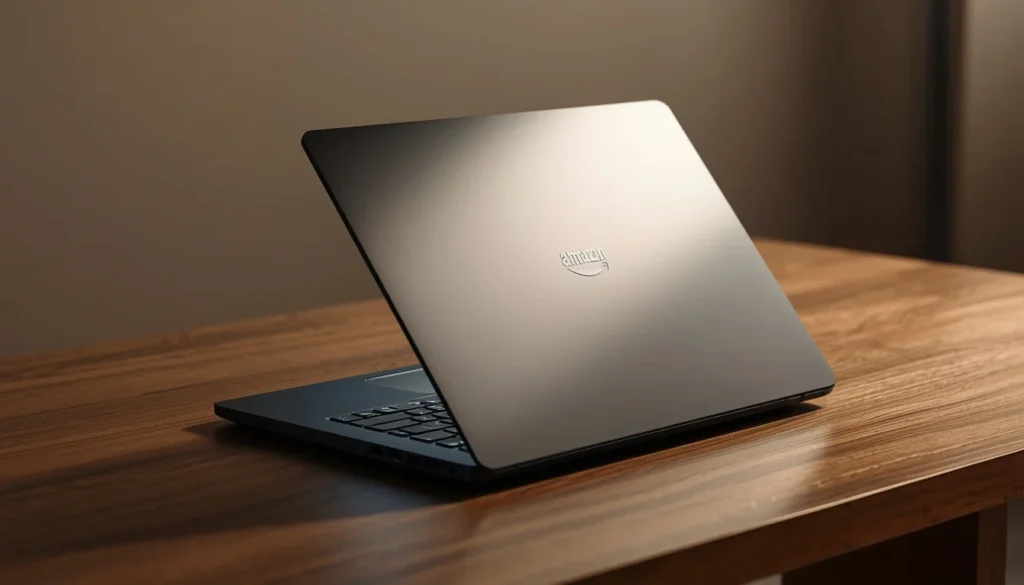
This is the kind of RTX 5050 configuration I would consider for someone focused primarily on 1080p gaming. The Core i7 processor also reduces the chance of the GPU being held back badly in CPU-heavy games.
Check current price: Lenovo Legion LOQ RTX 5050 Gaming Laptop on Amazon
Amazon RTX 5060 Laptop Example
For the faster GPU, the ASUS TUF F16 RTX 5060 Gaming Laptop is an Amazon-listed option.
This configuration combines the RTX 5060 with an Intel Core i7-14650HX and a 16-inch FHD+ 165Hz display. Different RAM and SSD configurations may be available on the same listing, so check the selected configuration before ordering.
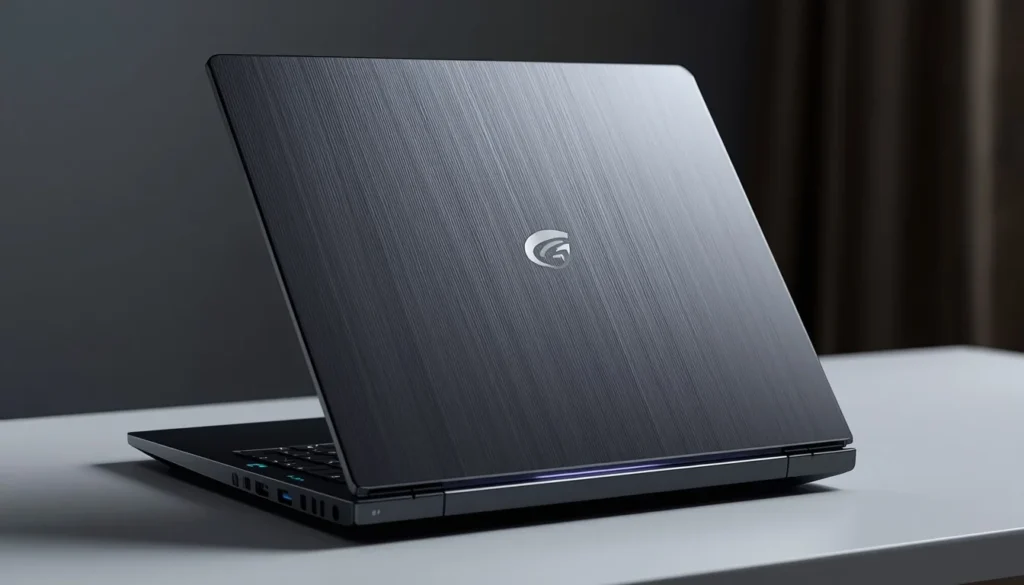
This type of RTX 5060 configuration makes more sense for buyers who want higher frame rates, stronger AAA performance, and more room to use a 165Hz panel.
Check current price: ASUS TUF F16 RTX 5060 Gaming Laptop on Amazon
Is the RTX 5060 Worth the Extra Money Over the RTX 5050?
Usually, yes—but only within a reasonable price difference.
Here is the buying rule I would use.
If the RTX 5060 Laptop Costs Up to 10% More
Buy the RTX 5060, assuming CPU, display quality, RAM, storage, and TGP are comparable.
The extra performance is easily worth such a small premium.
If It Costs Around 10–15% More
I would still lean toward the RTX 5060.
That price difference roughly matches the gaming performance advantage seen in the controlled 100W comparison.
If It Costs Around 15–20% More
Look carefully at the rest of the laptop.
A superior display, processor, cooling system, battery, build quality, or storage configuration can become more important than the GPU difference.
If It Costs More Than 20% Extra
The RTX 5050 becomes much more attractive for 1080p gaming.
Paying a large premium for approximately 13–15% more GPU performance is difficult to justify unless you specifically need the RTX 5060’s extra headroom.
RTX 5050 vs RTX 5060 Performance per Dollar
The fastest GPU does not automatically provide the best value.
Use this simple approach:
Laptop price ÷ average gaming performance = approximate cost per frame
You do not need to calculate this perfectly. Just compare the percentage price difference with the expected performance difference.
If an RTX 5060 laptop is 12% more expensive and around 14% faster, the value is reasonable.
If it is 30% more expensive and only around 14% faster in comparable conditions, the RTX 5050 is offering more performance for each dollar spent.
This same percentage-based method works in the United States, UK, Canada, and Australia without relying on temporary regional prices.
RTX 5050 vs RTX 5060: Which Is More Future-Proof?
The RTX 5060 wins.
It has more raw GPU performance and therefore more room to absorb increasingly demanding games.
The problem is that both GPUs have 8GB of VRAM.
That shared memory limit stops the RTX 5060 from being a massive future-proofing upgrade over the RTX 5050.
For a two-to-three-year ownership period focused on 1080p gaming, the RTX 5050 should remain a practical option.
For four or more years, I would prefer the RTX 5060 because the additional processing performance gives you more flexibility as game requirements increase.
No laptop GPU should be treated as genuinely “future-proof.” Game engines, graphics features, and system requirements keep changing.
RTX 5050 Laptop GPU Pros and Cons
Pros
- Lower-cost entry into RTX 50-series gaming
- Good 1080p performance
- 8GB GDDR7 VRAM
- 384 GB/s memory bandwidth
- DLSS 4.5 support
- Multi Frame Generation
- modern ray tracing hardware
- good fit for 144Hz 1080p gaming
- capable creator features
- potentially excellent value on discounted laptops
Cons
- Noticeably slower than RTX 5060
- less comfortable for QHD gaming
- 8GB VRAM can become limiting
- less performance headroom for future AAA games
- ray tracing requires more compromises
- poor value when priced too close to RTX 5060 laptops
RTX 5060 Laptop GPU Pros and Cons
Pros
- roughly 13–15% faster in a controlled equal-power gaming comparison
- 3,328 CUDA cores
- stronger QHD performance
- better ray-tracing headroom
- stronger creator performance
- 572 AI TOPS
- DLSS 4.5 and Multi Frame Generation
- better fit for higher-refresh displays
- stronger long-term gaming choice
Cons
- still limited to 8GB VRAM
- can cost significantly more
- low-TGP implementations may underperform expectations
- faster GPU does not guarantee a better overall laptop
- QHD Ultra settings can still require DLSS in demanding games
Who Should Buy an RTX 5050 Laptop?
Choose the RTX 5050 if most of these describe you:
- You mainly game at 1080p.
- You are shopping on a strict budget.
- You mostly play esports titles.
- You are comfortable using High instead of Ultra settings.
- You do not use heavy ray tracing often.
- You found an RTX 5050 laptop at least 15–20% cheaper than an otherwise comparable RTX 5060 model.
- You would rather spend the savings on more RAM, storage, or a better display.
For this type of buyer, the RTX 5050 can be the smarter purchase rather than simply the cheaper one.
Who Should Buy an RTX 5060 Laptop?
Choose the RTX 5060 if:
- You want the highest gaming performance between these two GPUs.
- You regularly play demanding AAA games.
- You want to game at 1440p or 1600p.
- You use ray tracing.
- You want stronger minimum frame rates.
- You have a 165Hz or faster display.
- You edit video, render 3D content, or stream regularly.
- You intend to keep the laptop for several years.
- The price premium over a similar RTX 5050 laptop is reasonable.
The RTX 5060 is the safer all-round purchase if your budget allows it.
What to Check Before Buying an RTX 5050 or RTX 5060 Laptop
Never stop at the GPU specification.
Before buying, compare these factors:
GPU TGP: A higher-power implementation can significantly change performance.
CPU: Look for a processor capable of keeping up with your games and workloads.
RAM: 16GB is a practical minimum for a modern gaming laptop. Dual-channel memory is preferable where applicable.
Upgradeability: Check whether RAM and SSD storage can be upgraded.
Cooling: Strong cooling helps the CPU and GPU maintain performance.
Display: Look beyond resolution. Brightness, color coverage, response time, refresh rate, and VRR support matter.
MUX switch or Advanced Optimus: These features can help maximize performance or battery efficiency.
Storage: 512GB fills quickly if you install several large games. 1TB is much more comfortable.
Battery: Battery capacity and hybrid graphics matter more than the GPU name alone.
Ports: Check USB-C, HDMI, DisplayPort capability, Ethernet, and charging support.
Warranty: This matters especially when purchasing higher-priced gaming hardware.
Price: Compare complete configurations, not just GPU tiers.
Don’t Compare Laptop GPUs by Name Alone
This is the most important advice in the entire comparison.
An RTX 5060 laptop is not automatically better than every RTX 5050 laptop.
A well-built RTX 5050 machine can have:
- a better display
- stronger CPU
- more RAM
- larger SSD
- better cooling
- better keyboard
- longer battery life
- higher GPU power limit
Meanwhile, an inexpensive RTX 5060 laptop might compromise several of those areas to hit a lower price.
The GPU is important, but you are buying a complete computer.
RTX 5050 vs RTX 5060 Laptop GPU: Final Verdict
The RTX 5060 Laptop GPU wins this comparison overall.
It offers more CUDA cores, higher AI performance, stronger gaming performance, better QHD capability, and more headroom for ray tracing and future games.
In a controlled 100W comparison across 25 games, the RTX 5060 delivered about 13% more performance at 1080p and about 15% more at 1440p.
That advantage is large enough to notice but small enough that price still matters enormously.
For a buyer choosing between two otherwise similar laptops, I would take the RTX 5060 when the price premium is around 15% or less.
If a good RTX 5050 laptop is 20% or more cheaper, particularly for someone gaming at 1080p, I would seriously consider saving the money.
So the decision is straightforward:
Buy the RTX 5050 for value-focused 1080p gaming.
Buy the RTX 5060 for better performance, QHD gaming, ray tracing, creator work, and longer-term use.
And before clicking Buy, check the laptop’s TGP. That one specification can make a much bigger difference than many buyers realize.
Frequently Asked Questions
Is RTX 5060 Much Better Than RTX 5050 Laptop GPU?
The RTX 5060 is clearly faster, but the gap is not enormous. In a controlled 100W 25-game comparison, it was approximately 13% faster at 1080p and approximately 15% faster at 1440p. The exact difference varies by game and laptop configuration.
Is RTX 5050 Good Enough for 1080p Gaming?
Yes. The RTX 5050 Laptop GPU is well suited to 1080p gaming. Modern demanding games may require High rather than Ultra settings or benefit from DLSS, but esports and less demanding games can run at much higher frame rates.
Is RTX 5060 Laptop GPU Good for 1440p Gaming?
Yes, with realistic expectations. The RTX 5060 is considerably better suited to 1440p than the RTX 5050. Notebookcheck also identifies QHD gaming as an appropriate use case for the GPU, although demanding titles may require DLSS or reduced settings.
Does RTX 5060 Have More VRAM Than RTX 5050 Laptop GPU?
No. Both laptop GPUs have 8GB of GDDR7 VRAM on a 128-bit interface with 384 GB/s of memory bandwidth.
Why Is RTX 5060 Faster When Both Have 8GB VRAM?
The RTX 5060 has 3,328 CUDA cores compared with 2,560 on the RTX 5050, along with greater AI compute capability. VRAM capacity is only one part of GPU performance.
Is RTX 5050 or RTX 5060 Better for Fortnite?
Both are suitable for Fortnite, but the RTX 5060 provides more performance headroom at higher graphics settings and resolutions. At competitive settings, CPU performance becomes increasingly important.
Is RTX 5050 or RTX 5060 Better for AAA Games?
The RTX 5060 is the better AAA gaming GPU. Its additional processing performance gives it more room for demanding graphics, ray tracing, and higher resolutions.
Is the RTX 5060 Laptop Worth the Extra Money?
It is generally worth buying when an otherwise similar RTX 5060 laptop costs no more than roughly 10–15% extra. When the premium reaches 20% or more, the RTX 5050 can provide better value for 1080p gaming.
Is 8GB VRAM Enough for RTX 5050 and RTX 5060 Laptops?
It is adequate for most mainstream 1080p gaming today, but demanding 1440p games, Ultra textures, ray tracing, mods, and future AAA titles can put greater pressure on 8GB.
Which Is More Future-Proof, RTX 5050 or RTX 5060?
The RTX 5060 is the better long-term choice because it has more processing power. Both GPUs have the same 8GB VRAM capacity, however, so the RTX 5060 does not have an advantage in memory capacity.
Can an RTX 5050 Laptop Outperform an RTX 5060 Laptop?
Yes, depending on the laptops being compared. A high-power RTX 5050 paired with strong cooling and a fast CPU can outperform a heavily power-limited RTX 5060 configuration in some circumstances. NVIDIA allows a wide GPU power range for both models, so checking the exact TGP is essential.
Which GPU Should I Buy: RTX 5050 or RTX 5060?
Choose the RTX 5050 if your priority is getting a good 1080p gaming laptop for the lowest reasonable price. Choose the RTX 5060 if you can afford the modest premium and want higher FPS, better QHD performance, stronger ray tracing, and more performance headroom for future games.
4 thoughts on “RTX 5050 vs RTX 5060 Laptop GPU: Which Should You Buy in 2026?”
Comments are closed.