If you are choosing between a 16GB and 32GB RAM gaming laptop, the decision is simpler than it first appears.
For most people who mainly play games, 16GB RAM is still enough. If you also stream, keep dozens of browser tabs open, use Discord while gaming, edit videos, run heavily modded games, or want more memory headroom for the next several years, 32GB is the better choice.
There is one important catch: moving from 16GB to 32GB does not automatically give you a big FPS increase. In many games, a laptop with 16GB RAM and a stronger GPU will outperform a 32GB laptop with a weaker GPU.
Intel currently recommends at least 16GB for modern gaming and suggests considering 32GB when gaming is combined with streaming, Discord, video playback, and other multitasking.
Quick verdict: Buy 16GB if you want the best gaming performance for your budget. Buy 32GB if you are a heavy gamer, streamer, creator, mod user, or you are buying a laptop with non-upgradeable memory.
As an Amazon Associate, we may earn from qualifying purchases.
16GB vs 32GB RAM Gaming Laptop: Quick Comparison
| Feature | 16GB RAM | 32GB RAM |
|---|---|---|
| Casual gaming | Excellent | More than necessary |
| Competitive esports | Excellent | Excellent |
| Modern AAA games | Usually enough | Better headroom |
| Average FPS | Often similar | Often similar |
| Heavy multitasking | Can become limited | Excellent |
| Gaming + Discord | Good | Excellent |
| Gaming + streaming | Usable | Recommended |
| Heavily modded games | Can become limited | Better choice |
| Gaming + video editing | Acceptable | Much better |
| Long-term memory headroom | Moderate | Strong |
| Budget value | Excellent | Depends on price |
| Non-upgradeable laptop | Riskier long term | Safer choice |
The key difference is not that 32GB is automatically faster. It is that 32GB gives Windows, your game, launchers, browsers, streaming software, voice chat, and other applications more room to work without fighting for the same memory.
If gaming is the only demanding thing you do, 16GB can still make excellent sense. If gaming is only one part of what you do on the laptop, 32GB becomes easier to justify.
The Simple Answer: Should You Get 16GB or 32GB?
Choose 16GB RAM if:
- You mainly play games.
- You play Valorant, CS2, Fortnite, Apex Legends, Overwatch 2, or similar competitive titles.
- You are shopping on a limited budget.
- Choosing 16GB lets you afford a noticeably stronger GPU.
- The laptop allows you to upgrade RAM later.
- You normally close unnecessary programs before playing.
Choose 32GB RAM if:
- You regularly play demanding AAA or simulation games.
- You use large game mods or texture packs.
- You stream with OBS or similar software.
- You keep Discord, Chrome, Spotify, game launchers, recording software, and other apps running while gaming.
- You also edit videos, work with large Photoshop projects, code, or create content.
- The laptop has soldered or non-upgradeable RAM.
- You plan to keep the laptop for several years.
That is the practical difference. You are not buying 32GB because every game needs it today. You are buying it because it gives the entire laptop more breathing room.
Real Amazon Examples: 16GB vs 32GB Gaming Laptops
To make the comparison easier, here are two real gaming laptops currently listed on Amazon. These are buying examples rather than controlled benchmark machines, because their processors, displays, storage configurations, and other hardware are not identical.
16GB Example: ASUS ROG Strix G16
The ASUS ROG Strix G16 (2025) with 16GB DDR5 combines an Intel Core i7-14650HX processor, NVIDIA GeForce RTX 5060 Laptop GPU, 16GB DDR5 memory, 1TB Gen 4 SSD, and a 16-inch 165Hz display. Amazon’s listing confirms the 16GB DDR5 configuration and RTX 5060 graphics.
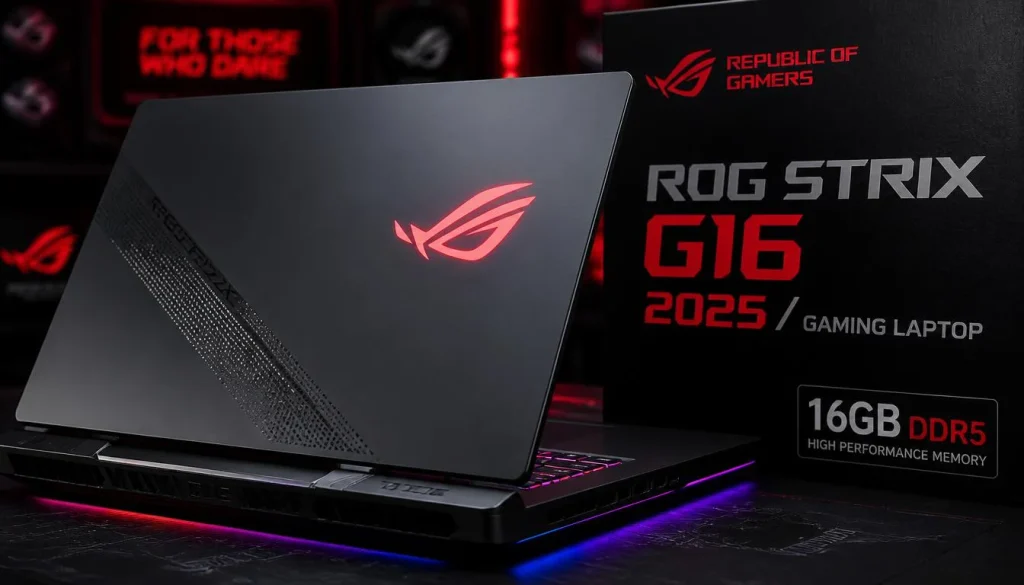
Best for: Gamers who want strong GPU performance and do not regularly run heavy memory-intensive workloads alongside their games.
The important lesson is not simply that this laptop has 16GB. It is that a well-balanced gaming laptop with 16GB and a capable GPU can be a much smarter purchase than paying extra for RAM while compromising the graphics card.
32GB Example: Lenovo Legion 5 Gen 10
The Lenovo Legion 5 Gen 10 with 32GB DDR5 pairs 32GB DDR5 RAM with an AMD Ryzen 7 260 processor, NVIDIA GeForce RTX 5060 graphics, 1TB PCIe SSD, and a 15.1-inch WQXGA display according to its Amazon listing.
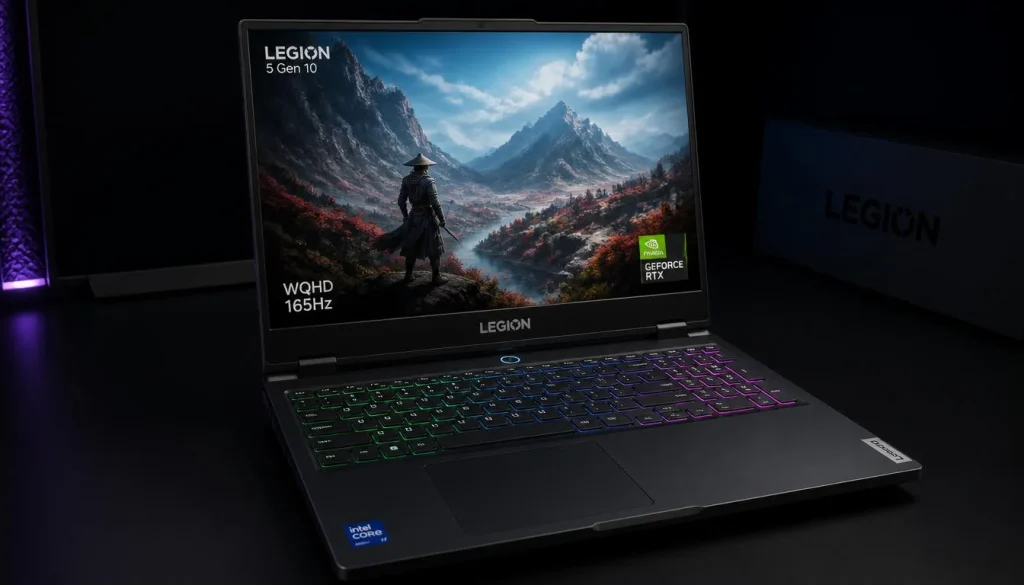
Best for: Gamers who want to play while streaming, multitask heavily, use demanding applications, or simply want more memory headroom from day one.
Because these two laptops are not otherwise identical, you should not compare their FPS and assume RAM caused the difference. They are useful examples of the kind of 16GB and 32GB configurations you will see while shopping.
How Much RAM Do Modern Games Actually Need?
There is no single RAM requirement that applies to every game.
Competitive games are generally easier on system memory than complicated simulation games, large open-world releases, heavily modded games, or gaming sessions with multiple background applications.
Intel’s current guidance places 16GB as the recommended capacity for modern gaming while suggesting 32GB for users doing more than gaming alone.
A practical way to think about it is:
| Gaming Use | Practical RAM Choice |
|---|---|
| Valorant, CS2, Fortnite and esports | 16GB |
| General 1080p gaming | 16GB |
| Most mainstream AAA gaming | 16GB is workable |
| Demanding AAA + background apps | 32GB |
| Simulation games | 32GB is safer |
| Heavy game modding | 32GB |
| Gaming + streaming | 32GB |
| Gaming + content creation | 32GB |
| Gaming only on a tight budget | 16GB |
There are already individual games where 32GB appears in the recommended requirements. For example, the Steam listing for Microsoft Flight Simulator 2024 lists 32GB RAM in its recommended PC specification.
That does not mean every new game suddenly needs 32GB. It does show why 32GB is becoming more attractive to buyers who play demanding titles.
Does 32GB RAM Give More FPS Than 16GB?
Sometimes, but often not by much.
This is where gaming laptop buyers frequently overspend.
Adding more RAM helps when the system actually needs the additional capacity. If a game and everything running in the background fit comfortably inside 16GB, changing to 32GB does not give the GPU twice as much rendering power or make the CPU twice as fast.
PC Gamer’s 2026 testing across 27 recent, memory-demanding games found that most titles performed very similarly with 16GB and 32GB system memory. The publication did find exceptions, including particularly memory-heavy situations and titles such as Microsoft Flight Simulator 2024 and Star Citizen.
Average FPS
If 16GB is already enough for the game, average FPS may change very little after moving to 32GB.
That is why RAM capacity should never be judged in isolation.
1% Lows and Stuttering
Average FPS also does not tell the whole story.
When the system is short on available memory, background tasks and game assets can create additional pressure. In those situations, extra capacity can help the overall experience feel smoother even when the headline average FPS number does not change dramatically.
When 32GB Can Make a Bigger Difference
You are more likely to benefit from 32GB when:
- The game itself has unusually high memory demands.
- You install large mods or high-resolution asset packs.
- You stream while gaming.
- You record gameplay.
- You leave many browser tabs open.
- Discord and other apps remain active.
- You use editing or productivity software at the same time.
The heavier the whole workload becomes, the stronger the argument for 32GB.
Is 16GB RAM Enough for a Gaming Laptop in 2026?
Yes, for many gamers.
A 16GB gaming laptop is not automatically outdated simply because 32GB models exist.
If you primarily play games and are careful about unnecessary background applications, 16GB remains a practical starting point. Intel currently recommends at least 16GB for modern games, while independent 2026 testing has also shown that a large number of recent titles can perform similarly at 16GB and 32GB when the rest of the hardware is unchanged.
The more important question is what you have to sacrifice to get 32GB.
Imagine two laptops at similar prices:
Laptop A: 16GB RAM + stronger GPU
Laptop B: 32GB RAM + weaker GPU
For a gaming-first buyer, Laptop A can easily be the smarter choice.
RAM can often be upgraded. A laptop GPU normally cannot.
Is 32GB RAM Worth It for a Gaming Laptop?
32GB becomes worth the extra cost when you will actually use the additional capacity or cannot upgrade later.
It makes particular sense for gamers who also stream, record gameplay, edit videos, work with large creative projects, use demanding mods, or regularly have many programs open.
Kingston’s current gaming-laptop guidance describes 32GB as a stronger target for demanding modern workloads and specifically advises buyers to think carefully about capacity when the laptop uses soldered memory that cannot easily be upgraded later.
So the decision should not be:
“Is 32GB better?”
Of course more capacity is better when everything else is equal.
The better question is:
“Is 32GB worth what I have to pay or give up to get it?”
That answer depends on the laptop.
16GB vs 32GB RAM for Different Types of Gaming
Competitive Esports
For Valorant, CS2, Fortnite, Overwatch 2, Rocket League, and similar competitive gaming, 16GB is usually the sensible target.
Your GPU, CPU performance, cooling, display refresh rate, and system latency are usually more important purchasing considerations than jumping from 16GB to 32GB solely for esports.
AAA Gaming
16GB can still handle many AAA games, but this is where 32GB starts making more sense.
Big open worlds, complex simulations, high-detail assets, launchers, background applications, and newer game engines can increase total system memory usage.
If you buy premium gaming laptops and want fewer compromises, 32GB is easier to recommend.
Simulation Games
Simulation titles can be unusually demanding because they may keep large amounts of world data, AI, traffic, physics, or other information active.
Microsoft Flight Simulator 2024 is a useful example because its Steam recommended specification calls for 32GB RAM.
If simulation gaming is one of your main hobbies, 32GB is a safer target than 16GB.
Heavily Modded Games
Mods can completely change memory requirements.
A game that is comfortable on 16GB in its standard form may use substantially more resources after you install large texture packs, world expansions, scripts, or hundreds of mods.
Serious mod users should lean toward 32GB.
16GB vs 32GB for Gaming and Streaming
If you stream regularly, buy 32GB when your budget allows it.
A normal gaming session might include:
- The game
- Windows
- Steam, Epic Games Launcher, or another launcher
- Discord
- OBS
- Browser tabs
- Spotify
- Monitoring software
- RGB or peripheral software
- Recording tools
Each program may seem harmless by itself. Together they create a much heavier workload.
Intel specifically lists live streaming, Discord, YouTube, and Twitch as examples of situations where moving beyond 16GB and considering 32GB makes sense.
For occasional streaming, 16GB can work. For regular streaming, 32GB is the configuration I would choose.
16GB vs 32GB for Gaming and Multitasking
This is where the difference becomes easier to notice.
Someone who launches a game and closes everything else has very different RAM needs from someone who games with 20 Chrome tabs, Discord, OBS, YouTube, Spotify, Photoshop, and work applications open.
If you hate closing applications before launching a game, 32GB buys convenience.
If you are happy keeping a clean gaming session, 16GB buys value.
Neither choice is universally correct.
RAM vs VRAM: Do Not Confuse the Two
This distinction matters a lot when shopping for a gaming laptop.
System RAM is the memory used by Windows, games, applications, and the CPU.
VRAM is high-speed memory associated with the graphics processor and used for graphics-related data. NVIDIA describes VRAM as high-speed memory located on the graphics card that helps the GPU access the information it needs to process and display images.
So:
16GB system RAM + 8GB VRAM does not mean you have 24GB of interchangeable gaming memory.
And upgrading from 16GB system RAM to 32GB does not magically turn an 8GB VRAM GPU into a 16GB VRAM GPU.
Can 32GB RAM Compensate for Low VRAM?
Not in the way many buyers expect.
Extra system RAM is useful for overall workloads, but it does not replace dedicated GPU memory.
If your gaming choice is between:
16GB RAM + significantly better GPU
and
32GB RAM + significantly weaker GPU
the 16GB configuration may be the better gaming purchase.
16GB DDR5 vs 32GB DDR5: Capacity or Speed?
Do not compare RAM by capacity alone.
A laptop can have:
- Different RAM capacities
- Different DDR generations
- Different memory speeds
- Different timings
- One memory module
- Multiple memory modules
Intel recommends considering both RAM capacity and speed rather than treating either one as the only performance factor.
If you are choosing between two otherwise similar gaming laptops, I would generally prioritize enough capacity first and then evaluate memory configuration and speed.
A very fast 16GB kit cannot solve a workload that genuinely requires more than 16GB of capacity.
At the same time, simply seeing “32GB” on a product page does not tell you everything about the memory setup.
Single-Channel vs Dual-Channel RAM
Memory configuration can matter as much as the number printed beside “RAM.”
For example:
- 1×16GB
- 2×8GB
- 1×32GB
- 2×16GB
are not identical configurations.
Intel notes that memory channels and configuration affect available memory bandwidth, which is why buyers should look beyond capacity alone.
When comparing gaming laptops, check whether the manufacturer or seller clearly lists:
- Number of RAM modules
- Number of memory slots
- Current slot usage
- Supported memory speed
- Maximum supported capacity
- Whether any RAM is soldered
Interestingly, the Amazon listing for the 16GB Lenovo Legion 5 Gen 10 variant specifies 1×16GB DDR5-5600 SO-DIMM, showing why checking the actual configuration matters instead of stopping at “16GB.”
16GB + Better GPU vs 32GB + Weaker GPU
For gaming, I would usually choose the stronger GPU unless your memory requirements clearly exceed 16GB.
Think about your budget in layers.
A gaming laptop needs a balanced combination of:
- GPU
- CPU
- Cooling
- Display
- RAM
- Storage
Buying 32GB RAM does not make a weak gaming GPU strong.
PC Gamer’s 2026 RAM testing reached a similar practical conclusion: because many games showed little difference between 16GB and 32GB, spending the RAM upgrade money on a better GPU can sometimes deliver more gaming value.
So if the choice is:
RTX 5070 + 16GB
versus
RTX 5060 + 32GB
do not automatically buy the second laptop because “32 is bigger than 16.”
Evaluate the games you play and whether the first laptop allows a future RAM upgrade.
Is Paying Extra for 32GB Worth It?
Use this rule:
Small Price Difference
If moving to 32GB costs only a modest amount and does not force you to downgrade the GPU, CPU, display, or SSD, buying 32GB can make sense.
Large Price Difference
If the 32GB version costs substantially more, pause.
Ask what else that money can buy.
A stronger graphics card, better display, larger SSD, or better-cooled chassis may improve your overall gaming experience more.
Same Laptop With Upgradeable RAM
This is one of the easiest decisions.
If the 16GB model is noticeably cheaper and the memory can be upgraded later, buying 16GB now can be a smart value strategy.
Signs You Should Upgrade From 16GB to 32GB
You probably do not need an upgrade just because somebody online says 16GB is “dead.”
Look at your actual workload.
Consider 32GB when:
- Memory usage regularly approaches capacity during gaming.
- Games become less smooth when background apps remain open.
- You stream or record regularly.
- Your heavily modded games use large amounts of memory.
- You constantly have to close programs before playing.
- You edit video or create content on the same machine.
- Your workload has changed since buying the laptop.
Upgrade because your workload requires it—not because a larger number looks better on a specification sheet.
Should You Buy 16GB Now and Upgrade to 32GB Later?
This can be the best strategy for budget-conscious gamers.
Before buying, check whether the laptop has replaceable SO-DIMM memory.
Kingston recommends looking for gaming laptops with memory expansion sockets if longevity and future upgrades matter, while warning buyers to pay closer attention to starting capacity when memory is soldered.
Start With 16GB If:
- The laptop is upgradeable.
- The 32GB configuration has a large price premium.
- You need the money for a stronger GPU.
- Your current gaming workload fits within 16GB.
Buy 32GB Immediately If:
- RAM is soldered.
- The system has no practical upgrade path.
- You stream or create content.
- You play demanding simulation or modded games.
- You intend to keep the laptop for a long time.
What to Check Before Buying a 16GB or 32GB Gaming Laptop
RAM capacity should be only one line on your checklist.
1. Is the RAM Upgradeable?
This is one of the most important questions.
Upgradeable memory gives you flexibility.
Soldered memory makes your initial choice much more permanent.
2. How Many RAM Slots Does It Have?
Two slots can make future upgrades simpler, but always check the specific model because gaming-laptop designs vary.
3. Is the Listed RAM One Module or Two?
A listing that simply says “16GB DDR5” may not tell you whether it is 1×16GB or 2×8GB.
Look deeper into the specifications.
4. What Is the Maximum Supported Capacity?
Do not buy an upgrade before checking what the laptop, processor, and motherboard configuration support.
Intel itself recommends checking the processor’s maximum memory specification when planning memory capacity.
5. What GPU Are You Getting?
Never let RAM capacity distract you from the GPU.
A gaming laptop is still a gaming machine first.
6. How Much VRAM Does the GPU Have?
System RAM and GPU VRAM solve different problems.
7. What Display Are You Paying For?
Resolution, refresh rate, response characteristics, brightness, and panel quality can affect your experience every single time you use the laptop.
Is 32GB More Future-Proof Than 16GB?
Yes, in terms of memory capacity.
No, in terms of the whole gaming laptop.
This distinction matters.
32GB gives you more memory headroom for larger games, background apps, future software, and multitasking. But having 32GB cannot future-proof an underpowered GPU or an aging processor.
A better way to think about it is:
32GB is more memory-resilient. It does not make every other component future-proof.
If you plan to keep a non-upgradeable premium laptop for many years, 32GB is a sensible choice.
If you are buying a budget or midrange laptop with upgradeable RAM, starting with 16GB and improving it later may provide better value.
What About 24GB RAM for Gaming?
24GB sits naturally between 16GB and 32GB.
If a gaming laptop you like comes with 24GB and the rest of the specifications are strong, there is no reason to reject it simply because it is not one of the traditional 16GB or 32GB configurations.
It gives you more capacity than 16GB while potentially avoiding the cost of a 32GB model.
However, check the exact memory layout. Capacity alone does not tell you how the modules and memory channels are configured.
Is 64GB RAM Overkill for Gaming?
For gaming alone, 64GB is unnecessary for most buyers.
There are specialist workloads where 64GB can make sense—large creative projects, professional applications, virtual machines, development workloads, or unusually demanding simulations—but those are different purchase decisions from ordinary gaming.
If you are debating 32GB versus 64GB only because you want more FPS, look carefully at the rest of your hardware first.
Which RAM Size Is Best for You?
Best for Budget Gamers: 16GB
Choose 16GB and put more of your budget toward the GPU.
Best for Esports Gamers: 16GB
You generally do not need 32GB simply to play competitive esports titles.
Best for Mainstream AAA Gamers: 16GB or 32GB
16GB remains workable, while 32GB provides extra headroom.
Best for Heavy AAA Gamers: 32GB
If you buy premium games, run high settings, and keep background applications open, 32GB is easier to recommend.
Best for Streamers: 32GB
Gaming plus OBS, Discord, browsers, and other software creates a stronger case for additional memory.
Best for Modded Gaming: 32GB
Large mod lists can push memory requirements far beyond those of the original game.
Best for Gaming and Content Creation: 32GB
Video editing, creative software, and gaming on the same machine benefit from additional working memory.
Best for an Upgradeable Budget Laptop: Start With 16GB
Upgrade when you actually need more.
Best for a Laptop With Soldered RAM: Consider 32GB
When you cannot upgrade later, buying extra capacity at the start can prevent regret.
16GB vs 32GB RAM Gaming Laptop: Final Verdict
For most gamers, 16GB is still enough in 2026.
It gives you room to play modern games while keeping more of your budget available for components that often have a larger impact on gaming performance, especially the GPU.
But 32GB is no longer a capacity reserved only for extreme users.
It is the better choice if you:
- Stream
- Multitask heavily
- Use large mods
- Play demanding simulations
- Create content
- Keep many applications running
- Own a laptop with soldered RAM
- Want more memory headroom for the coming years
The biggest mistake is assuming that 32GB automatically means a faster gaming laptop.
It does not.
If a 16GB laptop gives you a substantially better GPU, better cooling, better display, or stronger overall configuration, buy the better-balanced machine—especially when its RAM can be upgraded later.
If both laptops are otherwise equally good and the additional cost is reasonable, 32GB is the safer long-term choice.
Bottom line: 16GB is the value choice. 32GB is the headroom choice.
Frequently Asked Questions
Is 16GB RAM enough for gaming in 2026?
Yes. 16GB remains enough for many modern games, particularly when you are gaming without heavy background workloads. Intel currently recommends at least 16GB for modern gaming.
Is 32GB RAM overkill for gaming?
Not necessarily. It may be more than some games need, but 32GB becomes useful for gaming combined with streaming, multitasking, content creation, simulations, or heavy modding.
Does 32GB RAM increase FPS over 16GB?
Not automatically. If a game already runs comfortably within 16GB, the average FPS difference can be small. Recent testing found many titles performed similarly at 16GB and 32GB.
Is 16GB or 32GB better for a gaming laptop?
32GB provides more capacity, but 16GB often provides better value. The correct choice depends on your workload, budget, GPU, and whether the laptop’s memory can be upgraded.
Is 32GB RAM worth it for AAA gaming?
It can be. For demanding AAA games, background applications, and buyers keeping a laptop for several years, 32GB gives useful extra headroom.
Do I need 32GB RAM for 1440p gaming?
Not simply because you play at 1440p. Resolution puts more pressure on the graphics side of the system, so GPU capability and VRAM are important factors as well. System RAM and VRAM are different types of memory.
Is 32GB better for gaming and streaming?
Yes. Streaming adds extra applications and processes to your gaming workload, making 32GB a more comfortable configuration. Intel specifically recommends considering 32GB when gaming is combined with streaming and multitasking.
Should I buy 16GB RAM with a better GPU or 32GB with a weaker GPU?
For a gaming-first laptop, I would usually choose 16GB with the stronger GPU, particularly if the RAM can be upgraded later.
Is 16GB enough for gaming and Discord?
Usually, yes. But if Discord is joined by OBS, many browser tabs, recording software, video playback, and other background programs, 32GB becomes more useful.
Is 2×8GB better than 1×16GB for gaming?
Memory configuration can affect available bandwidth, so you should check the actual channel configuration rather than comparing capacity alone. Intel recommends considering memory channels, capacity, and speed together.
Is 24GB RAM enough for gaming?
For many gaming workloads, yes. It provides more capacity than 16GB, though you should still check how the laptop’s memory is configured.
Is 64GB RAM overkill for gaming?
For most gaming-only users, yes. 64GB makes more sense when gaming is combined with unusually demanding professional or creative workloads.
Can I upgrade my gaming laptop from 16GB to 32GB?
Possibly. It depends on whether the laptop uses replaceable SO-DIMM memory, how many slots are available, and the maximum supported capacity. Some laptops use soldered RAM, so always check the exact model before buying.
Does 32GB system RAM compensate for low VRAM?
No. System RAM and VRAM serve different roles. NVIDIA describes VRAM as dedicated high-speed graphics memory used by the GPU, so adding system RAM is not the same as increasing the graphics card’s VRAM.
5 thoughts on “16GB vs 32GB RAM Gaming Laptop: Which Should You Buy in 2026?”
Comments are closed.