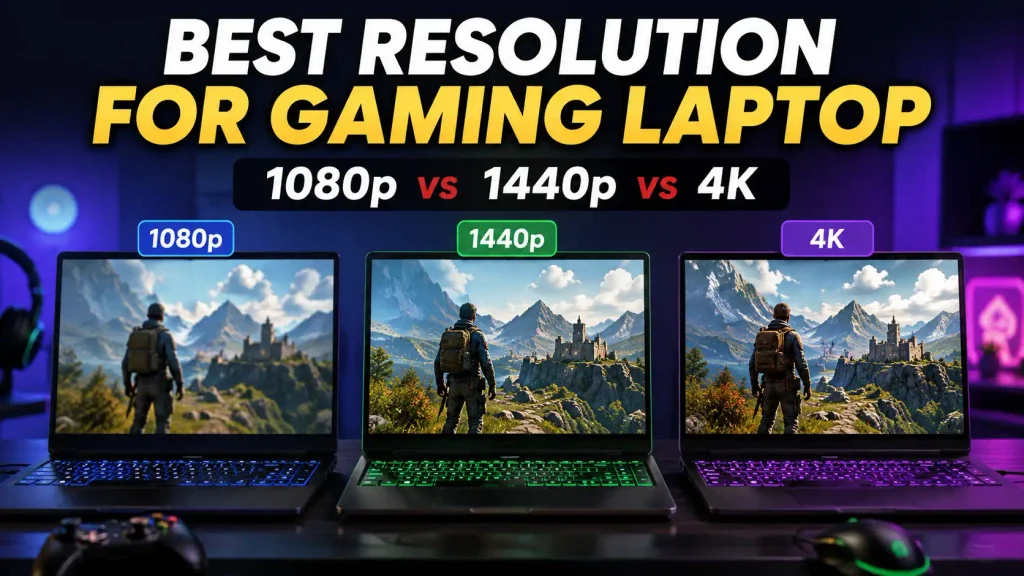
Choosing the best resolution for a gaming laptop is not simply about buying the screen with the highest number of pixels. A higher resolution can make games look sharper and more detailed, but it also asks more from the GPU. That can mean lower frame rates, higher power use, and a more expensive laptop.
For most gamers, 2560×1440 (QHD) or 2560×1600 (QHD+) is the best resolution for a gaming laptop. It gives you a noticeable improvement in image quality over 1080p while remaining much easier to run than 4K.
If you are buying a budget gaming laptop or mainly play competitive games, 1080p or 1920×1200 can still be the smarter choice. If you have a powerful high-end laptop and care more about visual detail than maximum FPS, a 4K-class display may make sense.
The right choice depends on your GPU, laptop screen size, refresh rate, the games you play, and how much performance you expect.
What Is the Best Resolution for a Gaming Laptop?
For most people, the sweet spot is 1440p or 1600p.
These resolutions provide sharper graphics than Full HD without creating the same GPU workload as 4K. They work especially well on modern 15-inch, 16-inch, 17-inch, and 18-inch gaming laptops.
Here is the simple version:
| Resolution | Best For | Image Quality | Gaming FPS | GPU Demand |
|---|---|---|---|---|
| 1920×1080 FHD | Budget and esports gaming | Good | Very High | Low |
| 1920×1200 FHD+ | Budget 16:10 laptops | Good | Very High | Low |
| 2560×1440 QHD | Most gamers | Excellent | High | Medium |
| 2560×1600 QHD+ | Modern 16:10 gaming laptops | Excellent | High | Medium |
| 3K-class | Premium compact laptops | Very Sharp | Medium to High | High |
| 3840×2160 4K | Premium visual gaming | Extremely Sharp | Lower | Very High |
| 3840×2400 UHD+ | Premium 16:10 displays | Extremely Sharp | Lower | Very High |
Modern gaming laptops now use several naming systems. For example, ASUS currently markets 2560×1600 panels as 2.5K on some ROG gaming laptops, showing why buyers should look at the actual pixel resolution instead of relying only on names such as “2K” or “2.5K.”
Gaming Laptop Resolutions Explained
Before choosing a screen, it helps to understand what each resolution actually offers.
1080p or Full HD: 1920×1080
1080p remains a practical gaming resolution, especially for budget laptops and competitive players.
It contains fewer pixels than QHD or 4K, so the GPU has less work to do. That usually makes it easier to achieve high frame rates.
This makes 1080p a good choice if you:
- Play Valorant, Counter-Strike 2, Fortnite, Overwatch 2, or similar competitive games.
- Prefer high FPS over maximum visual detail.
- Are buying an entry-level or budget gaming laptop.
- Use a smaller 14-inch or 15.6-inch screen.
- Want your GPU to remain useful for longer as newer games become harder to run.
The main drawback is sharpness. On larger 17-inch or 18-inch laptop screens, 1080p can look less crisp than 1440p or 1600p.
1200p or FHD+: 1920×1200
1920×1200 is similar to 1080p but uses a taller 16:10 aspect ratio instead of traditional 16:9.
You still get relatively low GPU demand, but the extra vertical pixels provide more workspace outside games.
For gaming performance, the difference between 1920×1080 and 1920×1200 is usually much smaller than the jump from Full HD to QHD.
For a budget 16:10 gaming laptop, 1920×1200 is an excellent resolution.
1440p or QHD: 2560×1440
1440p is one of the best-balanced resolutions for gaming.
It has substantially more pixels than 1080p, making textures, distant objects, text, and fine details look sharper. At the same time, it is far less demanding than 4K.
This makes QHD especially attractive for gamers who play both competitive and graphically demanding AAA games.
A capable gaming GPU can provide strong performance at 1440p while still allowing you to enjoy a visibly sharper image.
For most gaming laptop buyers, 1440p is a better long-term balance than either 1080p or 4K.
1600p or QHD+: 2560×1600
2560×1600 has become highly relevant because many modern gaming laptops use 16:10 displays.
It offers almost the same gaming class as 1440p but adds extra vertical screen space.
That extra height is useful for:
- Browsing.
- School or office work.
- Video editing.
- Coding.
- Content creation.
- Multitasking.
For a modern 16-inch gaming laptop, 2560×1600 is one of the strongest all-around choices available.
ASUS, for example, currently uses 2560×1600 16:10 displays in its 2026 Zephyrus G16 lineup, illustrating how common this format has become in premium gaming notebooks.
2K, 2.5K and 3K Gaming Laptop Displays
Terms such as 2K, 2.5K, and 3K can be confusing because manufacturers do not always use them in exactly the same way.
A laptop advertised as “2.5K” may use a 2560×1600 panel, while a “3K” model may use something closer to 2880×1800.
That is why you should always check the actual pixel dimensions.
For example:
- 1920×1080 = Full HD
- 1920×1200 = FHD+
- 2560×1440 = QHD
- 2560×1600 = commonly QHD+, WQXGA, or marketed as 2.5K
- 2880×1800 = often marketed as 2.8K or 3K
- 3840×2160 = UHD/4K
- 3840×2400 = UHD+ on a 16:10 panel
Current gaming laptops already use both 2.5K and 3K-class displays, so these terms are worth understanding when comparing new models.
4K or UHD: 3840×2160
4K provides a very sharp image and four times as many pixels as 1080p.
That sounds perfect, but gaming laptops involve a major trade-off: your GPU must render far more pixels every frame.
This can reduce FPS considerably compared with 1080p or 1440p.
4K makes the most sense when:
- You have a powerful high-end GPU.
- Image quality matters more than maximum FPS.
- You also edit 4K video or high-resolution photos.
- You play slower single-player games.
- You plan to keep the laptop connected to power most of the time.
For the average gamer, 4K is usually not necessary on a laptop-sized screen.
FHD vs QHD vs QHD+ vs 4K
The easiest way to choose is to understand what you gain and what you give up.
FHD
Advantages
- Easier for the GPU to run.
- Higher FPS.
- Usually cheaper.
- Good for competitive gaming.
- Suitable for entry-level gaming hardware.
Disadvantages
- Less sharp than QHD.
- Not ideal for large laptop displays.
- Less desktop space for productivity.
QHD and QHD+
Advantages
- Excellent image sharpness.
- Strong balance between quality and FPS.
- Great for AAA and multiplayer gaming.
- Ideal for 15-inch to 18-inch laptops.
- QHD+ works particularly well with 16:10 screens.
Disadvantages
- Requires more GPU power than FHD.
- Usually costs more.
4K and UHD+
Advantages
- Excellent fine detail.
- Useful for creative work.
- Great for premium content consumption.
- Particularly attractive for users who need high-resolution workspace.
Disadvantages
- Much heavier GPU workload.
- Lower native-resolution FPS.
- More expensive.
- Extra sharpness may be less noticeable on a small laptop than on a large desktop monitor.
For most people, QHD or QHD+ offers the best overall compromise.
16:9 vs 16:10: Which Is Better for a Gaming Laptop?
Traditional gaming displays commonly use a 16:9 aspect ratio.
Typical examples include:
- 1920×1080
- 2560×1440
- 3840×2160
Many newer laptops use 16:10 instead.
Common 16:10 resolutions include:
- 1920×1200
- 2560×1600
- 2880×1800
- 3840×2400
Is 1920×1200 Better Than 1920×1080?
For a laptop, 1920×1200 is often more useful because you gain extra vertical screen space while keeping GPU requirements relatively low.
The gaming performance difference is not dramatic because the pixel-count increase is modest.
Is 2560×1600 Better Than 2560×1440?
For an all-purpose gaming laptop, often yes.
2560×1600 gives you the sharpness expected from QHD-class gaming plus extra vertical workspace.
The trade-off is that the GPU has slightly more pixels to render than at 2560×1440.
Which Aspect Ratio Is Better?
For pure gaming, both are good.
For gaming plus work, browsing, editing, coding, or school, 16:10 is usually more versatile.
Resolution vs Screen Size and Pixel Density
Screen resolution should never be judged without screen size.
A 1920×1080 image displayed on a 14-inch screen appears sharper than the same resolution stretched across an 18-inch display.
This happens because of pixel density, commonly measured in pixels per inch or PPI.
Higher PPI means pixels are packed closer together.
Best Resolution for a 14-Inch Gaming Laptop
Good choices:
- 1920×1200 for performance-focused gaming.
- 2560×1600 for better sharpness.
- 2880×1800/3K-class panels for premium systems.
On a small 14-inch display, extremely high resolution produces diminishing visual returns for gaming, although it can still benefit text and creative work.
Best Resolution for a 15.6-Inch Gaming Laptop
1080p remains acceptable, especially for budget and competitive systems.
However, 1440p produces a noticeably sharper image and is a better fit for a capable mid-range or high-end GPU.
Best Resolution for a 16-Inch Gaming Laptop
For most 16-inch gaming laptops, 2560×1600 is the sweet spot.
You get excellent sharpness, 16:10 screen space, and a resolution that is still more manageable than 4K-class panels.
Best Resolution for a 17- or 18-Inch Gaming Laptop
Larger screens benefit more from QHD-class resolutions.
For 17-inch and 18-inch displays, 1440p or 1600p is generally preferable to 1080p if your GPU can handle it.
4K may be attractive on premium desktop-replacement machines, but it still demands substantially more GPU performance.
How Resolution Affects Gaming FPS
Every frame your GPU produces contains millions of pixels.
As resolution increases, the GPU must process more pixel information.
Approximate pixel counts are:
| Resolution | Total Pixels |
|---|---|
| 1920×1080 | 2.07 million |
| 1920×1200 | 2.30 million |
| 2560×1440 | 3.69 million |
| 2560×1600 | 4.10 million |
| 3840×2160 | 8.29 million |
This explains why a game may run extremely well at 1080p but lose performance when switched to 1440p or 4K.
However, the exact FPS difference depends on:
- GPU.
- CPU.
- Laptop GPU power limits.
- Graphics settings.
- Ray tracing.
- Game engine.
- VRAM.
- Cooling.
- Upscaling technology.
You should therefore avoid choosing resolution based only on a laptop’s GPU model name.
Two laptops using a similarly named GPU can still perform differently because laptop power limits and cooling designs vary.
Native Resolution vs Render Resolution
The native resolution is the physical resolution of your laptop panel.
If your screen contains 2560×1600 pixels, its native resolution is 2560×1600.
Games do not always need to render internally at that exact resolution.
What Happens If You Play at a Lower Resolution?
Lowering the game’s rendering resolution can improve FPS because the GPU has fewer pixels to process.
However, displaying a lower traditional resolution on a higher-resolution LCD panel can sometimes produce a softer image than running the panel at native resolution.
Modern upscaling technologies provide a better solution in supported games.
Instead of simply changing the display resolution, they can render the game internally at a lower resolution and reconstruct a higher-resolution output.
How DLSS, FSR and XeSS Change Gaming Resolution
Modern upscaling has changed the way gamers should think about display resolution.
NVIDIA DLSS
DLSS Super Resolution can create a higher-resolution output from a lower-resolution rendering input using AI-based reconstruction. NVIDIA describes DLSS Super Resolution as using lower-resolution frames, motion data, and previous-frame information to construct the final higher-resolution image.
This can make a 1440p or 4K display more practical because supported games do not always need to be rendered at full native resolution to achieve a good final image.
AMD FSR
AMD’s current FidelityFX Super Resolution technology also reconstructs higher-resolution output from lower-resolution rendering and is designed to improve gaming performance.
Intel XeSS
Intel XeSS is another AI-enhanced upscaling technology designed to increase gaming performance while maintaining high-resolution output.
Does Upscaling Make 4K Laptop Gaming Worth It?
It certainly makes high-resolution gaming more practical, but it does not automatically make 4K the best choice.
A QHD or QHD+ display can also use these technologies, often giving you even more performance headroom.
For many gamers, 1600p plus high refresh rate and good upscaling support is a more balanced combination than native 4K gaming.
How Much GPU Power Do You Need for Each Resolution?
There is no single GPU requirement that applies to every game.
A lightweight esports game may run extremely well on modest hardware, while a demanding AAA game with ray tracing may challenge a much stronger GPU at the same resolution.
Still, you can use the following general approach.
1080p and 1200p
Best suited to:
- Entry-level gaming GPUs.
- Budget gaming laptops.
- Competitive gamers seeking high FPS.
- Users who want to keep graphics settings high without moving to a more demanding resolution.
1440p and 1600p
Best suited to:
- Mid-range and high-end gaming laptops.
- AAA gaming.
- Gamers who want both image quality and smooth performance.
- Users who plan to keep their laptop for several years.
4K and UHD+
Best suited to:
- High-end GPUs.
- Premium gaming laptops.
- Users willing to use upscaling or adjust graphics settings.
- Gaming combined with professional creative work.
The mistake to avoid is buying a high-resolution screen without enough GPU performance to use it comfortably.
Does VRAM Matter More at Higher Resolution?
Yes, resolution can increase graphics-memory requirements, especially when combined with high-resolution textures, ray tracing, large game worlds, and demanding visual settings.
But resolution is not the only factor that determines VRAM use.
A game can consume significant VRAM even at 1080p when texture settings are extremely high.
When buying a gaming laptop, consider VRAM together with:
- Resolution.
- Texture quality.
- Ray tracing.
- Game requirements.
- How long you plan to keep the laptop.
Avoid choosing a laptop based on display resolution while ignoring the GPU and available graphics memory.
Best Resolution Based on the Games You Play
Different types of games benefit from different display priorities.
Competitive Games
For games such as Valorant, Counter-Strike 2, Fortnite, Rainbow Six Siege, and Overwatch 2, high FPS and low latency often matter more than maximum resolution.
Best choices:
1080p or 1200p with a high-refresh-rate panel.
A powerful system can also handle high-refresh 1440p or 1600p gaming, but competitive players should not sacrifice smoothness just to gain extra pixels.
AAA Single-Player Games
For cinematic games with detailed environments, 1440p or 1600p is ideal.
The extra sharpness is easy to appreciate, while the GPU demand remains more reasonable than 4K.
Upscaling can further improve performance in supported titles.
Strategy and Simulation Games
1440p and 1600p are especially useful here because extra resolution can make text, menus, interfaces, maps, and fine details easier to view.
Visual-Focused 4K Gaming
If you mainly play slower games, value maximum visual quality, and own high-end hardware, 4K can make sense.
Just remember that you are trading GPU performance for additional detail.
Resolution vs Refresh Rate: Which Matters More?
Resolution controls how detailed the image looks.
Refresh rate controls how many times the display can update every second.
A 240Hz screen can feel much smoother than a 60Hz panel when your system produces enough FPS.
So which matters more?
It depends on the type of gamer you are.
Competitive Gaming
Prioritize:
Refresh rate and FPS first, resolution second.
A 1080p or 1200p 240Hz display can be more useful to a serious esports player than a 4K screen with a much lower gaming frame rate.
AAA Gaming
A balance is better.
A 1440p or 1600p panel with a strong refresh rate gives you sharp graphics and smooth movement.
Is 144Hz Enough for Gaming?
Yes. A 144Hz-class display is already a major improvement over 60Hz for most gamers.
Higher refresh rates such as 165Hz, 240Hz, or beyond can provide additional smoothness, but the benefit depends on whether your GPU can generate enough frames.
1080p 240Hz vs 1440p 165Hz
Choose 1080p 240Hz if competitive performance is your priority.
Choose 1440p 165Hz if you want a stronger balance of sharpness and smooth gaming.
What Is a Dual-Mode Gaming Laptop Display?
Some premium gaming displays can operate in two resolution and refresh-rate modes.
One mode may provide a very high resolution for detailed visuals, while another lowers the resolution and raises the maximum refresh rate for competitive gaming.
This gives users more flexibility than a conventional fixed-mode panel.
The concept is already appearing in high-end gaming laptops and displays, allowing one machine to target both high-resolution gaming and very high-refresh competitive play.
It is useful, but it should not automatically determine your purchase. GPU performance, panel quality, price, and your normal gaming habits still matter more.
Is 1080p Still Good for Gaming Laptops?
Yes.
1080p is not outdated simply because higher resolutions exist.
It remains one of the best options for:
- Budget laptops.
- Competitive gaming.
- Entry-level GPUs.
- Smaller screens.
- Users focused on FPS.
- People trying to extend useful GPU life.
On a 14-inch or 15.6-inch screen, 1080p can still look perfectly acceptable.
If your choice is between a weak GPU paired with a high-resolution panel and a stronger gaming configuration with a good 1080p display, the second option can provide a much better gaming experience.
Is 1440p Worth It on a Gaming Laptop?
For most gamers with suitable hardware, yes.
The jump from 1080p to 1440p improves sharpness without creating the extreme rendering demand of 4K.
It is particularly worthwhile on:
- 15.6-inch laptops.
- 16-inch laptops.
- 17-inch laptops.
- 18-inch laptops.
- Mid-range and high-end gaming systems.
1440p also works well with modern upscaling technologies, giving you flexibility when a demanding game cannot maintain the FPS you want at native resolution.
Is 2560×1600 Good for Gaming?
Yes. In fact, 2560×1600 is one of the best gaming laptop resolutions available today.
It provides:
- QHD-class sharpness.
- A useful 16:10 aspect ratio.
- More vertical workspace.
- Strong suitability for both gaming and productivity.
- Lower GPU demand than 4K.
Its use in current premium gaming systems also shows how well suited the format is to modern laptop design.
Is 4K Worth It on a Gaming Laptop?
For most gamers, probably not.
4K offers excellent clarity, but a laptop screen is much smaller than a desktop monitor or television. The visible advantage therefore has to be weighed against the extra GPU workload.
4K is most worthwhile if you:
- Own a very powerful gaming laptop.
- Also perform professional photo or video work.
- Value detail more than maximum FPS.
- Frequently watch high-resolution content.
- Use upscaling in demanding games.
If your main purpose is gaming, a high-quality 1440p or 1600p display is usually the better-balanced investment.
Does Higher Resolution Affect Battery Life?
Potentially, but resolution alone does not determine battery life.
Power use can also change with:
- Panel technology.
- Brightness.
- Refresh rate.
- GPU activity.
- CPU activity.
- Game settings.
- Background applications.
- Battery capacity.
- Laptop power profiles.
Gaming itself places heavy demand on a laptop battery, regardless of screen resolution.
If battery life matters to you, do not judge a laptop simply by whether it has a 1080p, 1600p, or 4K display. Look at independent battery testing for the exact model.
Does Higher Resolution Make a Gaming Laptop Hotter?
Resolution itself does not directly create heat.
However, asking the GPU to render more pixels can increase graphics workload.
Under a heavier workload, the laptop may consume more power, which can lead to additional heat and fan activity.
The actual temperature depends on the laptop’s:
- GPU.
- Power limits.
- Cooling system.
- Fan profile.
- Chassis design.
- Graphics settings.
This is another reason why matching resolution to GPU capability is more important than simply choosing the highest-resolution panel.
Resolution Is Not Everything: Other Display Specs That Matter
A 4K screen is not automatically better than a 1440p screen for gaming.
Several other specifications can have an equally large effect on your experience.
Refresh Rate
Higher refresh rates make motion appear smoother when your GPU produces enough FPS.
Response Time
A fast pixel response helps reduce visible blur and ghosting during motion.
OLED vs IPS vs Mini-LED
Panel type affects contrast, black levels, motion characteristics, brightness, and overall image quality.
A high-quality lower-resolution display may look better than a poor-quality panel with more pixels.
Brightness and HDR
Brightness becomes important if you use the laptop in bright rooms or want a convincing HDR experience.
Variable Refresh Rate
Variable refresh technologies can help synchronize display updates with game output, reducing tearing and improving perceived smoothness.
When comparing gaming laptops, evaluate the whole display, not just the resolution number.
Best Resolution If You Use an External Gaming Monitor
Your laptop’s built-in display resolution does not necessarily determine the resolution of an external monitor.
A laptop with a 1080p screen may still be able to drive a 1440p or 4K external display if its GPU and video output support it.
However, gaming performance still depends on the resolution at which the game is rendered.
Connecting a 4K monitor to a laptop does not magically make the GPU capable of smooth native 4K gaming.
Check:
- GPU capabilities.
- HDMI or DisplayPort version.
- USB-C display support.
- Maximum external resolution.
- Maximum supported refresh rate.
If you frequently use an external monitor, the laptop’s GPU and ports may be more important than its internal panel resolution.
Best Gaming Laptop Resolution by Budget
Exact prices change frequently between the USA, UK, Canada, and Australia, so it is more useful to think in hardware tiers than fixed price ranges.
Budget Gaming Laptop
Look for:
1920×1080 or 1920×1200
These resolutions allow modest GPUs to focus on delivering playable or high frame rates.
Mid-Range Gaming Laptop
Look for:
2560×1440 or 2560×1600
This is where QHD-class displays make the most sense.
You get better clarity without entering the heavy performance demands of 4K.
High-End Gaming Laptop
Look for:
High-refresh 1600p, 2.5K/3K-class, or 4K depending on your priorities.
Even with high-end hardware, you should not assume 4K is automatically better.
A premium high-refresh 1600p display may provide a more enjoyable gaming experience.
How to Choose the Right Gaming Laptop Resolution
Before buying, answer these questions in order.
1. What Games Do You Play?
Competitive games favor FPS.
Cinematic games benefit more from additional resolution.
2. What GPU Does the Laptop Have?
The GPU needs enough performance to run the panel’s native resolution comfortably.
3. What Screen Size Are You Buying?
Higher resolutions become more useful as the display becomes larger.
4. How Much FPS Do You Want?
If you want extremely high frame rates, a lower resolution may be the better choice.
5. What Is the Refresh Rate?
A high-resolution display is less valuable for fast gaming if the rest of the panel specifications are poor.
6. Do Your Games Support Upscaling?
DLSS, FSR, and XeSS can make higher-resolution displays easier to use by reconstructing high-resolution output from lower internal rendering resolutions in supported games.
7. Do You Also Use the Laptop for Work?
Design, video editing, coding, and general productivity can make 1600p, 3K, or 4K screens more attractive.
8. Are You Paying for Resolution Instead of Better Hardware?
Do not sacrifice a significantly stronger GPU just to move from a good QHD display to 4K.
Gaming performance should remain the priority in a gaming laptop.
Final Verdict: What Resolution Should You Choose?
For most buyers looking for the best resolution for a gaming laptop, the answer is 2560×1440 QHD or 2560×1600 QHD+.
They offer the strongest balance between visual quality, GPU demand, FPS, and long-term usability.
Here is the final recommendation:
Best overall: 2560×1440 or 2560×1600
Best for a 16-inch gaming laptop: 2560×1600
Best budget choice: 1920×1080 or 1920×1200
Best for competitive gaming: 1080p/1200p with a high refresh rate
Best for AAA gaming: 1440p/1600p
Best for gaming and productivity: 2560×1600
Best for maximum visual detail: 4K/UHD
Best for most people: QHD or QHD+
Do not choose a resolution in isolation. The best gaming laptop screen is the one that matches your GPU, screen size, refresh rate, games, and performance expectations.
A balanced 1600p gaming laptop with a capable GPU will usually give most players a better real-world experience than a 4K laptop that constantly forces them to lower settings just to maintain smooth gameplay.
Frequently Asked Questions About Best Resolution for Gaming Laptop
What is the best resolution for a gaming laptop?
For most gamers, 2560×1440 or 2560×1600 is the best resolution. Both provide much sharper images than 1080p while requiring considerably less GPU power than 4K.
Is 1080p enough for a gaming laptop?
Yes. 1080p is still excellent for budget laptops, competitive gaming, smaller screens, and users who prioritize high FPS over maximum image sharpness.
Is 1440p better than 1080p for a gaming laptop?
1440p provides a sharper image and more detail than 1080p, but it requires more GPU performance. For a capable mid-range or high-end gaming laptop, 1440p is usually the better overall choice.
Is 1440p worth it on a 15-inch gaming laptop?
Yes, especially if the laptop has enough GPU power. The sharper image is noticeable on a 15-inch-class display while the performance requirement remains much lower than 4K.
Is 1440p worth it on a 17-inch gaming laptop?
Yes. Larger laptop screens benefit even more from the increased pixel density of 1440p compared with 1080p.
Is 2560×1600 good for gaming?
Yes. 2560×1600 provides excellent sharpness, a useful 16:10 aspect ratio, and a strong balance between visual quality and GPU performance.
Is 1920×1200 good for gaming?
Yes. It is particularly good for budget and performance-focused 16:10 gaming laptops because it remains relatively easy for the GPU to run while providing extra vertical space compared with 1080p.
Is 2K the same as 1440p?
The terms are often used loosely in consumer marketing, so not always. Check the exact pixel resolution rather than relying only on labels such as 2K, 2.5K, or QHD.
Is QHD the same as 1440p?
In most gaming-laptop discussions, QHD usually refers to 2560×1440. QHD+ commonly refers to a taller resolution such as 2560×1600.
Is QHD+ better than QHD for gaming?
Neither is universally better. QHD+ provides extra vertical screen space, while standard QHD renders slightly fewer pixels. For modern 16:10 gaming laptops, QHD+ is an excellent all-purpose option.
Does higher resolution lower FPS?
It can. A higher resolution requires the GPU to process more pixels per frame, which can reduce performance when the game is GPU-limited.
Does resolution affect gaming laptop battery life?
It can contribute to power use, but battery life also depends heavily on brightness, refresh rate, GPU workload, CPU activity, panel technology, and battery capacity.
Is 1080p or 1440p better for competitive gaming?
1080p is usually the easier resolution for achieving very high FPS. However, powerful laptops can also deliver excellent competitive performance at 1440p.
Is 1440p or 4K better for AAA games?
For most gaming laptops, 1440p is the better balance. 4K looks sharper but requires substantially more rendering performance.
What resolution is best for a 16-inch gaming laptop?
2560×1600 is one of the best choices for a 16-inch gaming laptop because it provides excellent sharpness, a 16:10 aspect ratio, and manageable GPU demand compared with 4K.
Should I choose higher resolution or higher refresh rate?
Competitive gamers should usually prioritize refresh rate. Players who prefer cinematic and single-player games may benefit more from higher resolution. For most users, a QHD-class display with a high refresh rate provides the best balance.
Can I play games at 1080p on a 1440p laptop?
Yes. You can lower game resolution or use resolution scaling. However, traditional non-native scaling can look softer than native resolution, so supported technologies such as DLSS, FSR, or XeSS may provide a better option.
Can DLSS improve performance at 1440p or 4K?
Yes, in supported games. DLSS Super Resolution creates higher-resolution output from a lower-resolution rendering input, which can improve performance compared with rendering every frame entirely at the target native resolution.
Is 4K worth it on a gaming laptop?
It is worth considering for premium systems, creative work, and users who prioritize visual detail. For gaming alone, 1440p or 1600p is usually a better balance between clarity and performance.
What is the best resolution for high-FPS gaming?
1080p or 1200p is usually the easiest resolution for achieving high FPS. A sufficiently powerful GPU can also deliver high-refresh 1440p or 1600p gaming.
Does VRAM matter more at 4K?
Higher resolutions can increase memory demands, particularly when combined with high-resolution textures, ray tracing, and demanding graphics settings. However, game design and graphics settings also strongly affect VRAM usage.
1 thought on “Best Resolution for Gaming Laptop: 1080p vs 1440p vs 4K”
Comments are closed.