Gaming laptop vs workstation laptop for 3D work comes down to how long each machine can hold its speed. A gaming laptop may post a higher short benchmark, but a mobile workstation is built for steady rendering, certified drivers, and long warranty coverage. Your software, budget, and travel needs decide which one makes sense.
As of 2026, mobile GPUs can range from 35 W to 175 W TDP, and sustained power matters more than peak clocks for 3D work. Workstation models also often carry 3 to 5 year warranties, while many consumer gaming laptops start at 1 year. That difference shapes total cost of ownership more than the sticker price.
Why This Comparison Actually Matters for 3D Work
3D work is not one task. It mixes viewport navigation, simulation, texture baking, and final rendering in the same session. A laptop that feels fast for 10 minutes can become slow after an hour.
Gaming laptops chase high peak performance and smooth frame rates. That helps in viewport work and GPU rendering. Workstations chase stability, certified drivers, and longer service life.
That helps in CAD, animation pipelines, and studio deadlines.
The real question is not which laptop is faster on paper. It is which one stays predictable when the render queue gets long. For freelancers, downtime can cost more than the laptop.
- Viewport speed affects daily comfort.
- Sustained GPU power affects render times.
- Driver stability affects crashes and rework.
- Display accuracy affects client approval.
- Warranty coverage affects repair stress.
What a Gaming Laptop Really Brings to 3D Work
A gaming laptop usually gives more raw GPU performance per dollar. You often get a strong NVIDIA GeForce RTX mobile chip, fast refresh panels, and wide retail availability. That makes it attractive for Blender, Maya, Unreal Engine, and GPU renderers.
The trade-off is thermal headroom. Many gaming laptops boost hard, then throttle under long loads. Fan noise can also be a problem in offices or client spaces.
Some models use soldered RAM, which limits future upgrades.
If you are comparing premium gaming brands, Razer Blade build quality and Alienware's value are useful context. Both can be strong, but neither replaces ISV certification.
- Lower cost per CUDA core
- Strong viewport and GPU render performance
- Lighter and easier to find
- Gaming-focused drivers and high refresh displays
- Weaker sustained thermals in many models
- Shorter default warranties
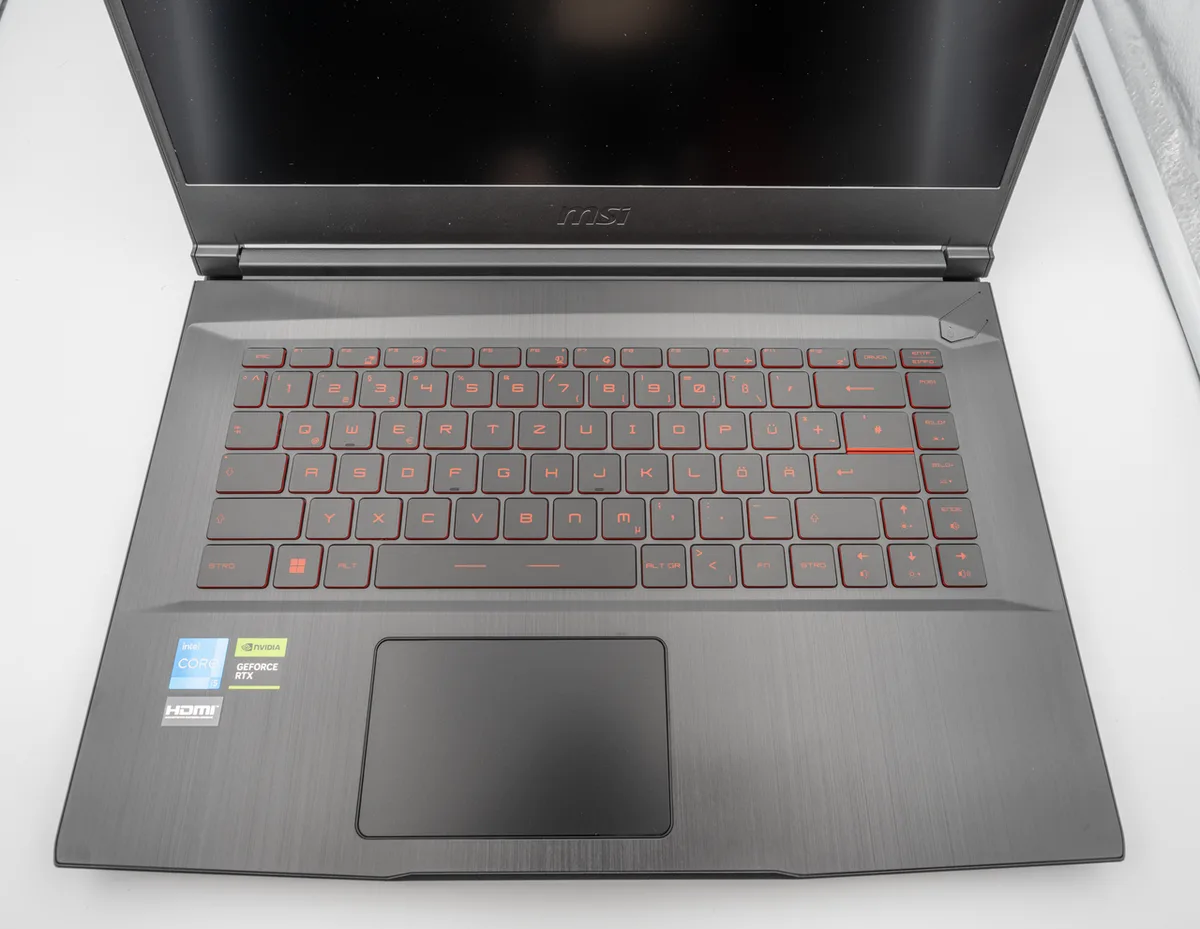
Image source: Wikimedia Commons / 玄史生
What a Workstation Laptop Actually Delivers
A mobile workstation is built for professional software stability. It often uses NVIDIA RTX A-series or professional mobile GPUs, ECC memory support on some configs, and ISV-certified drivers. That matters when SolidWorks, Revit, or Siemens NX must not crash mid-job.
Workstations also tend to have better cooling for sustained loads. Many offer 3 to 5 year warranties, onsite service options, and color-calibrated displays. The cost is higher, and raw gaming performance per dollar is usually lower.
For driver context, NVIDIA Studio drivers are designed for creative and professional apps. They are not magic, but they reduce driver-related surprises in many pipelines.
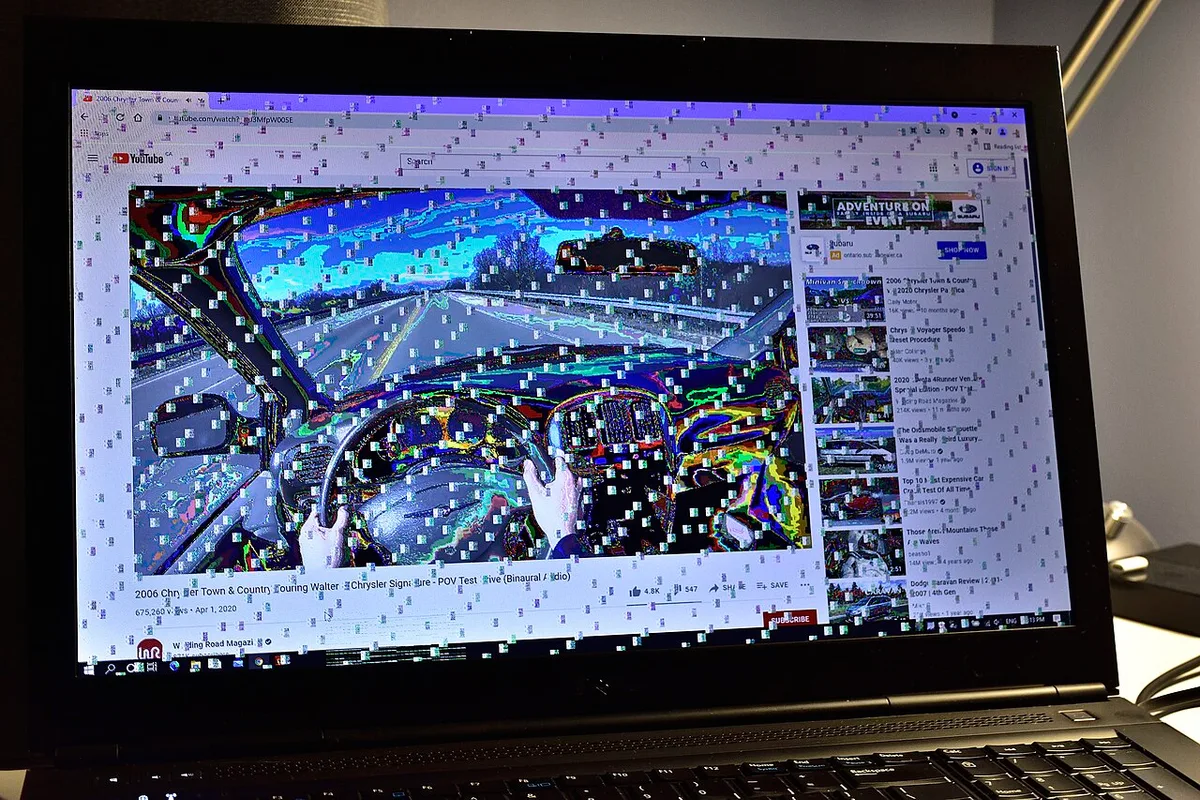
Image source: Wikimedia Commons / Saud (CC BY-SA)
- ISV certification for major 3D and CAD tools
- Better sustained thermals and quieter long renders
- ECC memory on select configurations
- Color-accurate, factory-calibrated displays
- Longer warranties and business support
- Higher price and lower gaming value
Side-by-Side: Gaming vs Workstation for 3D Work
The table below shows the practical differences. Use it as a starting point, then check your exact software and GPU requirements.
| Factor | Gaming Laptop | Workstation Laptop |
|---|---|---|
| GPU focus | Raw gaming and render speed | Certified professional stability |
| Drivers | Game Ready or Studio | ISV-certified professional drivers |
| Sustained thermals | Mixed, often loud | Usually stronger and steadier |
| Memory | Often 16 to 32 GB, sometimes soldered | 16 to 128 GB, often upgradeable |
| Display | High refresh, mixed color accuracy | Color-critical, factory calibrated |
| Warranty | Often 1 year | Often 3 to 5 years |
| Price | Usually lower | Usually much higher |
| Best for | Freelancers, students, GPU artists | CAD, studios, certified pipelines |
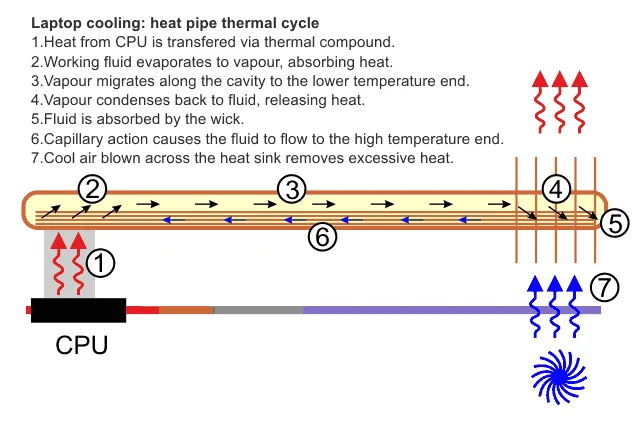
Image source: Wikimedia Commons / Graham Wyatt (CC BY-SA)
A gaming laptop can still be the smarter buy for many 3D artists. It wins when budget, portability, and raw GPU speed matter most. A workstation wins when software certification, color accuracy, and downtime risk matter most.
Best Pick for Each 3D Workflow
Choose based on the work you actually do, not the spec sheet. A Blender artist rendering on a GPU may love a gaming laptop. An architect running SolidWorks may need a certified workstation.
- Blender animation and GPU rendering: gaming laptop with strong RTX GPU
- SolidWorks, Revit, or NX: mobile workstation with ISV certification
- VFX and motion graphics: workstation for stability, gaming laptop for budget
- Students and hobbyists: gaming laptop with good thermals
- Freelancers traveling often: lighter gaming laptop or Max-Q Studio design
- Studios with deadlines: workstation with long warranty and onsite support
If daily reliability is your main concern, daily work use is worth reading. It helps frame the laptop as a work tool, not just a gaming machine.
For brand-level homework, MSI reliability and compare warranty terms can guide a gaming-laptop shortlist. Warranty details vary by model and region, so check the exact SKU before buying.
- Match the GPU to your renderer, not just CUDA core counts.
- Prefer upgradeable RAM if your scenes are large.
- Check color gamut before buying for client work.
- Compare service options, not just price.
Costs, Specs, and Warranty Reality
Price is only the first number. A $1,500 gaming laptop can beat a $4,000 workstation on raw GPU speed, but the workstation may win on support and uptime.
As of 2026, entry 3D-capable gaming laptops often land around $1,200 to $2,000. Midrange machines run $2,000 to $3,500. Mobile workstations often start near $2,500 and can pass $6,000 with high VRAM and large RAM.
GPU TDP matters more than model name. A 175 W mobile RTX chip can render much faster than a 90 W version of the same family. Always check sustained power, not just the GPU label.
VRAM is the next bottleneck. 8 GB can work for lighter scenes. 12 GB is safer. 16 GB is better for large textures and complex assets. Workstations may support far more system RAM, which helps simulation and heavy scenes.
Warranty is where the cost story changes. Many gaming laptops include 1 year. Many workstations include 3 to 5 years.
Accidental damage plans, onsite service, and parts availability can matter more than a small spec bump.
Repairability also affects long-term cost. Check SO-DIMM slots, M.2 slots, and battery replacement paths. Soldered RAM can force an early full replacement.
| Price Band | Typical Machine | Best For |
|---|---|---|
| $1,200 to $2,000 | Entry gaming laptop | Students, hobbyists |
| $2,000 to $3,500 | Strong gaming or entry workstation | Freelancers |
| $3,500 to $6,000+ | High-end workstation | Studios, CAD teams |
Think in total cost of ownership. Add warranty, service, downtime, and upgrade limits. A cheaper laptop that fails mid-project is not cheaper.
Mistakes People Make When Choosing
The biggest mistake is buying by benchmark screenshots. A short GPU benchmark does not show thermal throttling after 45 minutes.
Another mistake is ignoring software certification. If your studio requires certified hardware, a faster gaming laptop may not be approved. Check Autodesk certified hardware and similar vendor lists before buying.
Many buyers also chase refresh rate over display accuracy. A 240 Hz panel is nice, but a narrow color gamut can hurt client work. For 3D output, color coverage matters more than speed.
Driver choice causes avoidable problems. Game Ready drivers optimize games. Studio drivers target creative apps.
Install the driver stack your software vendor expects.
- Buying soldered RAM for heavy scenes
- Skipping color calibration
- Assuming all RTX mobile GPUs perform the same
- Ignoring fan noise for shared spaces
- Forgetting warranty terms by region
- Not testing your actual project files
A smart test is simple. Run your own scene, not a demo. Watch temperatures, fan noise, and viewport stability for at least one hour.
Expert Tips to Squeeze More Out of Either Machine
Start with cooling. Use a raised stand or cooling pad. Keep vents clear.
Dust buildup can quietly cut sustained performance.
Tune power settings before blaming the laptop. Set the OS to best performance. Use the vendor performance profile.
Then test again with the same scene.
Calibrate the display if color matters. Use a hardware calibrator such as an X-Rite or Calibrite device. Software-only profiles are not enough for paid color work.
Manage drivers carefully. Keep one stable driver branch for production work. Update only when a known issue affects your tools.
- Undervolt only if the model supports it safely
- Limit background apps during renders
- Store active projects on fast NVMe storage
- Back up before major driver changes
- Use external monitors for long sessions
- Clean fans every few months
For rendering, offload when possible. Cloud rendering or a render farm can extend laptop life. This is often cheaper than buying the highest-end mobile GPU.
If you travel with the machine, pack the charger safely and protect vents in bags. Heat in transit can shorten battery and component life.
Frequently Asked Questions
Can a gaming laptop handle professional 3D rendering?
Yes, if it has enough VRAM, cooling, and stable drivers. Many artists use gaming laptops for Blender and GPU rendering. The risk is thermal throttling during long sessions.
Check sustained GPU power before buying.
Do I need a workstation laptop for CAD software?
Often yes, if certification matters. SolidWorks, Revit, and NX may require or recommend certified hardware. A gaming laptop can still run CAD, but support teams may not help.
Verify the software vendor's hardware list first.
Is more VRAM always better for 3D work?
More VRAM helps with large scenes, textures, and complex assets. It is not useful if your scenes stay small. Match VRAM to your project size and renderer. 12 GB is a practical middle ground.
Are workstation displays better for 3D work?
Usually yes for color-critical work. They often cover more of DCI-P3 or Adobe RGB and ship factory calibrated. Gaming displays often prioritize refresh rate.
For client deliverables, color accuracy usually wins.
How long should a 3D laptop last?
A well-cooled machine can last several years. Workstations often have longer support cycles and warranties. Gaming laptops may need earlier replacement if thermals are poor.
Upgrade paths and battery health affect lifespan.
Final Verdict: Which One Should You Buy
Buy a gaming laptop if your work is GPU-heavy, budget-sensitive, and flexible. It gives strong rendering value and easy availability. Buy a workstation if your work depends on certified software, color accuracy, and uptime.
It costs more, but it reduces risk.
For many solo 3D artists, a high-quality gaming laptop is the practical choice. For CAD teams and studios, a mobile workstation is usually safer. Match the machine to the job, not the brand.
1 thought on “Gaming Laptop vs Workstation for 3D Work: Which Is Better?”
Comments are closed.