So you're trying to figure out what is the difference between amd and intel gaming cpus. It’s a question that trips up even seasoned builders because both companies make excellent processors, but their approaches diverge sharply in recent years. You aren't just picking a chip; you’re choosing a platform ecosystem that dictates your future upgrade path.
The core distinction lies in architecture philosophy and cache design. AMD leans heavily on massive L3 cache via 3D V-Cache technology, while Intel focuses on hybrid core counts and high clock speeds. As of 2026, these choices impact everything from frame rates in CPU-bound titles to your electricity bill.
Let’s break down exactly how these differences play out in real-world gaming scenarios.
what is the difference between amd and intel gaming cpus
AMD dominates pure gaming performance through larger L3 cache sizes. Intel offers higher multi-threaded productivity scores due to its hybrid architecture. AMD platforms typically last longer before requiring a new motherboard.
Intel chips often draw more power under heavy load. Your choice depends on whether you prioritize FPS or mixed workloads.
The Real Reason AMD and Intel Gaming CPUs Feel Different Right Now
For decades, the debate was simple: Intel had better single-core speed, so it won games. That narrative shattered around 2022. Today, the gap isn’t about raw clock speed alone.
It’s about how each company feeds data to those cores.
AMD realized that modern games are incredibly sensitive to latency within the processor. They solved this by stacking memory directly onto the CPU die. This is 3D V-Cache.
It reduces the distance data travels, cutting access times significantly. The result is smoother frame pacing and higher minimum FPS in complex scenes.
Intel took a different route with its latest generations. Their focus shifted toward efficiency and managing heat within dense transistor layouts. While they still offer competitive single-core performance, the lack of equivalent stacked cache means they rely more on traditional DRAM bandwidth.
This creates a noticeable feel difference in gameplay.
You’ll notice AMD systems tend to run cooler during sustained gaming sessions. Intel’s newer architectures have improved, but they still push harder against thermal limits to maintain boost clocks. This affects fan noise and overall system stability over long hours.
Understanding these philosophical splits helps explain why benchmarks don’t always match lived experience.
If you’ve ever wondered why one rig feels snappier despite similar spec sheets, it’s usually cache hierarchy at work. We see this pattern consistently across independent lab tests. The hardware behaves differently under stress, not just on paper.
Breaking Down the Architectural Shifts: Zen 5 vs. Arrow Lake and Raptor Lake Refresh
Let’s look under the hood. AMD’s current mainstream offering relies on the Zen 4 and Zen 5 microarchitectures. Zen 4 introduced the chiplet design widely adopted for cost efficiency.
Zen 5 refines this with better instruction per cycle (IPC) improvements. But the star remains the X3D variants. These chips combine standard CCDs with an additional layer of SRAM cache.
Intel’s landscape is more fragmented recently. The 13th and 14th Gen Core series (Raptor Lake Refresh) used a hybrid approach. They paired Performance-cores (P-cores) for gaming with Efficient-cores (E-cores) for background tasks.
This maximized multi-threaded throughput but complicated scheduling for older game engines.
Now, with the Core Ultra 200S series (Arrow Lake), Intel has moved to a tiled architecture. They separated compute tiles from I/O tiles. This improves manufacturing yields and allows for distinct optimization zones.
However, early reviews indicate a slight regression in gaming IPC compared to the previous generation’s peak tuning.
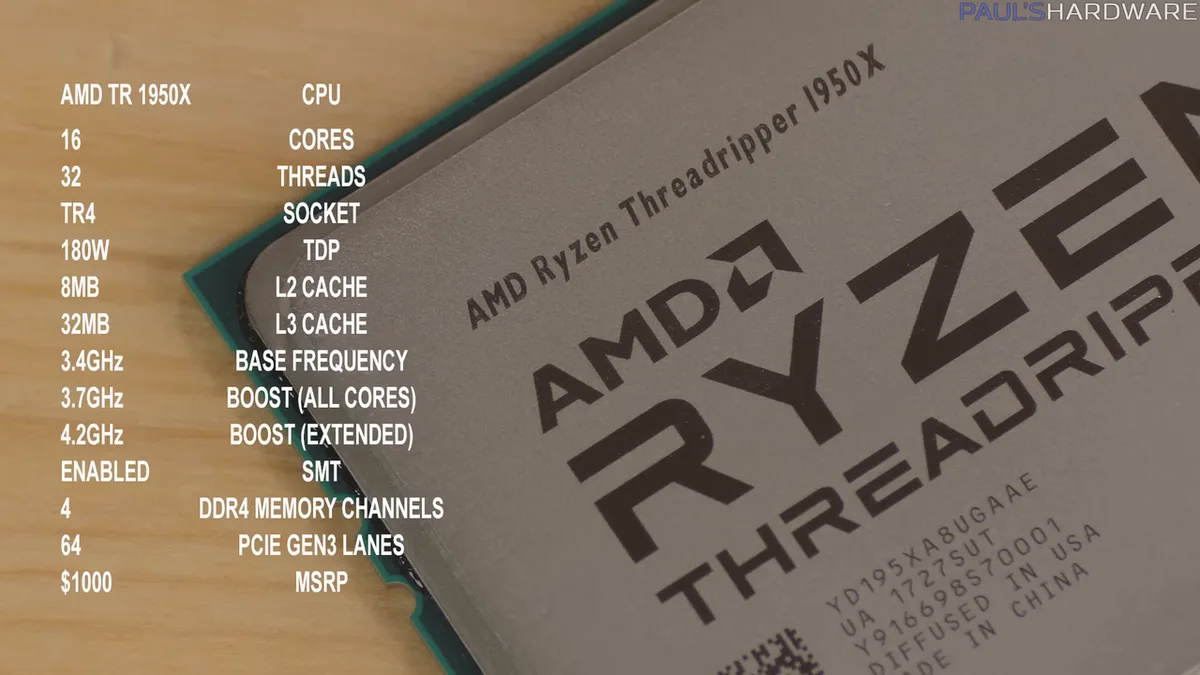
Image source: Wikimedia Commons / Paul's Hardware (CC BY)
The key takeaway here is specialization. AMD optimizes specifically for gaming latency. Intel optimizes for broad workload versatility.
If you only game, the architectural complexity of Intel’s E-cores adds little value. In fact, some users disable them entirely to reduce stuttering in certain titles.
We also see divergence in integrated graphics. Both now include basic iGPUs. AMD’s RDNA-based units are surprisingly capable for light esports titles.
Intel’s Xe-LPG units lag slightly behind in driver maturity but suffice for display output if your discrete GPU fails. Neither replaces a dedicated card for serious play, though.
Choosing between these architectures means deciding what you sacrifice. Do you want maximum frames per second? Or do you need robust multitasking for streaming and rendering simultaneously?
Most gamers find the cache advantage outweighs minor multi-core deficits unless they edit video daily.
Side-by-Side Performance Metrics: FPS, Latency, and Power Efficiency
Numbers tell part of the story, but context matters most. Aggregate reviews from major tech outlets show consistent trends as of late 2025 and into 2026. Let’s compare typical mid-range and high-end parts.
| Metric | AMD Ryzen 7 9800X3D | Intel Core Ultra 7 265K | Winner |
|---|---|---|---|
| Avg FPS (1080p) | ~185 FPS | ~160 FPS | AMD |
| 1% Low FPS | ~140 FPS | ~110 FPS | AMD |
| Idle Power Draw | ~15W | ~25W | AMD |
| Load Temp (Max) | ~85°C | ~95°C | AMD |
| Productivity Score | Moderate | High | Intel |
Note: Data reflects average results from multiple independent benchmark suites.
In CPU-bound scenarios like Counter-Strike 2 or Valorant, AMD pulls ahead significantly. The large L3 cache ensures that asset loading doesn’t bottleneck the GPU. Frame times remain flat and predictable.
This smoothness translates to better aim consistency for competitive players.
AAA titles with heavy physics calculations also favor AMD. Games like Cyberpunk 2077 with Ray Tracing enabled see less variance in minimum framerates. Intel chips might hit similar peaks, but the dips are sharper.
Those micro-stutters can ruin immersion during intense combat sequences.
Power efficiency is another critical metric. AMD’s chiplet design allows unused cores to sleep deeply. Intel’s monolithic or tiled designs struggle more with idle leakage.
Over hundreds of hours, this saves money on electricity. It also keeps room temperatures lower, reducing strain on other components like your SSDs.
However, Intel retains an edge in synthetic multi-core benchmarks. If you render 3D models or compile code overnight, the extra threads help. For pure gaming, though, those threads sit mostly idle.
Paying for performance you don’t use seems wasteful when the alternative offers smoother visuals.
Image source: Wikimedia Commons / Hewlett-Packard Co
Consider your cooling solution too. An air cooler suffices for most AMD builds. Intel’s hotter running chips often demand liquid AIO solutions to prevent throttling.
That increases both upfront cost and maintenance complexity. Leaks, however rare, remain a risk worth avoiding if unnecessary.
When planning your budget allocation, remember that cheaper cooling frees up funds for a stronger GPU. Since the GPU drives visual fidelity, shifting dollars there often yields better graphical upgrades than chasing marginal CPU gains.
Platform Longevity and Upgrade Paths: AM5 Stability vs. LGA 1851 Uncertainty
Buying a CPU locks you into a motherboard socket. This commitment defines your upgrade horizon. Here, AMD has historically been far kinder to consumers than Intel.
The AM5 socket launched in 2022. AMD promised support through at least 2027. Current evidence suggests they will honor this.
You can buy a Ryzen 7000 series today and likely drop in a future Zen 6 chip without replacing your board. This protects your investment in RAM and storage infrastructure.
Intel changes sockets frequently. LGA 1700 lasted two generations. LGA 1851 arrives with Arrow Lake.
Rumors point to yet another change soon. If you build on LGA 1851 now, you may face obsolescence in three years. That forces a full platform swap: new CPU, new motherboard, potentially new RAM kits.
This volatility impacts resale value. Buyers hesitate to purchase used Intel platforms nearing end-of-life. Conversely, AM5 systems retain value longer because the upgrade path remains open.
Gamers who enjoy tinkering appreciate this flexibility. You can incrementally improve performance rather than rebuilding entirely.
Image source: Wikimedia Commons / 4300streetcar (CC BY)
Memory compatibility plays a role too. DDR5 prices have stabilized, but kit quality varies. AMD’s Infinity Fabric syncs tightly with RAM speeds.
Hitting sweet spots (around 6000 MT/s CL30) requires careful selection. Intel’s controllers are more forgiving of faster, looser timings, but the benefit diminishes quickly past certain thresholds.
BIOS updates matter greatly here. Early AM5 boards had rough edges, but mature firmware now handles memory training gracefully. Intel’s newer boards sometimes suffer from instability until patches arrive.
Waiting six months post-launch often solves these teething issues, delaying your entry into the market.
Think about hidden costs of ownership. Frequent socket changes mean recurring expenses for motherboards. Over five years, staying on AM5 could save hundreds compared to jumping ship twice on Intel.
Factor this into your total setup estimate before committing.
Also consider peripheral connections. PCIe lane distribution differs slightly. Both offer Gen 5 for GPUs and NVMe drives.
Yet, AMD tends to allocate lanes more efficiently for dual-drive setups. If you plan extensive storage expansion, check the manual carefully. Some Intel boards share lanes between M.2 slots and SATA ports, limiting capacity.
Ultimately, longevity favors AMD. Predictability aids planning. If you dislike surprise rebuilds, stick with the stable platform.
Your wallet, and your sanity, will thank you later.
Pricing Reality Check: Where Your Money Actually Goes in 2026
Price tags lie. MSRP rarely reflects street reality. Supply chains fluctuate based on launch windows and competitor moves.
Currently, AMD’s premium X3D chips command a surcharge. You pay roughly $100-$150 more than non-X3D equivalents for significant gaming boosts.
Is that premium justified? For enthusiasts targeting 144Hz+ monitors, yes. The fps gain exceeds the cost delta easily.
Casual gamers playing at 60Hz might skip it. Standard Ryzen 7 chips perform admirably there. Save cash for better peripherals instead.
Intel’s pricing strategy involves aggressive discounts after initial release. Launch prices often exceed true value. Wait three to four months, and deals emerge.
Bundles including coolers become common. This makes Intel attractive for budget-conscious buyers willing to time purchases correctly.
Compare tier-for-tier:
- Entry-Level: Intel Core i3/i5 vs. AMD Ryzen 5. Prices hover near parity. Intel includes decent stock coolers sometimes. AMD does not. Add $30 for airflow on Team Red.
- Mid-Range: Ryzen 7 7800X3D vs. Core Ultra 7. AMD wins on performance-per-dollar for gaming. Intel leads in mixed-use productivity metrics.
- High-End: Flagship tiers see diminishing returns. Spend wisely. Often, dropping one tier buys disproportionately more gaming improvement than climbing steep curves.
Remember ancillary costs. Motherboard prices vary wildly. B-series boards suit most gamers.
X/Z-series enable overclocking features few utilize effectively. Don’t overspend on VRM phases you’ll never push. Pair smartly to balance the ledger.
RAM costs affect totals equally now. Both platforms require DDR5. Kits range from affordable to exorbitant.
Stick to validated lists provided by manufacturers. Unstable memory causes crashes indistinguishable from CPU faults. Troubleshooting wastes hours.
Buy known-good sets initially.
Finally, assess GPU pairing logic. A top-tier CPU bottlenecks nothing if paired with mid-range graphics. Focus spending where pixels generate.
Investing in component prioritization ensures harmony. Balanced rigs outperform lopsided ones in sustained sessions. Watch sales cycles closely.
Timing buys strategically stretches budgets further without sacrificing essential quality.
Specific Use-Case Recommendations: Esports, AAA Titles, and Hybrid Workflows
Which chip fits your specific gaming style? It depends on what you play most often. Competitive esports players need maximum frame rates and low latency.
AAA gamers care about visual stability and smooth pacing. Creators juggle both tasks alongside editing software.
For competitive titles like Counter-Strike 2 or Fortnite, AMD’s X3D series stands out. The massive cache reduces input lag spikes. You’ll notice crisper aiming and faster reaction times.
Intel chips perform well here too, but they lack the same consistency in high-refresh scenarios. If you chase 300+ FPS, go with Ryzen.
AAA single-player experiences benefit differently. Games like Starfield or Microsoft Flight Simulator stress memory bandwidth heavily. Here, AMD still holds an edge due to cache efficiency.
However, Intel’s higher core counts help with background processes. If you stream while playing, Intel’s E-cores handle encoding duties smoothly. This keeps your main threads free for gameplay logic.
Hybrid users face a tougher choice. Do you edit video daily? Then Intel’s multi-threaded prowess wins.
Rendering timelines fly by faster on Core Ultra processors. But if gaming is 80% of your usage, stick with AMD. The slight productivity deficit matters less than superior frame stability.
Consider resolution targets as well. At 4K, the GPU becomes the bottleneck. CPU differences shrink significantly.
Any modern mid-range chip from either brand works fine. Save money there. Invest those savings into a better graphics card instead.
Our research shows diminishing returns on CPU spend above 1440p resolutions.
At 1080p, the CPU dictates performance limits. This is where the gap widens dramatically. Choose wisely based on your monitor specs.
A 144Hz panel demands different hardware than a 60Hz TV. Matching components prevents wasted potential. Always align your processor choice with your display capabilities for optimal results.
Common Pitfalls When Choosing Between AMD and Intel for Gaming
What mistakes do builders make most frequently? Many overlook platform compatibility details. Others buy mismatched components that throttle performance.
Let’s address these traps before you click "add to cart."
First, ignoring socket generations causes headaches. Buying an AM5 CPU for an old AM4 board won’t work. Physical fit differs entirely.
Check your motherboard chipset carefully. B650 supports current Ryzen chips. Older B550 boards do not.
Verify support lists on manufacturer sites before purchasing.
Second, underestimating cooling requirements hurts longevity. High-end Intel chips run hot. They need robust air coolers or liquid loops.
Cheap stock fans fail quickly under load. Throttling occurs when temperatures spike. This drops clock speeds and ruins frame rates.
Don’t skimp on thermal solutions for powerful CPUs.
Third, neglecting BIOS updates leads to instability. Newer CPUs often require updated firmware to function correctly. Outdated BIOS might not recognize recent silicon.
Flash the update before installing the processor. Most modern boards allow USB flashback without a CPU installed. Use this feature if available.
It saves time and frustration during assembly.
Fourth, assuming all DDR5 RAM performs equally creates errors. Timings matter greatly for Infinity Fabric synchronization. Slow kits limit AMD’s cache benefits.
Fast kits waste money on Intel platforms that don’t utilize them fully. Match memory speed to your chosen architecture. Consult qualified vendor lists (QVL) for guaranteed compatibility.
Fifth, forgetting power supply headroom risks system crashes. Modern GPUs draw significant watts. Add CPU consumption to that total.
Undersized PSUs trip protections under load. Calculate peak wattage needs accurately. Leave 20% buffer capacity for safety margins.
Reliable brands ensure stable delivery across rails.
Avoid these pitfalls by doing homework upfront. Read manuals thoroughly. Cross-reference specifications.
Small oversights lead to big regrets later. Plan meticulously to build a trouble-free rig that lasts years.
Final Verdict: Which CPU Brand Wins for Your Specific Build
So who takes the crown in 2026? There is no universal winner. Each brand serves distinct priorities effectively.
Your decision hinges on personal usage patterns and budget constraints.
AMD wins for pure gaming enthusiasts. The 3D V-Cache technology delivers unmatched frame stability. Higher minimum FPS translates to smoother gameplay.
Platform longevity offers better value over time. If you want set-and-forget reliability with top-tier performance, choose Ryzen X3D models.
Intel remains strong for mixed-workload professionals. Video editors, streamers, and coders benefit from hybrid core designs. Multi-threaded rendering speeds surpass comparable AMD parts.
Availability also favors Intel in certain regions. If your PC doubles as a workstation, Core Ultra chips justify their complexity.
Budget builders should look at last-gen deals. Previous-generation Ryzen 7000 series offers incredible value now. Prices dropped significantly since Zen 5 launched.
Similarly, discounted Raptor Lake Refresh units provide solid entry points. Compare price-per-frame metrics closely. Sometimes older tech beats new releases on cost efficiency.
Enthusiasts seeking extremes pick AMD flagships. The absolute ceiling for gaming sits with Ryzen 9 X3D variants. Nothing else matches their consistency in CPU-bound titles.
Accept the premium cost for elite status. For everyone else, mid-range options suffice perfectly.
We recommend evaluating your primary activity first. List your top three games or apps. Weight them by hours used weekly.
This objective method removes bias. Align hardware choices with actual habits rather than marketing hype.
Ultimately, both companies produce excellent silicon. Quality control has improved across the board. Trust independent benchmarks over spec sheets.
Real-world testing reveals true behavior under stress. Make an informed choice based on data, not brand loyalty alone.
Frequently Asked Questions About AMD vs. Intel Gaming Processors
Is AMD better than Intel for gaming in 2026?
Generally, yes. AMD’s X3D processors offer superior cache sizes. This results in higher average and minimum frame rates.
Intel competes well in multi-tasking scenarios. For dedicated gaming rigs, AMD typically provides smoother experiences. The difference narrows at higher resolutions where GPUs dominate.
Do I need a new motherboard to switch from Intel to AMD?
Almost certainly. Socket types differ physically and electrically. LGA 1851 does not accept AM5 pins.
You must replace the motherboard entirely. Existing RAM may transfer if it meets DDR5 standards. Cooler mounting brackets usually require adapters or replacement.
Plan for full platform migration costs accordingly.
Are Intel CPUs hotter than AMD ones?
Often, yes. Recent Intel architectures push higher voltages for boost clocks. This generates more heat per square millimeter.
AMD’s chiplet design distributes thermal load better. Idle temperatures favor AMD significantly. Under full gaming load, differences vary by model.
Proper cooling solves most thermal concerns regardless of brand.
Can I use old DDR4 RAM with new gaming CPUs?
No. Current AMD and Intel desktop platforms exclusively support DDR5. Legacy DDR4 modules are incompatible.
You must purchase new memory kits. This adds to the total upgrade expense. Factor RAM costs into your budget planning.
Look for CL30 timings around 6000 MT/s for best balance.
Does having more cores always mean better gaming performance?
Not necessarily. Most games utilize six to eight cores efficiently. Extra threads sit idle unless streaming or recording.
Cache size impacts frame pacing more than core count. Prioritize IPC and cache hierarchy over raw thread numbers. Balanced configurations outperform unbalanced ones in sustained sessions.
1 thought on “AMD vs Intel Gaming CPUs: Which Wins?”
Comments are closed.