If you bought a RAM kit with a big speed number on the box, there is a good chance your PC is not running at that speed yet. That is where XMP comes in. XMP stands for Extreme Memory Profile, and it is the setting that tells your motherboard to run the memory at its advertised speed.
Without it, most systems fall back to slower default values.
An XMP profile stores more than a headline speed. It can include the data rate, timings, and voltage the memory maker tested for that kit. JEDEC, the standards body behind default memory profiles, lists conservative values.
So the gap between stock memory and XMP memory can be large, especially on newer DDR5 systems.
what is xmp and how does it affect ram speed
XMP is a memory profile stored on RAM. It sets speed, timings, and voltage. Your BIOS reads it and applies it.
That can raise RAM speed above JEDEC defaults. Stability depends on your CPU and board.
Why Your RAM Probably Isn't Running at Its Advertised Speed
Most RAM kits advertise two speeds. One is the base JEDEC speed. The other is the XMP speed.
If XMP is off, the system usually picks the safer default.
That default can be far below the box number. A DDR4 kit sold as 3200 MT/s may boot at 2133 or 2400 MT/s. A DDR5 kit sold as 6000 MT/s may boot at 4800 MT/s.
This is not a defect. It is a compatibility choice. Memory makers test the fast profile on specific boards and CPUs.
Your board may need a BIOS update first. Your CPU's memory controller also has limits.
Before blaming the RAM, check the current speed in BIOS or a monitoring tool. Then check your board's memory support list. A quick motherboard compatibility check can save hours of guessing.
What XMP Is and How It Actually Changes RAM Speed
XMP is a small profile stored on the RAM module. The motherboard reads it through SPD, then applies the settings at boot. SPD stands for Serial Presence Detect, and it is how RAM tells the system what it is.
When XMP is enabled, the board changes three main things. It raises the data rate. It adjusts timings like CAS latency.
It may raise voltage within the kit's tested range.
That is why XMP can improve memory bandwidth. It can also improve responsiveness in memory-heavy workloads. The gain depends on the CPU, game, and application.
Some systems show a clear boost. Others show almost no change.
If your board lacks support, XMP may not appear in BIOS. Some boards use names like DOCP, EOCP, or A-XMP. Those are often vendor versions of the same idea.
For Intel systems, XMP support on Intel boards is worth checking before you buy.
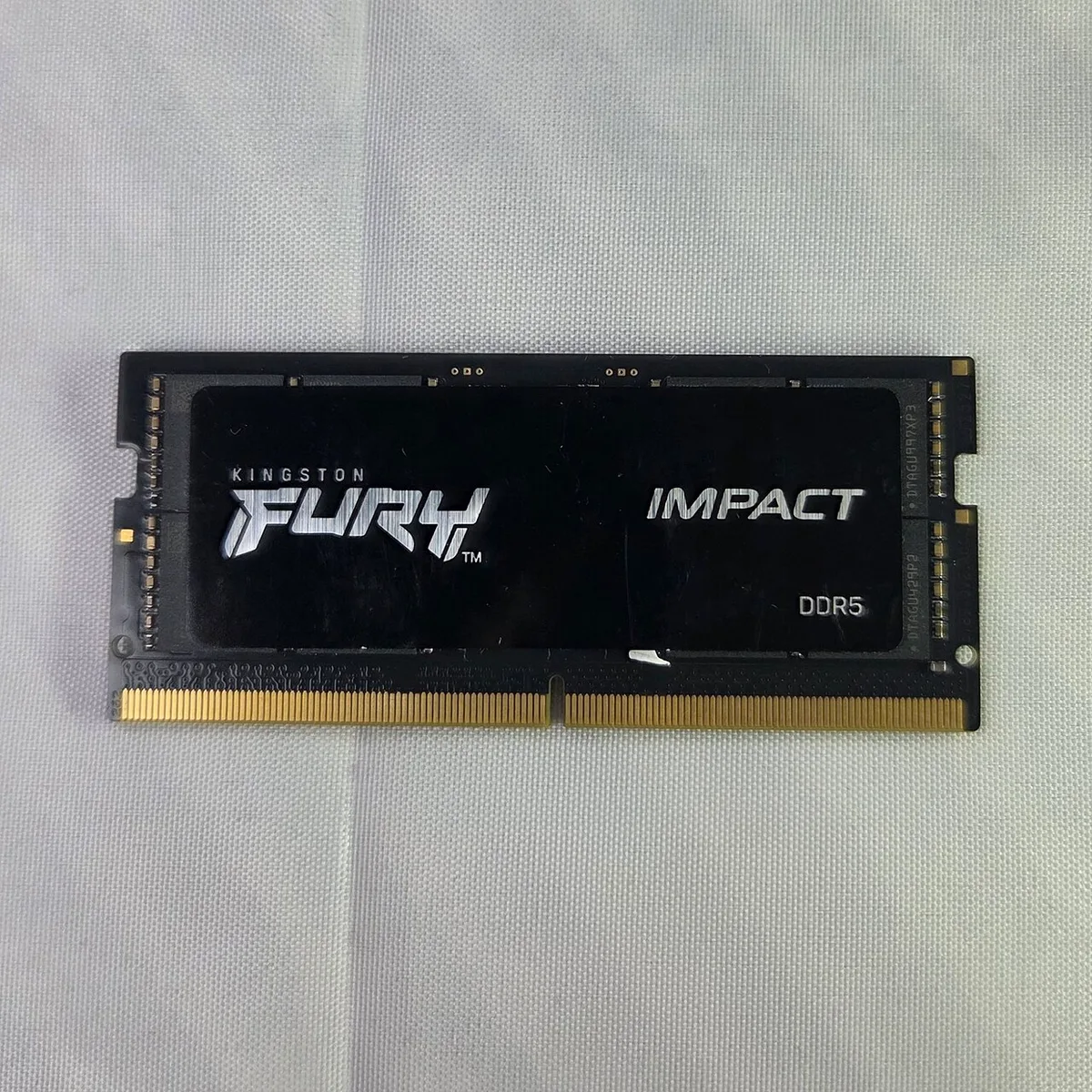
Inside an XMP Profile: Speed, Timings, and Voltage
An XMP profile is more than a speed number. It is a full memory recipe. The three main parts are data rate, timings, and voltage.
Data rate is the headline number, such as 3200 or 6000 MT/s. MT/s means megatransfers per second. People often call this clock speed, but data rate is the clearer term.
Timings control how quickly memory responds. CAS latency, or CL, is the most famous one. Lower CL is usually better at the same speed.
But CL alone does not tell the whole story. You also have tRCD, tRP, and tRAS.
Voltage is the power level used by the profile. DDR4 XMP often runs at 1.35V. DDR5 XMP often runs between 1.25V and 1.4V, depending on the kit.
JEDEC defaults are lower, at 1.2V for DDR4 and 1.1V for DDR5.
| Part | What It Means | Why It Matters |
|---|---|---|
| Data rate | Speed in MT/s | Higher bandwidth |
| Timings | Response delays | Lower latency |
| Voltage | Power used | Stability and heat |
A faster kit is not always the better buy. A 6000 MT/s kit with loose timings may feel similar to a 5600 MT/s kit with tighter timings. The motherboard's role matters because it must support the profile cleanly.
XMP vs. JEDEC Defaults vs. Manual Overclocking
JEDEC defaults are the safe baseline. They work on almost all compatible systems. They are also slower than many advertised kit speeds.
XMP is the middle ground. It uses a tested profile from the memory maker. You do not need to enter timings by hand.
That makes it the best first step for most users.
Manual overclocking is the advanced route. It lets you push beyond XMP. It also takes more testing and more patience.
A bad manual setup can cause crashes or failed boots.
AMD systems have a related option called EXPO. It is not the same profile type, but it serves a similar purpose. If you use AMD, check AMD's EXPO profiles before buying.
| Option | Effort | Risk | Best For |
|---|---|---|---|
| JEDEC default | None | Low | Maximum compatibility |
| XMP | Low | Low to medium | Most gamers and builders |
| Manual tuning | High | Medium to high | Enthusiasts |
If a setting fails, recovery matters. Boards with BIOS recovery features make it easier to get back to a working state.
How to Enable XMP: A Conditional Step-by-Step Workflow
Start with compatibility. Check the kit against your board's memory support list. If the kit is not listed, XMP may still work, but stability is less certain.
Then install the memory in the slots your board manual recommends. Many boards want slots two and four for dual-channel. Wrong slots can reduce bandwidth even with XMP on.
Next, enter BIOS. Find the memory setting. It may be called XMP, DOCP, EOCP, or A-XMP.
Enable the first profile. Save and reboot. Let memory training finish before judging the result.
If the PC boots, test it. Run a memory stress test and normal workloads. Watch for crashes, freezes, or blue screens.
If it passes, you are done.
If it fails, do not panic. Try these steps in order:
- Update the BIOS to the latest stable version.
- Enable XMP again after the update.
- Try the second XMP profile if the kit has one.
- Revert to JEDEC default and check the kit in another slot.
- Clear CMOS if the system will not POST.
If XMP still fails, the kit may be too fast for your CPU or board. Motherboard upgrade signs can help you decide whether the board is the limit.
As of 2026, many DDR5 boards train memory longer than older DDR4 boards. A slow first boot can be normal. Give it time before forcing settings again.
Who Actually Benefits from Turning XMP On
XMP helps most when the system is memory-bound. That usually means gaming at high refresh rates, large file editing, or heavy multitasking. It helps less when the CPU or GPU is the clear bottleneck.
Gamers often see smoother frame times rather than huge average FPS gains. Content creators may see faster exports, previews, and large project loading. Workstation users can benefit when apps move lots of data through RAM.
If your PC mainly browses, streams, and runs light apps, XMP is nice but not essential. Stock memory is usually fine there. The cost of instability is not worth chasing a small gain.
| User Type | Likely Benefit | Main Risk |
|---|---|---|
| High-refresh gamer | Smoother frame times | Boot failure if kit is unsupported |
| Video editor | Faster project work | Higher power draw |
| Casual user | Little noticeable gain | Unneeded troubleshooting |
| Overclocking enthusiast | More tuning headroom | More testing time |
A useful check is how much RAM your gaming PC needs. Capacity often matters more than raw speed. A 32GB kit at a moderate XMP speed can beat a 16GB kit running faster.
Common XMP Mistakes That Cause Crashes and Failed Boots
The biggest mistake is assuming every kit works on every board. XMP is a tested profile, not a universal guarantee. Unsupported kits can fail even when the speed looks reasonable.
Another common mistake is enabling XMP before updating the BIOS. Newer memory kits often need newer firmware. A quick update can turn a failing setup into a stable one.
People also mix memory kits. Two 16GB kits from different batches may not share the same SPD data. Even identical model numbers can behave differently across revisions.
Heat and voltage get ignored too. Aggressive DDR5 kits can run warmer than expected. Poor case airflow makes unstable memory worse.
Avoid these mistakes:
- Buying a kit not listed on the board's support list
- Enabling XMP on an outdated BIOS
- Mixing different RAM kits or capacities
- Ignoring CPU memory controller limits
- Skipping stability testing after enabling the profile
- Forcing a faster profile when the first one already fails
If the system will not POST, clear CMOS and return to defaults. Then test one change at a time. That keeps the problem easy to isolate.
Real-World XMP Numbers: Speeds, Latencies, and Stability
Most DDR4 gaming kits cluster around 3000 to 3600 MT/s. DDR5 kits often range from 5200 to 6400 MT/s. Higher numbers exist, but they demand better boards and CPUs.
Latency matters alongside speed. A 6000 MT/s DDR5 kit at CL30 may feel close to a 5600 MT/s kit at CL28. The better choice depends on price, platform, and tuning room.
Voltage also separates stock from XMP. DDR4 XMP often uses 1.35V. DDR5 XMP can use 1.25V to 1.4V depending on the kit.
JEDEC defaults stay lower to protect broad compatibility.
| Common Setup | Typical XMP Speed | Typical XMP Timing | Typical Voltage |
|---|---|---|---|
| DDR4 gaming kit | 3200 MT/s | CL16 | 1.35V |
| DDR4 high-speed kit | 3600 MT/s | CL18 | 1.35V |
| DDR5 entry kit | 5200 MT/s | CL40 | 1.25V |
| DDR5 gaming kit | 6000 MT/s | CL30 | 1.35V |
Stability is the real final metric. A profile that passes memory training but fails under load is not a success. Run a stress test, then use the PC normally for a day before trusting it.
Manufacturer specs and Intel's XMP documentation describe the profile system clearly. Those sources are safer than random forum posts when you need exact details.
Frequently Asked Questions
Does XMP damage RAM?
No. XMP uses settings tested by the memory maker. The voltage and speed stay within the kit's design limits.
Damage is unlikely if the kit is compatible and cooling is adequate.
Why is my XMP speed not showing in BIOS?
Your board may not support XMP, or it may use another name. Look for DOCP, EOCP, or A-XMP. A BIOS update can also add support for newer kits.
Is XMP the same as overclocking?
It is a form of memory overclocking. The difference is that XMP uses a pre-tested profile. Manual overclocking goes beyond the tested values and needs more validation.
Can XMP make my PC slower?
Yes, if the profile is unstable. Failed boots, crashes, or memory errors can make the system feel worse. In that case, revert to JEDEC defaults and fix compatibility first.
Should I enable XMP on a budget build?
Usually yes, if the kit and board support it well. Keep the speed modest and test stability. A reliable 3200 MT/s DDR4 setup beats an unstable faster one.
Does XMP work on AMD systems?
AMD systems use EXPO for many DDR5 kits. Some boards also read XMP profiles. Check your board and kit support before assuming either option will work.
Final Decision Guide: Should You Enable XMP?
Enable XMP if your kit, board, and CPU all support the profile. Start with Profile 1. Test stability before calling the build finished.
Skip it or use JEDEC defaults if the kit is unsupported. Also skip it if the system crashes after reasonable troubleshooting. A stable PC is always better than a faster unstable one.
If you are choosing parts, memory overclocking support is a smart spec to check. It often predicts whether XMP will be easy or frustrating.
The simple rule is this. Use XMP when compatibility is strong. Revert when stability is weak.
That keeps performance gains real without turning your PC into a troubleshooting project.