Minecraft may look simple, but the laptop you choose can completely change the experience. Vanilla Minecraft is relatively easy to run, while large modpacks, high-resolution texture packs, shaders, multiplayer servers, and increased render distances can push a basic laptop much harder.
That is why the best budget gaming laptop for Minecraft is not necessarily the cheapest laptop you can find. You want enough CPU performance for world generation and mods, enough RAM to keep Java Edition running smoothly, and a capable GPU if you plan to use shaders or more demanding visual upgrades.
For this guide, I focused on gaming laptops that provide a sensible balance between price and Minecraft performance. All five models were listed on Amazon when this guide was checked in August 2026, although prices and stock can change at any time.
Disclosure: As an Amazon Associate, we may earn from qualifying purchases at no additional cost to you.
| Product Name | Best For | Check Price |
|---|---|---|
| Acer Nitro V 15 | Best Overall Value | CHECK PRICE |
| Lenovo LOQ 15 | Best for Mods & Shaders | CHECK PRICE |
| ASUS TUF Gaming F15 | Best Display | CHECK PRICE |
| MSI Thin 15 | Best for Storage & Multitasking | CHECK PRICE |
| HP Victus 15 | Best Balanced Alternative | CHECK PRICE |
1. Acer Nitro V 15 – Best Overall Budget Gaming Laptop for Minecraft
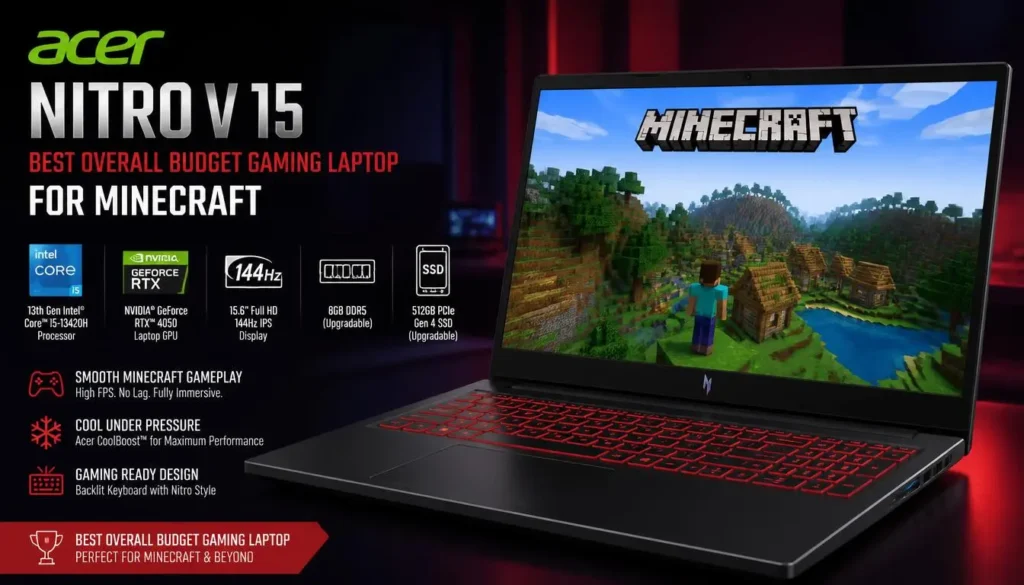
If I were trying to get strong Minecraft performance without moving into premium gaming-laptop pricing, the Acer Nitro V 15 would be one of the first models I would consider.
This configuration combines an AMD Ryzen 5 7535HS processor, NVIDIA GeForce RTX 4050 graphics, 16GB of RAM, a 512GB SSD, and a 15.6-inch FHD 144Hz display.
That combination makes much more sense for Minecraft than buying a cheap laptop with a weak processor and integrated graphics simply because the base game technically runs on it.
Why It Works Well for Minecraft
The Ryzen 5 processor gives Minecraft plenty of CPU headroom for world generation, multiplayer, Redstone-heavy builds, and moderate-to-large modpacks.
The RTX 4050 is more than you need for ordinary vanilla Minecraft, but that extra graphics power becomes useful when you start installing shaders, increasing render distance, using detailed texture packs, or playing other games alongside Minecraft.
The biggest advantage, though, may be the 16GB of RAM. It gives Minecraft Java Edition breathing room while still leaving memory available for Discord, browsers, launchers, recording software, or background applications.
Pros
- 16GB RAM is a strong starting point for Minecraft Java Edition
- RTX 4050 provides plenty of graphics headroom for shaders
- Ryzen 5 7535HS offers solid gaming performance
- 144Hz FHD screen makes movement feel smoother
- 512GB SSD gives you fast startup and loading
- Good balance between gaming performance and price
Cons
- 512GB storage can become restrictive if you install many large games
- Gaming-laptop fans can become noticeable under heavier loads
- Battery life will not match a lightweight productivity laptop
Minecraft Performance and Value
For regular survival worlds, multiplayer servers, Bedrock Edition, Java Edition, and popular modpacks, the Acer Nitro V 15 has far more breathing room than an entry-level non-gaming notebook.
You are also buying enough GPU power that you can experiment with shaders without immediately wishing you had chosen something stronger.
For most buyers searching specifically for the best budget gaming laptop for Minecraft, this Acer offers the most sensible overall package.
2. Lenovo LOQ 15 – Best for Minecraft Mods and Shaders
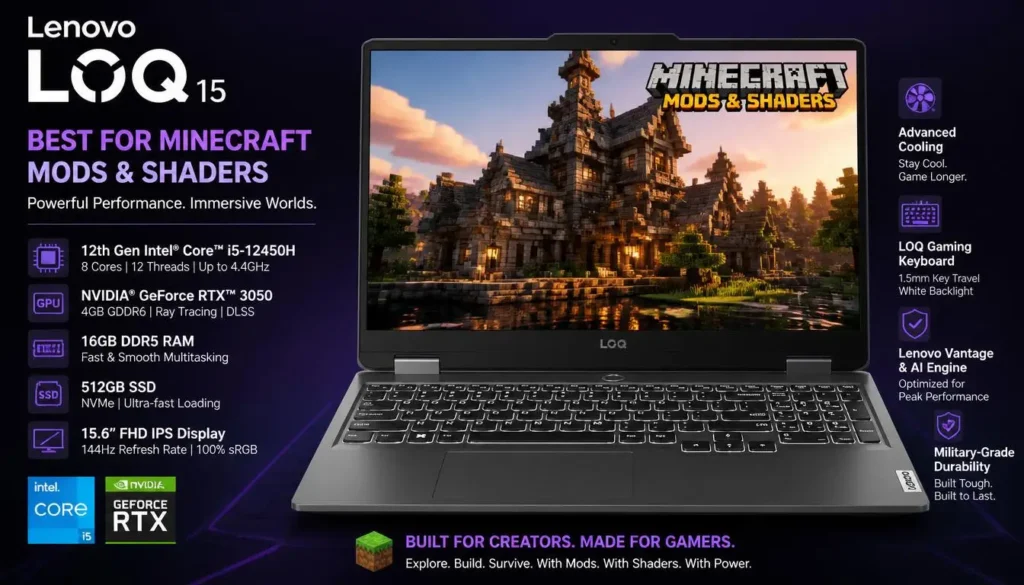
The Lenovo LOQ series sits in an interesting position. It is designed as a more affordable gaming line, but many configurations still include hardware powerful enough for significantly more than basic Minecraft.
The Amazon configuration used here pairs an AMD Ryzen 5 7235HS with 16GB RAM, a 1TB SSD, GeForce RTX 4050 graphics, and a 15.6-inch FHD 144Hz display. The listing also specifies G-SYNC and 100% sRGB coverage.
Why It Works Well for Minecraft
If you are building a large collection of modpacks, worlds, resource packs, screenshots, and other games, the 1TB SSD is immediately attractive.
Minecraft itself does not need anywhere near 1TB, but gaming laptop storage disappears surprisingly quickly once you begin adding Steam games and other applications.
The RTX 4050 also gives this LOQ plenty of room for visually demanding Minecraft setups. Players who mostly enjoy lightweight vanilla Minecraft will not use all of that graphics power, but players interested in shaders will appreciate having it available.
Pros
- RTX 4050 is well suited to shader-heavy Minecraft setups
- 16GB RAM works well for modded Minecraft
- 1TB SSD offers generous storage
- 144Hz display is useful for high-frame-rate gameplay
- Strong choice for Minecraft plus other modern PC games
- G-SYNC support is a welcome gaming feature
Cons
- The Ryzen 5 7235HS is not the strongest CPU in this roundup
- LOQ laptops are not especially lightweight
- Higher-spec configurations may cost noticeably more than entry-level alternatives
Minecraft Performance and Value
The Lenovo LOQ is especially attractive if Minecraft is only one part of your gaming library.
For someone who plans to run Forge or Fabric mods, experiment with demanding shaders, keep multiple large modpacks installed, and play other GPU-heavy games, the extra storage and RTX graphics make a strong case for the LOQ.
It is probably more laptop than a vanilla Minecraft player needs, but that is exactly what gives it room to grow.
3. ASUS TUF Gaming F15 – Best Budget Pick for a Better Display
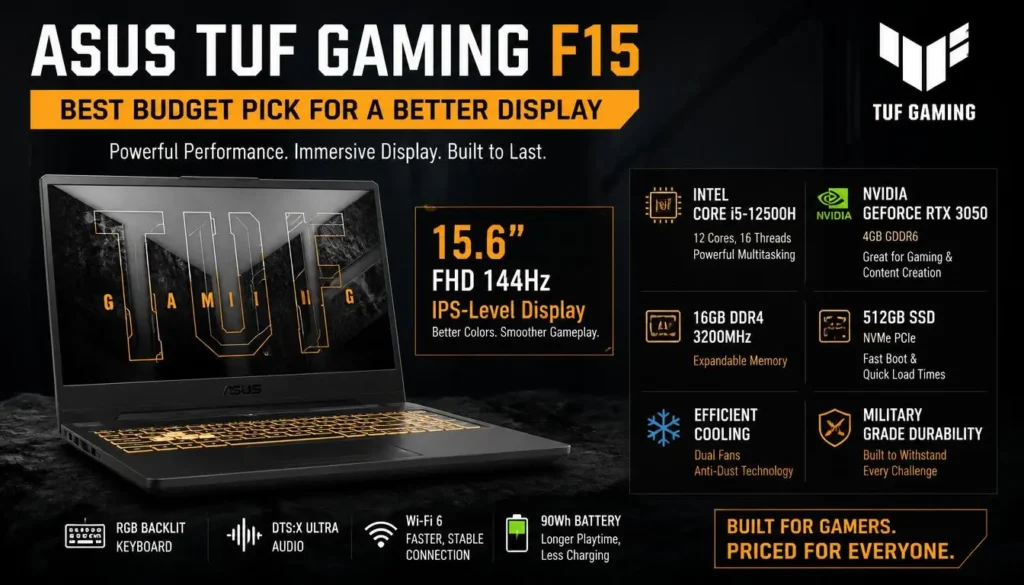
The ASUS TUF Gaming F15 is another strong option for Minecraft players who want an affordable gaming laptop rather than a basic notebook that merely meets the game’s minimum needs.
This model is listed with an Intel Core i5-13500H processor, NVIDIA GeForce RTX 4050, 16GB DDR4 RAM, a 512GB PCIe Gen 4 SSD, and a 15.6-inch FHD 144Hz 100% sRGB display.
Why It Works Well for Minecraft
Minecraft Java Edition can benefit from good CPU performance, particularly once you increase render distance, install mods, or enter complicated worlds.
The Core i5-13500H gives this ASUS plenty of processing power for those workloads.
Its RTX 4050 handles the graphics side, while the 144Hz display means Minecraft can actually look noticeably smoother when the laptop produces high frame rates.
The 100% sRGB display specification is another useful bonus if you also edit screenshots, videos, thumbnails, or other gaming content.
Pros
- Strong Intel Core i5-13500H processor
- RTX 4050 gives you plenty of shader performance
- 16GB RAM is suitable for gaming and multitasking
- 144Hz screen provides smooth gameplay
- 100% sRGB display is useful for creators
- Fast PCIe Gen 4 SSD
Cons
- 512GB SSD is adequate rather than generous
- DDR4 memory is older than DDR5 used in some competing models
- TUF gaming designs tend to prioritize durability and cooling over ultra-thin portability
Minecraft Performance and Value
Minecraft should feel effortless on this hardware during normal gameplay.
More importantly, the TUF F15 gives you flexibility. Start with vanilla Minecraft today, add a large modpack next month, install shaders later, and the laptop still has enough hardware to keep up.
It also makes sense for students or creators who want one machine for Minecraft, schoolwork, video editing, and other PC games.
4. MSI Thin 15 – Best for Minecraft and Multitasking
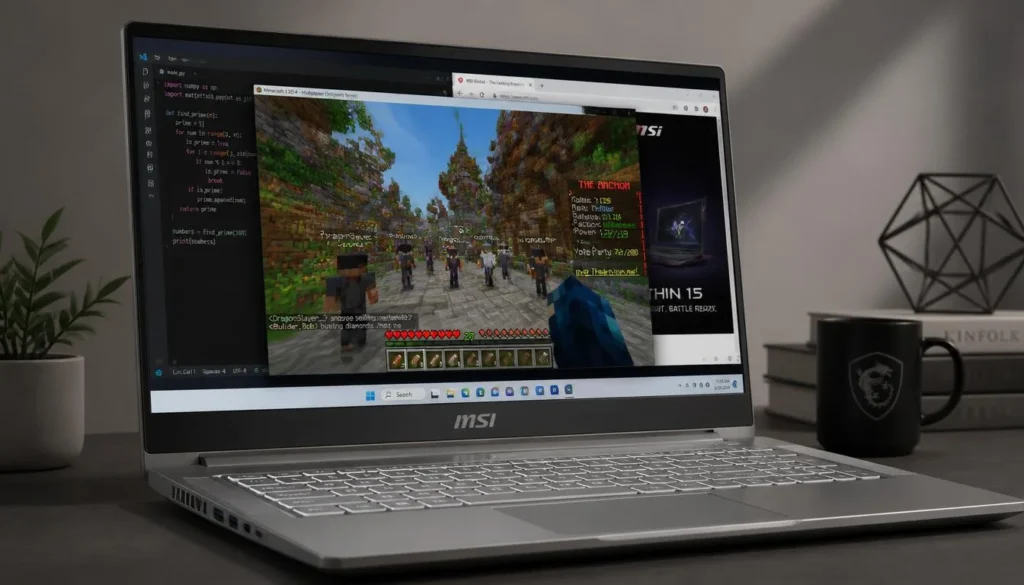
The MSI Thin 15 is worth considering if you regularly keep more than Minecraft running.
This Amazon configuration includes an Intel Core i7-13620H processor, 16GB RAM, 1TB SSD, NVIDIA GeForce RTX 4050 6GB graphics, and a 15.6-inch Full HD 144Hz display.
Those specifications make it one of the stronger all-around configurations in this list.
Why It Works Well for Minecraft
Minecraft players often multitask more than they realize.
You might have Minecraft running alongside Discord, Spotify, several browser tabs, a server dashboard, CurseForge, OBS, or a YouTube tutorial.
The Core i7 processor and 16GB RAM give the MSI Thin 15 enough resources to handle that type of workload comfortably.
The 1TB SSD is also useful for players who keep several modpacks and games installed.
Pros
- Core i7 processor offers strong multitasking performance
- RTX 4050 provides ample GPU power for Minecraft shaders
- 16GB RAM is suitable for modern gaming
- 1TB SSD offers useful extra storage
- 144Hz FHD display
- Good option for streaming or recording Minecraft gameplay
Cons
- Thin gaming laptops can run warmer than larger designs
- Fans may become audible during demanding gaming
- The extra CPU performance may be unnecessary for someone who only plays vanilla Minecraft
Minecraft Performance and Value
For Minecraft alone, you do not need a Core i7 and RTX 4050.
The reason to consider this MSI is everything you can do around Minecraft.
If you want to play heavily modded worlds, record gameplay, keep multiple programs open, edit clips afterward, and use the laptop for other games, the hardware becomes much easier to justify.
5. HP Victus 15 – Best Balanced Alternative
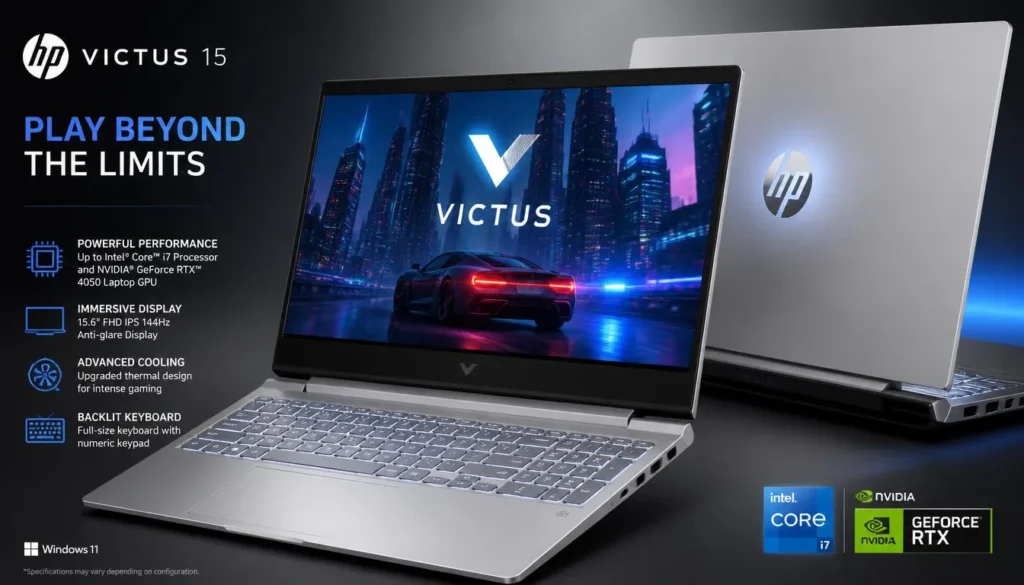
The HP Victus 15 is a good alternative for buyers who want gaming hardware without choosing an overly aggressive gaming-laptop design.
The Amazon configuration featured here includes an AMD Ryzen 7 7445HS, 16GB RAM, a 1TB SSD, NVIDIA GeForce RTX 4050 6GB graphics, and a 15.6-inch FHD IPS 144Hz display.
That is a very comfortable specification for Minecraft.
Why It Works Well for Minecraft
The Ryzen 7 processor gives you strong CPU capability for Java Edition, multiplayer, modpacks, and other CPU-intensive workloads.
Meanwhile, the RTX 4050 provides the graphics headroom needed if your idea of Minecraft includes high-quality shaders rather than the standard visual experience.
With 16GB RAM and a 1TB SSD, there is also less pressure to upgrade immediately after buying the laptop.
Pros
- Ryzen 7 processor provides strong gaming performance
- RTX 4050 works well for visually upgraded Minecraft
- 16GB RAM is a practical amount for Java Edition
- Large 1TB SSD
- 144Hz FHD IPS display
- Less flashy design than many traditional gaming laptops
Cons
- Can cost more than lower-spec budget gaming laptops
- Not necessary if you only play vanilla Minecraft
- Like most gaming laptops, portability and battery life are compromises
Minecraft Performance and Value
The Victus 15 is a particularly good choice for someone who wants a laptop that can serve as both a gaming system and an everyday computer.
Minecraft will not come close to using the full capabilities of this machine under normal vanilla gameplay. The advantage is that demanding modpacks, shaders, content creation, and other modern games have far more room to run.
Buyer’s Guide: 3 Key Factors to Consider
Buying a laptop for Minecraft is easier once you understand which specifications actually affect the game.
Factor 1: CPU Matters More Than Many Minecraft Players Expect
Do not focus exclusively on the graphics card.
Minecraft, particularly Java Edition, can place substantial pressure on the processor when generating chunks, loading complicated worlds, managing entities, or running CPU-heavy mods.
A modern Core i5, Core i7, Ryzen 5, or Ryzen 7 gaming processor is generally a much safer choice than a low-power entry-level CPU.
For vanilla Minecraft, you do not need an extreme processor. For large modpacks and long render distances, however, extra CPU performance becomes much more useful.
Factor 2: Choose the GPU Based on How You Play Minecraft
Vanilla Minecraft does not require an expensive dedicated graphics card.
If that is all you play, buying an RTX gaming laptop purely for Minecraft may be unnecessary.
The situation changes once you want shaders, high-resolution resource packs, demanding visual mods, or other modern PC games.
That is where an RTX 4050-class laptop becomes attractive. It gives you enough graphics headroom to experiment rather than designing your entire setup around the limitations of an integrated GPU.
Factor 3: Aim for 16GB RAM and SSD Storage
For a new gaming laptop in 2026, 16GB RAM is the practical target for most Minecraft players.
It gives Java Edition enough room for mods while allowing Windows and background applications to stay responsive.
An SSD is equally important for the overall experience. Minecraft itself does not consume enormous amounts of storage, but your modpacks, worlds, recordings, screenshots, launchers, resource packs, and other games eventually add up.
A 512GB SSD is workable. A 1TB SSD is considerably more comfortable if this will be your main gaming computer.
Is an RTX 4050 Overkill for Minecraft?
For vanilla Minecraft, yes, an RTX 4050 is more powerful than you need.
But buying a gaming laptop is rarely about one game at its lowest settings.
If you want shaders, visual mods, high render distances, gameplay recording, or the ability to play more demanding PC games later, that unused performance becomes valuable.
A cheaper laptop might save money today but can become limiting much sooner.
How Much RAM Do You Need for Minecraft?
For basic Minecraft, 8GB of system RAM can still work, particularly if you avoid heavy multitasking.
However, 16GB is the better target when buying a new gaming laptop.
It gives you more flexibility for Java Edition, modded Minecraft, Discord, browsers, recording software, and background applications without constantly worrying about memory use.
Heavy modpacks may justify even more RAM, but most players do not need to start with 32GB.
Frequently Asked Questions
What is the best budget gaming laptop for Minecraft?
The Acer Nitro V 15 is our best overall choice because its Ryzen 5 processor, 16GB RAM, RTX 4050 GPU, SSD storage, and 144Hz screen provide an excellent balance for vanilla Minecraft, mods, shaders, and other games.
Do I need a gaming laptop for Minecraft?
No. Basic Minecraft can run on many ordinary laptops.
A gaming laptop becomes more useful when you want higher frame rates, shaders, large modpacks, long render distances, recording, streaming, or the ability to play more demanding games.
Is 8GB RAM enough for Minecraft?
It can be enough for basic Minecraft, but 16GB is a much better target for a new laptop.
The additional memory becomes especially useful with Java Edition mods and when other applications are running at the same time.
Is 16GB RAM enough for modded Minecraft?
For most mainstream modpacks, 16GB of total system RAM is a sensible starting point.
Extremely large modpacks, servers, and heavy multitasking can benefit from more memory, but 16GB is enough for the majority of players.
Do Minecraft shaders need a dedicated GPU?
Light shaders can run on relatively modest hardware, but demanding shader packs become much easier to use with a dedicated GPU.
If shaders are one of your main reasons for buying a laptop, an RTX 4050 gaming laptop gives you far more flexibility than integrated graphics.
Is Minecraft more CPU- or GPU-intensive?
It depends on how you play.
Standard Java Edition gameplay can be heavily influenced by CPU performance, especially during chunk generation and complex modded gameplay. Shaders and visual enhancements shift much more work toward the GPU.
That is why a balanced CPU and GPU combination is preferable to choosing a laptop based on graphics alone.
Is a 144Hz laptop worth it for Minecraft?
It can be.
Minecraft can reach high frame rates on capable hardware, so a 144Hz display can make camera movement and general gameplay appear noticeably smoother than a standard 60Hz screen.
It is not essential, but it is a worthwhile feature on a gaming laptop.
Is 512GB storage enough for Minecraft?
Yes, if Minecraft is your main game.
If you plan to install several modern PC games, keep large modpacks, record gameplay, or store videos locally, a 1TB SSD is a more comfortable long-term choice.
Can these laptops run Minecraft Java and Bedrock Edition?
Yes. The hardware configurations in this guide are powerful enough for both Minecraft Java Edition and Minecraft for Windows, with plenty of performance available beyond basic gameplay.
Final Verdict: Which Budget Gaming Laptop Should You Buy for Minecraft?
For most players, the Acer Nitro V 15 is the easiest recommendation.
You get a Ryzen 5 gaming processor, 16GB RAM, RTX 4050 graphics, SSD storage, and a 144Hz screen without paying for unnecessary flagship hardware.
If you expect to build a large library of modpacks and games, the Lenovo LOQ 15 is especially attractive because of its 1TB storage configuration and RTX 4050 graphics.
The ASUS TUF Gaming F15 makes more sense if display quality matters, while the MSI Thin 15 is a strong option for gaming, recording, and multitasking.
Finally, the HP Victus 15 is a well-balanced alternative if you want Ryzen 7 performance, 16GB RAM, 1TB storage, and RTX 4050 graphics in one package.
The important part is not buying the most expensive laptop. Buy for the kind of Minecraft you actually play. Vanilla Minecraft requires relatively little. Mods, shaders, recording, and other modern games are where the extra hardware starts earning its place.