Yes, OLED is worth it on a gaming laptop if you care about premium image quality, deep blacks, fast pixel response, HDR, and a more immersive gaming experience. But it is not automatically the best choice for every gamer.
If you are working with a limited budget, spending extra on OLED may make less sense than putting that money toward a stronger GPU, more RAM, or a better overall laptop. OLED also comes with a few trade-offs, including possible burn-in, reflections on glossy panels, content-dependent power use, and occasional VRR flicker.
The good news is that modern OLED gaming laptops have improved considerably. High-refresh OLED panels are now available at 120Hz, 240Hz, and beyond in the wider display market, while current gaming laptops such as the 2026 ROG Zephyrus G16 offer 2.5K 240Hz OLED screens.
So, should your next gaming laptop have OLED? The answer depends less on whether OLED is “better” and more on what you play, how you use the laptop, and what you have to give up to get the OLED screen.
Is OLED Worth It on a Gaming Laptop? Quick Answer
For most gamers who can comfortably afford it, OLED is one of the best display upgrades you can make. Games look richer, dark scenes appear dramatically better, motion is clean, and HDR content can feel much more convincing because individual OLED pixels can turn themselves off instead of relying on a constantly illuminated LCD backlight.
However, OLED is not worth sacrificing a major GPU upgrade for.
For example, if your choice is between:
- An RTX 5070 laptop with OLED
- An RTX 5080 laptop with a good high-refresh IPS display at a similar price
A performance-focused gamer may get more long-term value from the stronger GPU.
On the other hand, if both laptops have similar CPU and GPU performance and the OLED version only costs moderately more, OLED becomes much easier to recommend.
| FactorOLED Gaming Laptop | |
|---|---|
| Black Levels | Excellent |
| Contrast | Excellent |
| Color Quality | Excellent |
| Pixel Response | Excellent |
| HDR Gaming | Excellent on a good panel |
| High Refresh Rates | Available |
| Burn-In Risk | Possible |
| Battery Use | Depends heavily on content and brightness |
| Price | Usually premium |
| Best For | Immersive gaming and premium visuals |
What Is an OLED Display on a Gaming Laptop?
OLED stands for Organic Light-Emitting Diode.
The main difference between OLED and a traditional LCD gaming laptop is how the screen produces light.
An LCD needs a separate backlight behind the panel. OLED does not. Each OLED pixel produces its own light, which means individual pixels can brighten, dim, or switch completely off.
That difference is responsible for many of OLED’s biggest advantages.
How OLED Works
Imagine a dark room in a game.
On an LCD panel, the backlight is still operating behind the image, even when the screen is trying to display black. A good IPS or Mini-LED panel can control this light well, but some light can still remain.
With OLED, a pixel displaying pure black can simply switch off.
That produces much deeper blacks and stronger contrast between bright objects and dark backgrounds.
OLED vs Regular LED/LCD Laptop Displays
The term “LED laptop screen” can be confusing.
Most laptops marketed with LED displays are actually LCD panels illuminated by LED backlights. OLED is different because its pixels are self-emissive and do not require that separate backlight.
That is why OLED usually has the advantage in:
- Black levels
- Contrast
- Dark-scene performance
- Pixel response
- Viewing angles
LCD still has advantages of its own, including no OLED-style burn-in risk and often a lower price.
Why OLED Looks Different From IPS
The difference is especially obvious in a dark game.
Fire, neon signs, stars, headlights, spell effects, and bright HUD elements can stand out against genuinely dark backgrounds instead of slightly gray blacks.
OLED’s self-emissive structure also contributes to fast response behavior, which is useful when images change rapidly. Samsung Display, for example, highlights both high refresh rates and OLED’s fast response characteristics in its display technology documentation.
What Are the Benefits of OLED for Gaming?
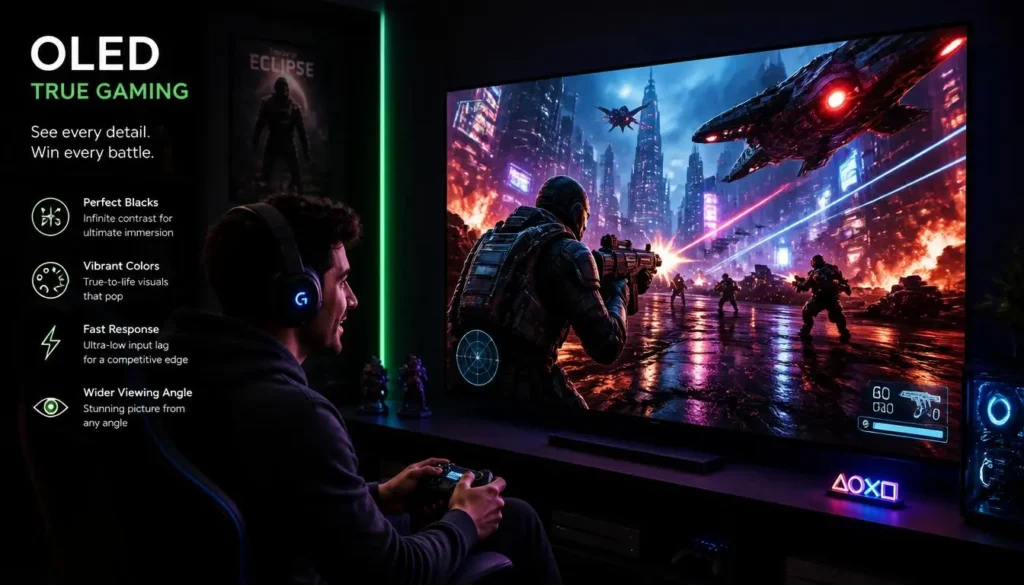
OLED’s advantage is not one single specification. It is the way several display characteristics work together.
Perfect Blacks and Better Contrast
This is usually the first thing people notice.
When an OLED pixel needs to display black, it can turn off completely. That gives dark scenes more depth and makes bright details stand out more clearly.
This matters particularly in:
- Horror games
- Space games
- Dark RPGs
- Cinematic action games
- Games with strong lighting effects
- HDR-supported titles
If you mainly play colorful AAA or story-driven games, OLED can produce a much more noticeable upgrade than a small CPU or RAM improvement that does not affect your frame rate.
Faster Pixel Response Times
Refresh rate gets most of the attention in gaming laptop marketing, but pixel response time matters too.
Response time describes how quickly pixels can change from one state to another. OLED is naturally well suited to fast transitions because it does not depend on liquid crystals physically changing orientation in the same way an LCD panel does. Samsung Display specifically cites fast response as an OLED advantage.
In practice, fast response can reduce visible trailing and make movement appear cleaner.
This is useful in games such as:
- Counter-Strike 2
- Valorant
- Fortnite
- Apex Legends
- Call of Duty
- Racing games
Better Motion Clarity
A high refresh rate and fast pixel response complement each other.
A 240Hz screen can refresh up to 240 times per second, but fast pixel transitions help ensure the panel can keep up cleanly with those updates.
That is one reason modern 240Hz OLED laptop panels are so attractive for gaming. Current models such as the ROG Zephyrus G16 combine a 240Hz OLED panel with a claimed 0.2ms response time and G-SYNC support.
Better Colors and Color Accuracy
OLED panels are commonly used in premium laptops because they can provide wide color reproduction and strong contrast.
However, do not assume every OLED laptop is equally accurate.
A highly saturated display may look impressive without being professionally calibrated. If you also edit photos or videos, look for specifications such as:
- DCI-P3 coverage
- sRGB coverage
- Factory calibration
- Delta E claims
- Display profiles
The panel quality and calibration matter just as much as the word “OLED.”
Better HDR Gaming
OLED is particularly well suited to HDR because bright objects can appear next to extremely dark areas with per-pixel light control.
VESA’s DisplayHDR True Black standard was created for emissive displays such as OLED and places particular emphasis on deeper blacks and dynamic range.
That does not mean every OLED laptop has amazing HDR. Peak brightness, color performance, HDR certification, software support, and the game itself still matter.
But on a good OLED panel, HDR is one of the strongest reasons to pay extra.
Wider Viewing Angles
OLED also tends to maintain strong image characteristics when viewed from an angle.
This is not as important when you sit directly in front of a gaming laptop, but it helps when watching movies with someone else or using the laptop in different positions.
More Immersive AAA Gaming
OLED does not make a game run faster.
It can, however, make a game feel considerably more visually impressive.
Games built around dramatic lighting, atmospheric environments, deep shadows, neon effects, and cinematic scenes benefit most.
If your gaming library is dominated by story-driven titles rather than competitive low-settings esports, OLED becomes easier to justify.
Does OLED Improve FPS or Gaming Performance?
No. OLED does not directly increase FPS.
Your frame rate is primarily determined by the laptop’s GPU, CPU, game settings, resolution, thermal limits, and power configuration.
Changing from IPS to OLED does not magically make the GPU render more frames.
What OLED improves is how those frames look.
OLED Does Not Directly Increase FPS
Suppose two laptops have the same CPU, GPU, cooling, RAM, power limits, resolution, and game settings.
One has an IPS panel and the other has OLED.
The OLED laptop should not suddenly produce substantially more FPS simply because it has an OLED panel.
Its advantage is display quality and response behavior.
OLED Response Time vs Input Lag
Response time and input lag are not the same thing.
Pixel response time describes how quickly the panel’s pixels change.
Input lag or total system latency describes how long it takes for your action to be reflected on screen.
Total gaming latency can involve:
- Mouse or controller latency
- CPU processing
- GPU rendering
- Frame queue behavior
- Display refresh timing
- Panel response
So if a laptop advertises a 0.2ms OLED response time, that does not mean the entire laptop has 0.2ms input latency.
Response Time vs Refresh Rate
Refresh rate tells you how many times the display can update per second.
For example:
- 120Hz = up to 120 refreshes per second
- 165Hz = up to 165
- 240Hz = up to 240
Response time describes how quickly pixels change between those refreshes.
A good gaming display needs both strong refresh behavior and fast response.
120Hz vs 165Hz vs 240Hz OLED
A 120Hz OLED screen is already a huge improvement over a basic 60Hz display for gaming.
For casual gaming and AAA titles, 120Hz can be plenty.
165Hz gives you more headroom for faster games.
240Hz makes the most sense when you play competitive titles and your GPU can regularly produce very high frame rates.
High-refresh OLED gaming laptops are no longer rare experiments. Current manufacturers offer gaming laptops with 240Hz OLED displays, while 120Hz OLED options still exist on smaller or more portable models.
Does a High-Resolution OLED Screen Reduce FPS?
OLED itself does not reduce FPS, but higher resolution can.
A GPU has to render more pixels at higher resolutions.
For example, a 2560×1600 display requires substantially more rendering work than 1920×1080 at native resolution.
That means you should not compare:
1080p IPS vs 1600p OLED
and assume any FPS difference is caused by OLED.
Resolution is a major part of that equation.
For gaming laptops, the sweet spot is usually a panel resolution that matches the GPU’s performance. There is little benefit in paying for an extremely high-resolution display if you have to reduce resolution or image quality in every demanding game.
What Are the Downsides of OLED Gaming Laptops?
OLED is excellent, but it is not perfect.
A buying guide that ignores the drawbacks is not helping you make a good decision.
OLED Burn-In Risk
Burn-in can occur when static, high-contrast elements remain in the same position for long periods and certain pixels age differently from surrounding pixels.
ASUS explicitly warns that prolonged static high-contrast images can cause image persistence or permanent burn-in on OLED screens.
This does not mean your OLED laptop will inevitably develop burn-in.
It means the risk exists and your usage pattern matters.
Can Static Gaming HUDs Cause Burn-In?
Potentially, yes.
Many games keep interface elements in exactly the same location for hours:
- Health bars
- Mini-maps
- Ammo counters
- Crosshairs
- Skill icons
- Scoreboards
- Status bars
Playing one game for a few hours is not the same as leaving a static image on screen indefinitely. But if you play the same title for thousands of hours with bright static interface elements, those elements are more relevant to long-term OLED wear than constantly changing content. OLED manufacturers specifically recommend avoiding prolonged static imagery at high brightness.
OLED VRR Flicker
VRR, or variable refresh rate, allows a display to adjust its refresh behavior to match changing game frame rates.
This can reduce tearing and improve smoothness.
However, OLED displays can sometimes show visible brightness flicker when frame rates fluctuate sharply while VRR is active. ASUS describes OLED flicker as something that can occur during large refresh-rate fluctuations as VRR follows changing game frame rates.
You may notice it more in:
- Loading screens
- Game menus
- Games with unstable frame rates
- Very dark scenes
Not every player will notice it equally, and panel behavior varies, but competitive buyers should know the issue exists.
PWM Flicker and Eye Comfort
Eye comfort is more complicated than simply asking whether a panel is OLED.
Different panels can use different brightness-control methods, and individual sensitivity to flicker varies.
Some OLED displays are specifically certified for reduced flicker or low-blue-light performance. LG, for example, advertises UL Flicker-Free certification on selected OLED panels.
If you know that you are sensitive to display flicker, review testing of the exact laptop panel before buying instead of assuming every OLED behaves the same way.
OLED Brightness and Automatic Dimming
Peak brightness numbers can be misleading if you look at them in isolation.
A display may reach very high brightness in a small HDR highlight without sustaining that same level across the entire screen.
For HDR buyers, certifications such as VESA DisplayHDR True Black can be useful because they evaluate multiple aspects of HDR performance rather than relying on a single marketing number.
Always check:
- SDR brightness
- HDR peak brightness
- Full-screen brightness
- HDR certification
- Review measurements
Glossy Screen Reflections
Many OLED laptops use glossy or highly reflective screen finishes.
Glossy screens can make colors and contrast look striking indoors, but bright windows and overhead lighting may create distracting reflections.
If you often game in bright rooms, this matters.
A brilliant OLED display that constantly reflects a window behind you may be less enjoyable than a good anti-glare IPS panel.
Higher Price
OLED is still usually positioned as a premium feature.
That means the real question is not:
“Is OLED better?”
It is:
“Is OLED the best place to spend my budget?”
If OLED adds $200 but everything else stays the same, it may be worthwhile.
If choosing OLED forces you to drop an entire GPU tier, the answer changes.
Battery-Life Trade-Off
OLED power consumption is highly dependent on what is displayed.
Dark content can be efficient because black pixels can switch off, while large bright or white areas require more pixels to emit light. Samsung Display has reported lower OLED power use in dark-mode laptop testing, and its technology documentation explains that reducing the number of illuminated pixels can cut display power consumption.
This is why you should avoid simple claims such as “OLED always has worse battery life” or “OLED always saves battery.”
The actual result depends on:
- Screen brightness
- Resolution
- Refresh rate
- Display content
- Battery size
- GPU mode
- CPU efficiency
- Manufacturer tuning
How Serious Is OLED Burn-In on a Gaming Laptop?
Burn-in deserves attention, but it should not automatically scare you away from OLED.
Modern laptops include multiple protection techniques designed to reduce the chance of uneven pixel aging.
Burn-In vs Temporary Image Retention
Temporary image retention and permanent burn-in are not always the same thing.
A faint image that disappears after the panel rests may be temporary retention.
Permanent burn-in is persistent uneven wear that does not disappear through normal use.
Manufacturers provide panel-care tools partly because OLED pixels age over time and prolonged static content can increase uneven wear.
What Causes OLED Burn-In?
Risk increases when the same high-contrast image remains in one location for extended periods.
Examples include:
- Windows taskbar
- Browser controls
- Game HUDs
- Editing software interfaces
- Spreadsheets
- Static wallpapers
- News tickers
- Application sidebars
High brightness can further increase the stress placed on frequently illuminated pixels.
Gaming vs Productivity Burn-In Risk
A gamer who switches between many titles, watches videos, browses the web, and regularly lets the display sleep has a different usage pattern from someone displaying the same static productivity interface eight hours every day.
That is why OLED may be easier to recommend for entertainment-heavy use than for highly repetitive static workloads.
Pixel Shift and Pixel Refresh
Modern OLED laptops can include built-in protection features.
ASUS, for example, documents Pixel Shift and Pixel Refresh features that slightly move displayed content or run maintenance behavior to reduce uneven pixel wear.
These features reduce risk. They do not make OLED physically immune to aging.
How to Reduce OLED Burn-In
You do not need to obsess over your screen. A few sensible habits go a long way:
- Let the display sleep when you are not using it
- Avoid leaving static screens open for hours unnecessarily
- Use automatic taskbar hiding if practical
- Avoid maximum brightness when it is not needed
- Keep OLED protection features enabled
- Use dark mode where you like it
- Allow manufacturer pixel-refresh features to run
- Avoid pausing the same game screen overnight
ASUS recommends shorter screen-sleep times, OLED Care features, and avoiding prolonged static images at maximum brightness.
Check the Burn-In Warranty Before Buying
Do not assume burn-in coverage is identical across brands, models, and countries.
Before buying an expensive OLED gaming laptop in the USA, UK, Canada, or Australia, read the warranty terms for that exact model and region.
Look for:
- Standard panel warranty
- Explicit OLED burn-in wording
- Accidental-damage exclusions
- Screen replacement conditions
- Warranty length
Some manufacturers advertise OLED-specific protection or warranty programs, but coverage varies. ASUS, for example, markets OLED protection features and warranty terms on selected laptop lines.
OLED vs IPS for Gaming Laptops
For many buyers, this is the most important comparison.
| Feature | OLED | IPS |
|---|---|---|
| Black Levels | Excellent | Good |
| Contrast | Excellent | Good |
| Pixel Response | Usually Faster | Good to Excellent |
| HDR Potential | Excellent | Varies |
| High Refresh Rates | Yes | Yes |
| Burn-In Risk | Possible | No OLED-style burn-in |
| Price | Usually Higher | Usually Lower |
| Bright-Room Practicality | Depends on finish | Often strong |
| Best Value | Premium visuals | Performance per dollar |
OLED Is Better If…
Choose OLED if you:
- Love visually rich AAA games
- Play in darker indoor environments
- Watch movies on your laptop
- Want better HDR
- Value deep blacks
- Want fast pixel response
- Also create visual content
- Do not mind paying a premium
IPS Is Better If…
Choose IPS if you:
- Have a strict budget
- Want the strongest GPU possible for your money
- Use static productivity applications all day
- Do not want to think about burn-in
- Frequently work in bright environments
- Mainly play competitive games at low settings
- Are satisfied with good rather than best-in-class contrast
A good IPS laptop is not a bad gaming laptop simply because OLED exists.
A fast, bright, color-accurate IPS screen paired with a stronger GPU can easily be the smarter purchase.
OLED vs Mini-LED for Gaming Laptops
Mini-LED sits between traditional LCD and OLED in an interesting way.
Mini-LED still uses an LCD layer and a backlight, but the backlight is divided into many local-dimming zones.
That allows Mini-LED to produce better contrast than a conventional LCD while achieving high brightness.
OLED still has the advantage of controlling light at the individual-pixel level.
OLED Strengths
- Better pixel-level black control
- No traditional local-dimming blooming
- Fast response behavior
- Excellent dark-room image quality
- Strong HDR contrast
Mini-LED Strengths
- Can achieve very high brightness
- No OLED-style burn-in concern
- Strong HDR on good implementations
- Attractive for bright environments
- Excellent choice for static productivity use
Choose OLED If…
Choose OLED if you prioritize:
perfect blacks, fast response, dark-room gaming, and cinematic image quality.
Choose Mini-LED If…
Choose Mini-LED if you prioritize:
high brightness, HDR impact in brighter rooms, and avoiding OLED burn-in concerns.
Neither technology wins every category.
Is OLED Worth It for Competitive Gaming?
Yes, OLED can be excellent for competitive gaming.
The old argument that OLED is too slow or limited to low refresh rates no longer applies broadly. Modern gaming laptops are available with 240Hz OLED panels.
For competitive games, OLED offers two useful advantages:
- Fast pixel response
- High refresh rates on suitable models
However, FPS still matters more than the panel type.
If you play Valorant at 300 FPS, a 240Hz OLED screen makes sense.
If your GPU only manages 70 FPS in your favorite game, paying heavily for 240Hz OLED may not provide the same value.
You should also consider VRR flicker if the games you play have highly unstable frame rates.
For pure esports value, a cheaper high-refresh IPS laptop with a stronger GPU may still win.
Is OLED Worth It for AAA and Story-Driven Games?
This is where OLED makes the strongest argument for itself.
AAA and story-focused games often emphasize:
- Lighting
- Shadows
- Atmosphere
- Cinematic scenes
- HDR effects
- Large detailed environments
- Night scenes
OLED’s deep blacks and per-pixel lighting can make those elements noticeably more dramatic.
If you spend most of your time playing single-player RPGs, horror games, racing titles, adventure games, or visually demanding open-world releases, you are more likely to appreciate OLED every day.
You may not gain a single extra frame per second, but the visual upgrade can be substantial.
Is OLED Worth It for a Gaming Laptop Used for Work?
It depends on the work.
OLED for Content Creation
OLED can be excellent for:
- Photo editing
- Video editing
- Graphic design
- Digital art
- Color-sensitive creative work
But check actual gamut coverage and factory calibration instead of assuming every OLED is professionally accurate.
OLED for Coding
OLED’s contrast can look fantastic with dark code editors.
The concern is that development tools often contain static interface elements for many hours.
If you code all day and game at night, use sensible OLED-care settings and avoid unnecessary maximum brightness.
OLED Text Clarity
Text quality varies with panel resolution, pixel structure, scaling, operating system rendering, and screen size.
Do not assume an OLED label guarantees perfect text.
For productivity-heavy use, try to inspect the exact laptop in person or read detailed panel testing before buying.
A high-resolution OLED display generally has more room to hide pixel-structure issues than a lower-pixel-density screen.
Static UI and Burn-In
Applications such as Excel, Photoshop, Premiere Pro, browsers, IDEs, and office software can keep the same menus and interface elements on screen for hours.
This does not make OLED unusable for work.
It simply makes screen-care habits more relevant.
Long Daily Work Sessions
If your laptop spends eight to twelve hours every day showing mostly static work interfaces, IPS or Mini-LED may provide more peace of mind.
If your usage is mixed between gaming, video, browsing, and creative work, OLED becomes easier to recommend.
Does OLED Reduce Gaming Laptop Battery Life?
Sometimes, but there is no universal rule.
OLED power use changes with the image.
When a large part of the screen is dark, many pixels emit little or no light. When most of the screen is bright white, far more pixels must produce light.
Samsung Display’s laptop testing found dark-mode OLED use more power-efficient than light-mode use in its tested configuration.
The bigger battery-life killers on a gaming laptop can also include:
- Discrete GPU activity
- High refresh rate
- High screen brightness
- High resolution
- Powerful CPU boost behavior
- RGB lighting
- Background applications
So do not choose a laptop based on panel technology alone.
Does Dark Mode Save Battery on OLED?
Yes, dark mode can reduce OLED display power consumption because fewer pixels need to produce high levels of light.
Samsung Display reported roughly 25% lower display power use in its specific laptop dark-mode testing, though you should not assume that exact percentage applies to every laptop or workload.
Dark mode will not suddenly turn a gaming laptop into a two-day ultrabook, but it can help.
How Long Does an OLED Gaming Laptop Screen Last?
There is no single lifespan number that applies to every OLED gaming laptop.
Panel lifespan depends on:
- Brightness
- Heat
- Static content
- Daily usage
- Panel design
- OLED protection features
- Manufacturer tuning
OLED pixels naturally age with use, which is why uneven wear can eventually produce burn-in under unfavorable conditions.
For most buyers, the more useful question is not:
“Will OLED last exactly X years?”
It is:
“Does my usage pattern create an unusually high burn-in risk?”
If you constantly rotate content and use reasonable brightness, your risk profile is different from someone displaying the same static software layout all day, every day.
What OLED Specs Should You Check Before Buying?
Never buy a gaming laptop just because the product page says “OLED.”
Check the complete display specification.
Refresh Rate
For modern gaming:
120Hz — Good for AAA and general gaming
144Hz/165Hz — Excellent all-round range
240Hz — Great for competitive gaming
Your GPU should be powerful enough to take advantage of the refresh rate.
Resolution
Common premium laptop resolutions include:
- 1920×1200
- 2560×1600
- 2880×1800
- Other 2.5K/3K-class resolutions
Higher resolution produces a sharper image but increases GPU load when games run natively.
Pixel Response Time
OLED is known for fast pixel response, but check the manufacturer’s specification and independent testing for the exact model.
Do not confuse response time with complete system latency.
Brightness
Check both normal and HDR brightness.
A very high advertised peak number may apply only under specific HDR conditions.
HDR Certification
If HDR matters to you, look for recognized certification such as VESA DisplayHDR True Black rather than relying only on vague “HDR-ready” marketing. VESA’s certification system defines performance requirements for emissive displays and HDR behavior.
Color Gamut and Accuracy
Look for:
- 100% DCI-P3 or similar coverage claims
- sRGB support
- Factory calibration
- Delta E specification
- Color-management modes
Especially important for creators.
VRR, G-SYNC, and FreeSync
Variable refresh technology helps synchronize display refresh behavior with changing game frame rates.
That can reduce tearing.
If the laptop supports VRR, also check reviews for VRR behavior because large frame-rate fluctuations can expose OLED flicker on some implementations.
Glossy vs Matte or Anti-Reflective
Check how you actually use the laptop.
Glossy OLED can look outstanding indoors.
Anti-reflective treatment may be more useful near windows or under bright lighting.
Burn-In Protection
Look for manufacturer features such as:
- Pixel Shift
- Pixel Refresh
- Automatic screen protection
- Static-image detection
- Panel maintenance tools
ASUS documents Pixel Refresh and Pixel Shift on its OLED laptop platform as burn-in mitigation tools.
OLED Warranty
Read the warranty before purchasing.
Do not assume all panel problems are covered simply because the laptop has a long general warranty.
GPU Power vs Display Resolution
This may be the most important buying rule in the entire article:
Do not sacrifice too much GPU performance just to get OLED.
A beautiful 3K OLED display paired with an underpowered GPU may be less satisfying for gaming than a strong 1600p IPS system with a much faster graphics card.
How Much Extra Should You Pay for OLED?
There is no universal dollar amount because gaming laptop prices change constantly across the USA, UK, Canada, and Australia.
Instead, judge the upgrade by what you lose.
Small Price Premium
If the OLED version is only slightly more expensive and everything else is equal, OLED is usually worth serious consideration.
Moderate Price Premium
Compare:
- GPU
- CPU
- RAM
- SSD
- Cooling
- Battery
- Build quality
If none of those are being downgraded, the premium may still make sense.
Large Price Premium
If OLED pushes the laptop into a completely different price tier, think carefully.
For most gamers:
GPU first, display second.
A faster graphics card affects the number of games you can run well and how long the laptop remains capable at demanding settings.
OLED improves the experience of the performance you already have.
OLED Upgrade vs Better GPU
When forced to choose, I would generally prioritize a meaningfully stronger GPU over OLED.
Once the GPU level you need is secured, OLED becomes one of the most enjoyable premium upgrades you can add.
Who Should Buy an OLED Gaming Laptop?
OLED makes the most sense if you are:
- An AAA gamer
- A story-driven gamer
- An HDR enthusiast
- A gamer who watches movies on the same laptop
- A content creator who also games
- Someone who plays mostly indoors
- Someone who values image quality as much as FPS
- Buying a premium laptop anyway
For these users, OLED is not just a specification on the box. You can see the benefit every time you open a visually rich game.
Who Should Skip OLED?
You may be better off with IPS or Mini-LED if:
- You have a limited budget
- Maximum FPS per dollar is your priority
- OLED requires dropping to a weaker GPU
- Your laptop shows static interfaces all day
- You worry constantly about burn-in
- You frequently work outdoors or under strong reflections
- You care more about battery endurance than display quality
- You already use an external premium gaming monitor most of the time
OLED is a luxury worth paying for only when it matches the way you use your laptop.
OLED Gaming Laptop Buying Decision by User Type
| User Type | Is OLED Worth It? | Why |
|---|---|---|
| AAA Gamer | Yes | Excellent contrast and HDR |
| Story-Driven Gamer | Yes | Strongest visual benefit |
| Competitive Gamer | Depends | Great response, but GPU/FPS matter more |
| Budget Gamer | Usually No | Spend on GPU first |
| Content Creator + Gamer | Yes | Strong visual and creative benefits |
| Student + Gamer | Depends | Battery and budget matter |
| Productivity-Heavy User | Depends | Static UI increases burn-in concern |
| Frequent Traveler | Depends | Battery and reflections matter |
| Desktop-Replacement User | Yes | Premium display gets frequent use |
OLED Gaming Laptop Pros and Cons
Pros
- Deep, convincing blacks
- Excellent contrast
- Fast pixel response
- Strong motion clarity
- Excellent HDR potential
- Rich colors
- Wide viewing angles
- Great for movies
- Excellent for visually rich games
- High-refresh OLED gaming laptops are available today
Cons
- Usually costs more
- Burn-in remains possible
- Static HUDs require some consideration
- VRR flicker can occur during large frame-rate fluctuations
- Glossy panels can reflect bright surroundings
- Battery behavior depends heavily on content
- OLED may not be the best performance-per-dollar upgrade
- Warranty coverage varies
Final Verdict: Is OLED Worth It on a Gaming Laptop?
For many gamers, yes, OLED is worth it on a gaming laptop.
It is especially worthwhile if you play cinematic AAA games, RPGs, horror games, racing titles, or anything that benefits from deep blacks, strong contrast, fast response, and HDR. Modern OLED gaming laptops can also deliver high refresh rates, so choosing OLED no longer necessarily means giving up the speed required for competitive gaming.
But OLED should not come before everything else.
If your budget forces you to choose between an OLED display and a significantly stronger GPU, buy the stronger GPU. You will notice the performance advantage in more games and for a longer period of time.
If the CPU and GPU are already where you want them and OLED is simply the next upgrade, it is one of the easiest premium features to appreciate.
Burn-in is still possible, but modern panel-care tools such as Pixel Shift, Pixel Refresh, automatic screen protection, and sensible usage habits reduce the concern.
The simplest buying rule is this:
Choose OLED when visual quality is a priority and you do not have to sacrifice meaningful gaming performance to get it. Choose a good IPS or Mini-LED laptop when budget, maximum performance per dollar, bright-room use, or freedom from burn-in concerns matters more.
Frequently Asked Questions About OLED Gaming Laptops
Is OLED better than IPS for gaming laptops?
OLED is generally better for black levels, contrast, pixel response, and dark-scene image quality. IPS can still be the better value because it usually costs less and does not have OLED-style burn-in concerns.
Is OLED better than LED for gaming?
OLED generally provides deeper blacks and stronger contrast because each pixel emits its own light. A typical LED-backlit LCD relies on a separate backlight behind the panel.
Is OLED burn-in still a problem on gaming laptops?
Burn-in is still technically possible. Manufacturers continue to include OLED protection features and recommend avoiding prolonged static high-contrast images, which shows that the risk has not disappeared completely.
Can gaming HUDs cause OLED burn-in?
Static HUD elements can contribute to uneven pixel wear if they remain in the same location for extremely long periods. Using varied content and sensible brightness settings can reduce the risk.
How long does an OLED gaming laptop last?
There is no fixed lifespan that applies to every OLED laptop. Panel aging depends on brightness, heat, static content, daily use, protection features, and the specific OLED implementation.
Does OLED reduce laptop battery life?
It can, especially with bright content, but OLED power use is content-dependent. Dark interfaces can reduce power consumption because fewer pixels need to emit high levels of light.
Does dark mode save battery on an OLED laptop?
Yes. Dark mode can reduce OLED display power consumption. Samsung Display reported lower power consumption with dark-mode UI in its laptop testing, though the exact benefit will vary by laptop and workload.
Does OLED increase FPS?
No. OLED does not directly increase game FPS. Your GPU, CPU, game settings, resolution, cooling, and power limits determine performance.
Is OLED good for competitive gaming?
Yes, especially when combined with a high refresh rate. Current gaming laptops are available with 240Hz OLED displays, making OLED suitable for fast competitive titles as well as cinematic games.
Is 120Hz OLED enough for gaming?
Yes. A 120Hz OLED screen is more than sufficient for most AAA games and casual gaming. Competitive players who regularly exceed 120 FPS may benefit more from 165Hz or 240Hz.
Is 165Hz OLED good for gaming?
Yes. 165Hz provides a strong balance between smooth motion and achievable frame rates for many gaming laptops.
Is 240Hz OLED worth it for gaming?
It is worth it for competitive gamers who can push games toward very high frame rates. For someone mostly playing demanding AAA games at 70–120 FPS, 240Hz is less important.
Does OLED have input lag?
OLED panels can have very fast pixel response, but total input latency depends on the complete system. Pixel response time and input lag should not be treated as the same specification.
What is VRR flicker on OLED?
VRR flicker is a visible brightness fluctuation that can occur when the display’s refresh behavior changes rapidly in response to unstable frame rates. It may be more noticeable in dark scenes, menus, or games with large FPS swings.
Can OLED cause eye strain?
Display comfort varies by panel and user sensitivity. Some OLED panels receive third-party flicker and low-blue-light certifications, but buyers who are sensitive to flicker should check testing of the exact laptop rather than judging by panel technology alone.
Is OLED or Mini-LED better for gaming?
OLED is usually better for black levels, pixel-level contrast, and response. Mini-LED can be better for sustained brightness and buyers who want to avoid OLED burn-in concerns. The better choice depends on your room, games, and priorities.
Is OLED worth the extra money on a gaming laptop?
OLED is worth paying extra for when you already have the CPU and GPU performance you need. If the OLED upgrade forces you to buy a much weaker GPU, spend the money on performance first.