Does gaming laptop keyboard latency matter? For some players, yes. For many others, no.
The real answer depends on your game, your skill level, and your hardware. A casual player may never notice a few milliseconds. A competitive player may feel every bit of delay.
In our research, gaming laptop keyboards often add 10 to 30 milliseconds before the system even registers a press. That is small next to human reaction time, but it stacks with display and system lag. If you play fast games, that stack matters.
does gaming laptop keyboard latency matter
It matters most in fast competitive games. It matters less in slow or casual games. Built-in keyboards often add 10 to 30 milliseconds.
External keyboards can lower that. Your game type decides whether you feel it.
Does Keyboard Latency Actually Hurt Your Gameplay?
Yes, but only in the right conditions. If you play slow games, you probably will not feel it. If you play fast games, it can cost inputs.
Think of latency as a chain. Your finger presses a key. The keyboard scans it.
The system sends it. The game reacts. Each step adds time.
A few milliseconds feel tiny alone. They stack fast with display lag and render queue delay. That is why some players blame the keyboard when the whole chain is slow.
If you are new to this, start with how input lag stacks up. Then test your real setup before buying anything.
What Keyboard Latency Really Means on a Gaming Laptop
Keyboard latency is the time between a key press and the game seeing it. It is not the same as display lag. It is also not the same as ping.
Three parts matter most:
- Scan rate. This is how often the keyboard checks for presses.
- Debounce. This is the delay used to stop false double presses.
- Actuation. This is when the switch actually registers.
Manufacturer specs often list polling rate in hertz. A 1000 Hz rate checks every 1 millisecond. A 125 Hz rate checks every 8 milliseconds.
That gap alone can matter in fast games.
As of 2026, many gaming laptops still use low profile switches. They feel fast, but the firmware may use a long debounce window. That can hide fast repeated presses.
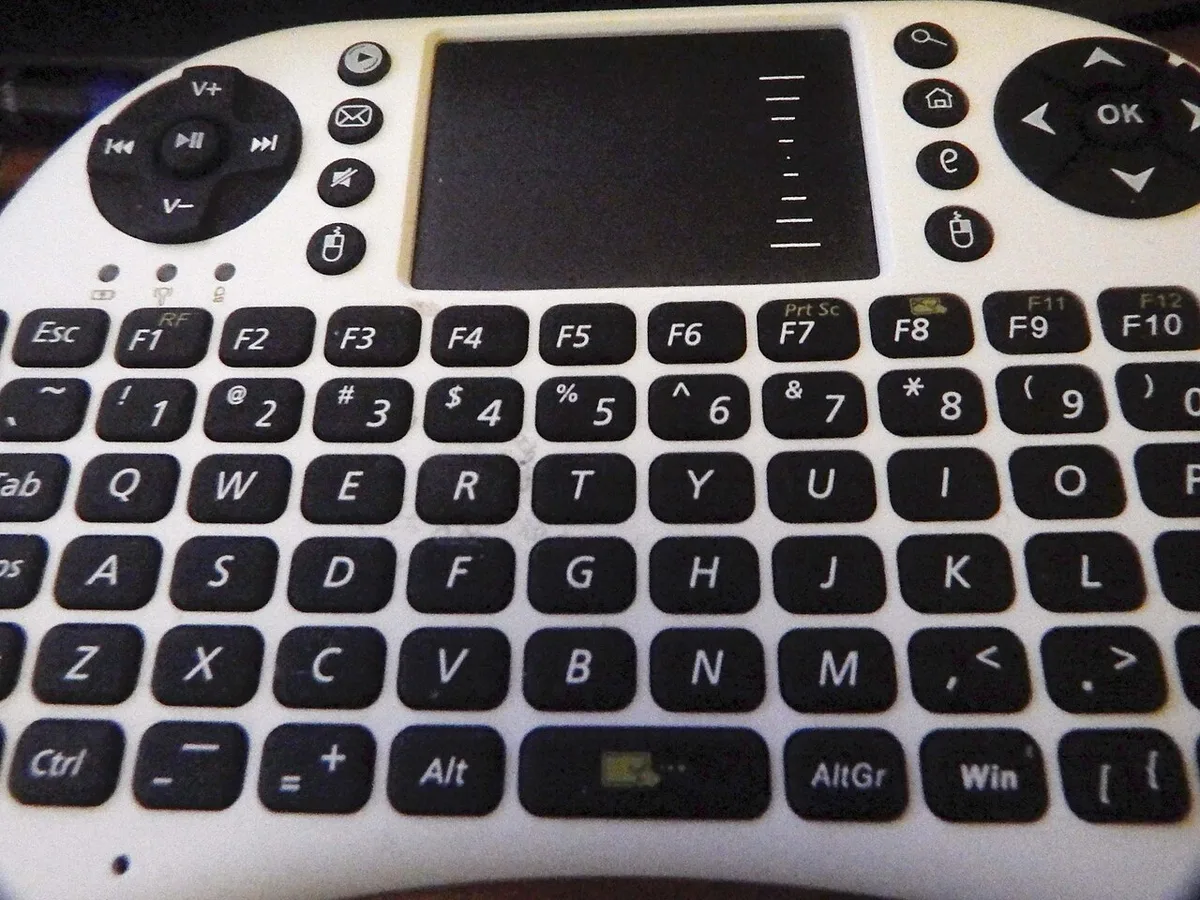
Image source: Wikimedia Commons / Делфина (CC BY-SA)
For switch basics, see what makes a better laptop keyboard. For press limits, check rollover limits.
Condition Variables That Decide Whether It Matters
The answer changes with your situation. Use these variables before deciding.
- Game genre. Rhythm and fighting games need very fast inputs.
- Skill level. Higher skill makes small delays easier to feel.
- Keyboard type. Built in boards vary a lot by model.
- Switch type. Mechanical, optical, and Hall effect switches behave differently.
- Refresh rate. A 240 Hz screen makes input timing easier to notice.
- Background load. Apps can add system delay.
- External gear. A wired keyboard may beat Bluetooth.
If you play one slow game, keyboard latency may not matter. If you play ranked shooters, it can matter. If you travel and use the built in board, it matters more.
A simple rule helps. Ask what costs you inputs. If missed presses happen, latency may be part of it.
If not, do not chase specs.
For ghosting issues, read anti-ghosting support. For background load, see background apps.
Decision Branches by Game Type and Play Style
Here is the practical if then logic.
If you play rhythm games, keyboard latency matters a lot. Tight timing windows leave little room for delay.
If you play fighting games, it matters a lot. Frame perfect inputs are unforgiving.
If you play competitive shooters, it matters some. Fast peeks and counter strafes need clean input timing.
If you play MOBAs, it matters some. High actions per minute can expose debounce limits.
If you play single player or casual games, it matters little. Comfort matters more than raw speed.
If you use the built in laptop keyboard while traveling, test it first. Some boards feel great. Others feel mushy and inconsistent.
If you already use an external keyboard, focus on the whole system. A fast keyboard cannot fix a slow display or bad drivers.
If you are unsure, do a controlled test. Play your hardest game for 30 minutes. Note missed inputs.
Then change one thing and test again.
For connection choices, compare Wi-Fi and Ethernet. For controller users, see controller setup.
Built-In Laptop Keyboard vs External Gaming Keyboard
This is where most decisions happen. The built in board is convenient. An external board can be faster and more consistent.
| Factor | Built In Laptop Keyboard | External Gaming Keyboard |
|---|---|---|
| Portability | Excellent | Poor to fair |
| Typing feel | Varies by model | More choices |
| Latency control | Limited firmware | More tuning options |
| Switch options | Low profile only | Many switch types |
| Rollover | Model dependent | Usually stronger |
| Best use | Travel and casual play | Competitive desk play |
Choose built in when travel matters most. Choose external when speed and consistency matter most.
A built in keyboard can still be good. Some premium models have strong scan rates and stable plates. The issue is that you cannot easily swap switches or tune debounce.
An external board gives more control. You can pick switch weight, travel, and actuation. You can also choose wired or 2.4 GHz wireless.
Avoid Bluetooth for fast games when possible.
If your laptop keyboard feels inconsistent, do not assume latency is the only issue. Plate flex and key chatter can feel like delay. For audio timing, also check Bluetooth audio lag.
A USB standard reference can help you understand polling behavior. See USB-IF for official USB information.
How to Measure and Reduce Keyboard Latency
You can measure it, but not with a stopwatch. Use a high-speed camera and an LED. Press a key and film the screen reaction.
Count frames between press and action. This gives a rough end-to-end number.
If that sounds like too much, use a simpler path. First, remove variables. Then compare one change at a time.
- Update firmware and drivers.
- Disable overlays and background apps.
- Turn on raw input in game.
- Use a wired or 2.4 GHz keyboard.
- Test the same map and same actions.
- Change one setting and retest.
A few changes help more than others. Firmware can fix bad debounce. Raw input can bypass OS processing.
A wired board can avoid wireless delays.
Do not chase every spec. Start with the easiest wins. Then stop when your inputs feel consistent.
| Action | What it helps | Effort |
|---|---|---|
| Update drivers | Firmware timing | Low |
| Disable overlays | CPU load | Low |
| Raw input | Input path | Low |
| External wired keyboard | Scan and feel | Medium |
| High refresh display | Feedback loop | High |
Common Mistakes That Make Latency Worse
Many players make the keyboard the villain too soon. The real cause is often elsewhere.
- Blaming keyboard latency for network lag.
- Using Bluetooth for fast competitive play.
- Leaving overlays and voice apps running.
- Assuming high polling rate fixes everything.
- Ignoring chassis flex and inconsistent actuation.
- Changing many settings at once.
- Buying a new keyboard before testing the current one.
A high polling rate can still feel slow with aggressive debounce. A fast scan rate cannot fix a slow display. A new board cannot fix bad habits.
If you want a cleaner setup, check BIOS updates and manufacturer software. Keep changes small and measurable.
Real-World Scenarios and What to Do
| Scenario | Likely issue | Best move |
|---|---|---|
| Ranked FPS on built-in board | Scan and feel | Test external wired |
| Rhythm game misses | Debounce or travel | Lower travel, tune firmware |
| Travel gaming | Portability | Keep built-in, optimize settings |
| Casual single player | Comfort | Do not chase latency |
| Tournament prep | Consistency | Lock settings and keyboard |
If you miss inputs in fast games, try an external board first. If nothing changes, look at display and system lag. If you travel often, keep the built-in board and tune settings.
For network-heavy games, reduce ping before blaming the keyboard. For display timing, GPU default settings can also matter.
Frequently Asked Questions
Does keyboard latency matter for casual gaming?
Not much. Casual games give you time to react. Comfort, key feel, and layout matter more than a few milliseconds.
If your keyboard feels good and inputs register, you do not need an upgrade. Focus on fun and consistency.
Is a built-in laptop keyboard ever fast enough?
Yes. Some premium models have strong scan rates and stable plates. If you do not miss inputs, it is fast enough.
Test your real game before spending money. Many players never need an external board.
Does a 1000 Hz polling rate guarantee low latency?
No. Polling rate is only one part. Debounce, firmware, and system load also affect delay.
A 1000 Hz keyboard with poor tuning can still feel slow. Look at the whole chain, not one spec.
Should I use Bluetooth for competitive gaming?
No. Bluetooth usually adds more delay than wired or 2.4 GHz. Use a cable or a low-latency wireless dongle.
Save Bluetooth for casual play, travel, or typing. It is convenient, but not the fastest option.
Can display lag feel like keyboard lag?
Yes. A slow screen or high render queue can make inputs feel delayed. If your keyboard tests fine but games feel slow, check display settings and frame times.
The keyboard may not be the problem.
How do I know if latency is actually my problem?
Look for missed or delayed inputs in fast games. Test one change at a time. If nothing improves, the issue is likely display, system, or network lag.
Keep notes so you do not guess.
Final Verdict: Should You Care About Keyboard Latency?
Care about it if your game demands fast inputs. Ignore it if your game is slow and comfortable.
Use this decision guide:
- Care a lot: rhythm, fighting, ranked shooters.
- Care some: MOBAs and high APM games.
- Care little: single player and casual games.
- Test first: travel setups and built-in keyboards.
- Upgrade last: after display and system lag are fixed.
The smartest move is to measure your real experience. Do not buy based on one spec. Buy based on missed inputs, comfort, and consistency.
1 thought on “Does Gaming Laptop Keyboard Latency Actually Matter?”
Comments are closed.