Why is a gaming laptop charger so big and heavy? The short answer is sustained power. A gaming laptop can pull 150W to 360W while the GPU and CPU are busy.
The charger has to convert AC wall power to DC laptop power, regulate voltage, and shed heat. That takes parts, copper, and space.
As of 2026, many new adapters are smaller because of GaN designs, but wattage still drives size. Manufacturer specs show that higher sustained wattage needs larger transformers, thicker cables, and better cooling. If you want the full chain, start with how the brick works.
why is a gaming laptop charger so big and heavy
A gaming laptop charger is big because it must deliver high sustained wattage. The brick converts AC power into stable DC power. Heat and voltage regulation need extra parts and space.
Higher wattage chargers are usually heavier too.
Why Gaming Laptop Chargers Feel Like Bricks
A gaming laptop charger feels heavy because the whole system is built around sustained load, not just peak spikes. A thin office laptop may sip 30W to 65W. A gaming model can ask for 150W, 230W, 330W, or more when the GPU and CPU are both busy.
That extra power has to move through copper, switching parts, and safety circuits. If the brick is too small, it runs hot. Heat raises resistance and can shorten component life.
So designers add mass for cooling and durability.
The laptop type matters too. A thin 14-inch gaming laptop may use a smaller adapter. A desktop-replacement model with a high-end GPU often needs a much larger brick.
If you are unsure about your model, check the label on the adapter and compare it with how to choose the right charger wattage.
The Short Answer: Power, Heat, and Conversion
The main reason is simple. More power means more heat, and more heat needs more material. A charger is not just a cable.
It is a small power plant that changes wall power into laptop-safe DC power.
Wall power is AC. Laptops need DC. The brick rectifies and regulates that power.
It also smooths voltage ripple. Those steps create losses, and losses become heat.
Efficiency matters here. A more efficient design wastes less energy as heat. That can reduce size, but only up to a point.
High sustained wattage still needs copper, magnetic parts, and thermal paths. Per U.S. Department of Energy external power supply guidance, efficiency and thermal limits are part of the design tradeoff.
How a Gaming Laptop Charger Actually Works
The charger takes AC input, usually 100V to 240V. It converts that power into a regulated DC output, often around 19.5V. Then it sends it through the cable to the laptop.
Inside, the power goes through several stages. It is filtered, rectified, switched at high frequency, stepped down, and regulated again. Each stage needs parts.
Each part adds size or weight.
Safety circuits are also part of the design. They watch for overvoltage, overcurrent, short circuits, and excess heat. These protections are not optional on a quality adapter.
They add components, but they protect the laptop and the user.
Some laptops can use USB-C Power Delivery. That can help with travel, but it depends on wattage and load. If you want to know whether your model supports it, read whether a gaming laptop can charge through USB-C.
Image source: Wikimedia Commons / ECTran71 (CC BY-SA)
What's Inside the Brick (and Why It Adds Weight)
A modern gaming charger is usually a switched-mode power supply. It is smaller than an old transformer brick, but it still has dense parts. The heaviest pieces are often the transformer, inductors, heat sinks, and cable.
Common parts include:
- Input filter and rectifier
- Power factor correction circuitry
- Switching MOSFETs
- High-frequency transformer
- Output rectifier and filtering
- Voltage regulation circuitry
- Protection circuits
- Thermal paths and heat sinks
Copper windings add weight. Ferrite cores add mass. Aluminum or plastic housings protect the parts and help with heat.
Thicker output cables also matter, especially on high-wattage models.
This is why two 180W chargers can feel different. One may use a denser transformer. Another may use better heat spreading and lighter materials.
The label wattage tells you capacity, not the exact internal design.
Specs That Actually Determine Charger Size and Weight
Wattage is the biggest factor, but it is not the only one. Power density matters too. That means how many watts fit into each cubic inch.
A 330W brick with high power density can be smaller than an older 230W brick.
Cable gauge, connector type, and cooling design also affect size. A high-current cable needs thicker copper. A proprietary barrel connector may need a specific mechanical design.
Better cooling can reduce size, but it may add a fan or larger heat path.
| Spec factor | What it changes | Practical effect |
|---|---|---|
| Wattage | Power capacity | Higher wattage usually means larger brick |
| Power density | Size per watt | Better density can shrink the brick |
| Cable gauge | Current handling | Thicker cables add weight |
| Cooling design | Heat removal | Better cooling can reduce bulk |
| Connector type | Physical fit | Proprietary tips limit alternatives |
If you want to understand your laptop's real draw, measuring gaming laptop power consumption is a good next step. You can also compare it with how much electricity a gaming laptop uses. If the brick is underpowered, the laptop may lose charge while plugged in.
As of 2026, UL safety certification and IEC 62368-1 related safety expectations remain important for quality adapters. A certified brick may be slightly larger, but that extra design margin helps with heat and long-term reliability.
Older Silicon Bricks vs. Newer GaN Chargers
GaN chargers use gallium nitride in some switching parts. That allows higher switching frequency and better power density. The result is often a smaller brick for the same wattage.
Traditional silicon bricks are larger because they need bigger magnetics and more heat spreading. They can still be reliable and cost-effective. Many high-wattage gaming laptops still ship with silicon designs because they are proven and cheaper at high power.
GaN is not magic. A 330W GaN charger is still larger than a 65W one. Cable size, connector design, and cooling still matter.
Aggregate reviews report that the best improvement is travel weight, not a tiny pocket brick.
If battery health is your concern, keeping a laptop plugged in safely matters more than charger size. Plugged-in habits also affect long-term battery wear.
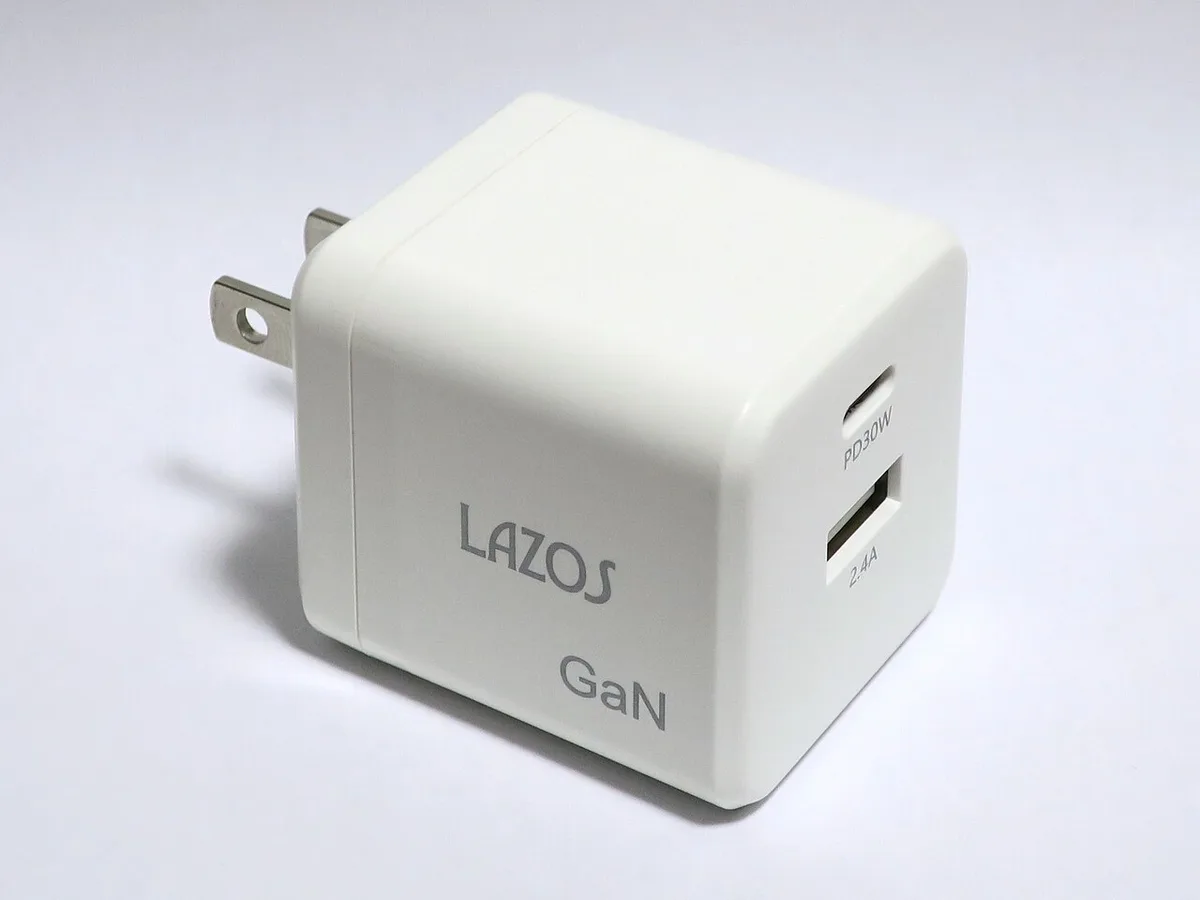
Image source: Wikimedia Commons / Qurren (CC BY-SA)
| Design | Typical size | Best for |
|---|---|---|
| Silicon brick | Larger | High wattage, lower cost |
| GaN charger | Smaller | Travel, mid-high wattage |
Common Mistakes That Make Chargers Seem Worse
Mistake one is using an underpowered adapter. The laptop may throttle or drain the battery. Mistake two is blocking vents.
Heat makes the brick feel hotter and harder to handle.
Mistake three is tight cable bends. This can damage conductors and create heat. Mistake four is using a cheap extension cord.
Thin cords add resistance and heat.
Mistake five is ignoring the label. Wattage and voltage must match the laptop. If your laptop runs hot, cleaning vents safely can reduce thermal stress on both systems.
Safety Checks Before Replacing a Big Charger
Match the OEM part number first. Then check wattage, output voltage, connector tip, and polarity. If any value differs, do not use it.
Look for certification marks such as UL. Avoid adapters with no brand, no label, or suspiciously low prices. Counterfeit chargers can fail protections.
A safe replacement should include overvoltage, overcurrent, short-circuit, and thermal protection. If unsure, use the manufacturer's recommended adapter.
| Check | Why it matters |
|---|---|
| Wattage | Prevents throttling |
| Voltage | Prevents damage |
| Connector | Ensures fit |
| Certification | Confirms safety |
Real-World Scenarios: When Size Matters Most
Travelers notice size first. A 900 g brick plus cable can dominate a backpack. LAN attendees often carry the full brick because wall power is available.
Streamers and creators may leave a large charger at a desk. That removes weight from daily travel. Desktop-replacement owners often accept the brick because sustained performance matters more.
If you game on battery sometimes, size matters less than runtime. In that case, safe plugged-in habits can help battery health.
Frequently Asked Questions
Why are gaming laptop chargers heavier than phone chargers?
Gaming chargers deliver far more wattage. They need larger transformers, thicker copper, and heat management. Phone chargers handle low power and can be small.
Can a smaller charger damage a gaming laptop?
Yes, if it is underpowered or has wrong voltage. It may overheat or fail to charge. Use the correct wattage and connector.
Does GaN make all gaming chargers small?
No. GaN improves power density, but high wattage still needs space. A 300W GaN charger is smaller than an older silicon version, not tiny.
Why does my charger get hot?
Heat is normal during conversion. Poor airflow, soft surfaces, or high load can increase it. Place it on a hard, ventilated surface.
Is it okay to use a third-party charger?
It can be okay if specs and certifications match. Cheap or mismatched adapters are risky. Prefer OEM or reputable replacements.
Does charger weight affect laptop performance?
Not directly. Performance depends on delivered power. A heavy charger that supplies stable wattage is better than a light underpowered one.