The gaming laptop vs normal laptop differences come down to what you do most days. A gaming laptop buys you raw graphics power. A normal laptop buys you battery life and easy carrying.
Manufacturer specifications indicate that a mainstream gaming GPU can pull 100 watts or more under load, while many thin-and-light laptops rely on integrated graphics. That power gap shapes heat, noise, weight, and price. Start with your games and apps.
No single laptop is best for everyone.
gaming laptop vs normal laptop differences
Gaming laptops use a dedicated GPU for heavy 3D work. Normal laptops usually rely on integrated graphics. Gaming models run hotter and weigh more.
Normal models usually last longer on battery. Your best choice depends on daily tasks. Price also rises with GPU power.
Why the Gaming Laptop vs Normal Laptop Question Actually Matters
Many people buy too much laptop or too little. That mistake costs money and frustration.
A gaming laptop makes sense when your apps need a dedicated GPU. Think modern games, 3D rendering, or heavy creative work. A normal laptop makes sense when your day is browser tabs, documents, video calls, and streaming.
The wrong choice shows up fast. You may hear loud fans during simple tasks. You may also carry a heavy power brick to work every day.
On the other side, you may buy a light laptop and then watch games stutter.
Start with your real routine. Count the hours you spend gaming or editing. Count the hours you spend moving between rooms, classes, or offices.
If gaming is rare, a normal laptop plus cloud gaming can be smarter. If your work needs GPU power, a gaming laptop can earn its price.
Daily work without becoming a burden is a fair test. If you mostly work and rarely game, ask whether a gaming laptop can handle daily work without becoming a burden.
What a Gaming Laptop Really Is (and Isn't)
A gaming laptop is not just a normal laptop with RGB lights. The real difference is the graphics hardware.
Most gaming laptops use a dedicated GPU. That means the graphics chip has its own memory and cooling. It can push higher frame rates than integrated graphics.
It also needs more power and creates more heat.
Cooling is the hidden story. A gaming laptop needs strong fans, heat pipes, and often a large chassis. That is why many models are thick and heavy.
It is also why some thin gaming laptops run hot or loud.
Do not judge by the GPU name alone. NVIDIA's laptop GPU pages show that mobile chips vary by wattage and cooling. A lower-wattage RTX chip can trail a higher-wattage version with the same name.
Check Total Graphics Power before buying.
Build quality matters too. A gaming chassis takes bumps, heat cycles, and fan vibration. Chassis lifespan is worth checking before you spend premium money.
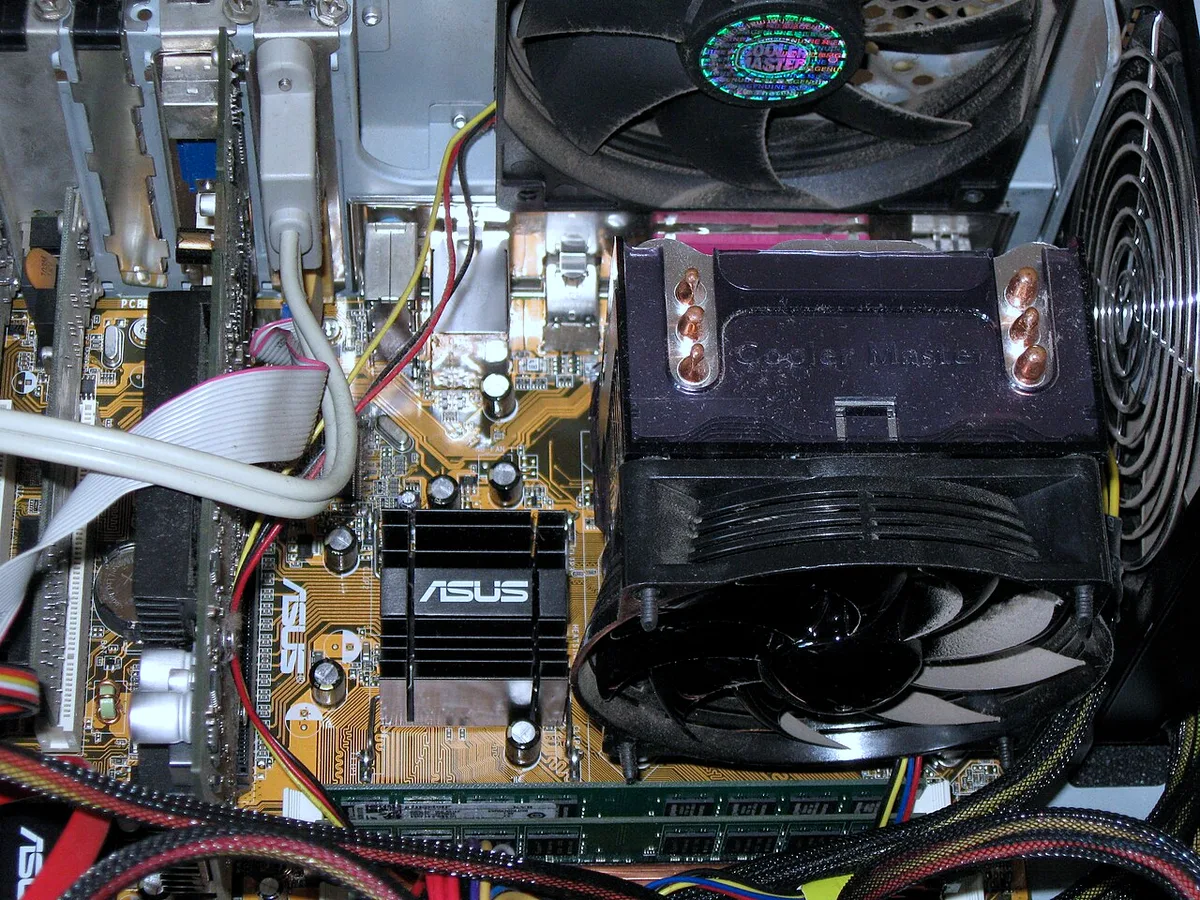
Image source: Wikimedia Commons / Carlosar (CC BY-SA)
What a Normal Laptop Does Best
Normal laptops win on balance. They are easier to carry, quieter, and better on battery.
Most normal laptops use integrated graphics inside the CPU. That is enough for office work, web apps, streaming, and light photo edits. It also sips power, so battery life often stretches through a workday.
Weight matters more than people expect. A two-pound ultrabook disappears in a backpack. A six-pound gaming laptop does not.
If you commute or travel, that difference becomes daily pain.
Screen size and portability also deserve thought. A large screen helps gaming, but it adds bulk. A smaller screen is easier on trains, planes, and small desks.
Normal laptops are not weak. Many handle coding, spreadsheets, browser-heavy work, and even light creative tasks. They just are not built for heavy 3D loads.
For most students and office workers, that is a fair trade.
Side-by-Side Comparison: Specs, Thermals, Battery, and Portability
Here is the practical comparison most buyers need.
| Feature | Gaming laptop | Normal laptop | What it means |
|---|---|---|---|
| Graphics | Dedicated GPU | Integrated graphics | Gaming and 3D work favor dedicated |
| Cooling | Larger fans and heat pipes | Smaller, quieter cooling | Gaming models run louder |
| Battery life | Often 3 to 6 hours mixed use | Often 8 to 14 hours | Normal wins for travel |
| Weight | Often 4 to 8 pounds | Often 2 to 4 pounds | Normal wins for portability |
| Display | High refresh rate common | 60Hz common | Gaming feels smoother |
| Price | Higher for same size | Lower for same size | Pay for GPU power |
Thermals are the real divider. Under load, a gaming laptop can push hot air from the sides or rear. That heat can warm the keyboard and desk.
A normal laptop stays cooler during light work.
Battery life needs context. A gaming laptop can last hours while browsing. It drains fast when gaming.
A normal laptop is more consistent across the day.
Portability is not just weight. Power bricks, size, and desk space all count. Comparing brand warranties also helps because gaming laptops run hotter and may need service.
Best Use Cases: Who Should Buy Which
Choose by your main task, not by brand hype.
A gaming laptop fits you if:
- You play modern AAA games at high settings.
- You stream while gaming.
- You edit video or render 3D scenes.
- You want one machine for work and heavy play.
- You accept shorter battery life and more weight.
A normal laptop fits you if:
- Your day is email, docs, meetings, and browsing.
- You travel often or work in small spaces.
- You want quiet operation and long battery life.
- You only play older or lighter games.
- You want lower upfront cost.
Some buyers land in the middle. A creator laptop or mobile workstation can blend both. It may cost more than a normal laptop but less than a top gaming model.
Long-session comfort matters if you game for hours. Heat and keyboard layout can matter as much as frame rates. Traveling with a bulky charger also changes the real portability story.
If you are unsure, buy for the task you do five days a week. Do not buy for the hobby you do once a month. Cloud gaming and external monitors can fill gaps later.
Common Mistakes Buyers Make (and How to Avoid Them)
What is the biggest buying mistake? It is trusting the GPU name alone. Mobile chips with the same name can run at very different wattages.
Check Total Graphics Power before comparing models.
A second mistake is buying for rare use. If you game once a month, a gaming laptop may be overkill. A normal laptop plus cloud gaming can cost less and travel better.
People also ignore heat and noise. Aggregate reviews often mention loud fans under load. If you work in quiet spaces, that matters daily.
Weight gets underestimated. A heavy laptop plus a large power brick changes commuting. Compare real travel weight, not just chassis weight.
Skipping warranty details is costly. Gaming laptops run hotter and may need service. Read the fine print on accidental damage and battery coverage.
Comparing coverage details helps before checkout.
Avoid these mistakes by listing your top three tasks. Then match the laptop to those tasks, not to marketing.
Is a low-wattage gaming GPU worth it?
Sometimes. It can improve battery life and reduce heat. It also limits frame rates.
If you buy a gaming model, make sure the GPU has enough power for your target resolution.
Are cheaper off-brand gaming laptops safe bets?
Not always. Some are solid. Others cut corners on cooling or support.
Reading verified buyer feedback helps, especially for cheaper off-brand models.
Should you worry about soldered memory?
Yes. Soldered RAM cannot be upgraded. If you plan to keep the laptop for years, choose a model with upgrade slots.
Costs, Specs, and What Your Money Actually Buys
Price tells only part of the story. You are paying for GPU power, cooling, display, and chassis.
As of 2026, many entry gaming laptops start around $700 to $900. Midrange models often land between $1,000 and $1,600. Premium models can exceed $2,000.
Normal laptops with similar CPU and RAM often cost less.
The table below shows typical tradeoffs.
| Budget tier | What you usually get | Main compromise |
|---|---|---|
| Budget gaming | Entry GPU, 1080p screen | Heat, noise, shorter battery |
| Midrange gaming | Stronger GPU, 144Hz display | Weight and charger size |
| Premium gaming | Top GPU, high-res display | Price and portability |
| Normal laptop | Long battery, light chassis | Limited gaming power |
Do not chase the highest GPU if your screen is small. A 1080p panel cannot show all the detail a top GPU produces. Balance GPU, display resolution, and refresh rate.
Storage and RAM matter too. Aim for at least 16GB RAM for gaming or heavy multitasking. A 512GB SSD fills quickly with modern games.
Check for a second M.2 slot.
Cooling design affects value. A cheaper laptop with poor cooling may throttle. Manufacturer specs and independent thermal reviews show the real story.
NVIDIA's official laptop GPU pages are useful for confirming mobile chip details.
Also budget for accessories. A stand, cooling pad, and mouse add cost. A good warranty can be worth it for hot-running hardware.
Real Scenarios: Three Buyers, Three Different Answers
Which laptop fits depends on the person.
Maya is a student who writes papers, browses, and plays casual games. She commutes daily. A normal laptop fits her better.
It is lighter, quieter, and lasts through classes. She can use cloud gaming for occasional play.
David works from home and plays modern games at night. He does not travel much. A gaming laptop fits him.
The dedicated GPU handles both work and play. He accepts the weight and shorter battery.
Priya edits video and travels between client sites. She needs GPU power but also portability. A thin creator laptop may be her middle ground.
She should check thermal limits and battery life before buying.
Travel changes the math. A gaming laptop charger can be large and heavy. Reading about traveling with a bulky charger helps plan.
Screen size also affects carry comfort. Larger screens help gaming but reduce portability.
Work use is another test. A gaming laptop can handle daily work, but it may run hotter and louder. If your office is quiet, that tradeoff matters.
The lesson is simple. Buy for your most common day. Do not buy for the exception.
Frequently Asked Questions
Can a normal laptop play modern games?
Yes, but with limits. Integrated graphics can run older or lighter games. Modern AAA games usually need lower settings or cloud gaming.
Frame rates may drop in busy scenes.
Is a gaming laptop good for school or office work?
Yes. It can handle documents, browsing, and video calls. The downside is weight, heat, and shorter battery.
If you move around often, that can be annoying.
Do gaming laptops always have better screens?
Not always. They often have higher refresh rates. Normal laptops may have better color accuracy or brightness.
Check the panel specs, not just the category.
Can you upgrade a gaming laptop later?
Sometimes. Storage is often upgradeable. RAM may be soldered on some models.
Check slots before buying if you want long-term upgrades.
Are gaming laptops louder than normal laptops?
Usually yes under load. Gaming models push more heat through larger fans. During light tasks, both can be quiet.
Read thermal reviews for real noise levels.
Is battery life bad on all gaming laptops?
No. Light tasks can last several hours. Gaming drains the battery fast.
Normal laptops still win for all-day unplugged work. Heat and layout also affect long-session comfort.
Final Verdict: Which Laptop Should You Actually Buy
Buy a gaming laptop if games or GPU-heavy work are central to your week. Buy a normal laptop if portability, battery, and quiet work matter more.
For most people, the normal laptop is the safer default. It costs less, travels better, and lasts longer on battery. Add cloud gaming or a console if you play occasionally.
For creators and gamers, the gaming laptop earns its price. Just check GPU wattage, cooling, display balance, and warranty. Do not buy the cheapest model with the biggest GPU name.
If you are between the two, try a thin creator laptop. It may not top gaming benchmarks, but it can balance both worlds.
The right choice is the one that fits your real routine. Match the machine to the work you do every day.
3 thoughts on “Gaming Laptop vs Normal Laptop: Key Differences Explained”
Comments are closed.