Are budget gaming laptops from lesser-known brands reliable? The honest answer is yes for some models and no for others. It depends on who built the laptop, what parts sit inside it, and how easy it is to get support.
As of 2026, many budget gaming laptops in the $500, $900 range ship with the same Intel, AMD, and NVIDIA silicon found in pricier machines, plus 144Hz displays and 1-year warranties. The real differences show up in cooling, chassis strength, and service access. If you know what to check before you buy, you can avoid most of the headaches.
Let's walk through what actually drives reliability.
are budget gaming laptops from lesser-known brands reliable
They can be reliable when the core parts are proven and support is local. Many use the same CPUs and GPUs as bigger brands. Reliability drops when cooling, hinges, or warranty service are weak.
Check model-specific reviews before buying.
Why Reliability on Budget Gaming Laptops Is a Judgment Call
Reliability is not just "does it turn on." It is how long it stays stable, how hot it gets, and how fast you can get it fixed. A cheap laptop with good parts but weak cooling can feel unreliable after six months. A plain-looking laptop with strong cooling and a real warranty can run for years.
Lesser-known brands often buy parts from the same suppliers as big brands. The risk is not always the CPU or GPU. It is usually quality control, hinges, fans, and support.
That is why two laptops with the same chip can feel very different.
Use this simple rule. Judge the specific model, not the logo. Read owner reports, check teardowns, and confirm warranty terms before you buy.
What "Lesser-Known" Actually Means: ODM, Rebrand, and White-Label Brands
"Lesser-known" can mean three very different things. Some brands are small but real. Some are rebrands of laptops built by larger makers.
Some are white-label models sold under many names.
An ODM, or original design manufacturer, builds the laptop. A brand puts its name on it. Tongfang and Clevo are common ODM names in this space.
Rebrand sellers like Eluktronics, Sager, XMG, and Schenker often use these same chassis with different support packages.
This matters because the chassis may be identical while the warranty is not. One seller may offer local service. Another may require mail-in repair.
Always check who handles the RMA, or return merchandise authorization, before you order.
What's Inside: The Components That Matter More Than the Logo
The parts inside matter more than the badge. Most budget gaming laptops use Intel Core or AMD Ryzen CPUs, NVIDIA GeForce or AMD Radeon GPUs, DDR5 RAM, and NVMe SSDs. These parts come from large suppliers, so the base hardware is often familiar.
The hidden parts decide reliability. Cooling design, fan quality, thermal paste, hinge strength, and power delivery all affect lifespan. A laptop with an RTX 4050 and weak cooling will throttle and feel slow.
A laptop with the same chip and better airflow will stay stable.
Before buying, check these items:
- CPU and GPU model, not just "i7" or "RTX"
- RAM type, capacity, and whether it is upgradeable
- SSD type and number of M.2 slots
- Cooling design, fan count, and heat pipes
- Battery size in watt-hours
- Display refresh rate and panel type
- Weight and chassis material
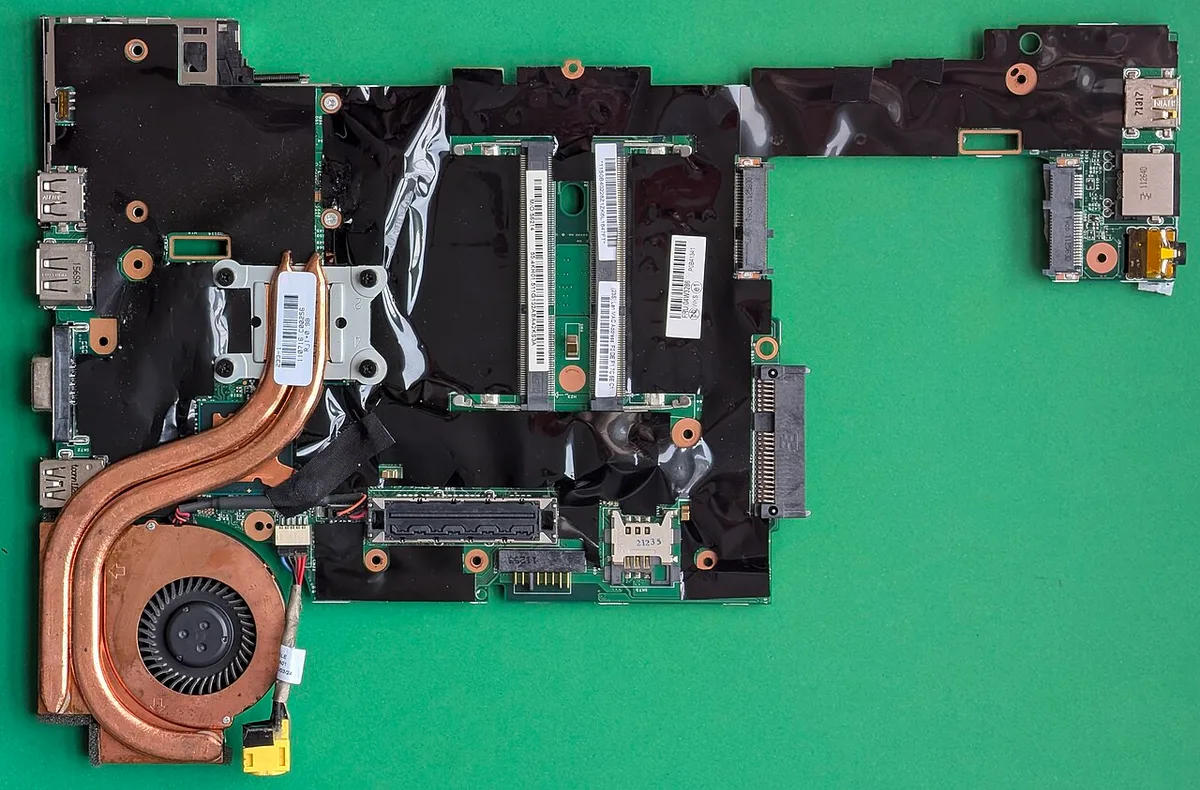
Image source: Wikimedia Commons / Siarhei Besarab (CC BY-SA)
If you want to go deeper, how to check gaming laptop build quality is a useful next step. It pairs well with what materials are used in a gaming laptop chassis, since plastic flex and hinge strength often show up early.
Pros and Cons of Choosing a Lesser-Known Budget Gaming Brand
The main benefit is price. You often get the same core silicon for less money. You may also get more ports, upgradeable RAM, and a larger battery than a thin brand-name model at the same price.
The main risk is support. Smaller brands may have fewer service centers, slower RMA turnaround, and less consistent quality control. You may also see bloatware, panel lottery, and sparse spare parts.
Here is the tradeoff in plain terms:
- Pros: lower price, strong core specs, upgradeable parts, good port selection
- Cons: weaker support, more quality variation, fewer spare parts, slower repairs
- Best for: buyers who can test on arrival and handle basic maintenance
- Risky for: buyers who need fast local service or long-term peace of mind
If you are comparing known budget lines, are ASUS TUF gaming laptops good gives a useful baseline. It helps show what established budget support looks like.
Lesser-Known Brands vs. Established Budget Gaming Lines
Established budget lines include ASUS TUF, Acer Nitro, MSI Katana, Lenovo LOQ, and HP Victus. These brands usually offer clearer warranties, wider service networks, and more model-specific reviews. Lesser-known brands often win on price and spec sheet.
The gap is smaller than many people think. Both groups use similar CPUs and GPUs. The difference is usually chassis quality, cooling tuning, and support.
A lesser-known model can be a better value if it has good cooling and a clear warranty.
Use this comparison when deciding:
| Factor | Lesser-Known Budget Brand | Established Budget Line |
|---|---|---|
| Price | Often lower | Often higher |
| Core parts | Same Intel/AMD/NVIDIA chips | Same Intel/AMD/NVIDIA chips |
| Cooling quality | Varies by model | Usually more consistent |
| Warranty support | May be mail-in only | More local options |
| Reviews | Fewer, model-specific | More, easier to compare |
| Resale value | Usually lower | Usually higher |
If you want to compare known lines, Acer Predator vs Nitro and HP Omen vs Victus show how brand tiers differ. For durability, how durable are gaming laptop hinges is worth reading before you choose a plastic chassis.
Who Should Buy One and Who Should Skip It
Lesser-known budget gaming laptops suit buyers who can test on arrival and handle basic upkeep. Students, first-time PC gamers, and casual esports players fit this group well. They get solid core specs at a lower price and can upgrade RAM or storage later.
These laptops are riskier for buyers who need fast local service. If you travel often or lack time for RMA paperwork, a known brand with a nearby service center is safer. The same applies if you need the laptop for paid work or school deadlines.
Buy one if you meet these conditions:
- You can stress-test within the return window
- You are comfortable updating drivers and BIOS
- You can handle mail-in RMA if needed
- You mainly play esports or mid-tier games
- You want upgradeable RAM and storage
Skip it if these apply:
- You need same-day or local repair
- You cannot afford downtime
- You want strong resale value
- You are not comfortable troubleshooting
For daily work use, can a gaming laptop be used for work every day adds useful context. Comfort matters too, and are gaming laptops comfortable for long sessions helps set expectations.
How to Stress-Test and Protect Your Purchase in the First 30 Days
The first 30 days decide whether your laptop is a keeper. Most sellers offer 14 to 30 day returns, so use that window to catch defects early. Test everything before the return period ends.
Start with a visual inspection. Check the panel for dead pixels, backlight bleed, and uneven lighting. Open and close the lid slowly and listen for cracking or creaking.
Check that all keys register and that the trackpad clicks properly.
Then run load tests. Use Prime95 for CPU stress, FurMark for GPU stress, and 3DMark for a combined score. Monitor temps with HWMonitor or MSI Afterburner.
A CPU under ~95°C and GPU under ~85°C under load is reasonable for budget cooling. If temps spike higher or fans scream constantly, that is a warning sign.
Follow these steps in order:
- Inspect the panel, chassis, hinges, and ports on day one
- Update BIOS, GPU drivers, and Windows before testing
- Run Prime95 and FurMark for 20 to 30 minutes each
- Check temps, fan noise, and stability
- Run a full battery cycle and note charge time
- Test every port, the webcam, and audio
- Keep all packaging until the return window closes
If you spot hinge issues early, stop gaming laptop hinge damage before it starts shows how to reduce wear. For travel protection, how to keep your gaming laptop safe while traveling is worth bookmarking.
Real Costs, Warranty Terms, and Long-Term Ownership Expenses
The sticker price is only part of the cost. Budget gaming laptops often need extras over time. Plan for a cooling pad, a better chair, and possibly a replacement power brick.
Thermal paste replacement after a year or two is common on budget models.
Warranty terms vary more than specs. Most lesser-known brands offer 1 year standard. Some offer 2 years.
Check whether the warranty is carry-in, mail-in, or on-site. Mail-in RMA often takes 2 to 6 weeks, which is a real cost if you need the machine for school or work.
Long-term costs to expect:
- Cooling pad: $20 to $40
- Thermal paste repaste: $10 to $30 plus labor
- Replacement fan or battery: $30 to $80
- Power brick replacement: $40 to $90
- Extended warranty: varies by seller
For a realistic lifespan picture, how long does a gaming laptop chassis last helps set expectations. Many chassis issues start at hinges, so how durable are gaming laptop hinges is relevant reading.
Mistakes That Make Budget Gaming Laptops Feel Unreliable
Most reliability complaints trace back to a few avoidable mistakes. The biggest is buying on spec sheet alone. A laptop with an RTX 4060 and weak cooling will throttle and feel broken even though the chip is fine.
The second mistake is skipping the return window. Buyers often wait weeks to test fully, then find dead pixels or fan noise after the return period ends. Test on day one and document everything with photos.
Other common mistakes include:
- Ignoring thermal behavior and fan noise
- Not checking warranty terms before buying
- Leaving bloatware and adware installed
- Blocking vents with soft surfaces
- Skipping BIOS and driver updates
- Using the laptop on a bed or carpet
- Not backing up before RMA
If your unit runs hot or loud, how to reduce gaming laptop fan noise in a library covers practical fixes. Chassis material also affects heat and flex, so is a metal gaming laptop better than plastic is a useful comparison.
Frequently Asked Questions
Are budget gaming laptops from lesser-known brands reliable for gaming?
Yes, for many models. The CPU and GPU often match pricier laptops. Reliability depends on cooling, build quality, and warranty support.
Check model-specific reviews and test within the return window.
Do lesser-known brands use the same parts as big brands?
Often yes. Many use Intel, AMD, and NVIDIA chips, plus standard DDR5 RAM and NVMe SSDs. The difference is usually cooling, chassis, and support rather than the core silicon.
What is the biggest risk with a lesser-known gaming laptop?
Support is the biggest risk. Fewer service centers and mail-in RMA can mean weeks without your machine. Quality control variation is the second risk, so inspect and test early.
How long should a budget gaming laptop last?
With good cooling and basic care, 3 to 5 years is realistic. Hinges, fans, and batteries are the usual wear points. Repasting thermal compound and cleaning vents extends life.
Should I buy refurbished instead?
Sometimes. A refurbished unit from a known brand with a warranty can be safer than a new lesser-known model. Compare warranty terms, price, and condition before deciding.
What should I check on arrival?
Inspect the panel, hinges, keyboard, and ports. Run stress tests for 20 to 30 minutes. Check temps, fan noise, and battery health.
Keep all packaging until the return window closes.
4 thoughts on “Are Budget Gaming Laptops From Lesser-Known Brands Reliable?”
Comments are closed.