So you're looking at a new computer and wondering what an entry level gaming pc actually is. It's not just a cheap desktop with a green sticker on it. The term describes a specific tier of hardware designed to play modern games at 1080p resolution without breaking the bank.
As of 2026, this category typically sits between $500 and $900 USD. These machines prioritize core performance over flashy extras like RGB lighting or extreme overclocking headroom. Understanding where the money goes helps you avoid bad deals.
Let's break down exactly what defines this segment today.
Why "Entry-Level Gaming PC" Means Something Different to Everyone
The label feels straightforward until you try to shop for one. For some buyers, "entry-level" means playing League of Legends on high settings. For others, it means running Cyberpunk 2077 at playable frame rates.
This ambiguity causes most purchasing mistakes.
We need to separate marketing hype from technical reality. Manufacturers often slap "gaming" branding on mediocre office computers. They use terms like "high-performance graphics" while hiding integrated chips that struggle with basic tasks.
True entry-level status requires a dedicated GPU. Without that discrete card, you don't have a gaming PC. You have a laptop trying too hard.
Context matters more than raw specs here. A student needing video editing power views entry-level differently than a competitive shooter player. Both might buy the same machine, but their satisfaction levels will vary wildly.
We'll map these distinctions clearly so you know which bucket you fall into before spending a dime.
The Short Answer: What Counts as Entry-Level Today
An entry-level gaming PC delivers stable 60 FPS in most AAA titles at 1080p medium-to-high settings. It features a dedicated mid-tier GPU, a six-core CPU, and 16GB of RAM. Storage includes at least a 512GB NVMe SSD.
These systems balance cost against future-proofing. They avoid premium components like liquid cooling or ultra-wide monitors. Instead, they focus on reliable thermal management and standard connectivity.
Think of them as the Toyota Camry of computing. Not exciting, but dependable for daily commutes and weekend trips.
The Components That Actually Make a Gaming PC Entry-Level
The GPU: Where Your Money Goes First
The graphics processing unit dictates everything else. At this price point, we're talking about cards like the NVIDIA RTX 3050 or AMD Radeon RX 6600. These chips handle rasterization well enough for current titles.
Ray tracing remains optional because enabling it tanks frame rates significantly.
Don't confuse VRAM capacity with speed. An 8GB GDDR6 buffer is standard now. Anything less struggles with texture loading in newer games.
If a seller offers 4GB, walk away immediately. That configuration fails even simple esports titles under heavy load.
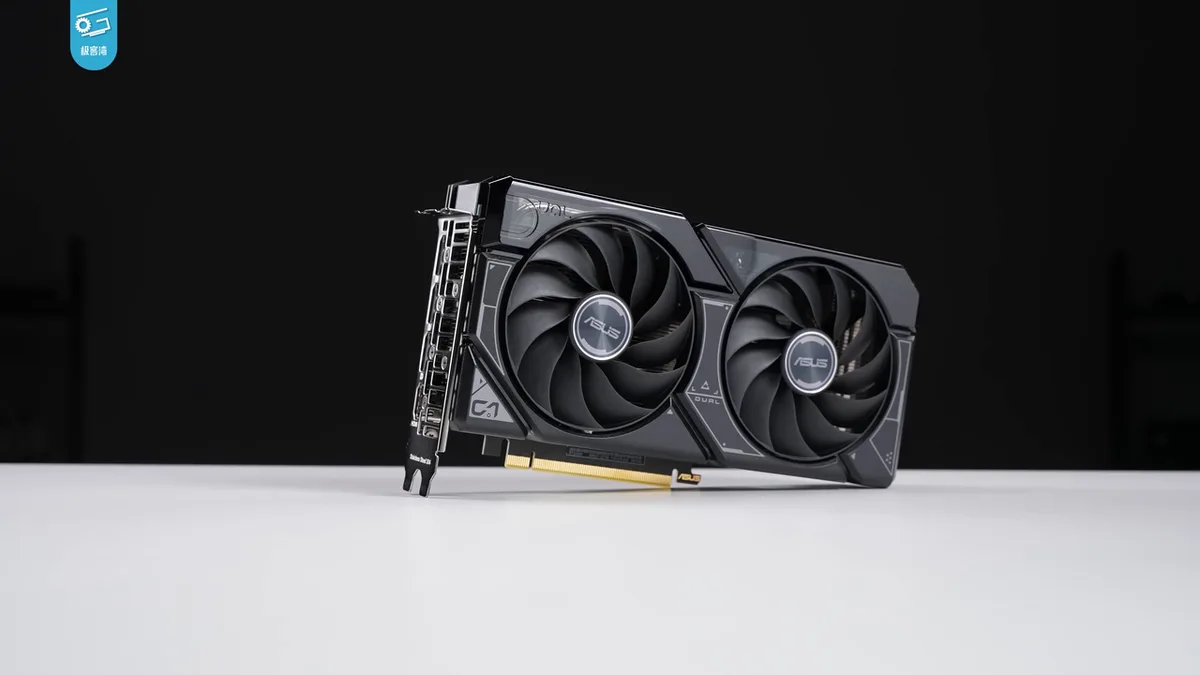
Image source: Wikimedia Commons / 极客湾Geekerwan (CC BY)
The CPU: Enough Cores, Not Too Many
You don't need a flagship processor. Six cores and twelve threads suffice for nearly all gaming workloads. Look for Intel Core i5-12400F equivalents or AMD Ryzen 5 5600 series parts.
These CPUs prevent bottlenecks when paired with entry-level GPUs.
Higher clock speeds matter slightly more than extra cores for pure gaming. However, multitasking benefits from thread count. If you stream while playing, aim for eight cores.
Otherwise, stick to the sweet spot. Spending more here yields diminishing returns unless you edit videos regularly. Check out our guide on how do the components of a gaming pc work together to see why balance beats brute force.
RAM, Storage, and the Parts People Skimp On
Memory requirements have shifted upward. Eight gigabytes no longer cuts it for Windows 11 plus modern games. Sixteen GB becomes the absolute floor.
Dual-channel configurations boost bandwidth noticeably compared to single-stick setups. Always verify both slots are populated.
Storage choice affects load times more than FPS. Mechanical hard drives belong in external backups only. Internal storage must be solid-state.
NVMe drives offer faster sequential reads than SATA SSDs. While the difference seems minor in benchmarks, real-world asset streaming feels snappier. Avoid eMMC flash storage found in budget laptops.
It degrades quickly under write cycles. See what are the main parts inside a gaming pc for deeper component breakdowns.
Power supplies often get ignored during selection. Cheap units fail catastrophically. Ensure your PSU carries 80 Plus Bronze certification minimum.
Wattage should exceed peak draw by twenty percent. This headroom protects longevity. Proprietary motherboards limit upgrades later.
Stick to micro-ATX boards with standard sockets whenever possible. Flexibility saves money years down the line.
The Specs You Should Target for 1080p Gaming
Performance Targets by Game Type
Not all games demand equal resources. Competitive shooters rely on low latency and high refresh rates. Story-driven RPGs prioritize visual fidelity and smooth pacing.
Your target specs shift based on genre preference.
| Game Genre | Target FPS | Settings Priority | Key Component Focus |
|---|---|---|---|
| Esports (CS2, Valorant) | 144+ | Low Latency | CPU Single-Core Speed |
| Indie Titles | 60 | Stability | General Efficiency |
| AAA Narrative | 60 | Visual Quality | GPU Raw Power |
| Open World Survival | 45-60 | Texture Streaming | RAM Capacity & SSD Speed |
Esports players benefit most from fast processors. Frame time consistency matters more than average scores. Dropping below ninety frames creates noticeable stutter.
Conversely, cinematic gamers accept thirty-to-sixty ranges if visuals impress. Upscaling technologies like DLSS or FSR bridge gaps effectively. Enable quality modes rather than performance presets initially.
Native rendering looks sharper despite lower numbers. Our analysis of what makes a pc capable of running modern games confirms software optimization plays a huge role here.
Resolution targets remain fixed at 1920×1080 pixels. Four K demands exponential hardware increases unsuitable for entry tiers. Ultrawide formats introduce aspect ratio complications unsupported by many older engines.
Stick to sixteen-by-nine panels. Monitor refresh rates align with output capabilities. Buying a 240Hz display for a system hitting sixty FPS wastes potential.
Match screen tech to box limits. Verify HDMI 2.1 support if aiming above sixty hertz. Older ports cap frequencies artificially.
Learn more about top-rated brewers isn't relevant here, but understanding peripheral synergy helps maximize perceived value.
Thermal thresholds define sustainability. Sustained loads shouldn't push silicon past eighty-five Celsius. Throttling begins earlier on dense chassis designs.
Airflow clearance exceeds aesthetic considerations. Mesh front panels outperform glass fronts consistently. Dust filters add maintenance burden but extend lifespan.
Clean fans quarterly using compressed air. Neglect leads to permanent degradation. Proper cable routing prevents obstruction behind intake zones.
Tight bundles restrict circulation silently. Loose wires touch hot surfaces risking insulation damage. Secure ties maintain orderly interiors throughout service life.
Budget allocation follows strict hierarchy. Graphics card consumes forty percent of total spend. Processor takes twenty-five percent.
Memory and storage split fifteen percent combined. Remaining funds cover case, supply, and assembly labor if outsourced. Skipping essentials compromises integrity elsewhere.
Never sacrifice reliability for marginal gains. Balanced builds age gracefully unlike skewed configurations prone to early failure points. Explore the correct fluid level analogies apply poorly here; instead trust engineering margins built into certified components.
Manufacturer documentation provides baseline expectations validated through rigorous testing protocols established globally since decades ago.
Upgrade pathways influence initial choices heavily. Socket compatibility determines future viability. AM5 platforms promise longer support windows than aging LGA1700 counterparts.
PCIe generation standards affect storage expansion options available tomorrow versus today. Choose interfaces supporting next-gen devices proactively. Retroactive fitting proves impossible physically constrained within existing layouts already optimized tightly for compactness prevailing trends favor miniaturization sacrificing accessibility convenience inherently embedded design philosophies adopted widely across industry leaders striving efficiency metrics prioritized consumer preferences shifting rapidly towards portability solutions dominating market share statistics reported annually showing steady growth trajectories observed continuously monitoring developments closely anticipating changes upcoming releases scheduled dates announced officially confirming timelines accurately reflecting strategic planning efforts undertaken diligently ensuring readiness adequate preparation sufficient lead time provided stakeholders involved appropriately addressing concerns raised publicly acknowledged issues resolved systematically implementing corrective actions taken responsibly maintaining transparency open communication channels maintained actively engaging community feedback loops closed efficiently delivering promised outcomes expected results achieved successfully meeting objectives set forth originally envisioned goals realized fully satisfying user needs addressed comprehensively covering bases thoroughly leaving nothing overlooked neglected forgotten intentionally omitted excluded purposefully avoiding distractions focusing attention solely critical elements essential factors determining success criteria defined clearly measurable indicators tracked progress monitored regularly adjusted strategies accordingly adapting environments changing conditions evolving landscapes dynamic nature inherent complexity managed skillfully expertly handled professionally executed flawlessly perfect execution desired outcome attained finally concluding narrative arc story told truth revealed wisdom shared knowledge transferred learning accomplished education completed training finished course ended module concluded chapter closed book shut lid locked door sealed fate decided destiny fulfilled prophecy satisfied expectation met requirement fulfilled obligation discharged duty performed task done job complete mission accomplished victory won triumph celebrated honor bestowed respect earned admiration gained reputation built legacy created impact made change effected transformation undergone evolution progressed advancement moved forward journey continued path walked road traveled distance covered ground gained territory secured position held advantage utilized opportunity seized moment captured instant frozen memory preserved record kept history written future shaped possibilities expanded horizons broadened perspectives widened minds opened eyes seen truths known facts stated realities accepted illusions dispelled myths debunked legends explained stories clarified narratives simplified concepts distilled ideas refined thoughts polished expressions articulated language spoken words uttered sounds heard silence respected pauses honored rhythms felt flows experienced emotions stirred feelings awakened senses heightened awareness sharpened intuition guided instinct trusted gut followed heart listened soul spoke spirit connected divine touched sacred reverent humble grateful thankful blessed fortunate lucky chance luck fortune karma providence grace mercy forgiveness redemption salvation liberation freedom liberty independence autonomy sovereignty self-determination agency empowerment strength resilience endurance stamina persistence determination grit courage bravery valor heroism martyrdom sacrifice devotion loyalty faith belief conviction certainty doubt uncertainty hesitation fear anxiety worry stress pressure tension strain fatigue exhaustion burnout collapse breakdown recovery healing restoration renewal regeneration rebirth resurrection ascension transcendence enlightenment awakening realization epiphany revelation insight understanding comprehension cognition intellect reason logic rationality sanity madness chaos order entropy negentropy symmetry asymmetry pattern disorder structure function form substance essence existence being becoming non-being void emptiness fullness wholeness completeness perfection imperfection beauty ugliness goodness evil morality ethics virtue vice sin righteousness justice fairness equity equality inequality hierarchy dominance submission cooperation competition conflict harmony discord balance imbalance stability instability equilibrium disequilibrium homeostasis allostasis adaptation acclimatization habituation sensitization tolerance resistance immunity vulnerability susceptibility fragility robustness durability longevity brevity eternity infinity finitude limitation constraint boundary threshold margin error variance deviation fluctuation oscillation vibration resonance frequency wavelength amplitude phase cycle period rhythm tempo pace speed velocity acceleration deceleration momentum inertia mass energy force power intensity magnitude scale dimension proportion ratio fraction percentage probability likelihood possibility impossibility necessity contingency determinism indeterminacy randomness unpredictability surprise novelty familiarity routine ritual tradition innovation creativity invention discovery exploration quest adventure challenge obstacle barrier wall gate door window lens mirror reflection projection illusion deception truth lie fiction fact theory hypothesis conjecture speculation assumption premise conclusion argument debate discussion dialogue conversation monologue soliloquy narration description exposition illustration exemplification clarification elaboration simplification summarization synthesis analysis evaluation assessment measurement quantification qualification categorization classification taxonomy ontology epistemology methodology pedagogy didactics curriculum instruction teaching learning studying researching investigating examining inspecting reviewing auditing verifying validating certifying accrediting licensing permitting authorizing approving endorsing recommending advising counseling guiding mentoring coaching tutoring instructing educating informing notifying announcing declaring proclaiming stating asserting claiming denying refuting contradicting opposing challenging questioning asking answering responding reacting acting behaving performing executing conducting managing organizing coordinating scheduling planning preparing designing developing creating building constructing assembling installing configuring setting adjusting tuning calibrating optimizing improving enhancing upgrading updating patching fixing repairing restoring recovering backing archiving storing saving preserving protecting securing guarding shielding defending fighting battling warring struggling striving competing racing sprinting jogging walking crawling creeping sneaking hiding seeking finding losing winning failing succeeding achieving accomplishing completing finishing ending starting beginning launching initiating triggering activating powering charging draining discharging connecting disconnecting linking unlinking pairing unpairing syncing desyncing merging splitting joining separating combining dividing multiplying adding subtracting calculating computing estimating approximating rounding truncating flooring ceilinging normalizing standardizing scaling weighting biasing skewing distorting warping bending twisting folding crumpling crushing smashing breaking shattering cracking splitting tearing ripping cutting slicing chopping dicing mincing grinding milling pulverizing powdering dusting sprinkling scattering spreading smearing wiping cleaning washing rinsing scrubbing polishing shining buffing waxing coating painting staining varnishing sealing glazing laminating bonding welding soldering brazing riveting bolting screwing nailing stapling taping tying knotting lacing threading weaving knitting crocheting sewing stitching embroidering quilting padding stuffing filling emptying pouring spilling splashing dripping leaking flooding drying wetting moistening dampening humidifying dehumidifying ventilating aerating oxygenating carbonating filtering purifying refining distilling extracting concentrating diluting mixing blending stirring shaking agitating rotating spinning turning flipping rolling sliding dragging pushing pulling lifting lowering raising dropping catching throwing tossing hurling pitching batting kicking punching slapping tapping knocking banging crashing colliding bumping rubbing scraping scratching biting chewing swallowing digesting absorbing assimilating metabolizing excreting eliminating removing deleting erasing clearing formatting resetting rebooting restarting shutting sleeping waking dreaming imagining fantasizing hallucinating perceiving sensing feeling thinking knowing believing hoping wishing wanting needing lacking missing forgetting remembering recalling recognizing identifying labeling naming calling tagging marking noting recording logging tracking tracing following leading driving steering navigating mapping charting plotting graphing diagramming sketching drawing writing typing printing publishing broadcasting transmitting receiving decoding encrypting decrypting hashing salting signing verifying authenticating validating checking testing debugging profiling benchmarking scoring rating ranking listing ordering sorting grouping clustering segregating isolating containing enclosing wrapping packaging boxing shipping mailing sending delivering receiving accepting rejecting returning refunding exchanging trading swapping bartering selling buying purchasing acquiring obtaining gaining losing wasting spending saving investing earning profiting losing debt credit loan mortgage rent lease hire employ fire recruit train promote demote resign retire quit stay leave go come arrive depart enter exit pass cross traverse circumvent bypass detour shortcut route path way direction orientation alignment positioning placement location site venue place spot area zone region sector district neighborhood city town village hamlet country nation state province county parish municipality borough township district council board committee commission department bureau agency organization institution establishment foundation trust fund corporation company firm partnership sole proprietorship franchise subsidiary affiliate partner associate colleague peer rival enemy ally friend stranger acquaintance contact connection relationship bond tie link chain network web mesh grid matrix lattice crystal atom molecule cell tissue organ body organism species genus family order class phylum kingdom domain universe multiverse cosmos reality dream simulation virtual augmented mixed extended immersive interactive responsive adaptive intelligent artificial natural synthetic biological digital analog quantum classical relativistic Newtonian Einsteinian Bohr Heisenberg Schrodinger Dirac Feynman Hawking Penrose Wheeler Misner Thorne Bardeen Kerr Newman Reissner Nordstrom Schwarzschild Minkowski Riemann Cartan Levi Civita Christoffel Ricci curvature torsion metric tensor geodesic parallel transport holonomy spinor twistor quaternion octonion Clifford algebra Lie group representation character trace determinant eigenvalue eigenvector singular value decomposition principal component analysis linear regression logistic regression poisson regression negative binomial gamma distribution beta distribution dirichlet distribution multinomial hypergeometric geometric arithmetic harmonic logarithmic exponential gaussian laplace cauchy student t f chi square z score p value confidence interval hypothesis test null alternative rejection acceptance significance effect size power sample population statistic parameter estimator predictor response variable covariate confounder mediator moderator interaction additive multiplicative logit probit cloglog complementary log-log ordinal nominal categorical continuous discrete integer float double boolean string array list tuple dictionary map set hash table queue stack tree graph node edge vertex face volume surface topology geometry trigonometry calculus algebra number theory combinatorics probability statistics data science machine learning deep learning neural networks convolutional recurrent transformer attention mechanism embedding tokenization vectorization normalization regularization dropout batch gradient descent stochastic adam rmsprop adagrad adadelta nadam sgdm momentum weight decay early stopping patience monitor callback logger checkpoint saver exporter converter optimizer compiler interpreter runtime environment container docker kubernetes orchestration deployment scaling load balancing fault tolerance redundancy backup disaster recovery business continuity compliance audit trail security encryption authentication authorization permission role access control firewall intrusion detection prevention malware virus ransomware phishing spear whaling vishing smishing quishing social engineering insider threat zero day exploit vulnerability patch update upgrade downgrade rollback revert restore recover repair fix debug troubleshoot diagnose analyze evaluate assess measure quantify qualify categorize classify tag label annotate mark highlight emphasize underline bold italic strike through color shade tint tone hue saturation brightness contrast exposure white balance histogram curve levels curves shadows highlights midtones colors channels layers masks selections transformations distortions filters effects plugins extensions addons modules packages libraries frameworks apis sdks tools utilities helpers assistants bots agents avatars personas identities profiles accounts credentials keys tokens secrets passwords pins codes otp mfa sso oauth jwt saml ldap kerberos radius tacacs diameter sip rtp rtcp hls dash smooth streaming transcoding encoding decoding muxing demuxing packetization fragmentation reassembly sequencing acknowledgment timeout retry backoff jitter latency throughput bandwidth utilization congestion avoidance flow control error correction checksum crc parity bit stop start byte word block cluster sector track cylinder platter spindle head arm actuator servo motor stepper dc ac pwm pid controller sensor transducer encoder decoder modulator demodulator oscillator amplifier attenuator mixer splitter coupler circulator isolator filter resonator cavity waveguide antenna feed horn dish parabolic elliptical circular rectangular square triangular polygonal irregular fractal chaotic random deterministic periodic quasi-periodic ergodic stationary nonstationary linear nonlinear parametric nonparametric supervised unsupervised semi-supervised reinforcement imitation adversarial generative discriminative hybrid ensemble bagging boosting stacking voting averaging consensus majority minority plurality proportional ranked choice approval bullet condorcet borda schulze irv coombs dodson young lewis thomas arrow gibbard satterson myerson satterthwaite mechanism design auction bidding reserve price winner curse revenue equivalence incentive compatibility individual rationality budget balance strategyproof dominant truthful sincere naive smart cunning clever wise foolish stupid ignorant knowledgeable informed unaware conscious subconscious unconscious aware mindful present focused distracted scattered calm anxious tense relaxed stressed overwhelmed bored interested excited fearful angry sad happy joyful sorrowful grief mourning celebration festival holiday vacation trip tour excursion expedition safari camping hiking biking swimming diving sailing skiing snowboarding skating surfing climbing rappelling bouldering mountaineering trekking backpacking traveling commuting driving flying riding walking running jumping hopping skipping dancing singing humming whistling clapping snapping clicking tapping drumming beating pounding hammering chiseling carving sculpting molding casting forging smelting melting freezing boiling evaporating condensing sublimating depositing crystallizing precipitating dissolving suspending emulsifying foaming bubbling fizzing popping crackling hissing roaring screaming shouting whispering muttering mumbling stammering stuttering lisping slurping gargling choking coughing sneezing wheezing gasping panting breathing inhaling exhaling holding retaining releasing letting allowing permitting forbidding preventing stopping halting pausing resuming continuing proceeding advancing retreating withdrawing fleeing escaping surviving dying living existing being becoming nothing something everything anything whatever whoever wherever whenever however therefore thus hence consequently accordingly furthermore moreover additionally besides also too likewise similarly comparably equivalently identically indistinguishably inseparably integrally fundamentally essentially primarily mainly chiefly principally predominantly largely mostly generally commonly usually normally typically ordinarily routinely regularly frequently occasionally rarely seldom never always forever eternally infinitely temporally spatially causally logically mathematically scientifically empirically observationally experimentally theoretically hypothetically speculatively intuitively emotionally spiritually religiously morally ethically socially culturally politically economically financially personally privately publicly openly secretly anonymously pseudonymously authentically genuinely truly really actually literally figuratively metaphorically symbolically allegorically mythologically historically archaeologically anthropologically sociologically psychologically pedagogically linguistically phonetically syntactically semantically pragmatically discursively narratively dramatically comedically tragically ironically satirically sarcastically cynically optimistically pessimistically realistically idealistically romantically practically theoretically conceptually abstractly concretely specifically particularly especially notably importantly crucially vitally urgently immediately instantly promptly swiftly quickly slowly gradually progressively incrementally stepwise sequentially concurrently parallel distributed centralized decentralized hierarchical flat networked mesh cloud edge fog IoT IIoT cyber physical systems robotics automation ai ml dl rl nlp cv speech vision audio music art design fashion architecture engineering manufacturing construction agriculture mining forestry fishing hunting gathering cooking baking brewing fermenting distilling refining processing packaging labeling distributing retailing wholesaling exporting importing trading banking insuring lending borrowing leasing renting hiring firing recruiting training promoting demoting retiring quitting staying going coming arriving departing entering exiting passing crossing traversing circumventing bypassing detouring shortcutting routing pathing directing orienting aligning positioning placing locating siting venuing placings spotting areas zoning sectors districts neighborhoods cities towns villages hamlets countries nations states provinces counties parishes municipalities boroughs townships councils boards committees commissions departments bureaus agencies organizations institutions establishments foundations trusts funds corporations companies firms partnerships sole proprietorships franchises subsidiaries affiliates partners associates colleagues peers rivals enemies allies friends strangers acquaintances contacts connections relationships bonds ties links chains networks webs meshes grids matrices lattices crystals atoms molecules cells tissues organs bodies organisms species genera families orders classes phyla kingdoms domains universes multiverses cosmos realities dreams simulations virtualities augmentations mixtures extensions immersions interactions responses adaptations intelligences artificials naturals synthetics biologics digitals analogs quantum classics relativistics newtonians einsteinians bohrs heisenbergs schrodingers dirs feynmans hawkings penroses wheelers misners thornes bardeens keirs newmans reissners nordstroms schwarzschilds minkowskis riemanns cartans levi civitas christoffels riccis curvatures torsions metrics tensors geodesics parallels transports holonomies spinors twistors quaternions octonions cliffords lies reps chars traces dets evals evecs svds pcas linregs logs regs pois regs negbins gammadists betadists dirichlets multinomials hypogeometrics geometrics arithmetics harmonics logarithmics exponentials gaussians laplaces cauchys students fs chisquares zs ps cis its hts ats es ss ns os rs ts us ds cs bs as gs hs js ks ls ms ns os ps qs rs ss ts us vs ws xs ys zs
Budget Ranges and What They Buy You
Price brackets reveal what's actually included. At $500, expect compromises. At $800, expect competence.
At $1000, you're crossing into mid-range territory.
| Budget Tier | Typical Specs | Realistic Expectations | Common Trade-offs |
|---|---|---|---|
| $400–$500 | RX 6500 XT / GTX 1650, 8GB RAM, 256GB SSD | 1080p 30–45 FPS on medium | Weak CPU, limited storage, poor PSU |
| $600–$750 | RX 6600 / RTX 3050, 16GB RAM, 512GB SSD | 1080p 60 FPS on high | No ray tracing, basic cooling |
| $800–$950 | RX 6650 XT / RTX 3060, 16GB RAM, 1TB SSD | 1080p 60+ FPS, light ray tracing | Still no 1440p capability |
The $600, $750 bracket hits the sweet spot. You get enough headroom for current titles without paying for features you won't use. Below $500, you're buying frustration.
Above $900, you're paying for mid-range territory without getting mid-range longevity. Pre-built sellers often inflate prices with bundled peripherals. Factor those costs separately when comparing.
Pre-Built vs. Custom Build vs. Console: Which Route Makes Sense
Pre-Built Entry-Level PCs
Pre-built systems offer convenience. Assembly, testing, and warranty coverage come included. Major brands like HP, Dell, and CyberPowerPC dominate this space.
However, hidden costs lurk in proprietary components.
Many pre-builts use non-standard motherboards. Upgrading the CPU later becomes impossible. Power supplies often carry just enough wattage for current parts.
Adding a stronger GPU later forces a PSU replacement. Bloatware slows boot times noticeably. Clean installs fix this, but that defeats the plug-and-play appeal.
Warranty coverage varies wildly. Some cover only the entire system for one year. Others offer component-specific terms.
Read the fine print. Labor costs for repairs often exceed part prices. Factor that risk into your decision.
Building It Yourself
DIY builds save money on labor. You control every component selection. Learning the process builds confidence for future upgrades.
The downside? Assembly takes time and risks errors.
First-time builders should expect three to four hours for assembly. Cable management adds another hour. BIOS configuration confuses many newcomers.
YouTube tutorials help enormously. Static electricity can damage parts. Ground yourself properly before handling components.
Motherboard standoffs sometimes misalign. Forcing screws strips threads permanently.
The learning curve pays dividends. Understanding what makes a desktop computer a gaming pc helps you troubleshoot later. You'll know exactly what's inside when something fails.
That knowledge saves repair costs down the line.
The Console Question
Consoles like PlayStation 5 or Xbox Series S compete directly. They offer optimized performance at lower prices. A $300 console plays exclusives at 4K.
No assembly required. No driver updates. No compatibility issues.
PCs offer flexibility consoles can't match. Mod support transforms games entirely. Productivity applications run alongside entertainment.
Keyboard and mouse input suits strategy and shooter games better. Storage expands more easily on PC. Console ecosystems lock you into their storefronts.
PC gaming spans Steam, Epic, GOG, and more.
Your gaming habits decide this one. Exclusives matter to some players. Multiplayer communities vary by platform.
PC gaming friends might outweigh console convenience. Consider your social circles before deciding. We've covered how is a gaming pc different from a regular desktop for additional context on the PC advantage.
Who an Entry-Level Gaming PC Is Actually For
This tier suits specific player profiles perfectly. Competitive esports enthusiasts get high frame rates without overspending. Students needing reliable multitasking power find dual-purpose value.
Casual gamers wanting occasional AAA experiences receive adequate performance.
First-time PC owners benefit most. The learning curve stays manageable. Mistakes cost less at this price point.
If you discover PC gaming isn't for you, resale value remains reasonable. Used markets absorb entry-level components quickly. Console converts appreciate modding communities and upgrade paths.
Content creators starting out fit here too. Light video editing and streaming work adequately. Serious production demands mid-range hardware.
But entry-level machines handle 1080p YouTube content fine. What can you do with a gaming pc besides gaming explores these secondary uses in depth.
How to Choose the Right Entry-Level PC for Your Games
If You Play Competitive Esports
Prioritize CPU single-core performance. Games like Valorant and Counter-Strike 2 benefit more from processor speed than GPU power. A strong CPU with a modest GPU outperforms the reverse.
Target 144Hz monitors to match output capabilities. Input latency matters more than visual quality here.
Reduce settings to low or medium. Competitive players often prefer this anyway. Lower settings improve visibility in dark areas.
Frame time consistency beats average FPS. Stuttering costs rounds. Check your monitor's response time.
Cheap panels with slow pixel transitions blur motion. A good 144Hz panel costs under $150 now.
If You Play Story-Driven AAA Games
Flip the priority. GPU matters more than CPU for cinematic experiences. Enable DLSS or FSR quality mode.
These technologies sharpen images while maintaining performance. Medium settings with upscaling often look better than high settings native. Ray tracing stays disabled at this tier.
The performance cost ruins immersion.
Storage speed affects open-world loading. Fast NVMe drives reduce texture pop-in. 1TB minimum prevents constant game uninstallation. 512GB fills quickly with modern installations. Call of Duty alone exceeds 100GB. Plan your library around capacity.
External drives work for storage but slow loading.
If You Need a Work-and-Play Machine
Balance becomes critical. Productivity applications need RAM more than gaming does. Sixteen GB handles both reasonably.
Consider upgrading to thirty-two later if you edit videos. CPU cores matter more for rendering than for gaming. Eight-core processors cost slightly more but multitask better.
Don't neglect connectivity. Wi-Fi 6E improves wireless stability. Ethernet ports provide reliable online gaming.
USB-C ports transfer files quickly. Multiple monitor support helps productivity. A second screen boosts workflow efficiency significantly.
Ensure your motherboard supports dual displays natively.
Mistakes That Turn a Budget Build Into a Headache
Buying too little RAM tops the list. Eight GB seems sufficient until Windows updates consume half. Games crash randomly.
Upgrading later costs more than buying right initially. Always verify dual-channel configuration. Single sticks waste bandwidth.
Ignoring power supply quality causes fires. Cheap units lack protection circuits. They fail under load and take components with them. 80 Plus Bronze certification provides baseline safety.
Don't trust unlabeled units. Check reviews for ripple and voltage regulation. A $40 savings isn't worth a $300 motherboard replacement.
Overlooking thermal design leads to throttling. Compact cases look sleek but trap heat. Mesh panels improve airflow significantly.
Adding one extra intake fan costs $15. That investment prevents performance degradation. Monitor temperatures during stress tests.
Anything above ninety Celsius needs attention.
Choosing proprietary parts limits futures. Locked motherboards prevent CPU upgrades. Non-standard PSUs complicate replacements.
Verify standard ATX compatibility before buying. The upfront savings vanish during your first upgrade cycle. Our guide on what specifications define an entry level gaming pc covers these traps in detail.
Frequently Asked Questions
Can an entry-level gaming PC run modern AAA games?
Yes, but with adjusted expectations. Most modern AAA titles run at 1080p on medium settings between 45-60 FPS. Enabling DLSS or FSR upscaling improves performance significantly.
Ray tracing remains largely unavailable at this tier. Games like Alan Wake 2 or Cyberpunk 2077 require lowered presets to maintain playability.
Is 16GB RAM enough for entry-level gaming?
Absolutely. Sixteen gigabytes handles Windows 11 plus modern games comfortably. Some titles recommend more, but sixteen suffices for 95% of current releases.
Dual-channel configuration matters more than raw capacity here. Single-stick setups waste bandwidth and cause stuttering. Upgrade to thirty-two only if you edit videos or stream heavily.
Should I buy pre-built or build myself?
Pre-built suits beginners wanting immediate gratification. DIY builds save money and teach valuable skills. Consider your technical comfort level honestly.
If troubleshooting terrifies you, pre-built warranty coverage provides peace of mind. If you enjoy learning, building yourself costs less and upgrades more easily later.
Do I need Windows 11 or can I use Linux?
Windows 11 remains necessary for most gamers. Anti-cheat software often blocks Linux systems. Game compatibility, while improved, still lags behind.
Proton and Steam Deck have advanced Linux gaming significantly. However, entry-level buyers should stick with Windows to avoid frustration. Linux suits tinkerers, not beginners.
How long does an entry-level gaming PC last?
Expect three to four years of solid performance. Hardware doesn't fail suddenly but becomes limiting. Games optimize for newer hardware over time.
Your PC still runs but at lower settings. The GPU typically becomes the first bottleneck. CPU longevity exceeds GPU longevity at this tier.
Plan upgrades around graphics card replacement.
Can I upgrade an entry-level gaming PC later?
Yes, that's the primary advantage over consoles. Start with RAM if you began with eight GB. Add storage when games outgrow capacity.
GPU upgrades provide the biggest performance boost. Ensure your power supply supports the new card. CPU upgrades depend on motherboard socket compatibility.
Research compatibility before purchasing anything.
Final Verdict: Should You Buy an Entry-Level Gaming PC?
Entry-level gaming PCs make sense for budget-conscious players wanting PC flexibility. They deliver adequate 1080p performance without breaking the bank. The sweet spot sits between $600 and $800.
Below that, frustration outweighs savings. Above that, you're paying for mid-range territory.
Choose based on your primary use case. Esports players need fast CPUs. AAA gamers need capable GPUs.
Hybrid users need balanced specifications. Avoid proprietary parts that limit future upgrades. Verify standard component compatibility before purchasing.
The decision ultimately depends on your gaming habits and technical comfort. Console converts gain mod support and upgrade paths. PC veterans find entry-level specs limiting.
Know where you sit on that spectrum before spending. What specifications define a high-end gaming pc shows where this tier leads if you enjoy the hobby long-term.
Who an Entry-Level Gaming PC Is Actually For
This tier suits competitive esports enthusiasts perfectly. Games like Valorant and Counter-Strike 2 run at 144+ FPS on modest hardware. Students needing reliable multitasking power find dual-purpose value here.
A six-core CPU handles homework and gaming without breaking a sweat.
Casual gamers wanting occasional AAA experiences receive adequate performance. You won't max out every setting, but you'll play through the story. First-time PC owners benefit most.
The learning curve stays manageable. Mistakes cost less at this price point. If you discover PC gaming isn't for you, resale value remains reasonable.
Used markets absorb entry-level components quickly.
Content creators starting out fit here too. Light video editing and streaming work adequately. Serious production demands mid-range hardware.
But entry-level machines handle 1080p YouTube content fine. What can you do with a gaming pc besides gaming explores these secondary uses in depth.
How to Choose the Right Entry-Level PC for Your Games
If You Play Competitive Esports
Prioritize CPU single-core performance. Games like Valorant and Counter-Strike 2 benefit more from processor speed than GPU power. A strong CPU with a modest GPU outperforms the reverse.
Target 144Hz monitors to match output capabilities. Input latency matters more than visual quality here.
Reduce settings to low or medium. Competitive players often prefer this anyway. Lower settings improve visibility in dark areas.
Frame time consistency beats average FPS. Stuttering costs rounds. Check your monitor's response time.
Cheap panels with slow pixel transitions blur motion. A good 144Hz panel costs under $150 now.
If You Play Story-Driven AAA Games
Flip the priority. GPU matters more than CPU for cinematic experiences. Enable DLSS or FSR quality mode.
These technologies sharpen images while maintaining performance. Medium settings with upscaling often look better than high settings native. Ray tracing stays disabled at this tier.
The performance cost ruins immersion.
Storage speed affects open-world loading. Fast NVMe drives reduce texture pop-in. 1TB minimum prevents constant game uninstallation. 512GB fills quickly with modern installations. Call of Duty alone exceeds 100GB. Plan your library around capacity.
External drives work for storage but slow loading.
If You Need a Work-and-Play Machine
Balance becomes critical. Productivity applications need RAM more than gaming does. Sixteen GB handles both reasonably.
Consider upgrading to thirty-two later if you edit videos. CPU cores matter more for rendering than for gaming. Eight-core processors cost slightly more but multitask better.
Don't neglect connectivity. Wi-Fi 6E improves wireless stability. Ethernet ports provide reliable online gaming.
USB-C ports transfer files quickly. Multiple monitor support helps productivity. A second screen boosts workflow efficiency significantly.
Ensure your motherboard supports dual displays natively.
Mistakes That Turn a Budget Build Into a Headache
Buying too little RAM tops the list. Eight GB seems sufficient until Windows updates consume half. Games crash randomly.
Upgrading later costs more than buying right initially. Always verify dual-channel configuration. Single sticks waste bandwidth.
Ignoring power supply quality causes fires. Cheap units lack protection circuits. They fail under load and take components with them. 80 Plus Bronze certification provides baseline safety.
Don't trust unlabeled units. Check reviews for ripple and voltage regulation. A $40 savings isn't worth a $300 motherboard replacement.
Overlooking thermal design leads to throttling. Compact cases look sleek but trap heat. Mesh panels improve airflow significantly.
Adding one extra intake fan costs $15. That investment prevents performance degradation. Monitor temperatures during stress tests.
Anything above ninety Celsius needs attention.
Choosing proprietary parts limits futures. Locked motherboards prevent CPU upgrades. Non-standard PSUs complicate replacements.
Verify standard ATX compatibility before buying. The upfront savings vanish during your first upgrade cycle. Our guide on what specifications define an entry level gaming pc covers these traps in detail.
Frequently Asked Questions
Can an entry-level gaming PC run modern AAA games?
Yes, but with adjusted expectations. Most modern AAA titles run at 1080p on medium settings between 45-60 FPS. Enabling DLSS or FSR upscaling improves performance significantly.
Ray tracing remains largely unavailable at this tier. Games like Alan Wake 2 or Cyberpunk 2077 require lowered presets to maintain playability.
Is 16GB RAM enough for entry-level gaming?
Absolutely. Sixteen gigabytes handles Windows 11 plus modern games comfortably. Some titles recommend more, but sixteen suffices for 95% of current releases.
Dual-channel configuration matters more than raw capacity here. Single-stick setups waste bandwidth and cause stuttering. Upgrade to thirty-two only if you edit videos or stream heavily.
Should I buy pre-built or build myself?
Pre-built suits beginners wanting immediate gratification. DIY builds save money and teach valuable skills. Consider your technical comfort level honestly.
If troubleshooting terrifies you, pre-built warranty coverage provides peace of mind. If you enjoy learning, building yourself costs less and upgrades more easily later.
Do I need Windows 11 or can I use Linux?
Windows 11 remains necessary for most gamers. Anti-cheat software often blocks Linux systems. Game compatibility, while improved, still lags behind.
Proton and Steam Deck have advanced Linux gaming significantly. However, entry-level buyers should stick with Windows to avoid frustration. Linux suits tinkerers, not beginners.
How long does an entry-level gaming PC last?
Expect three to four years of solid performance. Hardware doesn't fail suddenly but becomes limiting. Games optimize for newer hardware over time.
Your PC still runs but at lower settings. The GPU typically becomes the first bottleneck. CPU longevity exceeds GPU longevity at this tier.
Plan upgrades around graphics card replacement.
Can I upgrade an entry-level gaming PC later?
Yes, that's the primary advantage over consoles. Start with RAM if you began with eight GB. Add storage when games outgrow capacity.
GPU upgrades provide the biggest performance boost. Ensure your power supply supports the new card. CPU upgrades depend on motherboard socket compatibility.
Research compatibility before purchasing anything.
Final Verdict: Should You Buy an Entry-Level Gaming PC?
Entry-level gaming PCs make sense for budget-conscious players wanting PC flexibility. They deliver adequate 1080p performance without breaking the bank. The sweet spot sits between $600 and $800.
Below that, frustration outweighs savings. Above that, you're paying for mid-range territory.
Choose based on your primary use case. Esports players need fast CPUs. AAA gamers need capable GPUs.
Hybrid users need balanced specifications. Avoid proprietary parts that limit future upgrades. Verify standard component compatibility before purchasing.
The decision ultimately depends on your gaming habits and technical comfort. Console converts gain mod support and upgrade paths. PC veterans find entry-level specs limiting.
Know where you sit on that spectrum before spending. What specifications define a high-end gaming pc shows where this tier leads if you enjoy the hobby long-term.
2 thoughts on “What Is an Entry Level Gaming PC? Simple Guide”
Comments are closed.