What is a gaming pc for competitive esports? It's a system tuned for low input latency, stable high frame rates, and consistent 1% lows, not just pretty graphics. The goal is to help your aim, movement, and reactions keep up with your rank.
Most players need a different balance than a cinematic single-player rig.
Manufacturer specs and tournament rules show that refresh rate, CPU single-thread speed, and monitor response matter more than maxed-out 4K settings. In our research, the best setups start with the game you play and the rank you chase. Let's walk through the conditions that change your answer.
what is a gaming pc for competitive esports
A gaming pc for competitive esports prioritizes low latency and stable FPS. It favors high refresh monitors and strong single-thread CPUs. It usually runs esports games at 1080p.
It avoids heavy graphics settings that add delay. It is tuned for consistency, not visuals.
Why a "Gaming PC" Isn't the Same as a Competitive Esports PC
A regular gaming PC often chases high resolution, rich textures, and ray tracing. That looks great in story games. It can also add delay, heat, and cost you do not need in ranked matches.
A competitive esports PC has a narrower job. It keeps frame times tight. It keeps input lag low.
It stays stable for long sessions.
If you play CS2, Valorant, or Apex Legends, your target is usually smooth tracking and fast flicks. That points to high refresh rate and CPU speed. It does not always point to the biggest GPU.
This is why a balanced middle-tier build can beat a flashy flagship for some players. The right choice depends on your game, rank, and budget.
What Actually Makes a PC Competitive: Latency, Refresh Rate, and Single-Thread Speed
Input latency is the delay between your click and the screen response. Lower is better. NVIDIA Reflex and AMD Anti-Lag can reduce render queue delay.
They help, but they cannot fix a slow CPU or a 60Hz monitor.
Refresh rate is how often the screen updates. A 240Hz monitor shows motion more clearly than 144Hz. A 360Hz or 540Hz panel pushes that further.
The benefit is real, but only if your PC can feed it stable frames.
Single-thread CPU speed matters because many esports engines lean on one or two cores. A fast CPU helps 1% lows and hit registration feel. Aggregate reviews report that weak CPUs cause stutters even with strong GPUs.
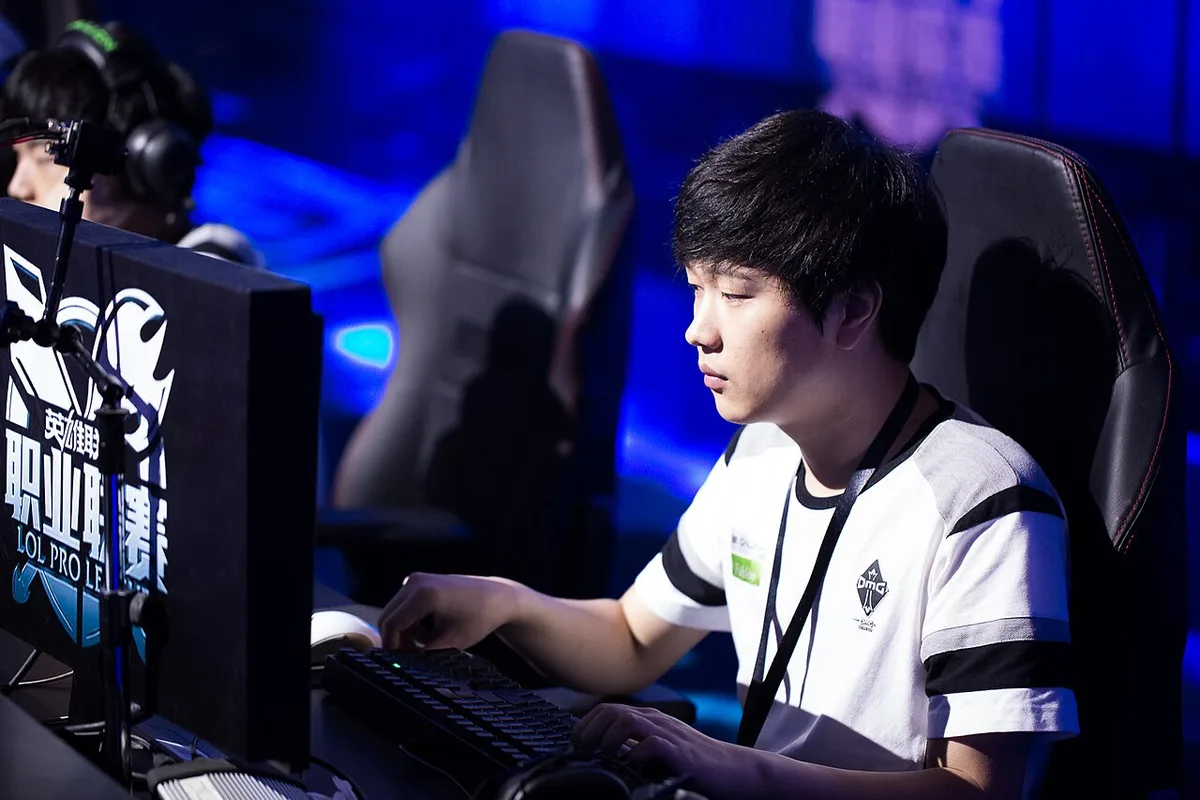
Image source: Wikimedia Commons / Bruce Liu (CC BY-SA)
VESA display standards help compare panel specs. Manufacturer specs often list response time in milliseconds. Treat those numbers as a starting point, not proof of real motion clarity.
The Three Variables That Change Your Answer (Game, Rank, Budget)
Start with the game. CS2 and Valorant reward high refresh and low latency. Apex Legends needs more CPU and GPU headroom.
Fighting games may need different monitor traits and wired controls.
Rank matters next. A casual ranked climber may not need a 360Hz setup. A tournament player may need tournament rules, stable ping, and hardware compliance.
ESL and VCT rulebooks can define allowed setups.
Budget sets the ceiling. Spend where the game benefits most. Do not overspend on GPU for 1080p esports.
Save room for monitor, mouse, keyboard, and network quality.
| Variable | Low Need | High Need | Common Mistake |
|---|---|---|---|
| Game type | Lightweight esports | Battle royale / RTS | Buying for graphics only |
| Rank level | Casual ranked | Semi-pro / pro | Ignoring tournament rules |
| Budget tier | Entry build | Premium 360Hz+ | Overspending on GPU |
A budget-friendly starting point can still feel competitive with the right monitor and settings.
Decision Branches: Picking the Right Build for Your Situation
If you play one lightweight esports title at 1080p, choose a fast CPU, 16GB to 32GB RAM, and a 240Hz monitor. If you stream, add more CPU cores and a dual-PC plan.
If you play Apex Legends or Warzone, choose stronger CPU and GPU balance. If you aim for tournaments, check official rules before buying peripherals.
If your budget is tight, prioritize monitor and mouse. If your budget is high, buy better 1% lows and higher refresh, not just 4K.
If you use Wi-Fi, fix network first. If you use a 60Hz monitor, upgrade that before the GPU. If background apps steal CPU cycles, clean the system before blaming hardware.
A balanced configuration helps avoid the "strong GPU, weak CPU" trap.
Step-by-Step: Building and Tuning a Competitive Esports PC
- Pick your target game and FPS goal.
- Choose CPU with strong single-thread performance.
- Match GPU to 1080p or 1440p esports, not 4K.
- Install 16GB to 32GB fast DDR5 RAM.
- Use a PCIe Gen 4 NVMe SSD.
- Install a quality PSU with proper wattage.
- Connect a high-refresh monitor with DisplayPort.
- Install clean GPU drivers.
- Enable XMP or EXPO in BIOS.
- Turn on NVIDIA Reflex or AMD Anti-Lag.
- Set in-game graphics to low or competitive presets.
- Disable V-Sync and heavy overlays.
- Use Ethernet, not Wi-Fi.
- Test with benchmark maps and real matches.
Before tuning, learn core hardware basics. That keeps upgrades targeted.
As of 2026, many esports players still value 240Hz and 360Hz over 4K. The reason is simple. Lower latency wins more fights than sharper shadows.
Common Mistakes That Cost You Matches
Overspending on GPU for 1080p esports is the most common trap. A mid-tier GPU at 1080p often hits 240 FPS or more. The extra money would serve you better in a faster CPU or better monitor.
Using a 60Hz monitor for competitive play is another big mistake. Even with 300 FPS, a 60Hz screen shows old frames. You lose motion clarity and reaction time.
V-Sync adds input lag. Heavy overlays add CPU overhead. Background apps steal cycles.
These small delays stack up during intense firefights.
Slow RAM hurts 1% lows. DDR4-3200 can bottleneck modern CPUs. DDR5-6000 with tight timings helps consistency.
Aggregate reviews report noticeable stutter with slow memory.
Undersized power supplies cause crashes. Thermal throttling under sustained load drops FPS mid-match. Check airflow and PSU headroom before upgrading anything else.
A typical gaming PC lifespan can stretch further if you avoid these mistakes early.
Competitive Esports PC Costs, Specs, and Real Benchmarks
Budget tiers fall into clear bands. Entry builds run $500 to $800. Mid-tier builds run $800 to $1200.
Premium 360Hz+ builds run $1500 to $2500 or more.
Each tier targets different FPS goals. Entry builds aim for stable 144 FPS. Mid-tier builds target 240 FPS.
Premium builds push 360 FPS or higher.
| Tier | CPU Example | GPU Example | RAM | Monitor | FPS Target |
|---|---|---|---|---|---|
| Entry | Ryzen 5 5600 | RX 6600 | 16GB DDR4 | 144Hz | 144 FPS |
| Mid | Ryzen 5 7600 | RTX 4060 | 32GB DDR5 | 240Hz | 240 FPS |
| Premium | Ryzen 7 7800X3D | RTX 4070 | 32GB DDR5 | 360Hz | 360+ FPS |
CPU single-thread benchmarks like Cinebench R23 help compare chips. GPU benchmarks like 3DMark Time Spy show raster performance. Mouse polling rates range from 1000Hz to 8000Hz.
Manufacturer specs list monitor response times. Real motion clarity depends on overdrive tuning. A 1ms rating does not always mean 1ms in practice.
Pro Tips for Squeezing Out Every Millisecond
Use Ethernet. Wi-Fi adds jitter and packet loss. A wired connection keeps ping stable under 20 to 30ms.
Disable V-Sync in-game. Turn on NVIDIA Reflex or AMD Anti-Lag. These reduce render queue delay without visual quality loss.
Set graphics to low or competitive presets. Shadows and effects add CPU and GPU load. Lower settings often raise FPS and reduce input lag.
Close background apps before matches. Browsers and launchers steal CPU cycles. Windows Game Mode can help but is not magic.
Verify your monitor runs at its rated refresh rate. Check Windows display settings. Many users accidentally run 240Hz panels at 60Hz.
Calibrate mouse DPI and sensitivity in Aim Lab or Kovaak's. Consistent settings build muscle memory. Small changes cause bigger losses than hardware gaps.
A balanced PC configuration avoids the trap of one strong part carrying weak ones.
Frequently Asked Questions
What refresh rate do I need for competitive esports?
144Hz is the minimum for serious play. 240Hz is the sweet spot for most players. 360Hz helps elite players with strong aim. Your PC must feed stable frames to benefit.
Is a 4K monitor good for competitive esports?
No. 4K demands too much GPU power. It lowers FPS and raises latency. 1080p or 1440p at high refresh wins more matches.
Do I need a gaming laptop or desktop for esports?
Desktops win for competitive play. They offer better cooling and upgrade paths. Laptops work for travel but throttle under sustained load.
How much RAM do I need for competitive gaming?
16GB is the floor. 32GB is safer for streaming and multitasking. Faster DDR5 with tight timings beats larger slow kits for 1% lows.
Should I use wired or wireless peripherals?
Wired is simplest and cheapest. Modern wireless from top brands matches wired latency. Budget wireless often adds delay.
Check polling rate specs before buying.
Can a mid-range PC be competitive in esports?
Yes. A balanced mid-range build with a 240Hz monitor beats a high-end 60Hz setup. Spend on refresh rate and CPU before GPU at 1080p.
Final Decision Guide: Which Build Is Right for You
If you play lightweight titles and rank casually, buy entry-tier. Pair it with a 144Hz or 240Hz monitor. Spend the savings on a good mouse and keyboard.
If you play battle royales or stream, buy mid-tier. Aim for 240 FPS and 32GB RAM. Add a dual-PC plan if streaming matters.
If you compete in tournaments, buy premium. Check ESL or VCT rules first. Prioritize 360Hz+, wired peripherals, and stable ping.
If your budget is tight, upgrade monitor before GPU. If your CPU is weak, fix that before buying a new GPU. If your network is bad, fix that before anything else.
The right competitive esports PC is the one matched to your game, rank, and budget. Specs alone do not win matches. Consistency, low latency, and practice do.
1 thought on “What Is a Gaming PC Built for Competitive Esports?”
Comments are closed.