A gaming PC for 4K gaming is a desktop built to render games at 3840 by 2160 pixels with smooth frame rates. The GPU does most of the heavy lifting, but the CPU, memory, storage, and cooling all shape the result. You are buying for pixels and consistency, not just a brand name.
As of 2026, 4K means 8.3 million pixels per frame, so the GPU needs enough VRAM and bandwidth. A common target is 60 FPS at 4K, while high refresh 4K monitors push 120 FPS or more. That is why component balance matters more than one flashy part.
Let's break down what you actually need.
what is a gaming pc for 4k gaming
A gaming PC for 4K gaming renders games at 3840×2160. It needs a strong GPU with ample VRAM. It also needs a balanced CPU and fast storage.
Upscaling can help hit smoother frame rates. The best build depends on budget and monitor.
What a 4K Gaming PC Actually Is
A 4K gaming PC is a desktop tuned for Ultra HD output, not just a normal PC with a big monitor attached. Its job is to draw 8.3 million pixels per frame without turning every game into a slideshow.
Native 4K means the game renders at full 3840×2160. Upscaled 4K means it renders lower, then reconstructs detail with tools like DLSS, FSR, or XeSS. Both can look good, but they are not the same workload.
The monitor matters as much as the tower. A 4K 60Hz screen is forgiving. A 4K 144Hz screen exposes weak parts fast.
If you are new to parts, start with the basic hardware roles before chasing premium labels. A strong GPU cannot fix a starving CPU, weak power supply, or hot case.
Why 4K Gaming Demands Different Hardware
4K asks the GPU to shade far more pixels than 1080p. That raises memory use, bandwidth demand, and heat. The jump is real, not marketing.
VRAM becomes the first wall. Many 4K textures eat memory quickly. An 8GB card can struggle in heavy games, while 12GB, 16GB, or 24GB gives more room.
The CPU still matters, but differently. At 4K, the GPU often leads the bottleneck. At 144 FPS, the CPU can still become the limit.
Cooling and power matter too. High-end GPUs can pull 250W to 450W or more. A cheap PSU or cramped case can turn a good build into a loud, throttling mess.
Performance also depends on settings. Ray tracing, texture quality, and anti-aliasing change the load more than many buyers expect.
The Components That Make or Break 4K Performance
The GPU is the heart of 4K gaming. It handles shading, textures, ray tracing, and upscaling. For most buyers, this is where the budget should go first.
The CPU should be strong enough to avoid bottlenecks. You do not always need the flagship chip, but you do need enough cores and cache for modern games.
RAM should usually be 16GB minimum, with 32GB safer for heavy games and multitasking. Storage should be a fast NVMe SSD, ideally 1TB or 2TB.
The PSU is not glamorous, but it is critical. Buy enough wattage with headroom and a solid efficiency rating. A balanced configuration often beats a lopsided one.
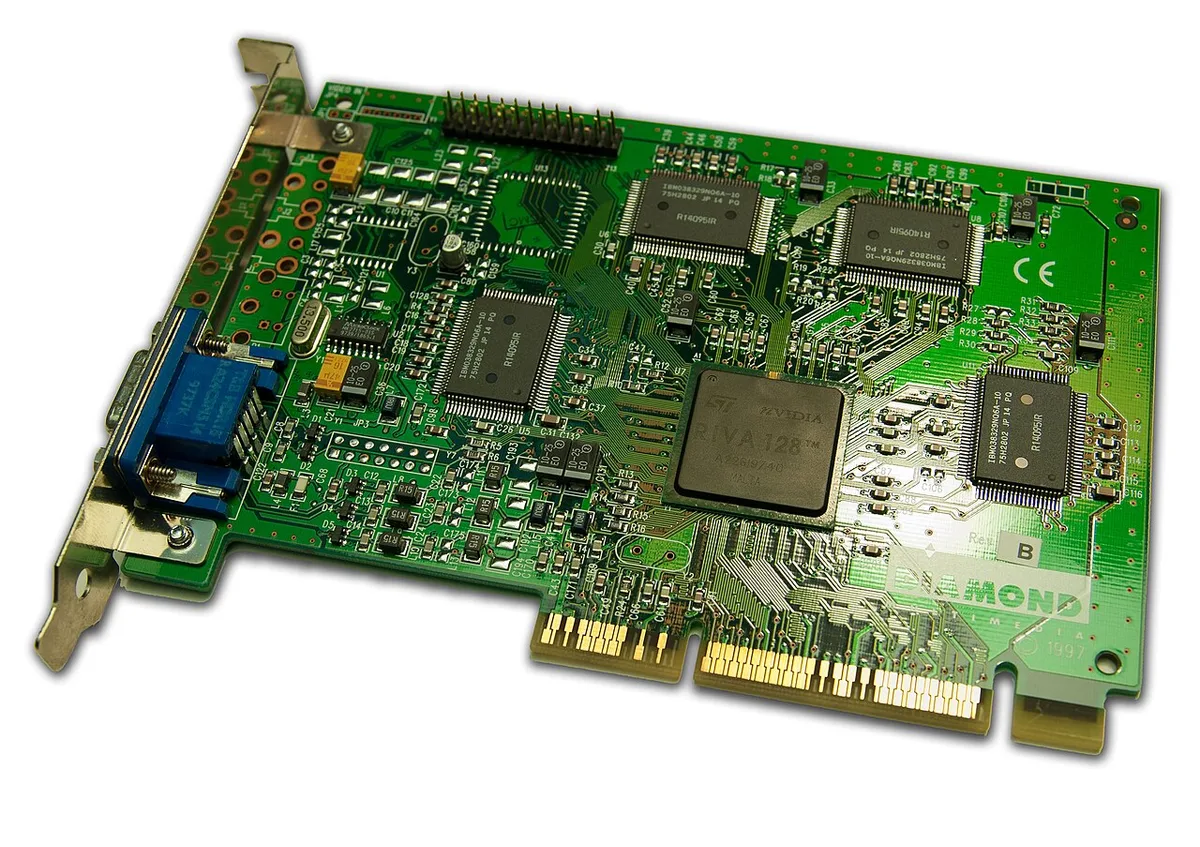
Image source: Wikimedia Commons / Timothy Borkowski (CC BY-SA)
| Component | 4K Minimum Mindset | Better Target |
|---|---|---|
| GPU | 8GB to 12GB VRAM | 12GB to 24GB VRAM |
| CPU | 6 cores | 8 cores or more |
| RAM | 16GB | 32GB |
| Storage | 1TB NVMe SSD | 2TB NVMe SSD |
| PSU | 650W quality unit | 750W to 850W quality unit |
GPU Showdown: NVIDIA vs AMD at 4K
NVIDIA and AMD both make strong 4K GPUs, but they win in different ways. NVIDIA often leads in ray tracing and DLSS. AMD often competes hard on raw value and FSR support.
DLSS is NVIDIA's upscaling and frame generation suite. FSR is AMD's broader upscaling option and can run on more hardware. XeSS is Intel's alternative.
Ray tracing favors NVIDIA in many games, especially with DLSS. AMD has improved, but results vary by title.
VRAM is not a brand story alone. Compare the actual card, not just the logo. A 16GB AMD card can be safer than a 12GB NVIDIA card in some games.
| Brand Strength | NVIDIA | AMD |
|---|---|---|
| Upscaling | DLSS, frame generation | FSR, broad support |
| Ray tracing | Often stronger | Improving, title dependent |
| Value focus | Premium features | Competitive pricing |
| Best for | High-end 4K with ray tracing | Value-focused 4K builds |
Buy for your games, not the badge. Check benchmarks for the titles you play before spending.
Prebuilt vs Custom-Built for 4K Gaming
Prebuilt PCs are easier and faster. You plug in, update drivers, and play. They also include warranty coverage and tested parts.
Custom builds give more control. You can choose the exact GPU, case, cooling, and PSU. That control helps avoid weak links in a 4K system.
Prebuilts can hide compromises. Watch for small PSUs, weak cooling, or last-gen GPUs in expensive towers. Custom builds can hide mistakes too, especially cable routing and compatibility.
For beginners, a reputable prebuilt may be the calmer route. For tinkerers, custom building is more rewarding and easier to upgrade later.
| Route | Best For | Main Risk |
|---|---|---|
| Prebuilt | Beginners, fast setup | Hidden weak parts |
| Custom build | Enthusiasts, upgraders | Build mistakes |
| Hybrid upgrade | Value seekers | Compatibility checks |
If you want mid-range specs first, compare the tier before jumping to flagship parts. A smart 4K build is about fit, not just flex.
4K Gaming PC vs Console vs 1440p PC
A console is the cheapest path to 4K. It is simple, quiet, and tuned for TV. It also locks you into fixed hardware.
A 1440p PC is the value sweet spot. It costs less, hits higher FPS, and is easier to cool. Many games still look sharp at 1440p on 27 inch screens.
A 4K PC gives the most control. You can upgrade parts, tune settings, and use it for work too. The tradeoff is cost and heat.
| Option | Best For | Main Tradeoff |
|---|---|---|
| Console | TV gaming, low hassle | Fixed parts, less upgrade |
| 1440p PC | Value and high FPS | Less pixel density on large screens |
| 4K PC | Sharp detail and flexibility | Higher cost and heat |
If you play on a couch TV, a console may be enough. If you want modding, upgrades, or creative work, a PC earns its price.
Real Price Tiers and What You Get
As of 2026, 4K PC prices move with GPU supply. Treat these as ballpark ranges, not promises.
Around $1,000 gets entry 4K. Expect upscaled 4K, lower settings, and 60 FPS in many games. Around $1,500 is the real starting point for smoother play.
Around $2,000 buys strong native 4K in most titles. Around $3,000 and up is for ray tracing, high refresh 4K, and long upgrade runway.
| Budget | Realistic 4K Result | Watch Out For |
|---|---|---|
| ~$1,000 | Upscaled 4K, mixed settings | Weak PSU or cooling |
| ~$1,500 | Good 60 FPS 4K | 8GB VRAM limits |
| ~$2,000 | Strong native 4K | Case airflow |
| ~$3,000+ | High refresh 4K | Diminishing returns |
Spend on the GPU first. Then protect it with a good PSU and case.
Best 4K Setup for Your Play Style and Budget
Match the build to the games, not the other way around. AAA story games reward GPU power and VRAM. Competitive shooters reward high refresh and CPU consistency.
For AAA single player, target 12GB to 16GB VRAM and a strong cooler. For competitive play, a 4K 144Hz monitor only makes sense if the GPU can hold frame rates.
For sim racing and flight rigs, prioritize CPU strength and a stable power supply. For headset-ready performance, you need strong sustained GPU performance and clean airflow. For stream while you play, add RAM and a capable CPU.
If you are editing and rendering work on the same machine, 32GB RAM and a fast NVMe SSD matter more. If you are unsure about parts, review hardware basics before buying.
Mistakes That Quietly Ruin 4K Performance
Buying a flagship GPU with a weak PSU is a common mistake. It can cause crashes, noise, or shutdowns under load.
Another mistake is ignoring VRAM. 8GB can work, but heavy 4K textures can fill it fast. That leads to stutter, not just lower FPS.
Poor airflow also hurts. A hot GPU lowers its own clock speed. Cable clutter can block fans and make temps worse.
Do not buy a 4K monitor without checking the cable. Older HDMI or DisplayPort cables can limit refresh rate or color depth. Also check whether your games support NVIDIA GeForce technologies or AMD upscaling before chasing native 4K.
Frequently Asked Questions
Is 8GB VRAM enough for 4K gaming?
It can run some games, but it is not ideal. Heavy 4K textures can fill 8GB quickly. For smoother play, 12GB or more is safer.
Do I need a 4K 144Hz monitor?
No. A 60Hz 4K monitor is fine for story games. A 144Hz panel only helps if your GPU can hit those frame rates.
Is upscaling cheating?
No. Upscaling is a rendering technique. It can improve smoothness with modest quality tradeoffs.
Many players prefer it at 4K.
Can a mid-range PC do 4K?
Yes, with limits. It may need upscaled 4K and lower settings. A mid-range parts list can still be a smart value.
Should I buy prebuilt or custom?
Buy prebuilt if you want simplicity. Build custom if you want control and easier upgrades. Both can work well at 4K.