If you're shopping for a modern gaming rig, what is atx 3.1 in a gaming pc power supply is really a question about connector safety and GPU power behavior. ATX 3.1 is the newer Intel ATX12V power supply specification revision that builds on ATX 3.0 and focuses on safer, more reliable delivery to power-hungry graphics cards. It matters most when your build uses a newer PCIe 5.0 or PCIe 5.1 GPU with a 12V-2×6 power connector.
The practical change is not just a label on the box. ATX 3.1 keeps the same broad idea as ATX 3.0, but it tightens how the GPU power connector is designed and how the supply handles sudden load spikes. Manufacturer specifications and PCI-SIG documentation are the best places to confirm exact connector and excursion details for a specific model.
As of 2026, most quality gaming PSUs still advertise ATX 3.0 or ATX 3.1, so the model-level details matter more than the marketing badge.
Why ATX 3.1 Matters for Modern Gaming PCs
ATX 3.1 matters because modern GPUs can pull power in sharp bursts. A gaming PC is not a steady-load machine. Frame spikes, ray tracing, and transient CPU plus GPU loads can push the power supply harder than average wattage suggests.
A weak or poorly matched PSU can show instability before it ever shows a clean failure.
The standard is aimed at reducing connector risk and improving behavior during those spikes. It is not a magic fix for a cheap unit. Build quality, cable design, wattage headroom, and cooling still decide how safe and stable the system feels.
- High-end GPUs need more than average wattage planning.
- Connector seating is a common failure point.
- Older ATX 2.x units may need adapters.
- Wattage headroom helps during transient spikes.
What ATX 3.1 Actually Changes in a Power Supply
ATX 3.1 mainly updates the GPU power connector path and related design expectations. The big visible change is the move toward the 12V-2×6 connector. That connector keeps the same 600W class capability as the earlier 12VHPWR design, but changes sense-pin behavior and connector geometry to reduce the chance of a partially seated connection going unnoticed.
It also keeps the ATX 3.0 focus on transient power excursions. In plain terms, the supply is expected to handle short, heavy bursts better than older ATX standards. That is useful for gaming because GPUs can spike well above their average draw for milliseconds at a time.
- 12V-2×6 replaces the older 12VHPWR connector direction.
- Sense pins help detect proper connection.
- Transient excursion handling remains important.
- Native cables reduce adapter clutter.
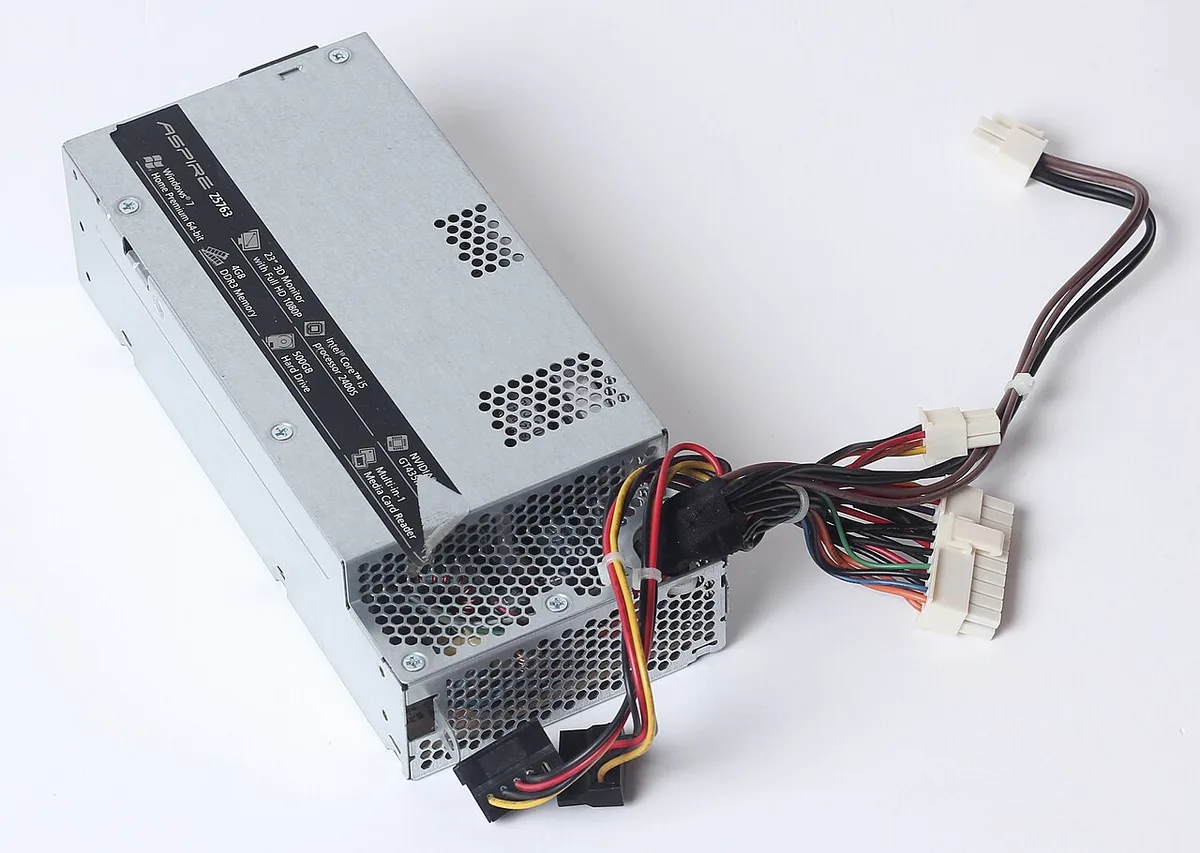
Image source: Wikimedia Commons / Dmitry Makeev (CC BY-SA)
ATX 3.0 vs ATX 3.1: The Real Differences
ATX 3.0 and ATX 3.1 are close enough that many buyers treat them as the same family. That is mostly fair for wattage planning. The difference shows up more in connector details and how clearly a PSU documents its GPU power path.
A good ATX 3.0 unit with a native 12V-2×6 cable can be a smart buy. A vague ATX 3.1 label without clear cable details is not automatically better.
The safest comparison is model by model. Check the connector type, cable inclusion, efficiency rating, protection features, and warranty. If you are building around a high-power GPU, those details matter more than the standard version printed on the box.
| Feature | ATX 3.0 PSU | ATX 3.1 PSU |
|---|---|---|
| GPU connector focus | 12VHPWR common | 12V-2×6 common |
| Transient handling | Stronger than ATX 2.x | Stronger design direction |
| Native cable value | Varies by model | Varies by model |
| Best use case | Good GPU builds | Newer GPU builds |
12VHPWR vs 12V-2×6: Which Connector Is Safer
The 12V-2×6 connector is the safer direction for most new gaming builds. It keeps the high-power capability but changes the sense pins so a poor connection is less likely to look correct to the system. That does not make it immune to damage.
A bent connector, cable strain, or incomplete insertion can still cause heat and failure.
The older 12VHPWR connector can work well when it is fully seated and properly routed. The problem is that user error is common. Tight cases, thick cables, and sharp bends near the GPU can pull the connector slightly out of place.
That is why native cables and careful routing matter so much.
- Fully seat until the latch clicks.
- Avoid sharp bends near the GPU.
- Do not use damaged third-party cables.
- Check for heat or discoloration after first use.
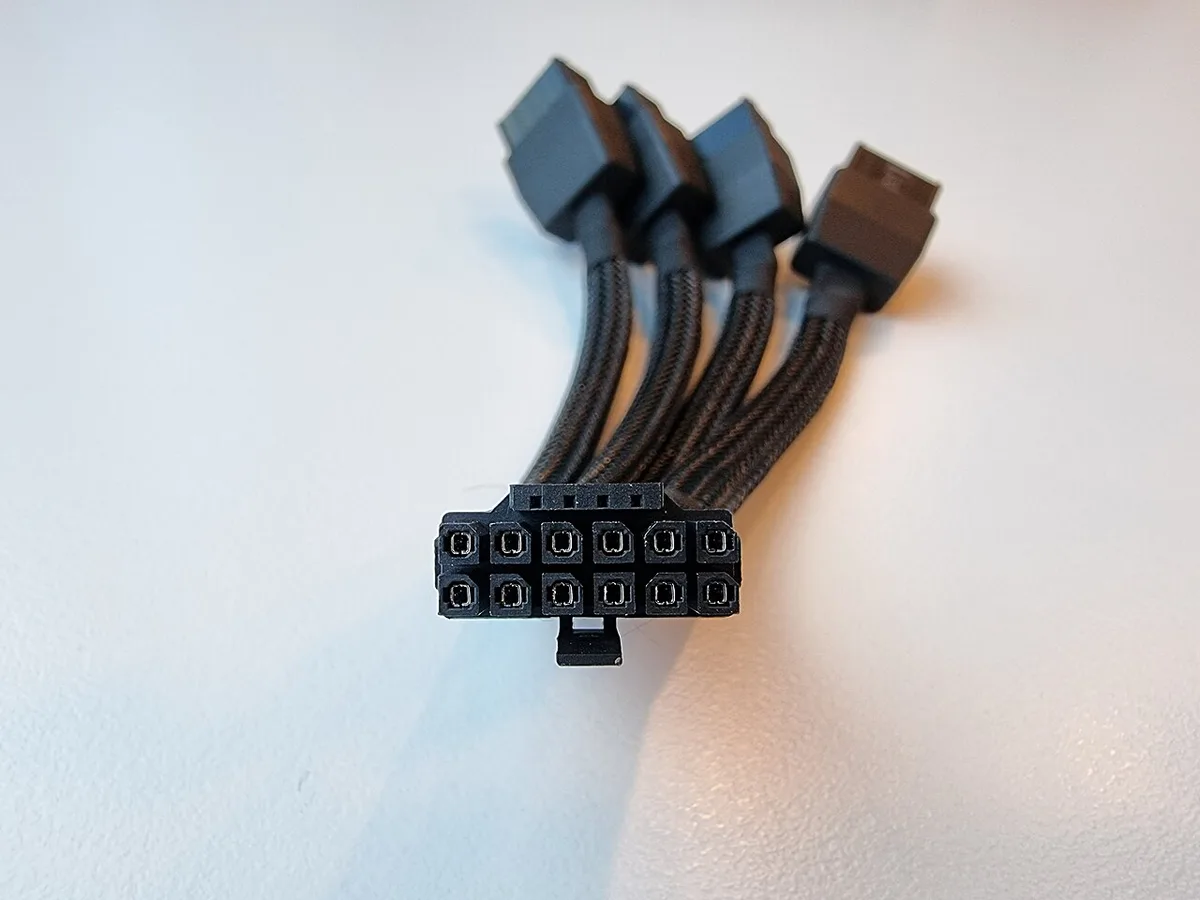
Image source: Wikimedia Commons / Benlisquare (CC BY-SA)
Side-by-Side PSU Comparison for Gaming Builds
A side-by-side comparison should start with your GPU and CPU, not the PSU brand. A 750W unit may be enough for a mid-range gaming PC. A 1000W or 1200W unit makes more sense for a high-end GPU, overclocking, or a workstation-style gaming build.
The right choice depends on sustained load, transient spikes, and how much upgrade room you want.
Efficiency ratings also deserve attention. 80 Plus Gold is a common sweet spot for gaming PCs. Platinum and Titanium can reduce waste and heat, but the price jump only makes sense if the PC runs hard for long sessions. Modular designs help with cable management, especially in smaller cases.
| Build type | Likely PSU range | Connector priority |
|---|---|---|
| Mid-range gaming PC | 650W to 750W | Native GPU cable helpful |
| High-end gaming PC | 850W to 1000W | Native 12V-2×6 preferred |
| Extreme or workstation PC | 1000W to 1200W+ | Native 12V-2×6 strongly preferred |
Image source: Wikimedia Commons / Zhueahoieel (CC BY-SA)
When planning the rest of the machine, it helps to think about storage and memory too. A reliable build is not only about power. If you are choosing parts, our guide to choosing storage for the build can help you avoid bottlenecks.
You may also want to check memory compatibility before finalizing the platform. For layout planning, keeping an M.2 slot cool matters in small cases. If your system runs hot, thermal throttling can be a warning sign.
It is also smart to check RAM usage while gaming when tuning a new build.
Best PSU Choice by GPU and Wattage Scenario
The best PSU is the one that matches your GPU's real power behavior. Average wattage is only part of the story. Transient spikes can push a high-end card well above its rated board power for short bursts.
For mid-range cards, a quality 750W unit often works well. For high-end cards, 850W to 1000W is a safer range. Extreme builds and overclocked systems may need 1200W or more.
- Mid-range gaming GPU: 650W to 750W
- High-end gaming GPU: 850W to 1000W
- Extreme or workstation GPU: 1000W to 1200W+
- Small case build: check physical fit first
Native 12V-2×6 support matters more as GPU power rises. If your card includes that connector, choose a PSU that includes the matching native cable. Adapters can work, but they add another failure point.
CPU power matters too. A high-end processor plus a power-hungry GPU can push total system load close to the PSU limit. Leave headroom for spikes, aging, and future upgrades.
If you plan to keep the system for years, buy slightly above your current need. A modest wattage step up is usually cheaper than replacing the whole unit later.
Common Installation Mistakes That Cause Connector Damage
Most connector damage starts with installation, not the standard itself. A PSU can meet ATX 3.1 and still fail if the cable is poorly seated. The first check is simple.
Push the GPU connector in until the latch locks.
Do not force a cable at an angle. Keep the connector straight during insertion. Then route the cable so it does not pull sideways against the GPU socket.
- Partially seated connector
- Sharp bends near the GPU
- Using damaged or third-party cables
- Mixing PSU cables between brands
- Ignoring heat or discoloration
Cable strain is a major risk in tight cases. A thick 12V-2×6 cable can press against side panels or fan shrouds. That pressure can slowly back the connector out over time.
After the first gaming session, inspect the connector. It should feel cool or only slightly warm. Any melting smell, discoloration, or loose fit means stop using it immediately.
If a connector looks damaged, replace it with an OEM cable from the PSU maker. Do not tape it, bend it back, or keep gaming on it.
Costs, Specs, and What to Check Before Buying
PSU prices vary widely by wattage, efficiency, and warranty. As of 2026, a solid 750W ATX 3.1 unit often sits in a mid-range price band. Higher wattage and Platinum or Titanium models cost more.
The cheapest option is rarely the safest choice for a high-power GPU.
Before buying, check the exact connector list. Look for native 12V-2×6 support if your GPU needs it. Confirm the cable is included, not sold separately.
| Buying check | Why it matters |
|---|---|
| Wattage | Handles spikes and headroom |
| Efficiency rating | Heat and electricity use |
| Native GPU cable | Fewer adapters and strain points |
| Protections | Guards against faults |
| Warranty | Long-term support |
Also check physical size. Some high-wattage units are longer than standard ATX cases allow. Measure the PSU bay before ordering.
Read the manufacturer spec sheet, not just the box. It should list connector types, cable lengths, and protection features. If those details are missing, consider a different model.
Expert Tips for Choosing and Installing an ATX 3.1 PSU
Choose the PSU after you know the GPU. Do not guess based on CPU alone. A balanced parts list prevents overspending and underpowering.
Use the manufacturer's wattage calculator as a starting point. Then add headroom for spikes and future upgrades. A little extra capacity is usually worth more than chasing the highest efficiency tier.
- Match PSU wattage to GPU and CPU together
- Prefer native 12V-2×6 cables for newer GPUs
- Keep cables routed with gentle bends
- Verify protections and warranty length
- Inspect connectors after first use
For standards and connector details, PCI-SIG specifications are a useful reference. They explain the connector side of the design. Manufacturer documentation then confirms what your specific PSU actually ships with.
If your build is small, focus on cable length and routing. Short or stiff cables can create strain even when wattage is correct. Good cable management is part of power safety.
Frequently Asked Questions
Is ATX 3.1 necessary for every gaming PC?
No. A mid-range gaming PC with a lower-power GPU can run well on a quality ATX 2.x or ATX 3.0 unit. ATX 3.1 becomes more important when the GPU uses a 12V-2×6 connector or pulls heavy transient power.
Match the PSU to the graphics card first.
Does ATX 3.1 mean the PSU is automatically high quality?
No. The standard describes design direction and connector support. Build quality, protections, cooling, and cable design still vary by model.
Always check the spec sheet, warranty, and verified reviews before buying.
Can I use an ATX 3.0 PSU with a 12V-2×6 GPU?
Often yes, if the PSU includes the correct native cable or a proper adapter. The connector type matters more than the standard label. Make sure the cable is fully seated and routed without strain.
What wattage should I choose for a high-end gaming PC?
Many high-end gaming PCs land between 850W and 1000W. Extreme cards, overclocking, or workstation loads may need 1200W or more. Add headroom for transient spikes and future upgrades.
Are adapters safe for 12V-2×6 connectors?
Adapters can be safe when they are OEM parts and fully seated. They add another connection point, so routing and strain control matter. Avoid damaged, bent, or unknown third-party adapters.
How do I know if my connector is installed correctly?
The latch should click and the connector should sit flat against the GPU socket. It should not wiggle or pull away. After the first session, check for heat, smell, or discoloration.