What is psu ripple and why does it matter? It is the small AC voltage riding on the DC output of a power supply. That leftover wiggle can stress parts and cause instability.
Clean DC matters more than peak wattage.
Per Intel's ATX guidance, a 12V rail may allow up to 120 mV peak-to-peak ripple. That number only makes sense with the right test setup. We'll walk through the measurement, limits, and safe practices next.
what is psu ripple and why does it matter
PSU ripple is AC voltage mixed into a DC power output. It matters because excess ripple can reduce stability and stress components. Good power supplies keep ripple inside published limits.
Measurement method and load conditions affect the real result. Always judge ripple against the device's tolerance, not marketing claims.
Why Ripple Matters for Real Hardware Stability
Ripple is not just a lab number. It reaches the motherboard, VRMs, storage, and audio circuits. Those parts expect steady DC, so extra AC content can cause heat, noise, and timing errors.
High ripple often shows up as random crashes, coil whine, or storage hiccups. It can also shorten capacitor life over time. That is why stable power matters as much as enough wattage.
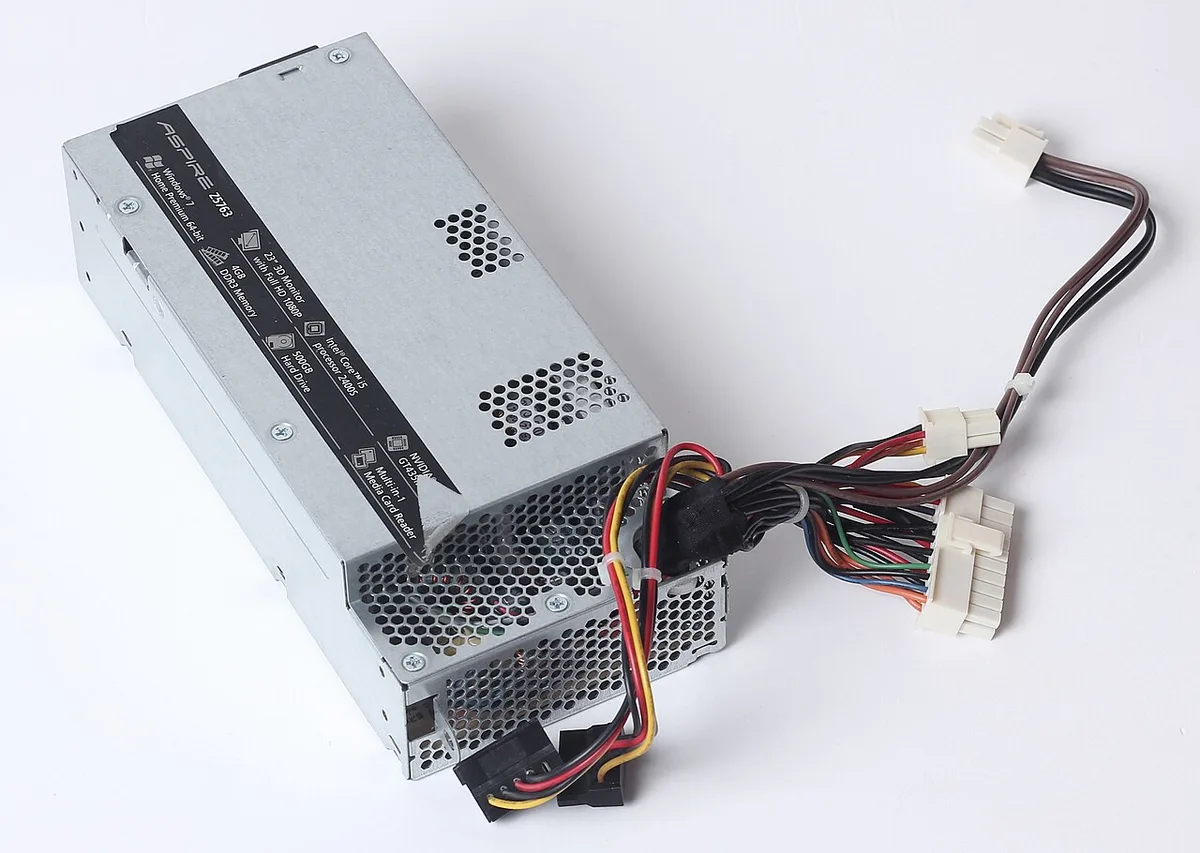
Image source: Wikimedia Commons / Dmitry Makeev (CC BY-SA)
Common signs include:
- Random reboots under load
- Audio hum or speaker noise
- SSD or memory errors during stress tests
- Higher temperatures around VRMs
- Fan speed changes that seem unexplained
If you see several of these, check power quality before replacing other parts. Our guide on stable memory behavior can help separate RAM issues from power issues.
How Ripple Is Measured and What the Numbers Mean
Ripple is usually measured in millivolts peak-to-peak, or mVpp. That means the highest to lowest swing of the AC component. RMS ripple is another way to express it, but mVpp is the common PSU spec.
The test method matters a lot. A loose probe ground can make ripple look worse. A poor load can make it look better.
Use AC coupling, a 20 MHz bandwidth limit, and a short ground spring.
| Measurement item | Typical good practice | Why it matters |
|---|---|---|
| Coupling | AC coupling | Removes DC offset |
| Bandwidth | 20 MHz limit | Matches common PSU specs |
| Probe ground | Short ground spring | Reduces probe noise |
| Load | Electronic load | Simulates real demand |
| Test points | Output terminals | Avoids cable noise |
For a gaming PC, loading behavior can also expose power issues. Our article on loading behavior is useful when storage seems slow during heavy play.
ATX Specs, Load Conditions, and Safe Ripple Limits
The Intel ATX Power Supply Design Guide sets common ripple limits. As of 2026, typical values are 120 mVpp on 12V and 50 mVpp on 5V and 3.3V. Those limits assume proper test conditions.
Load condition changes the result. A PSU can look clean at 50 percent load but worse at full load. Cross-load testing also matters, because one rail can sag while another stays strong.
| Rail | Common ATX ripple limit | What to watch |
|---|---|---|
| 12V | 120 mVpp | GPU and CPU load |
| 5V | 50 mVpp | SATA and USB devices |
| 3.3V | 50 mVpp | Motherboard logic |
| 5VSB | 50 mVpp | Standby accessories |
Do not treat the spec as a pass or fail for every device. Some audio gear wants much lower ripple. Some servers need tighter control.
Check the device manual before assuming a PSU is good enough.
Manufacturer documentation and certification bodies are the right sources here. Intel's power supply design guidance and UL's safety certification information are useful starting points.
Ripple vs. Noise, Transients, and Overall Power Quality
Ripple is one part of power quality. Noise includes switching spikes, EMI, and ground bounce. Transients are fast voltage dips or spikes when load changes.
A PSU can have low ripple but poor transient response.
Think of ripple as steady wobble and transients as sudden jolts. Both matter. A GPU load spike can cause a voltage dip even if ripple looks fine at idle.
Key differences:
- Ripple is periodic AC on DC output
- Noise includes random spikes and EMI
- Transients are load-change events
- Voltage droop is a sustained sag under load
- Power factor correction improves input efficiency, not output cleanliness
If you are troubleshooting a gaming build, thermal behavior can overlap with power issues. Our page on thermal behavior helps separate heat problems from power problems. Also check compatible memory when instability appears after upgrades.
Safe takeaways:
- Measure before replacing hardware
- Use the same test method each time
- Compare results to the device's tolerance
- Replace aging PSUs with high ripple
- Do not trust marketing words alone
Ripple is small, but it is not harmless. Clean power helps your system stay stable and last longer.
Common Mistakes That Make Ripple Look Worse or Better
A bad probe setup can exaggerate ripple. Long ground leads act like antennas. They pick up switching noise.
Shorten the ground path. Use the probe's spring tip.
A light load can hide problems. Some PSUs look clean at idle. They fail under full load.
Test at 20, 50, and 100 percent load. Also test cross-load mixes.
AC coupling must be on. DC offset can hide the AC swing. Bandwidth should match the spec.
A 100 MHz reading may look larger than a 20 MHz reading.
Cable length matters too. Measure at the output terminals. Do not measure through long extensions.
Extension cables add noise and droop.
Marketing claims can mislead. "Zero ripple" is not a real standard. Ask for mVpp, load, and bandwidth.
Without those, the claim is weak.
Common mistakes:
- Measuring with a long ground lead
- Testing only at idle
- Ignoring cross-load conditions
- Using the wrong bandwidth
- Trusting vague marketing words
- Comparing different test methods
If you see odd results, repeat the test. Change one variable at a time. That keeps the diagnosis honest.
Who Should Care Most: PCs, Audio, Servers, and Embedded Systems
Gamers and PC builders care most. A gaming PC pulls fast-changing load. GPUs and CPUs can stress weak regulation.
Ripple may trigger crashes or coil whine.
Audio users care next. DACs and amplifiers can turn power noise into hum. Even small ripple may matter here.
Clean power often matters more than extra wattage.
Servers need steady power too. They run long hours. Small ripple adds heat and wear.
Over time, that can shorten capacitor life.
Embedded systems are often sensitive. Sensors and controllers may expect tight voltage. Ripple can cause false readings or resets.
| User type | Main risk | What to prioritize |
|---|---|---|
| Gamer | Crashes, coil whine | Stable 12V under load |
| Audio user | Hum, noise floor | Very low ripple |
| Server admin | Heat, wear | Long-term stability |
| Embedded dev | Resets, bad data | Tight tolerance |
If your build shows memory errors, check power quality before blaming RAM. Power problems can mimic bad memory.
Safe Practices for Testing, Filtering, and Long-Term Reliability
Start with safety. Unplug the PSU before opening anything. Never probe live mains.
Use insulated probes and proper grounding.
For testing, use a controlled load. An electronic load is best. If you must test in a PC, use a known-good system.
Keep cables short and neat.
Filtering can help, but it has limits. Ferrite cores can reduce high-frequency noise. Better capacitors can help.
Still, filtering cannot fix a failing PSU.
For long-term reliability:
- Keep the PSU cool and dust-free
- Avoid overloading the rails
- Use quality cables
- Replace aging units
- Retest after major upgrades
Per IEC safety guidance, electrical equipment should be used within its rated limits. That includes load, temperature, and ventilation.
If ripple rises after years of use, capacitors may be drying out. That is a replacement signal, not a filter problem.
When High Ripple Means Replace the PSU, Not Just Add Filters
Filters are a band-aid. They can reduce noise, but they cannot restore lost regulation. If ripple is far above spec, replace the PSU.
Look for clear replacement signs:
- Ripple above ATX limits at normal load
- Repeated crashes under stable settings
- Bulging or leaking capacitors
- Burning smell or fan noise
- Voltage droop that worsens over time
Adding filters to a failing PSU can hide symptoms. It can also add heat. That creates new risks.
A new PSU is the safer choice when age is the cause. Capacitors wear out. Fan bearings fail.
Output quality drops.
Do not open a PSU to repair it. Stored charge can be dangerous. Recycling or replacing is safer.
If the unit is still under warranty, contact the manufacturer. Document the test method and results. That helps support the claim.
Frequently Asked Questions
What is a normal PSU ripple level?
A normal level depends on the rail and load. Intel's ATX guidance lists 120 mVpp on 12V and 50 mVpp on 5V and 3.3V. Those values assume proper test conditions.
Always compare against the device manual too.
Can high ripple damage a PC?
Yes, it can contribute to damage over time. Excess ripple adds heat and stress to capacitors and VRMs. It may also cause crashes or data errors.
Replacing a failing PSU is safer than relying on filters.
Does ripple affect gaming performance?
It can affect stability more than raw speed. High ripple may cause crashes during heavy load. It can also create coil whine.
A stable PSU helps the system hold its settings.
Why does my ripple measurement look wrong?
Probe technique is the usual cause. Long ground leads add noise. Wrong bandwidth can change the reading.
Measure at the output terminals under load. Repeat the test with one change at a time.
Is low ripple always better?
Lower ripple is usually better, but context matters. Some devices need very clean power. Others tolerate more.
Judge ripple against the device's tolerance and the test method, not just the lowest number.
Should I replace a PSU with high ripple?
Yes, if ripple is far above spec or the unit is old. Filters cannot fix failing regulation. Replace it and retest the system.
That is the safest long-term fix.
1 thought on “What Is PSU Ripple and Why It Matters for Your PC”
Comments are closed.