So, you’re staring at a spec sheet and wondering what is a motherboard qvl memory list? It’s basically the manufacturer’s “tested and approved” roster for RAM sticks. Think of it as a compatibility cheat code that prevents your PC from refusing to boot.
The QVL confirms which specific modules passed stability tests on that exact board. As of 2026, with DDR5 speeds hitting 8000 MT/s, this list matters more than ever. Let’s break down why these documents are visual puzzles, not just text files.
Why a Motherboard QVL Is a Visual Document, Not Just a List
Most people treat the Qualified Vendor List (QVL) like a simple yes/no checklist. That’s a mistake. A QVL is fundamentally a structured table designed for rapid visual scanning.
You aren’t reading prose; you’re decoding columns of data.
Imagine looking at a spreadsheet with hundreds of rows. Each row represents a memory kit. The columns represent technical specs: capacity, speed, timings, voltage, and rank.
Your job is to match your physical RAM stick’s label to one of those rows.
This process relies heavily on pattern recognition. You’re looking for familiar numbers and formats. If the layout is confusing or outdated, you’ll miss the match.
That’s why we classify this topic as visual-dependent. Understanding the shape of the data helps you find the answer faster than reading every single entry.
We’ve seen builders spend hours searching for their part number in a PDF. They fail because they don’t know how to read the table headers. Once you understand the visual structure, finding a match takes seconds.
It transforms a tedious search into a quick verification step.
What a QVL Actually Is (and What It Isn't)
A QVL is a document listing memory modules tested by the motherboard manufacturer. It guarantees compatibility for specific BIOS versions. It does not guarantee performance beyond standard JEDEC speeds unless XMP or EXPO profiles are explicitly listed.
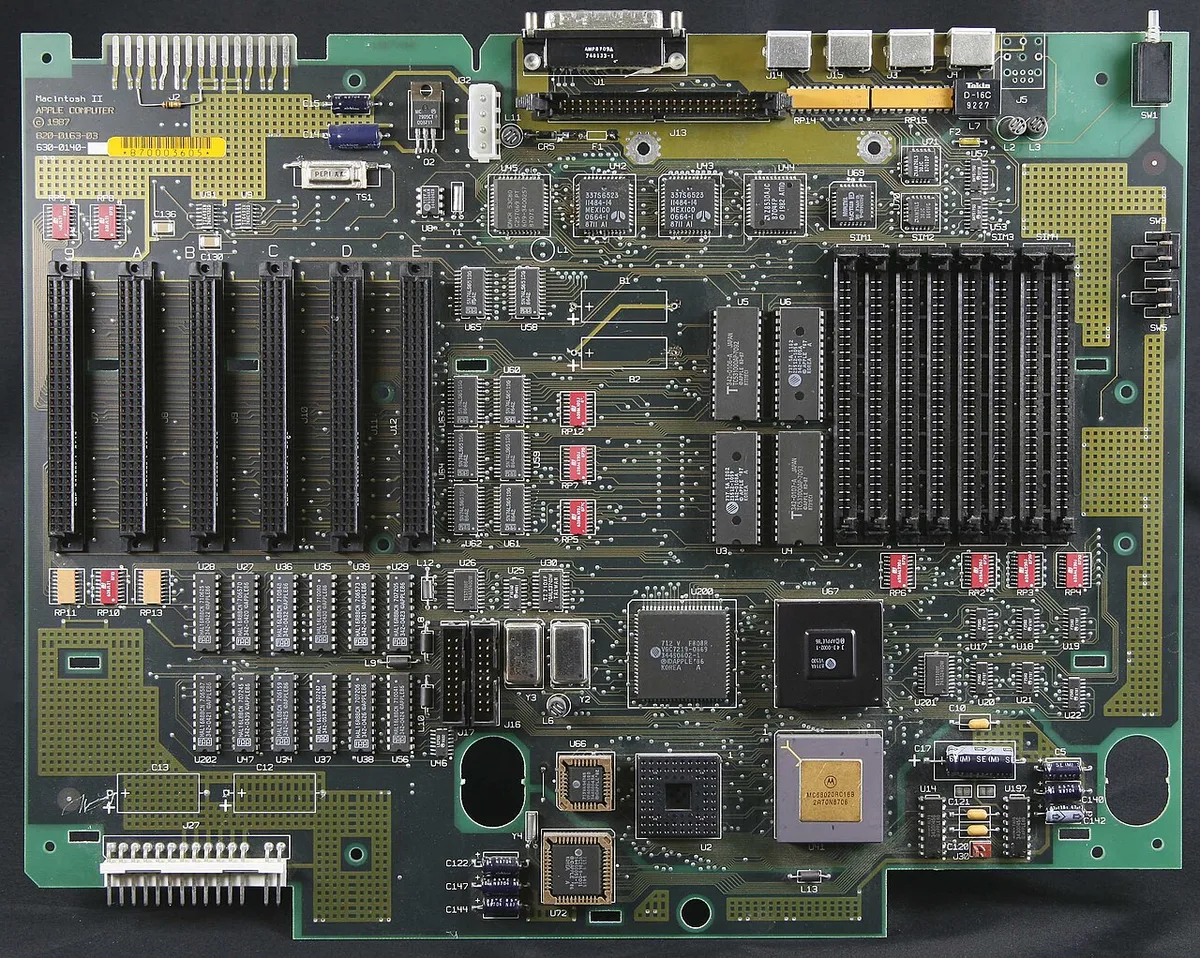
Image source: Wikimedia Commons / Ransu at English Wikipedia
Let’s clarify the misconceptions. First, absence from the QVL doesn’t mean incompatibility. Many kits work perfectly fine but weren’t tested by the board maker.
Second, presence on the QVL doesn’t mean perfect stability for everyone. Silicon lottery plays a role here.
The QVL is a snapshot in time. Manufacturers test samples during development. They publish results based on those specific batches.
Newer revisions of the same RAM model might use different chips. These won’t appear on the old list.
Think of the QVL as a "known good" baseline. It reduces risk. For enterprise IT admins deploying thousands of machines, this certainty is worth the effort.
For gamers, it’s insurance against random crashes.
You should view the QVL as a starting point, not the final word. It tells you what was verified under controlled lab conditions. Real-world usage involves heat, dust, and component aging.
Those factors aren’t captured in the static list.
How to Read a QVL Table: Columns, Symbols, and Footnotes
Reading a QVL requires knowing what each column signifies. Most tables follow a similar format, though vendors vary slightly. Here’s what you’ll typically see:
| Column Header | Meaning | Example Value |
|---|---|---|
| Capacity | Total GB per module or kit | 16GB, 32GB |
| Speed | Data transfer rate in MT/s | 6000, 7200 |
| Timings | Latency values (CL-tRCD-tRP-tRAS) | 30-40-40-96 |
| Voltage | Operating power requirement | 1.35V, 1.40V |
| Rank | Physical chip arrangement (Single/Dual) | SR, DR |
| Chip Mfr | Memory die manufacturer | Hynix, Samsung |
Pay close attention to the "Rank" column. Single-rank (SR) modules often run cooler and more stably at high frequencies. Dual-rank (DR) modules offer higher bandwidth but stress the memory controller more.
Footnotes are critical. Look for asterisks (*) next to entries. These usually indicate special conditions.
For example, "*Requires BIOS version 1.20 or later." Ignoring footnotes leads to failed boots.
Symbols matter too. Some lists use checkmarks for verified kits. Others use color coding.
Green might mean stable at rated speed. Yellow could mean stable only at lower clocks. Always check the legend if provided.
Don’t overlook the "Test Config" section. This details the CPU used during testing. A QVL entry validated on an i9 processor might behave differently on an i5.
The integrated memory controller (IMC) varies between CPUs.
If you’re unsure about interpreting these symbols, our guide on checking hardware compatibility offers deeper insights into cross-referencing specs.
Where to Find Your Board's QVL (and Which Version to Trust)
Finding the right QVL starts at the manufacturer’s support page. Go to ASUS, MSI, Gigabyte, or ASRock websites. Search for your specific motherboard model.
Navigate to the "Support" or "Downloads" tab.
Look for "Memory Compatibility List" or "QVL." You’ll usually find CSV, Excel, or PDF files. Download the most recent version. Check the file date.
An outdated list misses newer RAM batches.
Here’s a workflow tip: always verify the BIOS version associated with the QVL. Some manufacturers release separate QVLs for different BIOS branches. Using the wrong list causes confusion.
For instance, a QVL dated January 2026 might assume BIOS 2402. If you’re running BIOS 2205, some entries may not apply. Update your BIOS first, then consult the corresponding QVL.
Be wary of third-party aggregators. While helpful, they can lag behind official updates. Stick to primary sources for accuracy.
Manufacturer sites host the definitive records.
Also, consider regional differences. Sometimes, SKUs available in Europe differ from US models. Part numbers change based on market regulations.
Ensure you’re looking at the correct regional database.
Our article on verifying CPU pairing explains how firmware ties components together, reinforcing why version control matters for all parts, including RAM.
Matching Part Numbers: The Visual Traps That Catch Builders
Matching your RAM to the QVL seems straightforward. But small visual differences trip up many users. The biggest trap is partial matching.
Your RAM label reads: F5-6000J3040G16GX2-TZ5K.
The QVL lists: F5-6000J3040G16GX2.
They look identical. But the suffix "-TZ5K" indicates a specific revision or color variant. Does the base number match?
Yes. Is it safe to assume compatibility? Usually, but not always.
Another common error involves ignoring case sensitivity or spacing. Copy-pasting part numbers from spreadsheets introduces hidden characters. These invisible spaces break search functions.
Always type manually or clean the string.
Watch out for similar-looking digits. Zeroes (0) and letter O’s (O) get confused. Ones (1) and lowercase L’s (l) also blend.
Zoom in on the image below to see typical labeling issues.
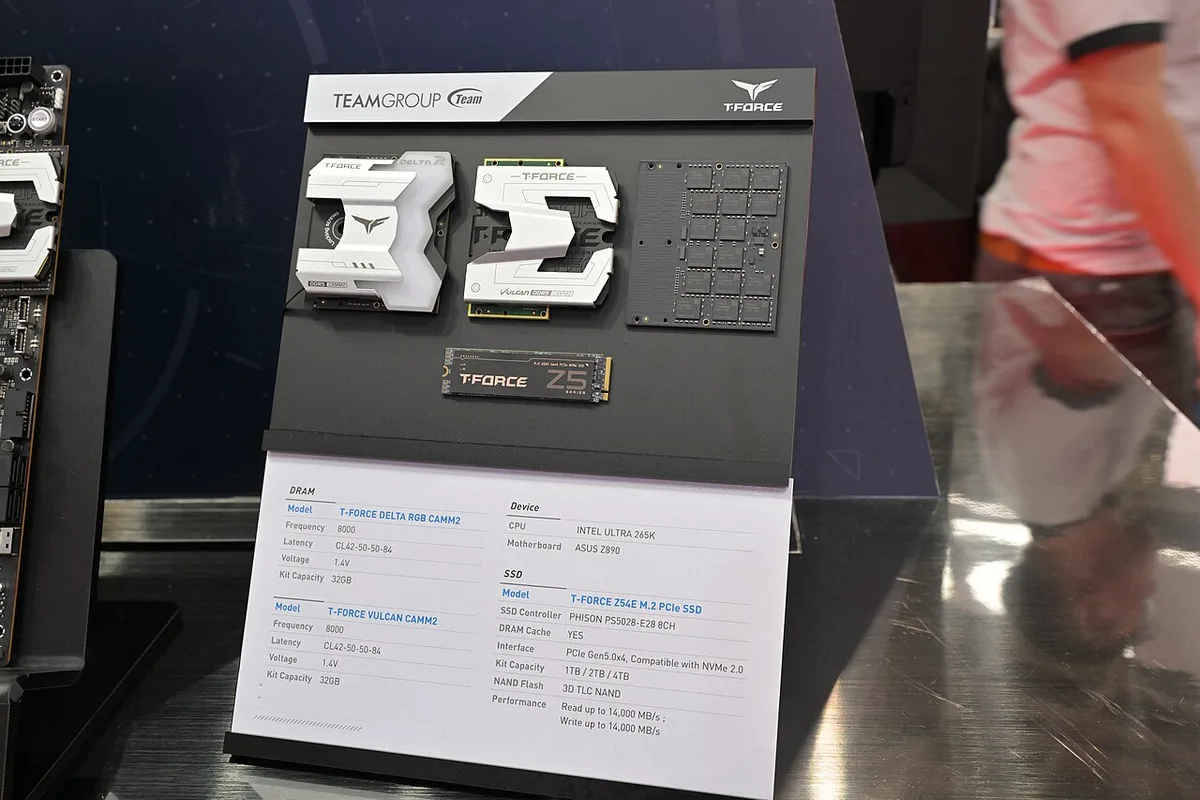
Image source: Wikimedia Commons / 4300streetcar (CC BY)
Notice how densely packed the text is. One misread character sends you down the wrong rabbit hole. Use Ctrl+F wisely.
Search for unique segments rather than full strings.
Some kits have multiple SKUs for the same spec. G.Skill Trident Z5 Neo comes in black, white, and RGB variants. All share core specs but have distinct part numbers.
Finding one doesn’t automatically validate the others.
Check the package contents. Did you buy a dual-channel kit (2x16GB) or quad-channel (4x8GB)? The QVL specifies configuration.
Mixing capacities ranks incorrectly affects stability.
Finally, remember that batch codes change monthly. Your stick might be Rev 1.0 while the QVL tested Rev 2.0. Chips inside may differ despite external similarity.
This is where community reports fill gaps left by official docs.
Common Visual Mistakes That Break Memory Compatibility
You’ve got the part number. You found it on the list. So why is your system still crashing?
Often, the issue isn’t the data itself. It’s how you’re interpreting the visual layout of the table.
One major pitfall is misreading the "Configuration" column. Many QVLs specify exact slot populations. For example, a kit might be listed as compatible only in slots A2 and B2.
If you plug those same sticks into A1 and B1, the system may fail to train correctly. The visual cue here is the asterisk or footnote marker next to the entry. Always trace that symbol back to the bottom of the page.
Another common error involves ignoring voltage nuances. The list might show 1.35V for a specific speed. But if your BIOS defaults to 1.25V for safety, the RAM won’t reach its rated frequency.
You need to manually adjust the VDD/VDDQ voltages. This step is rarely obvious from the table alone. It requires cross-referencing with your motherboard manual’s overclocking section.
Don’t forget about mixed kits. Some users try to combine two different dual-channel sets to get four sticks total. The QVL almost never validates this configuration unless explicitly stated.
Visually scanning for "4x8GB" vs "2x16GB" entries saves you from hours of troubleshooting. If your desired capacity isn’t there, don’t assume it’ll work by adding more modules.
Finally, watch out for font size discrepancies in PDF exports. Small text can make an '8' look like a '0'. Or a 'B' look like an '8'.
These subtle visual errors lead to wrong searches. Zoom in before copying any alphanumeric code. A single character mistake invalidates the entire lookup process.
Our resource on keeping components cool reminds us that stability issues often stem from overlooked details, whether thermal or electrical.
QVL vs. Real-World Results: What the List Can't Promise
The QVL is a laboratory artifact. It reflects ideal conditions, not your dusty bedroom setup. Understanding this gap prevents frustration when things don’t go perfectly.
Manufacturers test using high-end CPUs with robust memory controllers. They use fresh silicon samples. In contrast, your mid-range processor might have a weaker Integrated Memory Controller (IMC).
Aggregate user reviews consistently report that lower-tier chips struggle with the top-speed entries on the list. The QVL says "Compatible." Reality says "Unstable at 7200 MT/s on a non-K series chip."
Thermal environment plays a huge role too. Lab tests happen in climate-controlled rooms. Your PC sits next to a radiator or in a cramped case.
Heat causes signal integrity degradation in DDR5 traces. A kit that passed testing at 25°C might throttle or crash at 45°C. The list doesn’t account for ambient temperature spikes during heavy gaming sessions.
Then there’s the factor of batch variation. DRAM production shifts suppliers frequently. A Samsung B-die kit from last year differs electrically from a Hynix A-die version released this month.
Both share the same model number prefix. The QVL tested one batch. You bought another.
Subtle timing differences emerge. Manual tuning becomes necessary to achieve stability.
We see this disconnect most clearly in enterprise deployments. IT admins rely on QVLs for fleet consistency. Yet field engineers still encounter sporadic Blue Screens of Death (BSOD) weeks after deployment.
Why? Because long-term stress reveals latent defects that short-duration lab tests miss. The QVL offers a snapshot, not a lifetime warranty.
Treat it as a strong indicator, not absolute proof.
For enthusiasts pushing limits, community databases often provide better real-world guidance. User-submitted logs show actual success rates across thousands of builds. These crowdsourced insights highlight which kits are genuinely tolerant of tight timings.
Official lists remain static; human experience evolves. Balancing both sources gives you the clearest picture of likely outcomes.
When to Trust the QVL and When to Cross-Reference
So, when should you blindly follow the manufacturer’s word? And when do you need to dig deeper? The answer depends on your risk tolerance and performance goals.
Trust the QVL completely when building standard office PCs or budget gaming rigs running at JEDEC speeds. If you’re sticking to default frequencies like 4800 MT/s or 5200 MT/s without XMP/EXPO enabled, compatibility is nearly guaranteed. The margin for error is wide.
Stability is inherent to the spec.
However, doubt the list when aiming for peak performance. If you want to run CL30 timings at 6400 MT/s, the QVL entry is just a starting point. You must verify CPU capability first.
Check Intel ARK or AMD product pages for your processor’s supported memory speeds. A mismatch between board and CPU specs renders the QVL irrelevant.
Cross-reference aggressively if you’re mixing brands or generations. Suppose you already own Corsair Vengeance LPX sticks. You buy a new G.Skill Trident Z5 set to expand capacity.
Neither kit appears together on any QVL. Don’t expect seamless integration. Even identical specs can clash due to SPD programming differences.
Run MemTest86 for at least four passes before trusting the combination.
Consider the age of the list relative to your hardware release date. A QVL updated six months ago misses recent firmware improvements. Newer BIOS versions often unlock higher stability margins.
Search forums for posts mentioning recent patch notes. Look for phrases like "improved memory training" or "added support for newer dies."
If you’re unsure about pairing components, our guide on GPU fitment checks illustrates similar principles. Just as physical clearance matters for cards, logical alignment matters for RAM. Verify every layer of compatibility independently.
Never assume one green checkmark covers all bases.
Ultimately, treat the QVL as a filter, not a final verdict. Use it to narrow down viable options quickly. Then apply secondary verification methods to confirm suitability for your specific workload.
This hybrid approach minimizes wasted time and money while maximizing system reliability.
FAQs
Does being off the QVL mean my RAM won’t work?
No. Absence from the Qualified Vendor List doesn’t guarantee failure. It simply means the manufacturer didn’t test that specific module.
Most modern DDR5 kits function reliably within JEDEC standards regardless of QVL status. Problems usually arise only when enabling aggressive XMP or EXPO profiles. Try installing the stick first.
If it boots at default speeds, it’s technically compatible. Instability typically manifests only under overclocked conditions.
Why does my RAM crash even though it’s on the QVL?
Several factors contribute to instability despite listing compliance. Common culprits include insufficient cooling, incorrect voltage settings, or incompatible CPU memory controllers. Also, ensure your BIOS is up to date.
Manufacturers fix memory bugs regularly via firmware patches. An older BIOS version might lack proper training algorithms for newer DRAM technologies. Double-check slot population rules too.
Incorrect placement disrupts channel symmetry, causing immediate failures.
Should I prioritize QVL-certified RAM over cheaper alternatives?
For mission-critical systems, yes. Enterprise environments benefit from reduced troubleshooting time. Certified kits offer predictable behavior, saving labor costs.
However, hobbyists often find equal performance in uncertified modules at lower prices. Risk assessment matters here. If downtime hurts revenue, pay the premium for validation.
If you enjoy tweaking settings, save money and experiment freely. Community feedback helps identify reliable budget options effectively.
How often are QVL lists updated?
Update frequency varies significantly by vendor and product lifecycle stage. High-end enthusiast boards receive frequent revisions during launch windows. Budget models may stay stagnant for years.
Check the file metadata for last-modified dates. Older lists miss newly released DRAM batches. Contact customer support if you suspect outdated information.
Persistent gaps suggest limited ongoing engineering investment in that particular platform.
1 thought on “What Is a Motherboard QVL Memory List?”
Comments are closed.