How heavy is a gaming laptop? Most models land between 4 and 8 pounds, but the real number depends on screen size, GPU, and cooling. That gap matters if you carry it every day.
A few extra pounds can turn a backpack into a shoulder ache.
Manufacturer specifications also list a chassis weight, not the full kit. The power brick, cables, and bag add more. As of 2026, many 14-inch models weigh under 4 pounds, while 17-inch desktop replacements can top 7.
We will break down what those numbers mean before you buy or pack.
how heavy is a gaming laptop
Most gaming laptops weigh 4 to 8 pounds. Screen size is the biggest factor. The power brick adds 1 to 2 pounds.
Total travel weight often exceeds the listed number. Check both before you choose.
Why Gaming Laptop Weight Matters More Than the Spec Sheet
A gaming laptop is not just a spec sheet in a bag. It is a machine you move, lift, and balance on your lap. Weight affects comfort before it affects frame rates.
If you commute, a 6-pound laptop can feel heavier by Friday. If you travel, every ounce competes with chargers, mice, and headsets. A heavier laptop also changes what you plug in.
Knowing the port count for your setup helps you avoid carrying extra hubs.
Weight also affects where you use the machine. A lighter model is easier on a couch or airplane tray. A heavier one often needs a desk and stable power.
That is a daily quality-of-life issue, not a small detail.
How Much Gaming Laptops Weigh by Screen Size and GPU Class
Screen size is the fastest clue to weight. Larger panels need larger chassis, more cooling, and bigger batteries. GPU class adds another layer, especially at the high end.
| Screen size | Typical laptop weight | Common GPU class | Realistic use case |
|---|---|---|---|
| 14-inch | 3.5 to 4.5 lb | RTX 4050 to 4070 | Daily carry and travel |
| 15.6-inch | 4.5 to 6 lb | RTX 4060 to 4070 | Balanced gaming and work |
| 16-inch | 5 to 6.5 lb | RTX 4070 to 4080 | Stronger cooling and screens |
| 17.3-inch | 6 to 8 lb | RTX 4080 to 4090 | Desk-first power |
| 18-inch | 7 to 9 lb | RTX 4090 mobile | Desktop replacement |
GPU wattage matters because hotter chips need more metal and airflow. A low-wattage RTX 4060 laptop can stay fairly light. A high-wattage RTX 4090 laptop needs a thicker chassis and stronger cooling.
If you dock at home, docking to two monitors can make a heavier laptop easier to live with. You leave it plugged in and use a lighter travel bag only when needed.
What Actually Adds Weight: Chassis, Cooling, Battery, and Charger
The chassis is the first weight source. Aluminum and magnesium feel premium and can be lighter than thick plastic. Cheap plastic can still be heavy if it is bulky.
Cooling is the second big factor. Heat pipes, vapor chambers, dual fans, and vents all add mass. High-performance models need more cooling because mobile GPUs can push serious power.
Battery capacity also adds weight. A 90Wh battery weighs more than a 56Wh battery. That is the tradeoff for longer unplugged gaming.
The charger is easy to ignore. Many gaming laptops use 180W, 240W, 330W, or 400W adapters. Those bricks can add 1 to 2 pounds.
Some USB-C ports support charging, which can reduce charger bulk on lighter models.
| Component | Why it adds weight | What to check |
|---|---|---|
| Chassis | Metal, lid glass, and frame | Material and thickness |
| Cooling | Heat pipes, fans, vapor chamber | GPU wattage and vent size |
| Battery | Larger capacity cells | Watt-hours |
| Charger | High-wattage power brick | Adapter weight and cable |
Side-by-Side Weight Comparison: 14-Inch vs 16-Inch vs 17-Inch Models
A 14-inch gaming laptop is the easiest to carry. It fits small bags and airplane trays. The tradeoff is less cooling room and fewer ports.
A 16-inch model is the middle ground. It gives you a bigger screen and stronger cooling without going full desktop replacement. For many people, this is the sweet spot.
A 17-inch model feels like a portable desktop. It is great on a desk and tiring in a backpack. If you mostly game at home, the extra weight may not matter.
Listed Weight vs. Real Packed Weight
Listed weight usually means the laptop alone. It does not include the charger, mouse, headset, or bag. Real packed weight can be 2 to 4 pounds higher.
Always weigh the full kit if you travel often. A kitchen scale works fine. This one habit prevents bad surprises at the airport.
Total Graphics Power and Cooling Hardware
Total graphics power, or TGP, tells you how hard the GPU can run. Higher TGP usually means more heat and more cooling hardware. More hardware usually means more weight.
That is why two laptops with the same GPU name can feel different. One may be a thin 4070 model. Another may be a thicker 4070 model with better sustained performance.
Real Carry Weight: Laptop Plus Power Brick and Backpack
Real carry weight is the number that matters on your shoulder. Add the laptop, charger, mouse, and bag. Then compare that total to your comfort level.
A 5-pound laptop with a 1.5-pound charger becomes a 6.5-pound core load. Add a mouse, headset, and bag, and the total can pass 8 pounds. That is a real difference during a long commute.
Backpack design matters too. A padded strap and hip belt spread weight better than a thin strap. A compact laptop sleeve keeps the machine from shifting while you walk.
Airline rules also matter. The FAA and TSA have guidance for lithium batteries and carry-on screening. Check current rules before flying, especially with high-capacity batteries.
If you game on the road, playing on a TV at your destination can reduce how much you carry daily. You can leave more gear in the room and travel lighter.
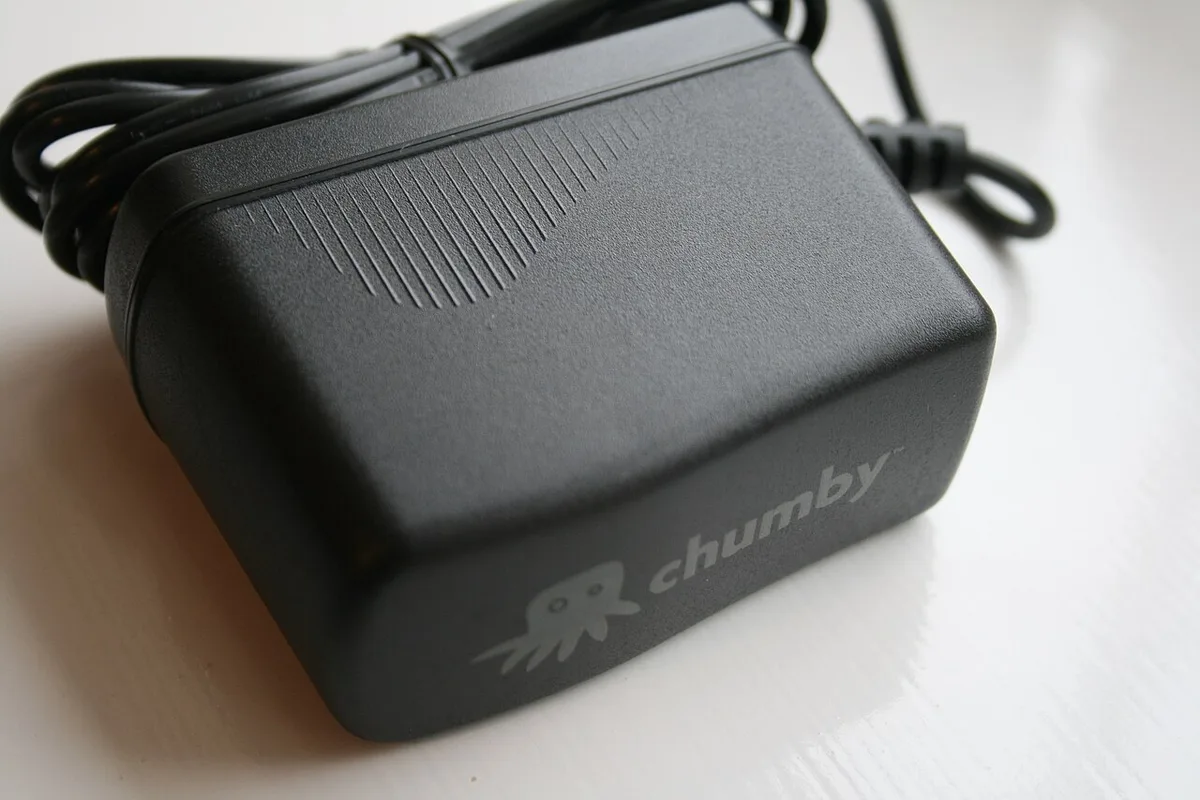
Image source: Wikimedia Commons / William Hook from Stafford, United Kingdom (CC BY-SA)
Best Gaming Laptop Weight for Each Use Case
The right weight depends on how often you move the machine. A laptop that lives on a desk can be heavy. A laptop that follows you daily should be lighter.
For students and travelers, 14-inch models make the most sense. They fit small bags and leave room for books or clothes. For mixed work and gaming, 16-inch models often hit the best balance.
Desktop replacement users can accept 7 pounds or more. They get better cooling, bigger screens, and stronger GPUs. If you mostly play at home, the extra weight is a fair trade.
Accessories change the picture too. A mouse, headset, and controller add real bulk. If you travel with a controller, connecting a controller should be simple enough that you do not need extra adapters.
| Use case | Ideal weight range | Why it fits |
|---|---|---|
| Daily commute | 3.5 to 5 lb | Easier on shoulders and bags |
| Travel and hotels | 4 to 5.5 lb | Better screen without huge bulk |
| Home and desk use | 6 to 8 lb | More cooling and GPU power |
| LAN events | 5 to 7 lb | Strong performance with transport |
Audio matters on the road too. If you use built-in speakers, improving laptop audio can reduce the need to pack extra gear.
Mistakes People Make When Comparing Gaming Laptop Weight
The biggest mistake is comparing only the laptop. The charger, bag, and accessories matter just as much. A light laptop with a heavy brick is not a light setup.
Another mistake is trusting the same GPU name across brands. Two RTX 4070 laptops can have very different cooling and chassis designs. Weight often reveals that difference.
People also forget bag fit. A 17-inch laptop may be too wide for a standard backpack. Check dimensions before you buy, not after.
Some shoppers ignore port needs. Extra hubs and dongles add weight and clutter. Thinking about how many USB ports you really need can keep the kit simpler.
Finally, many buyers chase the lightest model and then regret poor thermals. Lighter cooling can mean louder fans or lower sustained performance. Weight is a clue, not the whole story.
Airline, Dorm, and Commute Constraints That Change the Math
Travel rules make weight more important. A heavy laptop plus a heavy charger can push a carry-on bag over limits. That is annoying at the gate and risky for fragile gear.
The FAA and TSA publish current guidance for lithium batteries and screening. Check those rules before flying. IATA also provides battery transport guidance for international travel.
Dorm life adds its own limits. Small desks, shared rooms, and narrow shelves favor compact machines. A 17-inch desktop replacement may not fit where you actually study.
Commutes are the daily test. Stairs, trains, and long walks make every pound count. If you use a controller on the go, connecting a controller without dongles keeps the bag lighter.
| Constraint | What to watch | Practical fix |
|---|---|---|
| Air travel | Battery and bag weight | Weigh full kit before the trip |
| Dorm room | Desk and shelf space | Prefer 14- or 16-inch chassis |
| Daily commute | Shoulder strain | Use a padded backpack |
| Hotel gaming | Power access | Check charger wattage and cable length |
If you plan to use a TV instead of the built-in screen at your destination, you can leave more gear behind.
Final Verdict: Which Gaming Laptop Weight Makes Sense for You
There is no single best weight. The best choice matches your routine. If you carry it daily, stay under 5 pounds if possible.
If you game mainly at a desk, weight matters less.
For most buyers, a 16-inch model around 5 to 6 pounds is the safe middle. It gives strong cooling without becoming a burden. It also leaves room for a normal backpack.
If portability is the top priority, choose a 14-inch model with a moderate GPU. If performance is the top priority, accept a heavier 17-inch machine. The key is knowing the full packed weight before you commit.
External monitors can also change the decision. If you already use two screens at home, connecting two external monitors makes a heavier laptop feel more like a desktop.
Frequently Asked Questions
How heavy is a typical gaming laptop?
Most gaming laptops weigh between 4 and 8 pounds. Screen size, GPU power, and cooling hardware are the biggest factors. The charger adds more weight.
Is a 17-inch gaming laptop too heavy for travel?
It can be. Many 17-inch models weigh 6 to 8 pounds before the charger. For frequent travel, a 14- or 16-inch model is usually easier.
Does the power brick count as part of laptop weight?
No, listed weight usually means the laptop alone. The power brick can add 1 to 2 pounds. Always count the full kit when planning travel.
Are lighter gaming laptops less powerful?
Not always. Some thin 14-inch models use efficient GPUs and good cooling. Still, heavier chassis often allow higher sustained GPU power.
What weight is best for a student?
A 14- or 16-inch laptop under 5.5 pounds is usually best. It is easier to carry between classes and fits most backpacks. Check the charger weight too.
Can a gaming laptop be too light?
Yes, if cooling is too weak for the GPU. Thin laptops may run hotter or louder under load. Balance portability with thermal design.
4 thoughts on “How Heavy Is a Gaming Laptop? Average Weight Guide”
Comments are closed.