A small form factor gaming PC is a compact desktop built around a Mini-ITX motherboard, short graphics card, and a smaller power supply. It trades some space and upgrade room for a much smaller footprint. That trade is the whole point.
In our research, most SFF cases fall under about 20 liters of internal volume, while standard mid-towers often sit closer to 40 liters or more. That size gap changes airflow, cable routing, and cooling. We'll break down what counts, what to look for, and what to avoid.
what is a small form factor gaming pc
A small form factor gaming PC is a compact desktop built for gaming in a much smaller case than a standard tower. It usually uses a Mini-ITX motherboard and a short graphics card. Most cases stay under 20 liters of internal volume.
Performance can still match larger PCs. Cooling and upgrade room are the main tradeoffs.
What Actually Counts as a Small Form Factor Gaming PC
Size is the defining trait, not the parts list. A true SFF build is measured by case volume, usually in liters. Many builders treat sub-20 liters as the practical SFF line.
Sub-10 liter builds are the extreme end and need very careful planning.
Volume is length times width times height, divided by 1,000. A 300mm by 200mm by 200mm case is 12 liters. That number matters more than words like "mini" or "compact."
Mini-ITX is the common motherboard size at 170mm by 170mm. It keeps the board small but still supports a full PCIe slot. That slot is what lets you run a real desktop graphics card.
Power supplies also change. Most SFF builds use SFX or SFX-L units instead of standard ATX units. They are shorter and easier to route in tight spaces.
A small case alone does not make a good gaming PC. The parts still need airflow, power, and clearance. That is why case volume, GPU length, and cooler height should be checked together.
| Size class | Typical volume | What it usually means |
|---|---|---|
| Sub-10L | Under 10 liters | Extreme compactness, very tight compatibility |
| 10-20L | 10 to 20 liters | Common SFF gaming target |
| 20-30L | 20 to 30 liters | Small tower, easier cooling |
If you want the basic gaming PC concepts first, our guide on how a gaming PC works is a good starting point.
Why Size and Visuals Matter More Than the "Mini" Label
The word "mini" is loose. One brand may call a 28-liter case mini. Another may call a 14-liter case mini.
Photos and volume numbers tell the real story.
A useful visual check is the case next to a standard ATX mid-tower. SFF cases often look closer to a shoebox or console than a tower. Front-to-back depth is usually the first thing you notice.
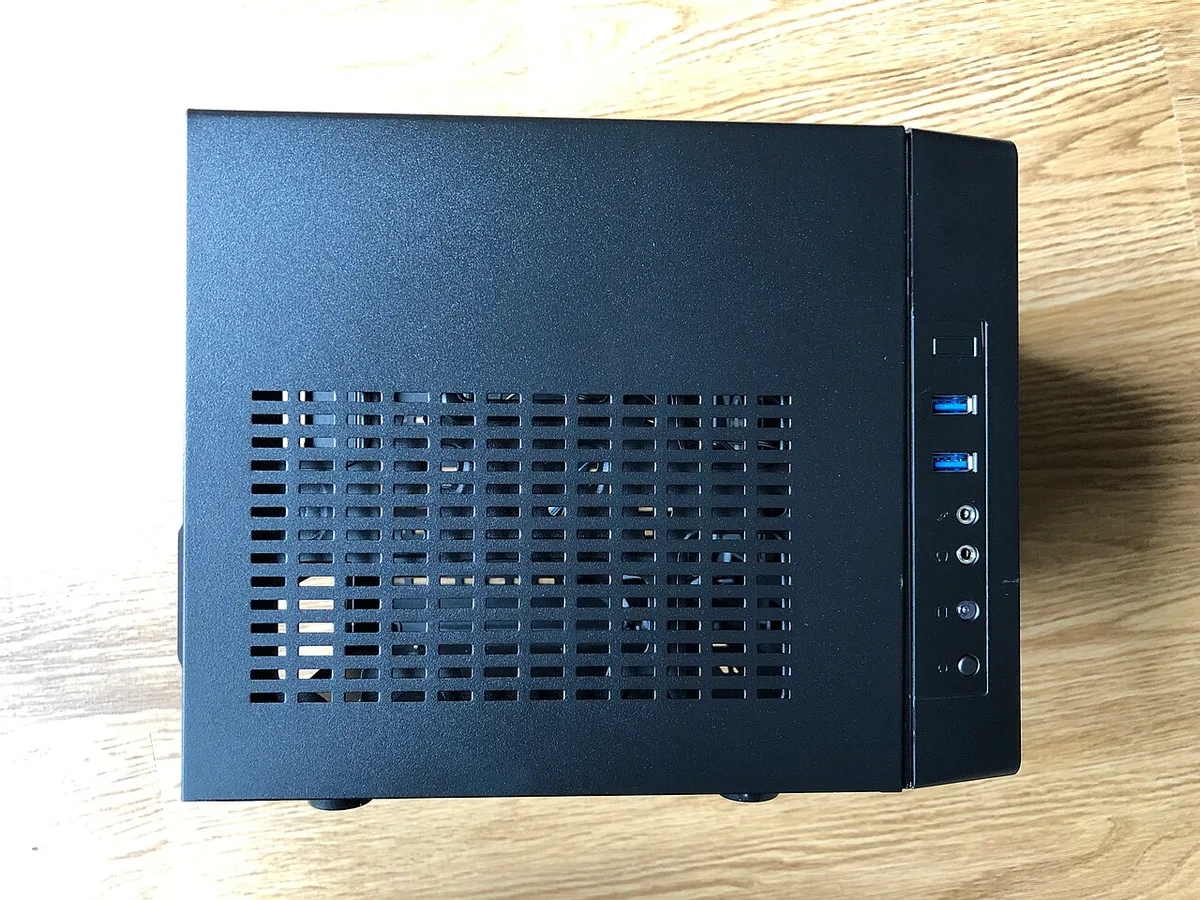
Image source: Wikimedia Commons / FASTILY (CC BY-SA)
Panel layout also reveals a lot. Mesh side panels often point to an airflow-first design. Solid panels often point to a quieter or more sealed design.
Neither is always better, but the difference is easy to spot.
Look at the GPU orientation too. Many SFF cases mount the graphics card vertically with a PCIe riser cable. That saves width but adds a cable and possible signal concerns.
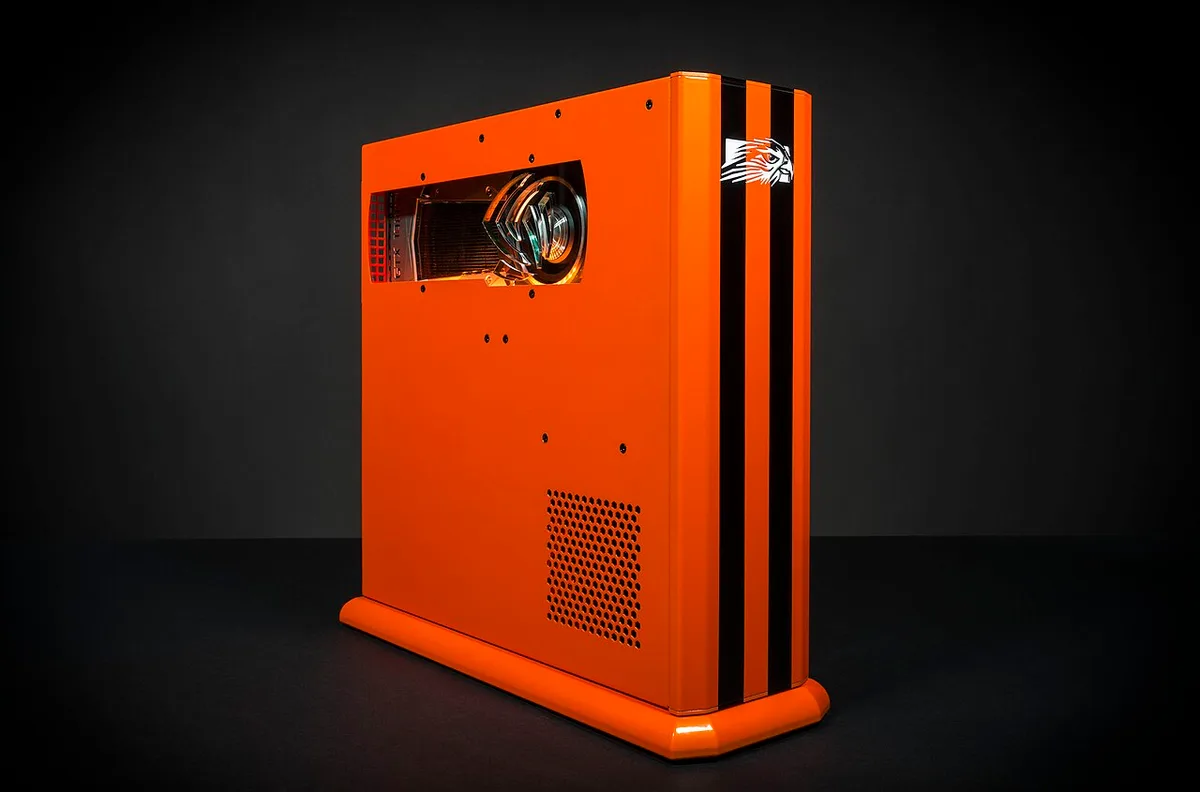
Image source: Wikimedia Commons / Falcon Northwest (CC BY-SA)
Cooler height is another visual clue. Low-profile coolers sit close to the board. AIO radiators may mount at the top or side.
If the case looks too short for a tall air cooler, it probably is.
Our research shows that photos alone can be misleading. Always check the manufacturer's volume and clearance specs. A case can look small in a product photo but still be larger than expected.
If you want to understand the main PC parts before comparing cases, see our breakdown of what is inside a gaming PC.
The Components That Make (or Break) an SFF Build
The motherboard sets the size limit. Mini-ITX boards usually have two RAM slots and one PCIe x16 slot. That is enough for gaming, but it limits memory upgrades.
The graphics card is the hardest fit. GPU length, width, and power draw all matter. A triple-fan card may not fit in a 14-liter case.
A dual-fan or ITX-length card is often safer.
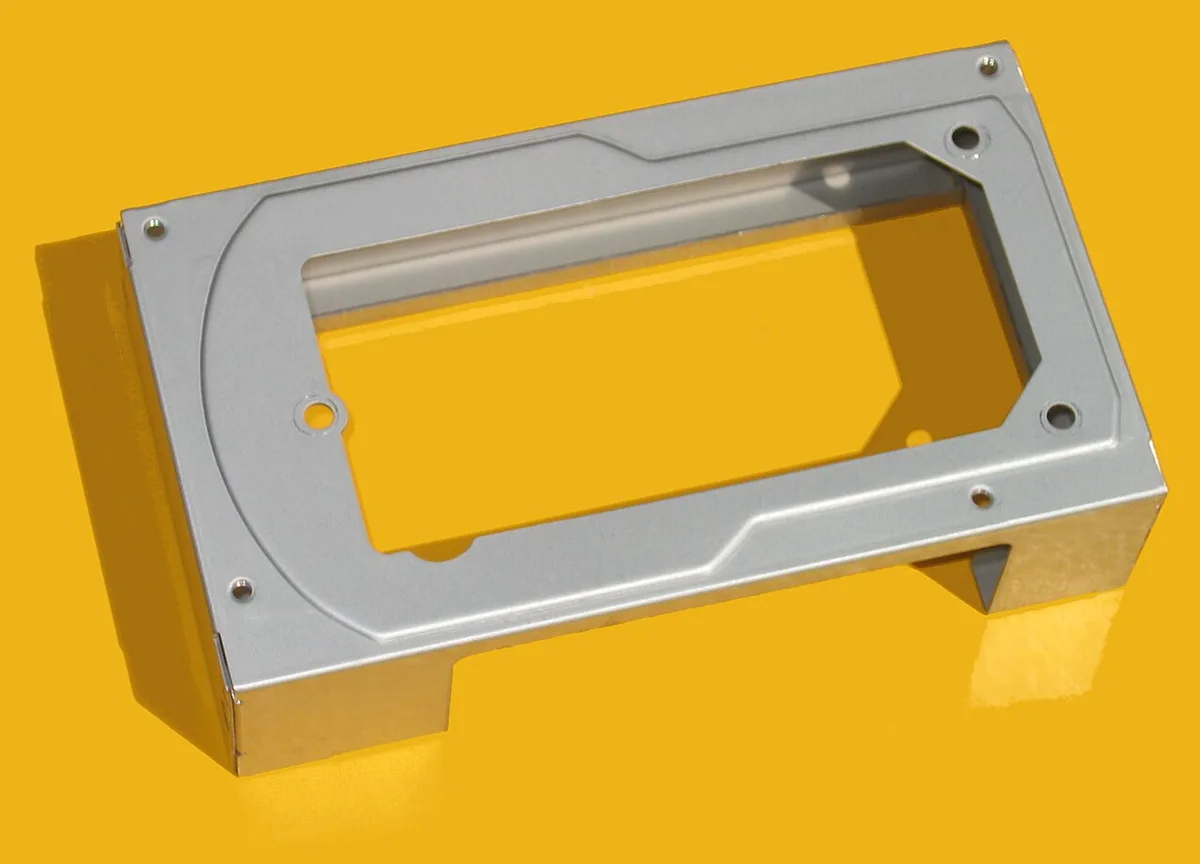
Image source: Wikimedia Commons / Hans Haase (CC BY-SA)
Power supplies are usually SFX. These are smaller than ATX units and often rated from 500W to 750W. That covers many mid-range gaming builds.
High-end GPUs may need more planning.
Cooling is the quiet bottleneck. Small cases have less air volume and shorter airflow paths. A low-profile cooler may be 47mm tall.
An AIO may use a 120mm or 240mm radiator.
Storage is simpler. Most modern boards support at least one M.2 slot. That helps avoid bulky drive cages.
Cable length also matters because SFF cases leave little slack.
The main parts still need to work together. If you want a clearer picture, our guide on how gaming PC parts work together explains the basics.
Step-by-Step Visual Cues to Spot a True SFF PC
Start with the volume number. If the case is over 20 liters, it is usually small but not true SFF. Under 20 liters is the more common SFF range.
Check the motherboard support. True SFF cases are built around Mini-ITX. If the case supports Micro-ATX or ATX, it is likely a compact tower instead.
Look at the PSU type. SFX support is a strong SFF signal. ATX-only support often means the case is larger than it looks.
Measure the GPU clearance. A true SFF case usually lists a maximum GPU length in millimeters. Compare that number to your card, not just the card name.
Check cooler clearance. Low-profile height limits are common. If the case only fits coolers under 70mm, plan around that from the start.
Watch for vertical GPU mounts. They can save width, but they add a riser cable. That cable must be compatible with your board and case.
Look at airflow direction. Many SFF cases pull air from the bottom or side and exhaust through the top. That path should be visible in photos or diagrams.
Finally, check service access. Removable panels and tool-less screws make a big difference in tight builds. A case that is hard to open is harder to upgrade later.
If you are planning a build for modern games, our article on what makes a PC capable of running modern games can help set expectations.
For general safety, look for UL certification on power supplies. PCI-SIG also publishes PCIe connector standards, including newer 12VHPWR and 12V-2×6 guidance. Manufacturer specs should always override forum advice.
Common Visual Mistakes Shoppers Make
The biggest mistake is trusting the word "compact." A case can be shorter than a tower but still wider or deeper than expected. Volume is the safer number.
Another mistake is ignoring GPU width. A card may fit by length but still be too thick. Triple-slot cards are especially risky in SFF cases.
People also miss cooler height. A low-profile cooler may look fine in photos but fail to clear a tall RAM module or VRM heatsink.
Cable bulk is easy to underestimate. A standard ATX PSU can be too long and too cable-heavy. That is why SFX units are common in true SFF builds.
Dust filters are another blind spot. Mesh panels help airflow but can collect dust quickly. If the filters are hard to remove, cleaning becomes annoying.
Some shoppers assume a small case means a weak PC. That is not always true. A well-planned SFF build can handle modern gaming.
The difference is usually heat and noise, not raw performance.
If you are comparing this with a standard desktop, our guide on how a gaming PC differs from a regular desktop gives useful context. A typical PC lifespan also depends on cooling and dust control, which matter even more in SFF systems.
SFF vs Mid-Tower vs Console: Side-by-Side
An SFF PC, a mid-tower, and a console all play the same games. The differences come down to size, flexibility, and cost. Here is how they compare.
| Factor | SFF PC | Mid-Tower PC | Console |
|---|---|---|---|
| Footprint | Very small | Large | Small |
| Upgradeability | Limited | High | None |
| Game library | Full PC | Full PC | Console only |
| Price range | $800 to $2500+ | $700 to $3000+ | $400 to $700 |
| Portability | High | Low | Medium |
SFF wins on desk space. Mid-towers win on upgrade room. Consoles win on simplicity and price.
A mid-tower gives you room for large GPUs, tall air coolers, and extra drives. That matters if you plan to upgrade over several years. SFF builds are tighter and harder to change later.
Consoles are the simplest option. You plug them in and play. But you cannot upgrade parts or install PC software.
An SFF PC keeps the full PC library and upgrade path, just in a smaller box.
If you want to understand what makes a desktop a gaming machine in the first place, our guide on what makes a desktop a gaming PC covers the basics.
Who an SFF Gaming PC Is Actually Right For
SFF suits people who value space and portability. Desk-space-constrained gamers benefit the most. A small case frees up room for a monitor, keyboard, and mouse.
Living-room gamers also benefit. An SFF PC fits under a TV like a console. It still runs the full PC game library and supports mods.
LAN party and travel-friendly builders like SFF for transport. A 14-liter case fits in a padded backpack. That is hard to do with a mid-tower.
Minimalist workstation users appreciate the clean look. A small PC hides under a desk or sits neatly on it. Cable clutter is easier to manage too.
SFF is not ideal for everyone. Frequent upgraders may find the limited slots frustrating. People who want the largest GPUs at the lowest cost may prefer a mid-tower.
If you are weighing gaming tiers, our guide on what defines a high-end gaming PC can help set expectations.
Costs, Specs, and Real-World Performance
SFF builds cost slightly more than equivalent mid-towers. The case, SFX PSU, and compact cooler add cost. Expect $800 to $2500 or more depending on parts.
Performance is close to larger PCs at the same spec level. A Ryzen 7 with an RTX 4070 in a 14-liter case plays the same games as in a mid-tower. The difference shows up in thermals and noise.
GPU length matters most. A 300mm triple-fan card may not fit. Many SFF builds use cards under 250mm.
That limits some high-end options.
Cooler height is the second limit. Low-profile coolers around 47mm work in the smallest cases. Larger SFF cases may fit a 120mm AIO.
Temperatures under load often run 5 to 10 degrees higher than in a mid-tower.
Noise is the hidden cost. Small fans spin faster to move the same air. Aggregate reviews report that noise is the top complaint in sub-15-liter builds.
As of 2026, SFX power supplies from 500W to 750W are widely available. That covers most mid-range SFF gaming builds. High-end GPUs may need 850W or more, which narrows case choices.
For power supply safety, UL certification confirms testing to recognized standards. PCI-SIG also publishes PCIe connector standards, including newer 12V-2×6 guidance.
Pros and Cons You Only Notice After Living With One
The pros are clear. Small footprint. Easy transport.
Clean desk. Comparable gaming performance. Lower visual clutter.
The cons show up over time. Tight cable routing makes upgrades slow. Dust builds faster in mesh cases.
Fan noise becomes noticeable during long sessions.
Upgrade limits bite later. Two RAM slots fill quickly. One M.2 slot may not be enough for large game libraries.
Swapping a GPU can require removing the cooler first.
Thermal paste maintenance is harder. Reapplying paste in a cramped case takes patience. Fan curves need tuning to balance heat and noise.
The biggest hidden con is service access. A case that is hard to open turns a 10-minute job into an hour. Tool-less panels help, but they are not universal.
Despite these limits, many owners stay with SFF. The space savings outweigh the hassle for the right user. The key is knowing the tradeoffs before buying.
If you want to understand how long a well-maintained PC lasts, our guide on typical gaming PC lifespan is worth reading.
Frequently Asked Questions
What case volume counts as small form factor?
Most builders treat under 20 liters as SFF. Sub-10 liters is extreme compact. The exact cutoff is debated, but volume is the most reliable measure.
Always check the spec sheet.
Is an SFF gaming PC as powerful as a regular PC?
Yes, at the same spec level. A compact PC with the same CPU and GPU plays the same games. Heat and noise may differ.
Upgrade room is usually smaller.
What is the best motherboard size for SFF?
Mini-ITX is the standard. It measures 170mm by 170mm. It supports one PCIe slot and usually two RAM slots.
That is enough for most gaming builds.
Do SFF PCs overheat more?
They can run warmer. Less air volume means higher temperatures under load. Good fan curves and mesh panels help.
Temperatures often run 5 to 10 degrees higher than in mid-towers.
Are SFX power supplies required for SFF?
Most true SFF cases require SFX or SFX-L. ATX units are too long and bulky. Check the case spec before buying a PSU.
Can I upgrade an SFF gaming PC later?
Yes, but with limits. GPU length, cooler height, and RAM slots restrict choices. Plan upgrades around the case from the start.