what are motherboard vrms and why do they matter? A VRM is the power delivery circuit that feeds your CPU clean, steady voltage. If it runs hot or weak, your CPU can lose boost clocks, throttle, or shut down under load.
That is why VRM quality matters as much as core count for many builds. Manufacturer specs often list CPU power limits in watts, and those limits tell you how hard the VRM must work.
A VRM regulates power for the CPU. It converts 12V input into lower core voltage. Better VRMs stay cooler under load.
That helps boost clocks stay stable. Weak VRMs can throttle or crash.
Why Motherboard VRMs Matter More Than You Think
VRMs are not flashy. They sit near the CPU socket and do the unglamorous work. But they decide how well your CPU holds its boost.
A strong CPU on a weak board can feel slower than expected. The VRM must deliver amps without overheating. If it cannot, clocks drop and performance drops with them.
That is the real cost of a cheap power stage. You may not see it in a quick benchmark. You will see it in long renders, compiles, and gaming sessions.
Good VRMs also protect stability. Clean voltage reduces random crashes and failed boots. As of 2026, many CPUs can pull well over 100 watts for long periods.
That makes VRM cooling and current rating more important than ever.
What a VRM Actually Does on Your Motherboard
Think of the VRM as a tiny power plant for the CPU. It takes 12V from the EPS connector. Then it steps that down to Vcore.
The PWM controller sets the timing. Power stages, inductors, and capacitors smooth the output. The heatsink pulls heat away from the MOSFETs.
Together they keep voltage tight when the CPU spikes. A good VRM responds fast to load changes. That fast response is called transient response.
You can learn more about sustained CPU heat in our guide to thermal throttling causes.
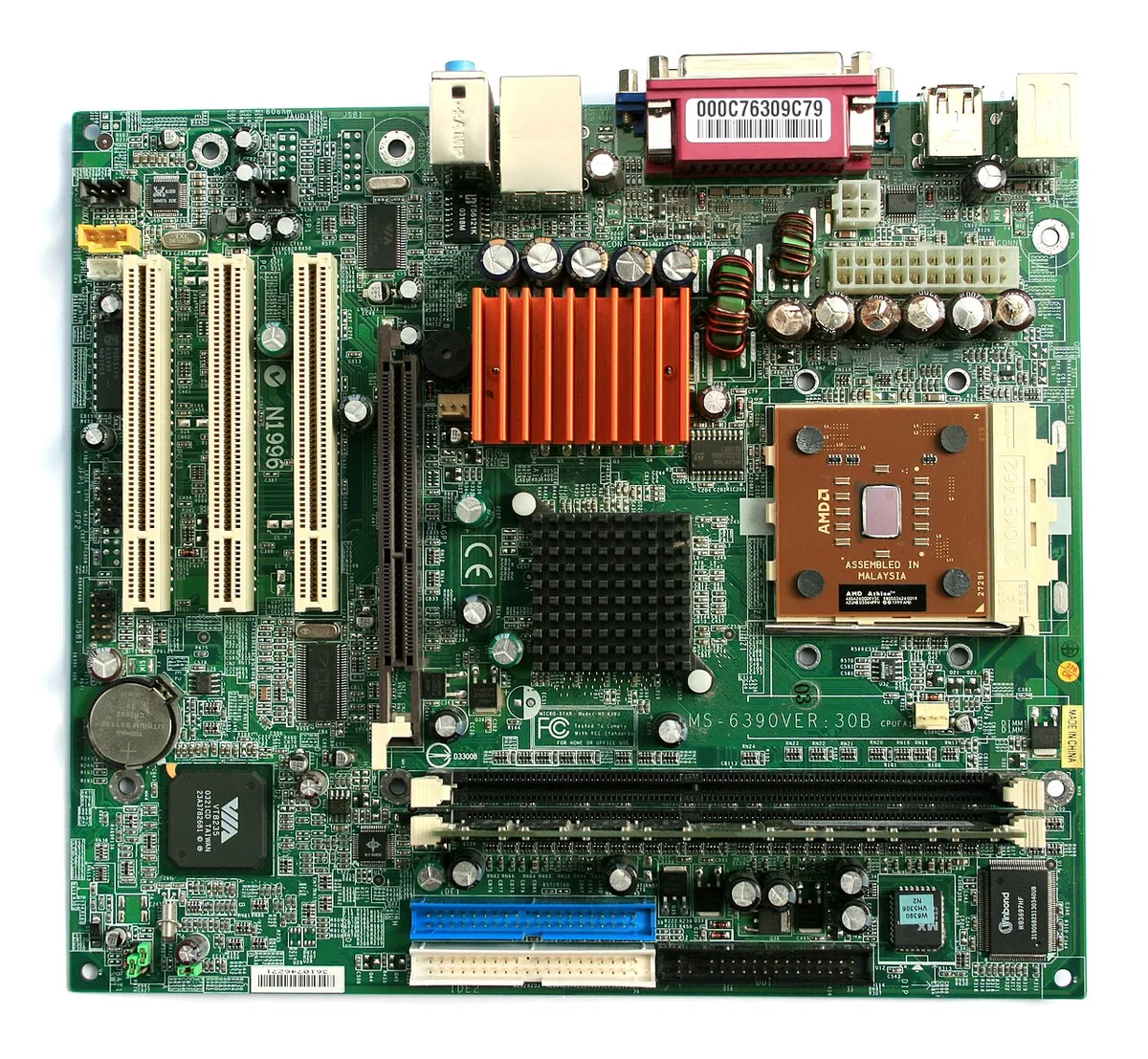
Image source: Wikimedia Commons / Jonathan Zander(Digon3)” (CC BY-SA)
If the VRM gets hot, resistance rises. Then voltage droops and clocks fall. That is why PCB layers, copper weight, and heatsink mass matter.
CPU manufacturer guidance often lists power limits and current needs. Those numbers help you compare boards with similar CPUs.
The Variables That Change Your VRM Needs
Your VRM needs depend on the CPU and workload. A low power chip needs less current. A high TDP chip needs more headroom.
Gaming is bursty. Rendering is sustained. Sustained loads punish weak VRMs more.
Airflow matters too. A cramped case traps heat around the socket. Cooler VRMs hold voltage better.
Watch CPU load during long sessions to see real demand. Also check newer CPU generations before upgrading. They can raise power draw even at stock settings.
Your board choice should match the chip, not just the socket.
How to Read VRM Specs Without Getting Fooled by Phase Counts
Phase count is only one clue. Marketing often counts doublers as extra phases. A teamed setup can still work well.
Component quality matters more. Look for current rating per phase. Check heatsink size and thermal pad contact.
Native phases and direct phases are different designs. Doublers add cost and complexity. They are not automatically bad.
They are not automatically good either. Read reviews that measure VRM temperature. If you see a board with huge phase claims but tiny heatsinks, be skeptical.
A board with fewer strong phases can beat a board with many weak ones.
Decision Branches: Which VRM Setup Fits Your Build
If you run a mid range CPU at stock, a modest VRM is fine. If you run a high power CPU, choose stronger power stages. If you overclock, add more headroom and better cooling.
If your case has poor airflow, avoid boards with small VRM heatsinks. If you build in a small form factor, prioritize VRM cooling. If your workload is long and sustained, favor higher current ratings.
If your budget is tight, buy a simpler board and limit boost. If you want maximum stability, match CPU power to VRM capacity. If you are unsure, check CPU upgrade signs and temperature swings before buying.
That keeps the choice practical.
Step-by-Step: How to Check Your Motherboard VRM Health
Checking VRM health is mostly temperature and stability work. You do not need to remove the heatsink first. Start with the CPU's power target, then watch how the board behaves under load.
- Find your CPU's rated power limit in the manufacturer specs.
- Open a monitoring tool and enable VRM temperature logging if your board supports it.
- Run a sustained CPU load for 15 to 20 minutes.
- Watch clock speed, voltage, and VRM temperature together.
- Repeat the test after changing fan speed or case airflow.
| Check | Tool or method | What good looks like |
|---|---|---|
| CPU power draw | HWiNFO or BIOS | Matches rated TDP or PPT |
| VRM temperature | Board sensor | Under about 90°C sustained |
| Clock stability | CPU-Z or task manager | Boost stays near expected |
| Throttling flags | HWiNFO | No thermal or VRM warnings |
| Repeat test | Same workload twice | Similar temps both runs |
If your board has no VRM sensor, use CPU temperature, clock drops, and shutdowns as clues. A hot CPU near the socket can also point to weak local cooling. CPU temperature effects can help you separate CPU limits from VRM limits.
Common VRM Mistakes That Cause Throttling or Shutdowns
Most VRM problems come from mismatch, not bad luck. People often buy a board for features and ignore power delivery. Then the CPU asks for more current than the board can cool.
- Buying by phase count alone
- Ignoring case airflow around the socket
- Running auto overclock settings with high voltage
- Using thin or poorly seated thermal pads
- Testing only short benchmarks, not sustained loads
- Assuming a large heatsink means strong phases
| Symptom | Likely cause | First fix |
|---|---|---|
| Clocks drop after 5 minutes | VRM overheating | Improve airflow or limit boost |
| Random shutdown under load | Voltage instability | Reduce power limit |
| High VRM temps but stable clocks | Weak cooling | Replace thermal pads |
| Failed boot after upgrade | Insufficient VRM capacity | Match board to CPU |
If clocks fall while CPU temperature looks normal, suspect the VRM. That is a common trap. CPU throttling signs can look similar, so compare both.
When to Upgrade, Undervolt, or Improve VRM Cooling
You do not always need a new motherboard. Start with the cheapest fix that matches the problem. If temps are high but clocks hold, improve cooling first.
If clocks drop, limit power or undervolt. If the board still cannot hold the CPU, upgrade.
| Situation | Best first action | Why |
|---|---|---|
| VRM temps high, clocks stable | Better airflow or pads | Cooling is the bottleneck |
| VRM temps high, clocks drop | Lower power limit | Reduces current demand |
| CPU supports undervolting | Apply a small undervolt | Less heat and less current |
| Board has weak phases for CPU | Upgrade motherboard | Fixes capacity, not symptoms |
Undervolting is not free performance. It trades voltage for stability. Test carefully and keep changes small.
If the CPU is already near its limit, a stronger board is the safer choice. CPU upgrade signs can help you decide if the platform itself is the issue.
Final Decision Guide: Choosing the Right VRM for Your CPU
Match the board to the CPU, workload, and case. Do not chase the highest phase count. Choose enough current capacity, good cooling, and a BIOS you understand.
| Build type | VRM priority | What to avoid |
|---|---|---|
| Budget stock CPU | Basic cooling, stable voltage | Overpaying for phases |
| High power stock CPU | Strong phases, large heatsink | Small VRM heatsinks |
| Overclocked build | High current rating, airflow | Cheap doublers |
| Small form factor | Excellent VRM cooling | Poor case airflow |
A good rule is simple. If the CPU can sustain high power, the VRM must sustain it too. If your case is hot, buy more cooling headroom.
If your budget is tight, limit boost instead of buying weak power delivery. That keeps the system stable and predictable.
Frequently Asked Questions
Do VRMs affect gaming performance?
Yes. VRMs can affect boost clocks during long sessions. If they overheat, the CPU may drop frequency.
Short benchmarks may hide the problem. Sustained gaming, rendering, or compiling will show it. Good cooling and enough current capacity help clocks stay stable.
Is a higher phase count always better?
No. Phase count is only one clue. Component quality, cooling, and current rating matter more.
Teamed or doubled phases can work well when designed properly. A board with fewer strong phases can beat one with many weak phases. Always check real temperature data.
Can weak VRMs damage a CPU?
Usually they cause throttling or shutdowns first. That protects the system. But running at unsafe voltage or poor cooling can shorten component life.
Use manufacturer power limits and safe BIOS settings. If temps stay high, reduce load or upgrade the board.
How hot is too hot for a VRM?
There is no single number for every board. Many builders treat sustained temperatures around 90°C as a warning. Some components tolerate more, but cooler is safer.
Watch for clock drops, not just temperature. If clocks fall, the VRM is already struggling.
Should I upgrade my motherboard for VRMs?
Upgrade if your CPU needs more power than the board can cool. Also upgrade if you see throttling, shutdowns, or failed boots with a new CPU. If temps are only slightly high, try airflow or an undervolt first.
That is cheaper and often enough.