Does a faster SSD increase gaming FPS? Usually no, not in average FPS. Storage speed affects load times and stutter more than raw frame rate.
If your GPU or CPU is maxed, a faster SSD won't lift FPS.
NVMe SSD sequential reads can exceed 7,000 MB/s as of 2026, but many games still stream assets in ways that bottleneck on the CPU or GPU. So the real question is where your system stalls. Let's walk through it.
does a faster ssd increase gaming fps
A faster SSD rarely raises average gaming FPS. It can improve 1% lows and reduce stutter. It also cuts load times and texture pop-in.
Upgrade storage only if it is the bottleneck.
The Real Problem: Why "Faster SSD = More FPS" Is Misleading
Average FPS and frame pacing are different things. Average FPS is the mean frame rate over time. 1% lows are the slowest frames that still count as gameplay. A storage upgrade can leave the first number flat while fixing the second.
That distinction matters because most modern games are GPU-bound or CPU-bound. If your graphics card is at 99 percent utilization, faster storage cannot create more frames. It can only feed data sooner.
Storage upgrades still feel great, but for different reasons. Load screens shrink. Texture pop-in fades.
Open-world hitching can calm down. Those are real gains, even when the FPS counter barely moves.
For a deeper breakdown of storage tiers, see our guide on the difference between SSD and HDD for gaming. For load-time behavior, our research on how NVMe speed affects game loading is a useful companion.
How Storage Speed Actually Affects Gameplay
Games load assets from storage into RAM and VRAM. That includes textures, meshes, audio, and level data. If the drive cannot keep up, the engine waits.
That wait shows up as a hitch, not always as lower average FPS.
Sequential read speed gets the headlines. It measures large, continuous data transfers. Random read IOPS matters more for many small files.
A drive can post huge sequential numbers and still feel average in random workloads.
Open-world games are the clearest example. They stream assets while you move. A slow drive can cause texture pop-in, delayed objects, or frame spikes.
A fast drive helps the engine keep data ready before it is needed.
DirectStorage is the exception worth watching. It lets the GPU handle decompression and reduce CPU overhead. The NVM Express organization defines the NVMe standard behind these drives.
As of 2026, only some titles use DirectStorage well, so treat it as a bonus, not a guarantee.
Is Your Storage the Bottleneck? Run This Check First
Do not buy a faster SSD until you know storage is the limiter. Start with a monitoring tool like MSI Afterburner. Watch GPU utilization, CPU utilization, and frame times during gameplay.
If GPU utilization stays high and frame times stay smooth, storage is probably fine. If the GPU is waiting and the drive activity is pinned, storage may be involved. If RAM is full and the system is paging, memory is the real issue.
Check these points before upgrading:
- Is the game installed on an HDD while other drives are SSDs?
- Is the drive almost full?
- Is the SSD DRAM-less and heavily loaded?
- Are 1% lows bad in open-world titles only?
- Is RAM capacity or speed the weaker link?
For memory questions, our guide on how much RAM is needed for gaming and streaming helps rule out a RAM bottleneck. If you want a broader view of storage capacity, our article on how much storage a gaming PC really needs is worth reading.
Decision Branches: Which SSD Tier Matches Your Situation
Use this table as a decision map. Match your current setup and goal, then pick the tier that makes sense.
| Your situation | Best storage move | Why |
|---|---|---|
| Game on an HDD, FPS or hitching is bad | Move or upgrade to SATA SSD | Big jump in load times and asset streaming |
| Already on SATA SSD, GPU is the limit | Keep it, spend elsewhere | Average FPS will not improve much |
| Open-world stutter on PCIe 3.0 NVMe | Consider PCIe 4.0 NVMe | Better random reads and headroom |
| Chasing FPS numbers only | Do not upgrade storage | GPU or CPU is the usual limit |
| Want future DirectStorage support | PCIe 4.0 or newer NVMe | Better fit for modern I/O paths |
If your goal is smoother 1% lows in storage-heavy games, a faster NVMe drive can help. If your goal is higher average FPS, look at the GPU first. The PCI-SIG defines the PCIe generations that separate these tiers.
Budget matters too. PCIe 5.0 drives are fast on paper, but many games do not use that bandwidth yet. A solid PCIe 4.0 drive is often the practical ceiling for gaming value in 2026.
Mistakes Gamers Make When Buying an SSD for FPS
The biggest mistake is buying storage to fix a graphics problem. If the GPU is maxed, a faster SSD will not raise average FPS. Check utilization first.
Another common mistake is overspending on PCIe 5.0. Many games do not use that bandwidth yet. A good PCIe 4.0 drive often delivers the same real-world feel for less money.
Thermal issues get ignored too. NVMe drives can throttle under heat. That turns a fast drive into a slow one mid-session.
A heatsink or airflow fix matters more than raw specs.
DRAM-less drives can also disappoint. They may post strong peak numbers, then drop hard when the cache fills. For a main game drive, a DRAM-equipped model is usually safer.
Finally, people forget about free space. A nearly full SSD slows down. Keep roughly 15 to 20 percent free for steady performance.
Real Scenarios: HDD vs SATA SSD vs NVMe in Actual Games
The difference is biggest when moving off a hard drive. HDDs can cause long load screens and texture pop-in. A SATA SSD fixes most of that for a low cost.
Moving from SATA to NVMe is smaller in many titles. You may see faster loads and smoother streaming. Average FPS often changes very little.
Open-world games show the clearest gap. Asset streaming is constant there. A faster drive can reduce hitching and delayed objects.
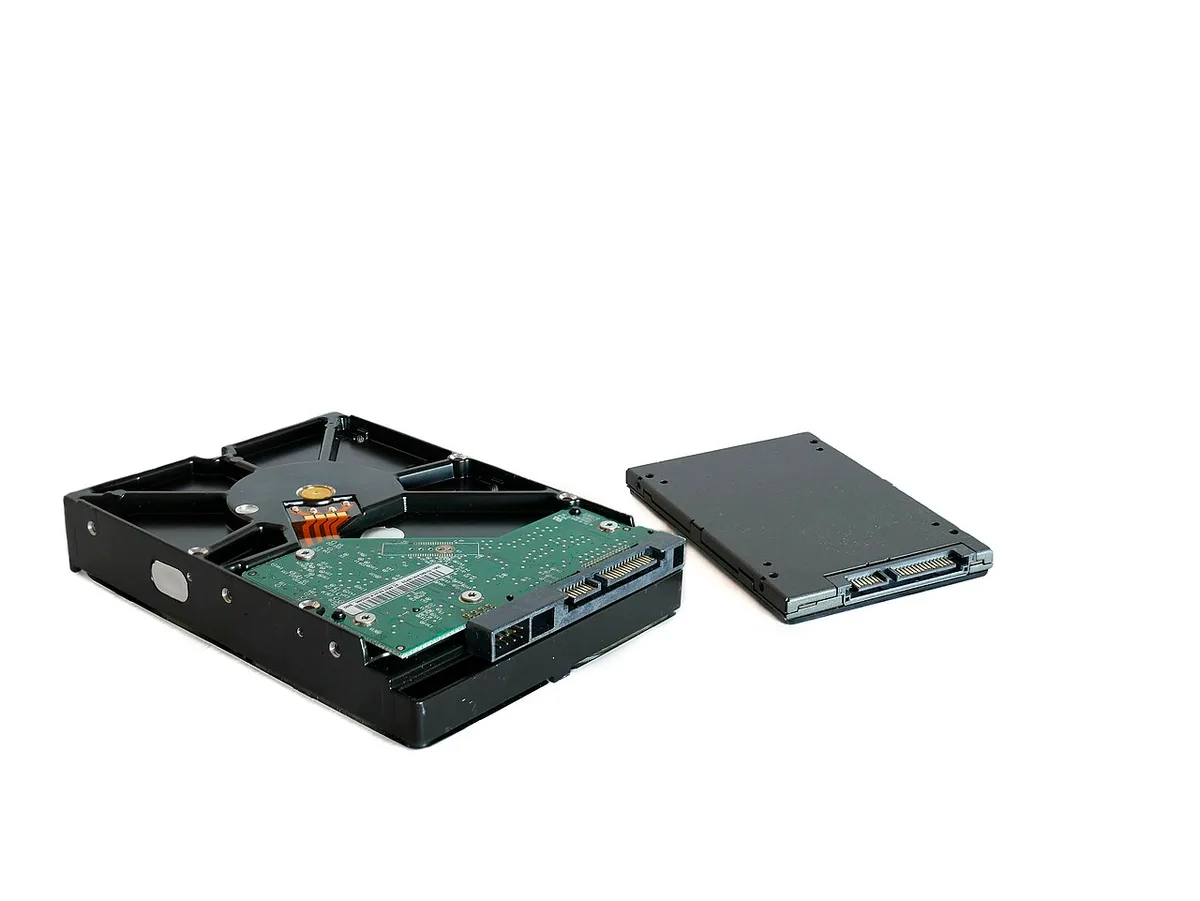
Here is a practical comparison based on common game behavior:
| Storage type | Load times | Texture streaming | Average FPS impact |
|---|---|---|---|
| HDD | Slow | Often rough | None |
| SATA SSD | Much faster | Usually smooth | Rare |
| PCIe 3.0 NVMe | Fast | Smooth | Rare |
| PCIe 4.0 NVMe | Very fast | Very smooth | Rare, better 1% lows |
If you are choosing between upgrades, compare storage against memory limits too. Our guide on whether more RAM increases gaming FPS helps put that tradeoff in context.
FAQ: Faster SSDs and Gaming Performance
Does a faster SSD increase gaming FPS?
Usually no. Average FPS depends more on the GPU and CPU. A faster SSD can improve 1% lows and reduce stutter in storage-heavy games.
It also cuts load times and texture pop-in.
What does an SSD upgrade actually improve in games?
It improves load screens, asset streaming, and texture pop-in. Some open-world games feel smoother. Average FPS usually stays the same unless storage was the bottleneck.
Is PCIe 4.0 worth it over PCIe 3.0 for gaming?
Often yes for open-world and streaming-heavy titles. The gain is in 1% lows and load times, not average FPS. For esports titles, the difference is smaller.
Can an SSD fix stuttering in open-world games?
Sometimes. If the stutter comes from slow asset streaming, a faster SSD can help. If it comes from CPU or GPU limits, storage will not fix it.
Should I buy PCIe 5.0 for gaming?
Not yet for most players. Games rarely use that bandwidth fully. A reliable PCIe 4.0 drive is usually the better value in 2026.
Final Verdict: Should You Upgrade Your SSD for FPS?
Upgrade for smoother play, not for raw FPS. If you are on an HDD, moving to an SSD is a clear win. If you are already on NVMe, spend on the GPU or CPU first.
Check your bottleneck before buying. Monitor utilization and frame times. Match the SSD tier to your games and budget.
As of 2026, storage is about responsiveness, not frame rate. Buy the right tier, keep free space, and manage heat. That is the smartest path.
DirectStorage: When Storage Speed Finally Touches FPS
DirectStorage changes the storage-FPS equation, but only in supported games. It lets the GPU handle decompression and reduce CPU overhead. That can improve frame pacing and 1% lows in storage-heavy titles.
As of 2026, adoption is still limited. Only some games use it well. Most titles still bottleneck on the GPU or CPU.
So treat DirectStorage as a bonus, not a reason to buy.
Hardware requirements matter here. You need an NVMe SSD and a compatible GPU. A PCIe 4.0 drive is a practical floor.
Faster drives help more when the game streams many small assets.
If you play supported titles, DirectStorage can make storage speed matter more than before. If you do not, it is just a nice spec on the box. Check game support before upgrading for this feature alone.