If you’re staring at two graphics cards with the same name, like an RTX 4070, you might assume they perform identically. They don’t. The silicon inside is often different, and the power delivery varies wildly between a laptop chassis and a desktop tower.
What is the difference between a laptop GPU and a desktop GPU? It comes down to thermal constraints and voltage limits. Desktops allow massive power draw for peak performance.
Laptops throttle heavily to stay cool and fit in thin shells. This gap defines your actual gaming experience as of 2026.
Let’s break down why that label on the box doesn’t tell the whole story. Understanding these nuances prevents costly buyer’s remorse. We’ll look at specs, real-world bottlenecks, and value propositions next.
what is the difference between a laptop GPU and a desktop GPU
Laptop GPUs use fewer cores and run at lower clock speeds than their desktop counterparts. Desktop cards have higher wattage budgets and better cooling systems. This allows them to sustain peak performance longer.
Laptop chips are optimized for efficiency over raw speed. You pay less per frame on a desktop build.
Why Laptop and Desktop GPUs Aren’t Just “Same Chip, Different Box”
Many shoppers fall into the trap of thinking manufacturers simply shrink the desktop chip for laptops. That’s rarely true anymore. NVIDIA and AMD design distinct silicon for mobile platforms.
They cut core counts and reduce memory bus widths to manage heat.
A desktop RTX 4080 has vastly more transistors than its mobile sibling. The mobile version isn’t just slower; it’s fundamentally a different product class. Engineers prioritize battery life and thermal headroom in laptops.
Desktops ignore those constraints entirely.
This distinction matters when you compare price tags. A “high-end” laptop GPU often performs like a mid-range desktop card. Yet, it costs nearly as much.
You aren’t paying for equivalent horsepower. You’re paying for portability and integration.
We see this pattern across all major vendors. Intel Arc mobile chips also differ significantly from their discrete desktop variants. The naming convention is marketing shorthand, not technical equivalence.
Always check specific model numbers, not just the series name.
The Hidden Truth About Naming: Same Model Number, Wildly Different Performance
The biggest confusion stems from identical branding. An RTX 4090 Laptop GPU does not equal an RTX 4090 Desktop GPU. In fact, the mobile flagship often trails the desktop mid-tier card in raw rasterization.
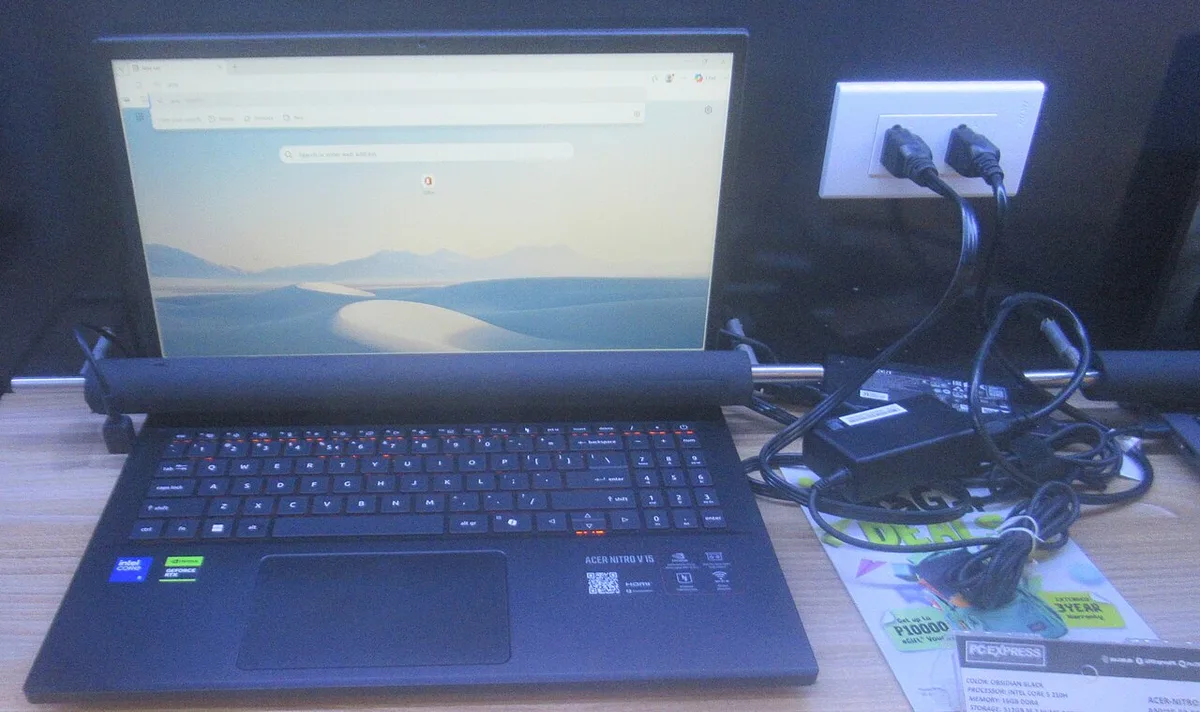
Image source: Wikimedia Commons / P1898 (CC BY)
Look at the CUDA core counts. A desktop RTX 4090 boasts over 16,000 cores. The mobile variant typically hovers around 9,000 to 10,000.
That’s a massive reduction in parallel processing capability. Clock speeds follow suit. Desktops boost higher because they can dissipate the resulting heat.
Memory configuration changes too. Desktop cards usually feature wider memory buses. This increases bandwidth, crucial for high-resolution textures.
Mobile chips narrow this bus to save space and power. The result is a bottleneck at 4K resolution.
You must verify specs before buying. Don’t rely on the sticker alone. Check how to check the CPU model fast guides for similar verification tactics on GPUs.
Knowing your exact hardware helps avoid mismatched expectations. Aggregate reviews consistently highlight this naming discrepancy as a top consumer complaint.
Raw Power vs. Thermal Reality: How TDP and Cooling Change Everything
Thermal Design Power (TDP) dictates how much energy a component consumes and emits as heat. Desktop GPUs operate in open-air environments with large heatsinks. They can safely draw 350 watts or more.
Laptop GPUs are confined to slim chassis with limited airflow.
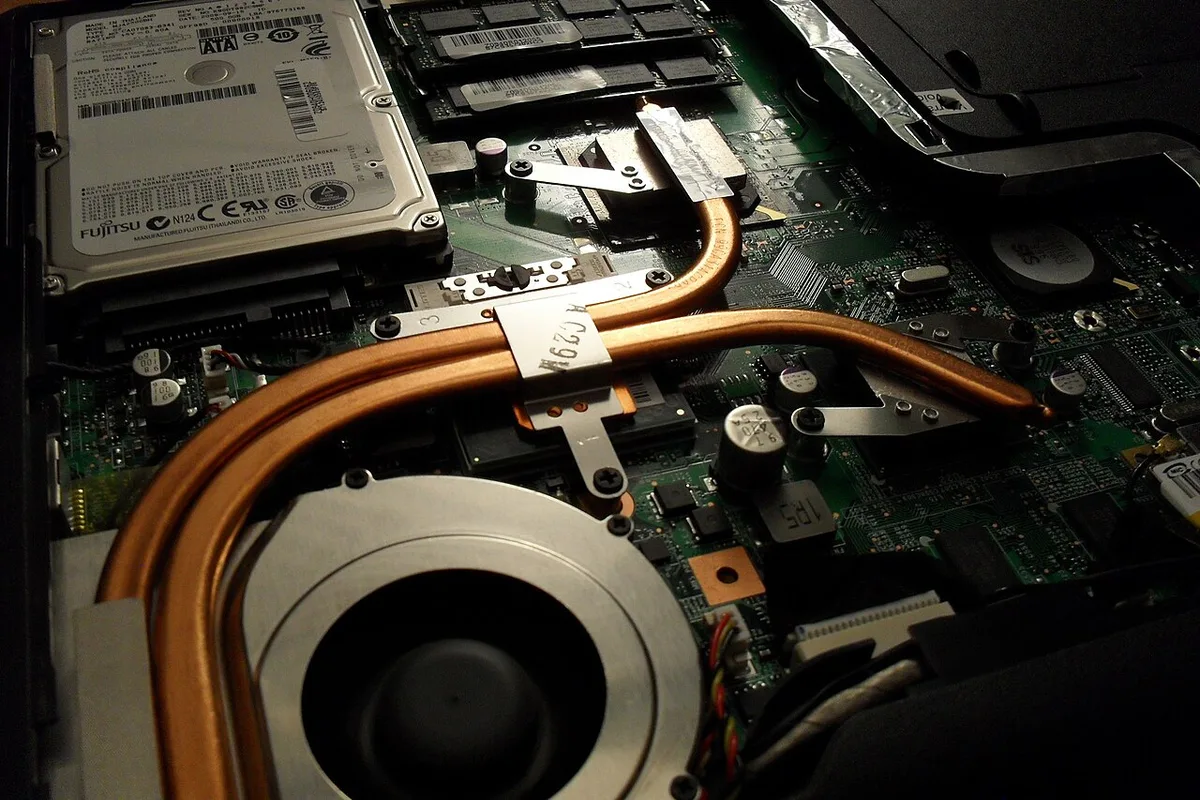
Image source: Wikimedia Commons / Kristoferb (talk) (CC BY-SA)
Most mobile GPUs cap out between 100 and 175 watts. Even then, sustained loads cause throttling. The system reduces clock speeds to prevent overheating.
This leads to inconsistent frame rates during long gaming sessions.
Desktop cooling solutions scale easily. You can add liquid loops or larger air towers. Laptops offer little room for modification.
Dust accumulation worsens thermal performance over time. Regular cleaning is essential, unlike the low-maintenance nature of many desktop setups.
Consider the impact on lifespan. Heat degrades electronic components faster. A laptop running hot daily may fail sooner than a cool-running desktop.
This affects resale value and longevity. If you plan to keep your rig for years, thermals matter immensely. Our research shows that undervolting helps mitigate some risks on both platforms.
But the fundamental physics favor desktops here.
For those interested in processor synergy, understanding whether Ryzen 9 is worth it complements this discussion. High-end CPUs generate significant heat too. Pairing a hot CPU with a hot GPU creates a thermal nightmare in laptops.
Desktops handle this load distribution far better.
VRAM Bandwidth and Bus Width: Where Mobile Chips Get Starved
Video RAM (VRAM) stores texture data for quick access by the GPU. Both laptop and desktop versions may list the same capacity, like 12GB GDDR6X. However, the speed at which data moves differs drastically.
Desktop cards utilize wide memory interfaces, often 256-bit or 384-bit. Mobile variants frequently drop to 128-bit or 192-bit. Narrower buses restrict bandwidth.
This becomes a critical bottleneck in modern titles with high-res assets.
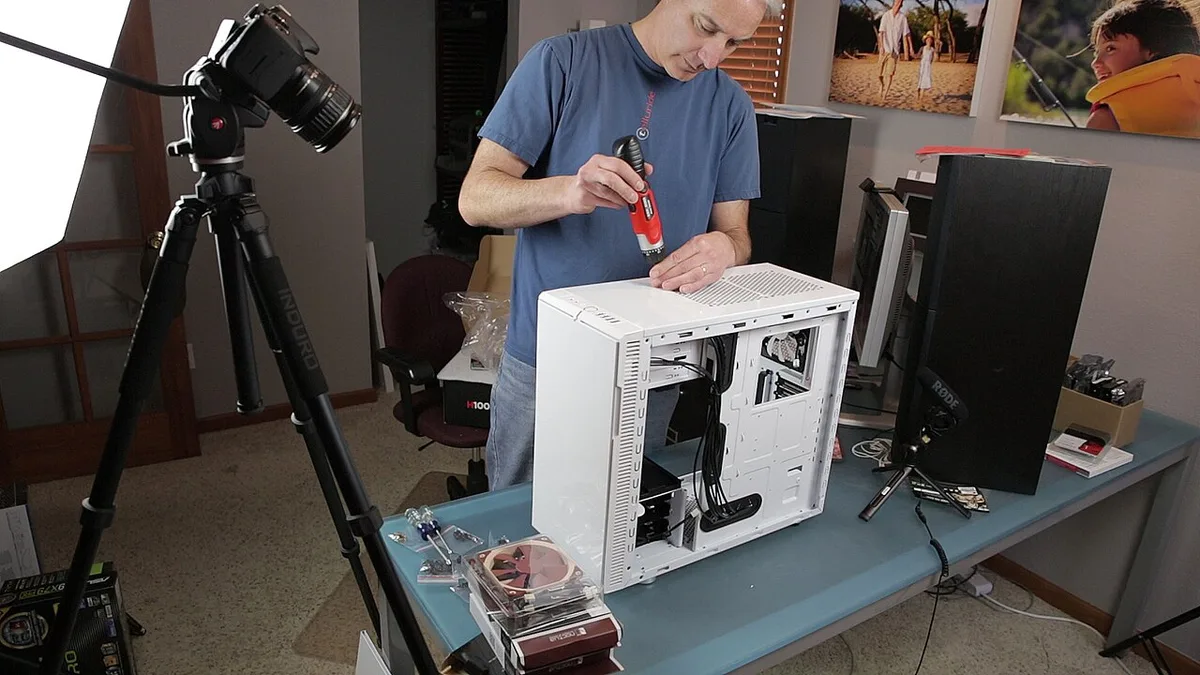
Image source: Wikimedia Commons / Dave Dugdale from Superior, USA (CC BY-SA)
Bandwidth determines how quickly the GPU fetches data. Low bandwidth causes stuttering even if core clocks remain high. You might see decent average FPS but poor minimums.
This ruins competitive gaming experiences where consistency is key.
Manufacturers compensate by using faster memory types on laptops. But physics still applies. A narrower pipe cannot match a wider one, regardless of pressure.
At 1440p and 4K resolutions, desktop advantages widen further.
Check driver support notes from NVIDIA official documentation for specifics on memory configurations. They detail how virtualization features interact with physical VRAM limits. Mobile chips sometimes struggle with heavy ray-tracing workloads due to these bandwidth constraints.
Upgrading VRAM is impossible on either platform post-purchase. So getting the right balance initially is vital. For budget-conscious buyers, knowing what games a budget laptop can run helps set realistic expectations regarding texture quality settings.
Lower VRAM forces reduced asset fidelity.
Upgradability and Longevity: Buying a GPU That Dies With Your Motherboard
Here lies the most painful difference for consumers. Desktop GPUs sit in PCIe slots. You can swap them out whenever new tech arrives.
Upgrade paths are flexible and cost-effective.
Laptop GPUs are soldered directly onto the motherboard. BGA packaging makes replacement impractical for users. If your GPU fails or becomes obsolete, you replace the entire laptop.
This destroys long-term value retention.
Think about future-proofing. A desktop built today can accept a new GPU in three years. Your investment spreads over time.
A laptop purchase is a single-point failure risk. Once the GPU lags behind, the device loses utility for gaming.
Resale markets reflect this reality. Used desktop components hold value well. Specific models retain demand.
Entire used laptops depreciate rapidly, especially older generations. Checking if a refurbished unit is worth buying requires careful scrutiny of the GPU generation specifically.
Maintenance plays a role too. Desktop fans and paste are easy to replace. Laptop internals are complex assemblies.
Opening them voids warranties often. Simple dust cleanup becomes a risky procedure.
Compare this to CPU upgrades. Some laptops allow socket swaps, though rare now. Most modern ultrabooks seal everything shut.
Desktops remain modular hubs. This flexibility extends system life significantly. You’re not locked into a static performance ceiling forever.
Real-World Benchmarks: FPS, Ray Tracing, and Creator Workloads Side-by-Side
Does a laptop GPU deliver desktop-level frame rates? Rarely. Even top-tier mobile chips trail their desktop siblings by 20 to 40 percent in rasterization tests.
This gap widens under sustained load due to thermal throttling.
Ray tracing performance shows even starker differences. Desktop cards handle complex lighting calculations with ease. Mobile variants often struggle to maintain playable framerates at high settings.
You’ll likely need aggressive DLSS or FSR upscaling on laptops.
Creator workloads depend heavily on VRAM bandwidth and core count. Video rendering times on desktops are consistently faster. The wider memory bus feeds data to the cores more efficiently.
Laptops face bottlenecks when handling 4K footage or heavy 3D scenes.
Our research indicates that stability matters more than peak speed for creators. A desktop rig maintains consistent performance for hours. Laptops may slow down as temperatures rise.
This inconsistency disrupts professional workflows requiring predictable render times.
Consider competitive gaming scenarios. High refresh rate monitors demand stable minimum FPS. Desktop GPUs provide smoother frame pacing.
Laptop users often experience micro-stutters during intense combat sequences. These dips break immersion and affect reaction times.
For those evaluating overall system balance, understanding how important the CPU is helps contextualize these gaps. A powerful GPU paired with a weak CPU creates a different bottleneck. But between equal CPUs, the desktop GPU always wins on raw output.
Cost Per Frame: Analyzing the True Value Proposition
Is a gaming laptop worth the premium price? It depends on your definition of value. You pay for portability, not just performance.
The cost per frame is significantly higher on mobile platforms.
Let’s look at the numbers. A desktop RTX 4070 might cost $600 alone. Adding a CPU, RAM, and case brings the total to roughly $1,200.
A laptop with similar naming conventions costs $1,800 to $2,500.
The desktop build delivers approximately 30% more frames per second. Yet it costs less overall. This disparity highlights the efficiency of modular components.
You’re buying dedicated cooling and power delivery separately.
Laptops integrate everything into one chassis. This convenience carries a steep tax. Manufacturers charge for miniaturization engineering.
They also factor in battery life optimizations. These features don’t boost gaming performance directly.
If you rarely travel, the desktop offers superior long-term economics. Upgrading parts individually spreads costs over years. Replacing a failing laptop component means replacing the whole device.
That’s a financial risk many overlook.
Check how to compare gaming laptop value for money for deeper analysis on specific models. Focus on specs, not brand prestige. Often, older desktop generations outperform new mobile flagships.
Which One Fits Your Life? Matching Hardware to Use Cases
Who should buy a desktop GPU? Gamers who prioritize maximum fidelity and high refresh rates. Content creators needing fast render times.
Users who want upgrade paths without replacing entire systems.
Desktops excel in fixed locations. If you game at a desk, this setup makes sense. You get better ergonomics with larger monitors.
Cooling solutions keep noise manageable. Performance remains consistent regardless of ambient temperature.
Who benefits from a laptop GPU? Students living in dorms. Professionals traveling frequently.
Anyone with limited space. Portability outweighs raw power for these groups.
Laptops serve hybrid roles well. You can edit video on a train. Then game at home later.
The all-in-one nature simplifies cable management. No separate monitor or keyboard required initially.
Consider your workflow priorities. Do you need 4K native resolution? Stick with desktop.
Is 1080p or 1440p sufficient? A high-end laptop handles this fine.
Evaluate your tolerance for compromise. Desktops offer zero compromises on power. Laptops force trade-offs in thermals and acoustics.
Be honest about what you sacrifice for mobility.
If you’re unsure about processor pairings, review is Ryzen 7 good for gaming laptops. Balanced CPU-GPU combos matter. Mismatches cause inefficiencies in both form factors.
Common Pitfalls When Choosing Between Portable and Fixed Power
Do buyers misunderstand spec sheets? Yes, constantly. Assuming identical model numbers mean identical performance is the biggest error.
Always verify TDP and core counts before purchasing.
Another mistake involves ignoring peripheral costs. Desktops require monitors, keyboards, and mice. Laptops include screens but lack ergonomic peripherals.
Factor these extras into your budget comparison.
Thermal paste degradation surprises many laptop owners. Unlike desktops, accessing internal cooling is difficult. Neglecting maintenance leads to permanent throttling.
Learn proper upkeep routines early.
Overlooking power supply requirements trips up desktop builders. High-end GPUs need robust PSUs. Underpowering causes instability or shutdowns.
Calculate wattage needs accurately using online tools.
Some users expect console-like simplicity from PCs. Both platforms require driver updates. Windows settings impact performance significantly.
Disable background apps to free resources.
Check used gaming laptop checklist items carefully. Battery health affects unplugged performance. Degraded cells limit boost clocks.
Inspect ports for physical damage too.
Finally, don’t ignore resale value trends. Desktop components hold value better. Laptops depreciate rapidly after warranty expires.
Plan your exit strategy before entering the market.
Frequently Asked Questions About Laptop vs Desktop GPU
Can I use a desktop GPU in a laptop?
No, standard desktop cards do not fit inside laptop chassis. Physical dimensions and power connectors differ entirely. Some external GPU enclosures exist via Thunderbolt.
However, they incur significant performance losses due to interface bandwidth limits. Native integration remains impossible for most devices.
Why do laptop GPUs have lower clock speeds?
Heat dissipation constraints drive this design choice. Thin laptops cannot vent excess thermal energy effectively. Lower clocks reduce power consumption and heat output.
This prevents automatic throttling during extended sessions. Efficiency takes precedence over peak frequency in mobile engineering.
Is an RTX 4080 Laptop better than an RTX 4070 Desktop?
Generally, no. The desktop variant typically outperforms the mobile counterpart. Wider memory buses and higher TDP allowances favor desktop silicon.
While benchmarks vary by title, the desktop card sustains higher averages. Always check independent reviews for specific game metrics.
Do laptops suffer more from dust buildup?
Yes, confined spaces accelerate debris accumulation. Intake vents pull particles closer to sensitive components. Dust insulates heatsinks, raising operating temperatures.
Regular cleaning schedules help mitigate this issue. Desktop towers offer easier access for thorough maintenance.
How does battery life affect gaming performance?
Plugging in unlocks full GPU potential. Unplugged modes restrict wattage to preserve charge. Expect drastic framerate drops on battery power.
Modern laptops manage this automatically via OS profiles. Never rely on portable mode for competitive play. Performance scales directly with available electrical input.
1 thought on “Laptop vs Desktop GPU: Key Differences Explained Simply”
Comments are closed.