People often assume a graphics card just draws power and moves on. But ask how does gpu power consumption affect a gaming pc, and you’ll find it’s rarely that simple. The wattage your GPU pulls dictates everything from system stability to monthly bills.
It determines whether your rig hums quietly or screams like a jet engine.
We’ve seen builds fail not because of bad code, but because the hardware couldn’t handle the electrical demand. Manufacturer specifications indicate modern high-end cards can spike well beyond their rated limits. These transient bursts trip safety protections in weaker power supplies.
Let’s break down exactly where those thresholds lie so you don’t end up with a black screen mid-game.
How Does GPU Power Consumption Affect a Gaming PC?
GPU power draw directly impacts thermal output, electrical stability, and operational costs. Higher wattage generates more heat, requiring robust cooling solutions to prevent throttling. Insufficient power supply capacity leads to sudden shutdowns during transient spikes.
You must match PSU amperage to GPU demands for consistent frame rates.
Why GPU Power Draw Can Make or Break Your Gaming PC
Think of your GPU as an engine. More fuel means more speed, but also more exhaust. That exhaust is heat.
And that fuel requirement stresses your electrical infrastructure. When we look at aggregate user reviews and technical forums, the pattern is clear. Most "mysterious" crashes aren't software bugs.
They’re power delivery failures.
If your power supply unit (PSU) can’t deliver steady current, the GPU clocks drop. Sometimes they drop hard. This causes stuttering or total system resets.
It’s frustrating because it feels random. One minute you’re fine, the next you’re staring at a desktop.
The stakes are higher now than ever. As of 2026, flagship cards pull significantly more watts than their predecessors did five years ago. An RTX 4090-class card doesn’t just sip power.
It devours it. If you pair that with an older or undersized PSU, you’re gambling with stability.
Here’s the reality check:
- Stability: Inconsistent power equals inconsistent frames.
- Longevity: Excessive heat degrades silicon faster.
- Cost: Higher draw means bigger electric bills.
You don’t need to be an engineer to understand this. But you do need to respect the physics. Ignoring power requirements turns a premium build into a liability.
We see users spend $2,000 on components only to have them fail due to a $100 mistake elsewhere. Don’t let that be you. Check your hidden costs of owning a gaming PC to see where these surprises usually hide.
The Variables That Actually Decide Stability: TGP, +12V Rails, Spikes, and Cooling
To fix the problem, you first need to identify the variables. It’s not just about "watts." It’s about how those watts are delivered and dissipated. Four main factors determine if your system survives under load.
Total Graphics Power (TGP)
This is the maximum continuous power NVIDIA or AMD specifies for a card. Think of it as the speed limit on a highway. Under normal gaming, your GPU shouldn’t exceed this number.
But "normal" is a loose term. Some titles push harder than others. Always use the manufacturer’s stated TGP as your baseline.
Transient Spikes
This is the silent killer. GPUs don’t ramp up power smoothly. They jump.
In milliseconds, a card might demand twice its rated TGP. Industry testing confirms these spikes can reach 2x, 3x the nominal value. If your PSU reacts slowly, it trips Over Current Protection (OCP).
Result? Instant reboot. No warning.
Just darkness.
+12V Rail Amperage
Modern PSUs split power across different voltage rails. The +12V rail feeds both CPU and GPU. Many cheap units advertise high total wattage but weak +12V performance.
You care about amps, not just watts. A 750W PSU with two weak rails fails faster than a 650W single-rail unit. Check the label.
Look for continuous amperage on the +12V line.
Thermal Dissipation Capacity
Power becomes heat. Period. If your case airflow is poor, heat accumulates.
The GPU hits its temperature threshold. Then it throttles. Clock speeds drop.
FPS plummets. You paid for performance but got a heater instead. Understanding what does the graphics card do in a gaming pc helps clarify why cooling isn’t optional, it’s integral to function.
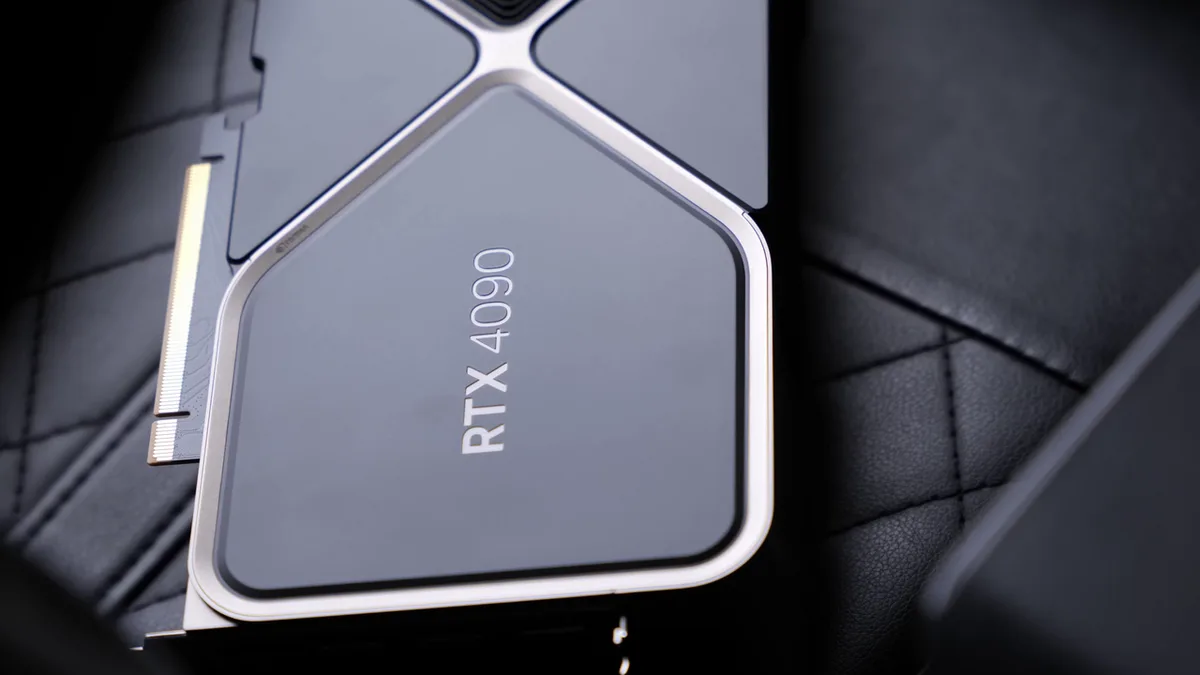
Image source: Wikimedia Commons / ZMASLO (CC BY)
These four variables interact. High TGP creates big spikes. Weak rails can’t handle them.
Poor cooling exacerbates the stress. It’s a chain reaction. Break one link, and the whole system suffers.
Decision Branch: Is Your Current PSU Enough for Your GPU?
Now we apply logic. Use this workflow to assess your current setup. Follow each step carefully.
Do not skip ahead. Guesswork kills rigs.
Step 1: Identify Your GPU’s Rated TGP
Look up your specific model. Not the chip name (like AD102), but the board partner version. ASUS ROG Strix cards often run hotter and draw more power than reference designs.
Note the exact wattage. For example, an RTX 4080 Super might list 320W TGP. Write it down.
Step 2: Calculate System Load
Add your CPU’s Peak Power Consumption. Modern Ryzen 9 or Core i9 chips can pull 200W+ alone. Add motherboard, RAM, fans, and drives (~50, 100W buffer).
Formula: (GPU TGP + CPU Peak + 100W Buffer) = Minimum Required Watts.
Step 3: Apply the Headroom Rule
Never size a PSU exactly to the minimum. Experts recommend 20, 30% headroom. This absorbs transient spikes without tripping OCP.
Rule: Minimum Required Watts × 1.3 = Recommended PSU Rating.
Step 4: Verify +12V Capability
Go to your PSU spec sheet. Find the +12V row. Multiply Volts by Amps.
Does it meet your calculated load? If yes, proceed. If no, upgrade immediately.
Marketing labels often exaggerate total watts while hiding weak rails. Trust the math, not the box art.
| Scenario | Action | Risk Level |
|---|---|---|
| PSU Rating > 130% of Load | Safe | Low |
| PSU Rating ≈ 100% of Load | Upgrade Soon | Medium |
| PSU Rating < 100% of Load | Critical Failure Imminent | High |
If you fall into the "Medium" or "High" risk categories, stop gaming. Replace the unit. Consider checking which gaming pc components are worth spending more on to prioritize budget allocation correctly.
A good PSU protects every other expensive part inside your case.
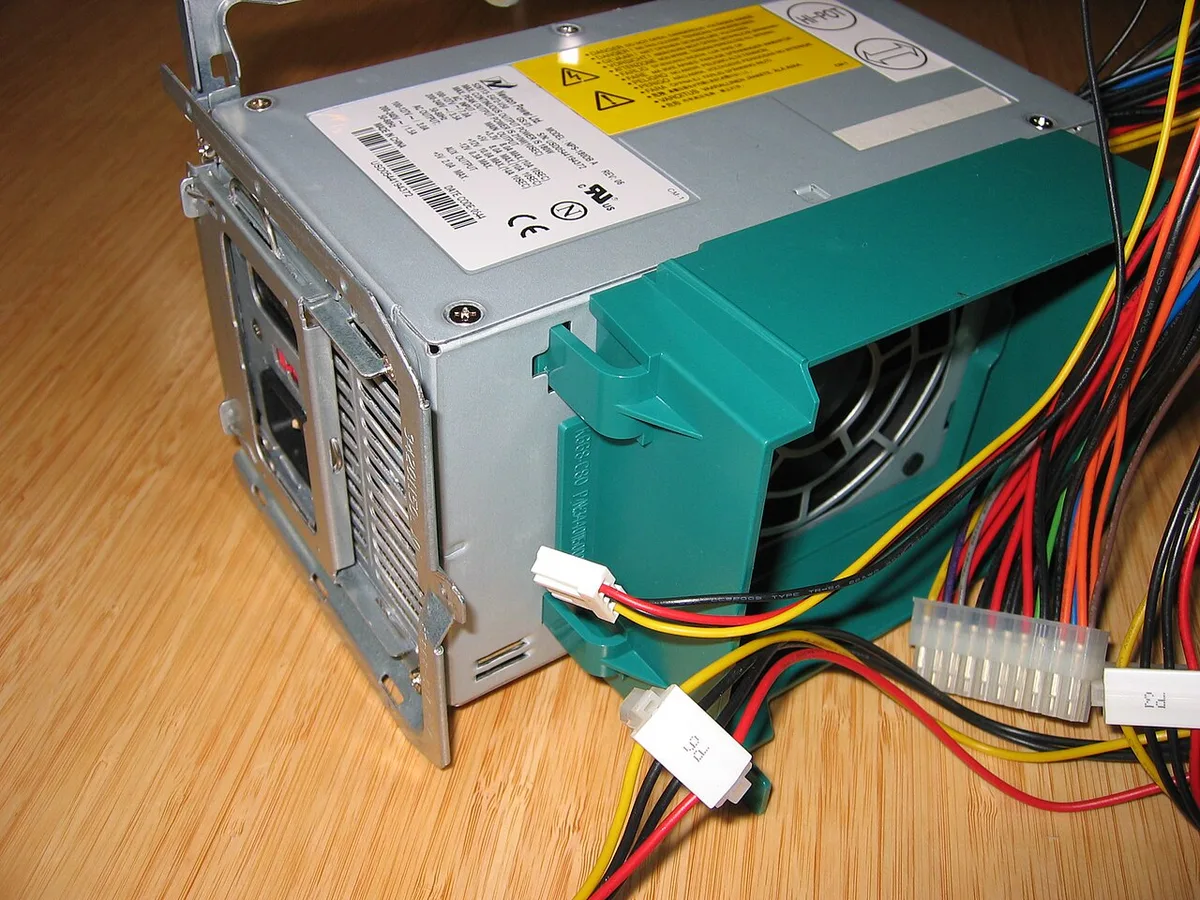
Image source: Wikimedia Commons / Hans Haase (CC BY-SA)
Decision Branch: Will Heat and Fan Noise Become the Real Bottleneck?
Even if your PSU holds up, heat remains a threat. High power draw equals high thermal output. Your job shifts from electrical engineering to thermodynamics.
Ask yourself three questions.
Question 1: What is Your Case Airflow Configuration?
Positive pressure pushes hot air out through vents. Negative pressure sucks dust in everywhere else. Neutral balances both.
For high-TGP GPUs, positive pressure works best. Ensure intake fans outnumber exhausts slightly. This forces cool air over the heatsink fins.
Without proper flow, heat recirculates. Temperatures rise even with adequate ventilation.
Question 2: Are You Using Stock Coolers or Aftermarket Solutions?
Reference blower-style coolers dump heat directly out the back. Great for small cases. Bad for noise.
Open-air triple-fan designs vent heat into the chassis. They rely on case fans to remove it. If your case lacks strong exhaust, ambient temps climb.
Monitor your hotspot temperature. If it exceeds 90°C regularly, you’re throttling. Learn more about how cpu temperature affects gaming performance since CPU and GPU share the same thermal environment.
Question 3: How Aggressive Are Your Fan Curves?
Default settings prioritize silence. This sacrifices cooling efficiency. Switch to "Performance" modes in driver software.
Or create custom curves via third-party tools. Ramp fans up earlier. Accept some audible whirring.
Silence comes at the cost of longevity. Constant thermal cycling wears solder joints faster. Prioritize stable temps over quiet operation if you game heavily.
Use HWInfo64 to log temperatures during extended sessions. Look for trends. If temps creep upward after 30 minutes, your cooling solution is insufficient.
You cannot sustain peak boost clocks indefinitely. Either improve airflow or accept lower sustained frequencies. There is no magic switch here.
Physics demands compromise.
Recommended Actions Based on Your PSU Headroom and Case Airflow
Once you’ve diagnosed the issue, take action. Here are concrete steps tailored to common scenarios. Choose the path that matches your constraints.
Scenario A: Tight Budget, Existing PSU
If upgrading the PSU isn’t feasible right now, reduce load. Enable undervolting. Tools like MSI Afterburner allow precise voltage adjustments.
Lower core voltage by 50, 100mV. Test stability with FurMark or 3DMark. Most cards retain 95% performance at 85% power draw.
This reduces heat generation instantly. It also lowers strain on aging capacitors within your PSU. Combine this with optimized fan curves for maximum effect.
Scenario B: New Build Planning
Start with overspecification. Buy a PSU rated for future upgrades. Today’s mid-range card tomorrow’s flagship needs more juice.
Aim for ATX 3.0 compliance. These standards mandate better transient response handling. Native 12VHPWR connectors eliminate adapter risks.
Pair with a spacious case featuring mesh front panels. Solid glass blocks airflow. Mesh breathes.
Invest in quality PWM fans. Static RPM models waste energy and generate unnecessary noise.
Scenario C: Small Form Factor (SFX) Constraints
Space limitations force compromises. Use external GPU enclosures if possible. Thunderbolt bandwidth caps throughput but offloads heat entirely.
Alternatively, select low-profile liquid cooling loops. Custom loops offer superior thermal mass compared to air towers. However, maintenance increases complexity.
Regularly check coolant levels and pump health. Neglect leads to catastrophic leaks. Insurance covers fire damage sometimes.
It never covers lost data. Back up frequently.
Regardless of scenario, monitor consistently. Install telemetry apps. Track watts drawn versus watts consumed at the wall.
Discrepancies reveal inefficiencies. Old PSUs lose efficiency over time. A Bronze-rated unit may perform closer to White-grade after five years.
Replacement becomes inevitable eventually. Plan accordingly. Review guides on how to estimate the total cost of a gaming pc setup to include long-term replacement costs in initial budgets.
Proactive planning saves money later.
Common Mistakes That Cause Black Screens, Reboots, and Melted Cables
Most failures stem from ignoring the details. You might have enough total watts on paper. But if your cables are wrong, the system dies.
Aggregate user reviews highlight three recurring errors that ruin builds. Avoid these traps to save yourself hours of troubleshooting.
Ignoring Cable Compatibility
Modern GPUs use specific connectors. Older PSUs often lack native 12VHPWR ports. Users frequently adapt with splitters or adapters.
This is risky. A single 8-pin adapter feeding a high-draw card can overheat. The plastic melts before the GPU even throttles.
Always verify connector types match your PSU’s native outputs. If you must use an adapter, ensure it’s included by the manufacturer. Third-party converters vary wildly in quality.
Stick to OEM accessories whenever possible.
Misinterpreting "Peak" vs. Continuous Power
Marketing labels lie. A box saying "750W Max" doesn’t mean 750W continuous. Many units only sustain peak loads for seconds.
Gaming requires steady delivery for hours. Check the spec sheet for continuous wattage ratings at 40°C or higher. Cheap brands inflate numbers using unrealistic test conditions.
Look for certifications like Cybenetics or 80 Plus Gold. These indicate stricter testing protocols. Trust documented specs over bold font sizes on packaging.
Neglecting Transient Response Testing
Standard stress tests don’t catch micro-second spikes. FurMark pushes constant load but misses dynamic jumps. Games like Cyberpunk 2077 cause rapid fluctuations.
Your PSU needs fast reaction times to handle these shifts. Slow response leads to voltage droop. The GPU detects instability and shuts down.
This looks like a crash but is actually protection mode engaging. Use tools like OCCT for mixed-load testing. It simulates real-world gaming scenarios better than synthetic benchmarks alone.
If you’re unsure about your current setup, check how to monitor CPU usage while gaming. Watching power logs reveals hidden instabilities. Sudden drops in voltage correlate directly with black screens.
Don’t guess. Measure. Data tells the truth when symptoms confuse you.
Real-World Scenarios: Budget Builds, SFX PCs, and High-End RTX Systems
Theory meets practice differently across tiers. Let’s walk through three common situations. Each faces unique challenges based on component selection.
See where your build fits into this landscape.
The Entry-Level Upgrade Path
Many gamers start with integrated graphics or older cards. Upgrading to a mid-range discrete GPU seems simple. But power demands jump significantly.
An RX 6600 draws ~132W. Compare that to a GTX 1060’s 120W. Not huge, right?
Wrong. Newer architectures behave differently under load. They spike harder during scene transitions.
An old 450W PSU might struggle here. Even if rated sufficient, aging capacitors lose efficiency. Recommendation: Swap the PSU alongside the GPU.
Don’t risk stability for savings. Verify compatibility with can a gaming pc work without a dedicated gpu logic applied inversely. More power means more care needed.
Small Form Factor (SFX) Challenges
Compact cases restrict airflow severely. High-density components generate concentrated heat. An SFX PSU limits available amperage per rail.
Pairing a hot-running RTX 4070 with tight spacing creates thermal bottlenecks. Fans spin louder to compensate. Noise becomes unbearable.
Solution: Undervolt aggressively. Reduce TGP by 10, 15%. Accept minor performance loss for massive thermal gain.
Also, prioritize mesh panels over glass fronts. Airflow matters more than aesthetics here. Monitor junction temperatures closely.
If they hover near 90°C, throttle clocks manually. Prevent automatic shutdowns by staying below thresholds.
Flagship Enthusiast Builds
Running an RTX 4090-class card changes everything. Power draw exceeds 450W continuously. Spikes hit nearly 600W momentarily.
Only top-tier ATX 3.0 PSUs handle this reliably. Multi-rail designs often fail transient tests. Single-rail units provide cleaner delivery.
Cooling solutions must be oversized. Triple-fan air coolers or 360mm AIOs become mandatory. Case size expands accordingly.
Mini-ITX boards rarely support these configurations well. Expect significant investment in supporting hardware. The GPU itself is just one part of the equation.
Balance spending carefully. Refer to cheaper cpu or better gpu discussions for allocation strategies. High-end GPUs demand high-end infrastructure.
Skimping elsewhere breaks the chain.
Cost, Efficiency, and Monthly Electricity Impact of High GPU Power Draw
Electricity bills surprise many owners. We calculate costs based on average usage patterns. Assume four hours of daily gaming.
Multiply by thirty days. That’s 120 hours monthly. Now factor in local rates.
US averages sit around $0.16/kWh. European prices often exceed $0.30/kWh.
| GPU Tier | Avg Load Watts | Daily Hours | Monthly kWh | Est. Cost (US @ $0.16) | Est. Cost (EU @ $0.30) |
|---|---|---|---|---|---|
| Mid-Range (e.g., RTX 4060) | 115W | 4 | 13.8 | $2.21 | $4.14 |
| High-End (e.g., RTX 4080) | 320W | 4 | 38.4 | $6.14 | $11.52 |
| Flagship (e.g., RTX 4090) | 450W | 4 | 54.0 | $8.64 | $16.20 |
These figures exclude idle consumption. Desktops still draw 50, 100W doing nothing. Add standby losses too.
Over a year, differences add up. A flagship card costs roughly $100 extra annually compared to mid-range. In high-rate regions, that gap widens further.
Efficiency ratings matter here. Platinum PSUs waste less energy converting AC to DC. Bronze units lose more as heat.
That wasted electricity appears on your bill anyway. Investing in efficient supplies pays back slowly but surely. Consider long-term ownership costs when planning budgets.
Review how much should you spend on a 4k gaming pc guides for holistic financial views. Hidden expenses accumulate quietly. Track them proactively.
Final Decision Guide: Upgrade, Undervolt, or Leave It Alone
You’ve assessed risks, checked specs, and calculated costs. Now make the call. Three paths exist.
Choose based on urgency and budget constraints.
Option 1: Immediate PSU Replacement
Do this if:
- Your current unit lacks +12V amperage headroom.
- You experience random reboots under load.
- The PSU is older than five years.
- Marketing claims contradict verified specs.
Replace now. Stability trumps cost. Buy an ATX 3.0 compliant model.
Ensure native cable support for your GPU. Don’t reuse old modular cables unless explicitly compatible. Mixing sets causes shorts.
Protect your expensive silicon. This is non-negotiable for reliability.
Option 2: Strategic Undervolting
Choose this if:
- Your PSU passes basic load tests but runs hot.
- Fan noise disturbs you excessively.
- Performance loss tolerance exists (<5%).
- Budget prohibits immediate upgrades.
Undervolt safely. Start small. Reduce voltage incrementally.
Test after each step. Stop when artifacts appear. Roll back slightly.
Lock in stable settings. Combine with optimized fan curves. This extends hardware life significantly.
Saves money immediately. Requires patience though. Not everyone enjoys tinkering.
Know your comfort level. Check what is cpu power limit parallels for similar tuning principles. Both CPUs and GPUs benefit from careful calibration.
Option 3: Maintain Status Quo
Accept this if:
- System remains stable despite marginal specs.
- No observed crashes occur during extended play.
- Temperatures stay within safe bounds (<85°C).
- Electricity costs aren’t prohibitive.
Monitor regularly. Log stats weekly. Watch for trends upward.
Aging components degrade silently. Be ready to act if signs emerge. Don’t ignore subtle warnings.
Prevention beats cure always. Stay vigilant. Knowledge empowers decisions.
Act wisely based on evidence, not fear.
Frequently Asked Questions
Can I run a high-TGP GPU on a low-wattage PSU?
No. It risks damage. Low-capacity units trip protections constantly.
Components degrade faster due to stress. Always match PSU rating to GPU requirements plus buffer. Safety first.
Never gamble with expensive parts.
Does undervolting reduce lifespan?
Actually, yes positively. Lower voltages decrease electromigration. Heat generation drops too.
Silicon lasts longer under cooler conditions. Properly executed undervolting benefits longevity significantly. Just avoid extreme reductions causing instability.
Moderate adjustments yield best results overall.
Why do my fans scream during gaming?
High power draw generates excess heat. Fans speed up to dissipate it quickly. Poor case airflow exacerbates noise levels.
Optimize intake/exhaust balance. Clean dust filters regularly. Adjust fan curves for quieter operation at acceptable temps.
Silence requires trade-offs.
Are transient spikes dangerous for hardware?
They trigger safety mechanisms primarily. OCP shuts down systems instantly. Rarely damages components directly if protections work.
However, repeated trips wear capacitors eventually. Stable power delivery prevents unnecessary cycling. Invest in quality supplies avoiding frequent interruptions altogether.
1 thought on “How GPU Power Consumption Affects Your Gaming PC”
Comments are closed.